A Guide to What a Cordless Drill Is Used For & Its Limits
This post contains affiliate links. As an Amazon Associate, we earn from qualifying purchases.
A cordless drill is a hand-held power tool used for drilling holes and driving screws into wood, metal, and plastic. It operates on a rechargeable battery, providing portability for tasks away from a power outlet. Its core functions are defined by the IEC 62841-2-1 standard, which distinguishes it from impact drivers and rotary hammers. Manufacturers like Hilti and Einhell specify its use excludes hazardous materials like asbestos.
That definition comes straight from the rulebook. The international standard draws a line between what this tool is and what it is not. Your drill’s manual has the same line, usually on page two.
The rest is about matching the tool’s engineered purpose to the job in front of you. A cordless drill spins with constant torque. An impact driver hammers. A hammer drill pounds. Using the wrong one doesn’t just waste time; it strips screws, burns out motors, and turns simple projects into repairs. What follows is a breakdown of the four things a cordless drill actually does, the mechanics that make it work, and the jobs you should hand to a different tool.
Key Takeaways
- A cordless drill’s primary functions are drilling holes and driving screws in wood, metal, and plastic, as defined by the IEC 62841-2-1 standard.
- The clutch is a slip mechanism that prevents over-tightening screws; setting it too high strips heads, setting it too low leaves screws proud.
- Changing gears while the motor is spinning shears the teeth inside the gearbox. The drill must be at a complete stop.
- Never use a standard cordless drill on masonry, concrete, or hazardous materials like asbestos, that’s the domain of a hammer drill and requires specific PPE.
- For driving long or large-diameter screws, an impact driver delivers significantly more force with less strain on your wrist and the tool’s motor.
The 4 Core Functions of a Cordless Drill (And What It’s Not)
The IEC 62841-2-1 standard is specific. It covers hand-held drills and impact drills. It explicitly does not apply to rotary hammers, impact wrenches, or dedicated screwdrivers. This legal and engineering framework defines the tool’s job.
The IEC 62841-2-1 standard defines a hand-held drill as a tool for drilling and driving. This third-person, technical definition is the benchmark that separates a drill from an impact wrench or a demolition hammer.
Your drill is built for four tasks.
1. Drilling Holes in Wood, Metal, and Plastic.
This is the fundamental use. The chuck grips a drill bit, and the motor provides a smooth, constant rotational force. For clean holes in wood, a twist bit or spade bit. For metal, a high-speed steel (HSS) bit. The key is constant speed. A jerky, hammering action, which an impact driver provides, makes for ragged, oversized holes in these materials.
2. Driving and Removing Screws.
This is where the clutch earns its keep. You don’t use “drill” mode for screws. You select a torque setting on the clutch ring. The drill will drive the screw until it meets the preset resistance, then the clutch will disengage with an audible click, preventing you from over-driving and stripping the head or sinking the screw too deep. Back the switch to reverse, and it removes screws just as easily.
3. Light-Duty Mixing and Stirring.
With a paddle mixer attachment, a cordless drill can mix paint, thin-set mortar, or drywall compound. Use the low gear setting. High gear spins too fast, whipping air into the material and spraying it everywhere. This is a light-duty task; for large batches of concrete, a dedicated mixer or a hammer drill with a mixing paddle is the correct tool.
4. Driving Nut Drivers and Socket Attachments.
A magnetic nut driver set lets you quickly drive or remove hex-head bolts and machine screws. The clutch control is invaluable here to avoid overtightening. This is for assembly work, not automotive lug nuts. An impact wrench is built for that.
What It Is Not:
- Not a hammer drill. It cannot effectively drill into masonry, brick, or concrete. Attempting to do so will dull bits and overheat the motor.
- Not an impact driver. It lacks the concussive, rotational hammering action needed to drive large lag bolts or long screws without pre-drilling.
- Not for hazardous materials. The Hilti SF 2-A manual states clearly: “Working on materials hazardous to the health (e.g., asbestos) is not permissible.”
The Chuck, Clutch, and Gearbox – The Control Trio
These three components dictate how the drill applies its power. Misunderstanding them is how bits slip, screws strip, and gears get ground into metal shavings.
The Chuck: Your Grip on the Bit.
This is the three-jawed clamp at the front of the drill. A keyless chuck is tightened by hand. The YouTube trick is valid: hold the chuck collar and briefly pull the trigger in forward to tighten, or in reverse to loosen. The ratcheting final click ensures the bit is seated. A loose chuck means a spinning bit that ruins your workpiece and the chuck’s jaws.
The Clutch: The Torque Manager.
The numbered ring behind the chuck is a mechanical slip clutch. It’s not electronic. A set of spring-loaded plates engage until the torque at the bit overcomes their preset tension. Then they slip, that’s the clicking sound. Setting 1 is for small screws in softwood. Setting 10 might be for a 3-inch deck screw. The drill symbol bypasses the clutch entirely for full torque, used only for drilling holes.
| Clutch Setting | Best For | What Happens If You Skip It |
|---|---|---|
| 1–4 | Small screws, electronics, delicate assemblies | Strips the screw head or shears the screw |
| 5–10 | General wood screws, cabinet assembly | Over-drives the screw, sinking it too deep or splitting the wood |
| Drill Symbol | Drilling holes only | No torque control; will instantly strip any screw head |
The Gearbox: Speed vs. Power.
The switch on top selects gear 1 (low speed, high torque) or gear 2 (high speed, low torque). Gear 1 is for driving screws and drilling large holes. Gear 2 is for drilling small holes quickly. The Einhell manual has a non-negotiable warning: “Change the gear only when the drill is at a standstill. If you fail to observe this point, the gearing may be damaged.” Shifting under power grinds the gear teeth.
Cordless Drill vs. Impact Driver vs. Hammer Drill
These three tools look similar but work in fundamentally different ways. Using the wrong one is the most common power tool mistake.
Cordless Drill: Constant Torque.
The motor spins the chuck directly. Power is smooth and continuous. This is ideal for controlled drilling and screw driving where you need finesse, not brute force. It’s your go-to for 90% of workshop and household tasks. When you need to understand the full scope of its role, our guide on what a drill is used for breaks down every common application.
Impact Driver: Concussive Rotational Force.
An impact driver contains a hammer and anvil mechanism. It spins, but when it meets resistance, it delivers thousands of tiny, rotational impacts per minute. This transfers massive torque to the screw or bolt while reducing the reactive force on your wrist. It’s for driving long lag bolts, deck screws, or removing stubborn, rusted fasteners. It is terrible for drilling precise holes, the impacting action makes the bit chatter.
Hammer Drill: Percussive Blows.
A hammer drill (or rotary hammer) combines rotation with a forward-pounding action, like a mini jackhammer. This is solely for drilling into masonry, concrete, brick, or stone. Using a standard drill here is futile. For dedicated masonry work, the specific hammer drill uses are worth reviewing.
Where this goes sideways: Using an impact driver to drill a 1/4-inch hole in a metal bracket. The impacts will vibrate the workpiece, dull the bit instantly, and produce a jagged, out-of-round hole. The drill is the right tool for that hole.
The choice often isn’t one or the other. Many project checklists require both a cordless drill and impact driver used in sequence: drill a pilot hole, then drive the fastener.
Manufacturer Specifications and Safety Limits
The manuals for the Hilti SF 2-A and Einhell RT-CD 18/1 Li models aren’t suggestions. They are the legal and operational boundaries for the tool. Ignoring them voids warranties and creates real hazards.
Material Limits Are Absolute.
Both Hilti and Einhell manuals explicitly prohibit working on materials containing asbestos. This isn’t generic lawyering. Drilling into asbestos-containing materials (like some old tiles or insulation) aerosolizes toxic fibers. The tool is not rated for the containment or the hazard. Similarly, these drills are rated for steel, wood, and plastic. They are not rated for stone or continuous masonry work.
Battery Care Dictates Tool Life.
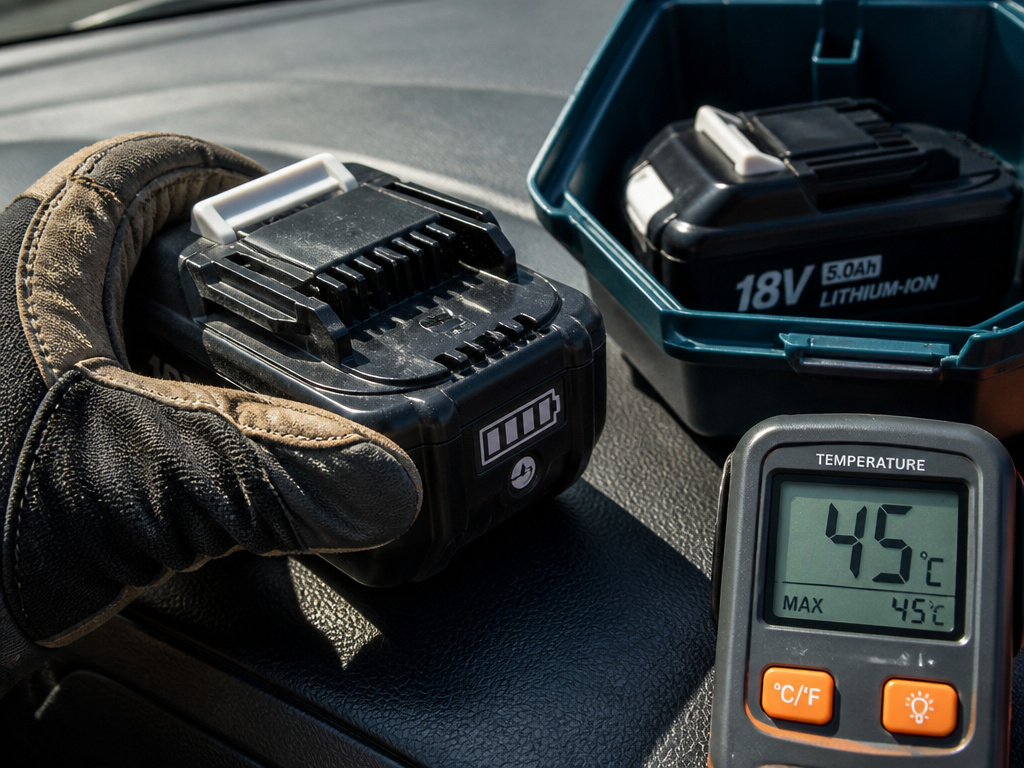
Einhell specifies storing batteries in a dry place at +10°C to +40°C and only placing batteries charged at least 40% into long-term storage. Storing a fully depleted battery kills it. The ideal ambient temperature for the tool itself is between 5 and 30 °C. Leaving a drill in a freezing garage or a hot car trunk degrades the battery and the plastic components.
Noise and Vibration Are Measured Risks.
The sound power level of 79.9 dB(A) listed for the Einhell model is not a quiet number. Prolonged exposure requires hearing protection. The vibration emission value (ah) of ≤ 2.5 m/s² is a measured hazard for hand-arm vibration syndrome during long-duration use. Gloves and taking breaks are not optional for all-day work.
These specs exist because engineers tested the tool to failure under controlled conditions. Your worksite is not controlled. Adhering to the manual is how you avoid becoming a test case. For proper cordless drill operation that respects these limits, follow the step-by-step guides.
Choosing the Right Drill for Your Needs
Not all cordless drills are equal. The specs tell the story before you ever pull the trigger.
Voltage and Battery Platform.
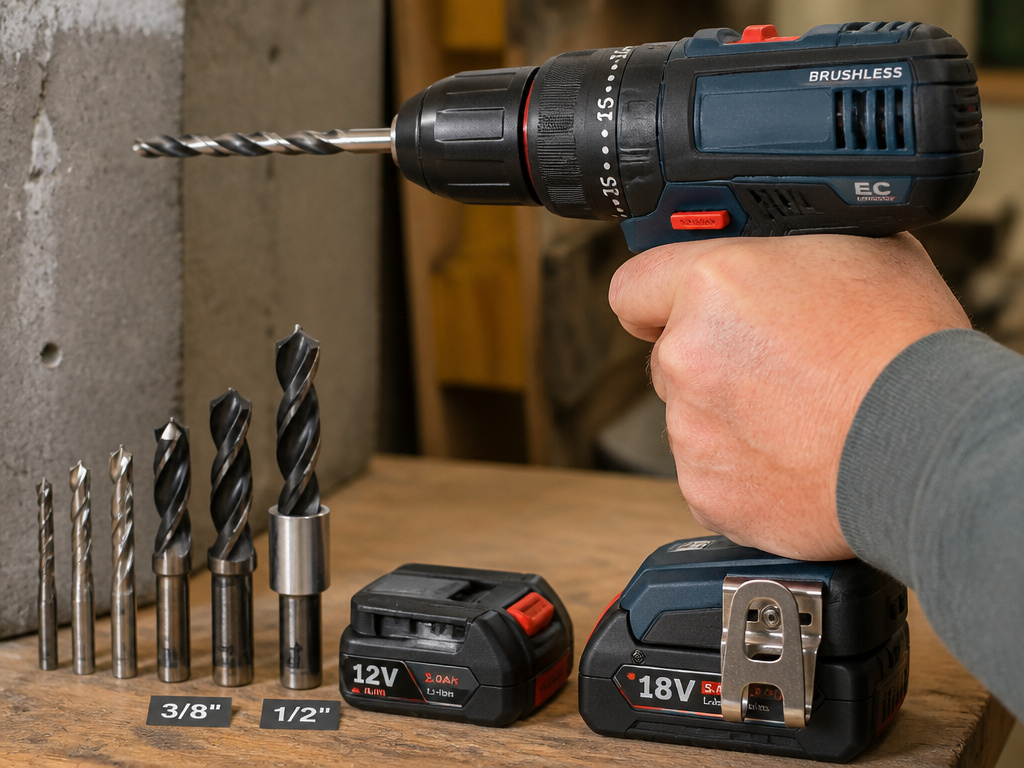
Voltage (12V, 18V, 20V Max) generally indicates power potential. An 18V system like the Einhell RT-CD 18/1 Li handles most DIY tasks. 12V tools are lighter and more compact for overhead work. Choose a brand and stick with its battery ecosystem. Investing in a cordless drill from a major brand ensures future access to batteries and compatible tools like an impact driver from the same line.
Chuck Size and Type.
A 3/8-inch or 10mm chuck handles bits up to that diameter. A 1/2-inch chuck is for heavier duty work and larger bits. A keyless chuck is convenient; a keyed chuck provides maximum grip for high-torque applications.
Brushless vs. Brushed Motor.
A brushless motor is more efficient, runs cooler, and lasts longer. It’s a significant upgrade for frequent use. A brushed motor is cheaper and perfectly adequate for occasional projects.
The debate between cordless vs corded drills still matters. For a stationary workshop with unlimited outlets, a corded drill delivers consistent, never-fading power. For mobility across a job site or around the house, cordless wins. Many users find they need both a portable drill for on-the-go tasks and a corded model for the bench.
Frequently Asked Questions
What is the main advantage of a cordless drill?
Portability. It allows you to work anywhere without being tethered to an electrical outlet. This is crucial for outdoor projects, large job sites, or working in areas without readily available power.
Can I use a cordless drill as a screwdriver?
Yes, that is one of its two primary functions. Using the clutch settings allows you to drive screws to a consistent depth without over-tightening. For very small, delicate screws, a dedicated cordless screwdriver offers more precise control.
How long does a cordless drill battery last?
It depends on the amp-hour (Ah) rating of the battery and the task. A 2.0Ah battery might drive 150-200 3-inch screws on a single charge. Heavy drilling or mixing will drain it faster. Always have a spare battery charged and ready.
What is the difference between a drill and an impact driver?
Drill provides constant rotational force (torque) and is used for drilling holes and driving screws with control. An impact driver adds concussive, rotational hammering blows to deliver much higher torque for driving large fasteners, with less reactive force on your arm.
What should I never do with my cordless drill?
Never change gears while the motor is spinning. Never use it to drill into masonry or concrete without a hammer drill function. Never work on hazardous materials like asbestos. Never submerge it or use it in wet conditions unless it is specifically rated for such use.
The Bottom Line
A cordless drill is for making holes and setting screws in common building materials. Its clutch gives you control, its battery gives you freedom, and its design is governed by an international standard. Respect its limits, concrete demands a hammer drill, big bolts demand an impact driver, and your safety demands reading the manual.
The right tool for the right job is not a cliché. It’s the difference between a project that finishes in an afternoon and one that ends with a broken tool and a trip to the hardware store. Start with a capable 18V cordless drill. Learn its clutch. Then add an impact driver when you start building a deck. Your tools, and your results, will be better for it.
