
Guide on How to Use a Drill for Screws: Master Settings & Safety
This post contains affiliate links. As an Amazon Associate, we earn from qualifying purchases.
To use a drill for screws, you must match three settings: speed (low), torque clutch (start at 5), and direction (forward). The clutch is your safety valve, set it too high and you strip the screw head; set it too low and the motor stalls and overheats. The correct sequence prevents stripped screws and burned-out drill motors.
That sequence is printed in every manual, but the numbers on the clutch ring are where new users get it wrong. A setting of “5” on a DeWalt doesn’t mean the same thing as “5” on an IKEA FIXA, and confusing them is how you end up with a screw seated too deep or a bit that spins freely in a ruined head.
What follows: the mechanical reason each setting exists, the seven-step physical process that works for any drill, and the one mistake that burns out a motor inside two minutes.
Key Takeaways
- Set the torque clutch between 4 and 7 for most wood screws. This lets the clutch disengage before you strip the head.
- Always use low speed (often marked “1”) for driving screws. High speed is for drilling holes only.
- Stop immediately if the drill stalls. Depressing the trigger repeatedly on a stalled motor damages the brushes and windings.
- Insert the screwdriver bit at least 15mm into the chuck and tighten it by hand. A loose bit wobbles and ruins the screw head.
- The forward/reverse switch must be set to forward (usually an arrow pointing toward the chuck) before you pull the trigger.
The 3 Settings That Decide the Screw’s Fate
Every drill has three controls that matter for screws. Get one wrong and the job goes sideways.
The variable speed trigger is obvious. The other two live on the collar behind the chuck.
Speed selector, torque clutch, direction switch. These three controls, when set in the order the manual specifies, prevent the two most common screw-driving failures: stripped heads and motor burnout.
Speed Selector: Why Low is Non-Negotiable
The speed selector is a physical gear shift. Position 1 is low speed, high torque. Position 2 is high speed, low torque.
You need torque, not RPMs, to drive a screw. High speed spins the bit before the threads can bite, which cam-outs the screw head. A Ryobi PCL206K2 runs at 0-450 RPM in low gear, that’s the range you want. Switch to high gear (0-1700 RPM) and you’ll feel the bit skate across the Phillips recess before the screw moves.
The rule is absolute. Use low speed for screws. The only exception is when you need a final “burst” to seat a lag bolt, and even then you stay in low gear.
The Torque Clutch: Your Strip-Prevention Device
The numbered ring is a mechanical clutch. It disengages the motor when resistance hits a preset point.
Higher numbers mean higher torque before disengagement. Start at setting 5. Drive a test screw into scrap wood. If the clutch clicks and stops before the screw is flush, increase the setting by one or two numbers. If you drive the screw head below the surface without a click, lower the setting.
| Clutch Setting | Best For | What Happens If Set Wrong |
|---|---|---|
| 1–3 | Small screws, drywall, softwoods | Strips head in hardwoods; motor stalls on resistance |
| 4–7 | General wood screws (#6, #8, #10) | Prevents over-driving and head stripping |
| 8–15+ | Lag bolts, deck screws | Can strip head if used on smaller screws; risks splitting wood |
| Drill icon | Drilling holes only (clutch bypassed) | Will drive screw head through material if used by mistake |
The IKEA FIXA 14.4V has 19 torque settings plus a drill mode. Its maximum torque is 16 Nm. A #8 wood screw needs about 4-6 Nm to seat flush in pine. Setting 10 on that drill delivers roughly half its max torque, enough to seat the screw but not enough to bury the head.
Forward/Reverse Switch
The switch is simple: forward drives screws in, reverse backs them out. The critical rule is to ensure the drill is completely stopped before you flip the switch. Changing direction while the chuck is spinning grinds the internal gears. You’ll hear a sharp crunch. Do that three times and the switch mechanism wears enough to slip under load.
The 7-Step Process for a Perfect Screw
This sequence works for a Ryobi drill, a DeWalt drill, or any cordless drill.
Before you start: Wear safety glasses. Ensure your workpiece is secured. Verify the battery is charged.
-
Select and Insert the Bit Match the bit to the screw head. A PH2 bit for a #8 Phillips screw. Insert the bit at least 15mm into the chuck, past the gripping jaws. Hand-tighten the keyless chuck clockwise. A bit seated less than 15mm will wobble under pressure.
-
Set the Controls Move the speed selector to Position 1 (Low). Set the torque clutch to 5. Set the forward/reverse switch to forward (arrow pointing toward the chuck).
-
Start the Pilot Hole (If Needed) For hardwoods or large screws, drill a pilot hole. Switch the clutch to the drill icon. Use a drill bit slightly smaller than the screw’s shank. Drill, then return the clutch to your chosen torque setting.
-
Start the Screw by Hand Place the screw on the bit. Apply light pressure and pull the trigger in short, slow bursts to start the thread. This prevents the screw from walking across the surface.
-
Drive at a Consistent Angle Keep the drill perfectly aligned with the screw axis. Any angle forces the bit sideways in the head, rounding out the recess. Let the drill’s torque do the work, don’t lean into it.
-
Listen for the Clutch Click As the screw seats, resistance increases. The clutch will disengage with a rapid click-click-click sound. Stop immediately. The screw is flush.
-
Withdraw and Reset Release the trigger. Withdraw the bit straight out. For the next screw, you’re already set.
Where this goes sideways: Starting a screw at high speed. The bit spins faster than the screw can thread, it cams out of the head, and you’re left with a shiny, useless divot in the screw head. That screw is now garbage.
Why Your Drill Stalls, and What to Do Next
A stall happens when the resistance exceeds the motor’s torque at the given speed and clutch setting. The chuck stops. The motor hums.
The DeWalt DCD794 manual states the correct response verbatim: RELEASE TRIGGER SWITCH IMMEDIATELY, remove drill bit from work, and determine cause of stalling.
Do not pump the trigger. That surge current overheats the motor windings. On a brushed motor, it arcs across the commutator and pits the copper. The motor loses power permanently after a few dozen of these events.
Diagnose the stall:
- Clutch set too low? Increase the torque setting by two numbers.
- Pilot hole missing? Drill one.
- Hitting a knot or metal? Back the screw out and assess.
- Wrong bit type? A worn PH2 bit will slip before it stalls. Replace it.
Drill vs. Impact Driver: Which Tool Actually Wins?
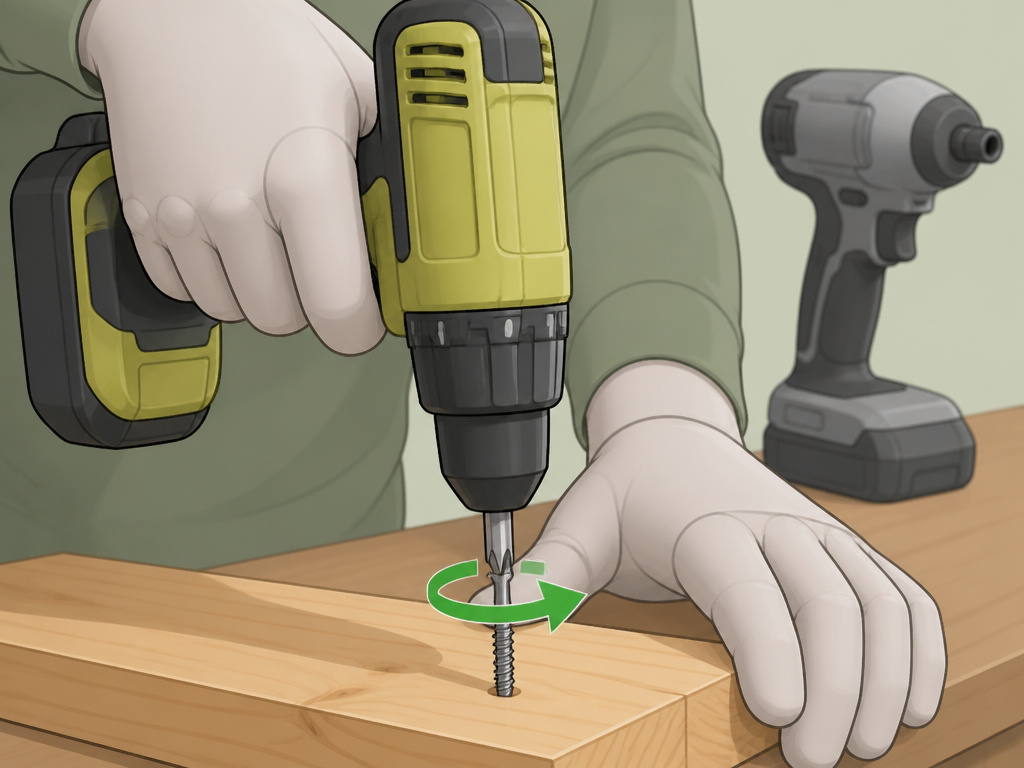 For driving screws, an impact driver is often the better tool. It uses concussive blows to generate higher torque in a smaller package. It also cam-outs less because the impacts seat the bit deeper into the screw head with each pulse.
But for general DIY, a drill is more versatile. You need only one tool.
| Aspect | Drill/Driver | Impact Driver |
|---|---|---|
| Primary Use | Drilling holes, driving small-to-medium screws | Driving many screws, lag bolts, stubborn fasteners |
| Torque Delivery | Steady, limited by clutch | High, pulsed impacts |
| Cam-Out Risk | Higher if misaligned | Lower due to impacts |
| Noise Level | Moderate | Loud, distinct rattling |
| Best For | All-around DIY, pilot holes, precision work | Deck building, framing, any high-screw-count job |
For assembling furniture or hanging shelves, use your drill. For building a fence, grab the impact driver. If you own only a drill, it will handle 90% of screw jobs, just respect its limits.
The One Accessory You Can’t Skip
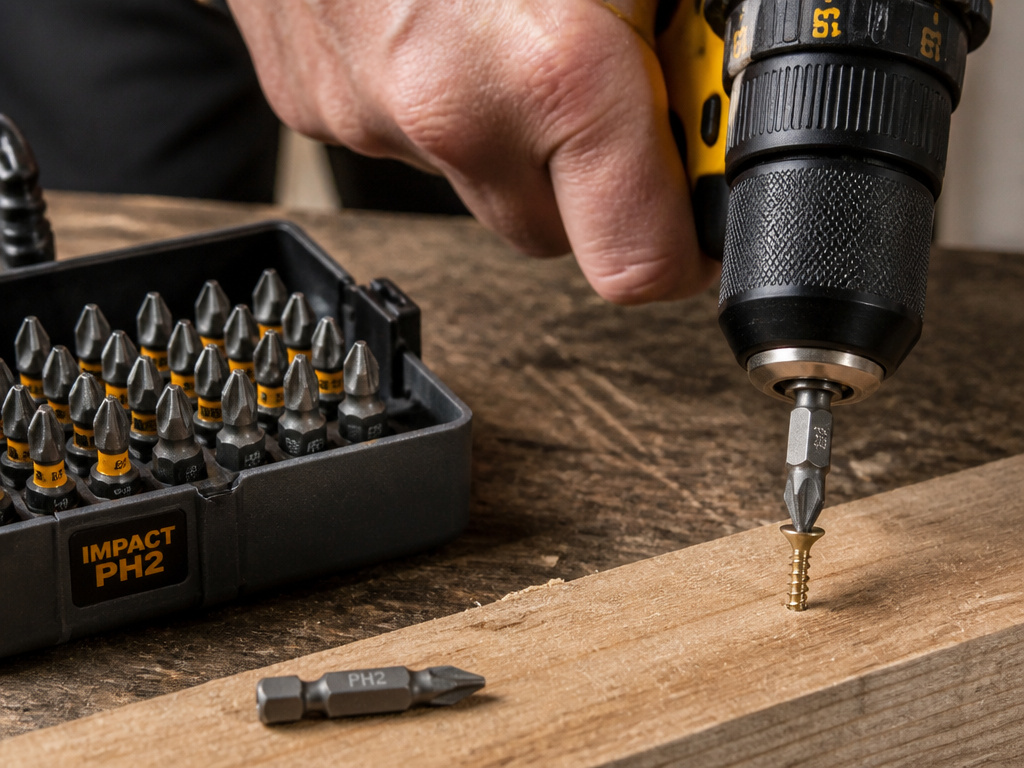 The screwdriver bit is a consumable. A dull bit is the leading cause of stripped screws.
Buy quality bits. Look for ones labeled “impact grade” even if you use a drill, they have a tougher alloy and a better grip on the screw. A DeWalt FlexTorq or Milwaukee Shockwave bit in PH2 will last through hundreds of screws before the edges round over.
Store them in a case. Loose bits in a toolbox bag get nicked, and a nick on the driving edge transfers less torque to the screw.
Easy to miss: The bit holder matters. A worn magnetic holder lets the bit tilt a few degrees. That tilt is enough to ruin a screw head on the final turn. If your bits wobble in the holder, replace the holder.
Frequently Asked Questions
What is the best drill setting for wood screws?
Use low speed (gear 1) and a torque clutch setting between 4 and 7. Start at 5. If the clutch disengages before the screw is flush, increase the setting. If you drive the screw too deep, decrease it.
Why does my drill bit keep falling out of the screw head?
You have cam-out. The most common causes are using high speed, a worn screwdriver bit, or not keeping the drill perfectly straight. Switch to low speed, use a new PH2 bit, and apply firm, straight pressure.
Can I use my drill as a screwdriver without a clutch?
Yes, but it’s risky. Set the clutch to the drill icon for full, unlimited torque. You must stop manually the instant the screw is flush. One second too long and you’ll drive the screw head through the material or strip it completely. This is how beginners split wood.
How do I remove a stripped screw with a drill?
Switch the direction to reverse. Use a brand new, sharp bit of the correct size. Apply heavy downward pressure directly over the screw and pull the trigger slowly. If it doesn’t bite, you may need a screw extractor bit, which bites into the damaged head.
What’s the difference between a drill and an impact driver for screws?
Drill applies continuous rotating force. An impact driver applies rotating force plus concussive hammer blows forward. The impacts allow an impact driver to deliver much higher torque without twisting your wrist, making it better for large or numerous screws.
Before You Go
Screw driving with a drill comes down to control. Low speed provides it. The torque clutch enforces it. A sharp bit and a straight angle execute it.
Skip the clutch and you’re just guessing. Guess wrong and you’re either back at the hardware store for more screws or shopping for a new drill motor.
For one tool that does it all, a mid-range cordless drill like the Ryobi PCL206K2 or DeWalt DCD794 is the default. It has the clutch, the two-speed gearbox, and enough torque for 95% of home projects. Keep it set to low gear, start the clutch at 5, and drive straight. That’s the whole manual in three commands.
