
How to Mount a TV Without a Drill: 3 Secure & Easy Methods
This post contains affiliate links. As an Amazon Associate, we earn from qualifying purchases.
To mount a TV without a drill, you have three proven options: a mobile floor stand, a dedicated no-stud wall mount system, or heavy-duty toggle bolts used with a standard mount. The method depends on your wall type, TV weight, and whether you need permanent installation or renter-friendly flexibility.
The core challenge is matching the system’s actual load capacity to your specific TV and wall. A mount rated for 100 pounds is only as strong as what’s holding it to the wall.
What follows breaks down each method by its mechanics, its hard limits, and the one mistake that sends TVs crashing to the floor. We’ll name specific products that work and show you how to verify your wall can handle the load before you buy anything.
Key Takeaways
- Mobile floor stands like the Kanto MTM series support up to 88 lbs and offer height adjustment from 25 to 65 inches, completely bypassing the wall.
- Dedicated no-stud mounts, such as the Harbor Freight Slim No-Stud, use wide-spread toggle systems rated for 100 lbs on drywall, but require verifying your drywall is at least 3/8-inch thick.
- Using standard toggle bolts with a conventional mount is viable, but you must use anchors rated for at least 1.5 times your TV’s weight and ensure they are installed in solid drywall, not plaster or lath.
- The most common point of failure is ignoring the anchor rating. The mount’s rating is irrelevant if the anchor pulling out of the wall is the weak link.
- Always check for hidden electrical wires or plumbing before installing any wall-mounted hardware, even with toggle bolts.
The 3 Drill-Free TV Mounting Methods Compared
Your choice hinges on permanence, weight, and whether you own the walls. A floor stand is the safest bet for renters or uncertain wall structures. A no-stud mount is a clean, semi-permanent solution for solid drywall. Toggle bolts are the traditional brute-force method, but they demand precision.
A dedicated no-stud TV mount spreads the load across multiple heavy-duty toggle bolts anchored over a wide area of drywall. This system is engineered to exceed the load ratings of standard anchors used individually, making it distinct from simply using toggle bolts with a regular mount.
The table below shows where each method wins and where it falls short.
| Method | Best For | Weight Capacity (Typical) | The Catch |
|---|---|---|---|
| Mobile Floor Stand | Renters, concrete walls, flexible rooms | Up to 88 lbs (Kanto TTS/MTM) | Footprint takes up floor space. |
| Dedicated No-Stud Mount | Solid drywall, clean installed look | 100 lbs on drywall (Harbor Freight 59776) | Requires drywall thickness ≥ 3/8″. |
| Toggle Bolts + Standard Mount | Existing mount, known wall material | Varies by bolt (often 50-100 lbs each) | Hole size is large and permanent. |
You’ll notice weight capacity is a range, not a guarantee. The manufacturer’s number assumes perfect conditions: new drywall, correct installation, and a static load. Your reality is different.
Mobile TV Floor Stands: Bypass the Wall Entirely
This is the only method with zero wall dependency. A mobile stand is a wheeled cart with a vertical column that a VESA plate attaches to. Brands like Kanto make specific models, the MTM series for larger TVs and the TTS series for tabletop use.
The Kanto MTM82PL, for example, supports TVs from 37 to 65 inches and up to 88 pounds. Its height adjusts from 25 to 65 inches from the floor to the screen’s center. The wheels lock, and it includes a top shelf for a webcam or streaming box.
Why it works: The load transfers directly to the floor through a wide, stable base. There’s no shear force on drywall. It’s the definitive solution for plaster walls, stone walls, or any surface you can’t or won’t penetrate.
The limitation is space. A floor stand needs a clear footprint. It also won’t provide the flush, floating look of a wall mount. But for safety and simplicity, it’s unbeatable. It’s also how many schools and offices share a TV between rooms, they just roll it down the hall.
Dedicated No-Stud Mount Systems
These are complete kits, like the Harbor Freight Slim No-Stud Mount (Model 59776). They aren’t just a bracket; they’re an integrated system with a wide metal backplate that uses four or more heavy-duty toggle bolts. The backplate spreads the pulling force across a larger section of drywall.
The Harbor Freight manual specifies a 100-pound capacity for drywall, but only if the drywall is at least 3/8-inch thick. For concrete, it’s rated for 135 pounds. It fits TVs from 37 to 90 inches.
Common mistake: Trusting the TV mount’s weight rating without checking the wall anchor rating. A mount rated for 100 lbs means the mount hardware can hold 100 lbs, but only if it’s secured to something capable of holding 100 lbs.
Installation is straightforward but exact. You must use the included hardware and follow the template to space the toggle bolts correctly. The wide distribution is what gives it the rating, the individual anchors work as a system.
Heavy-Duty Toggle Bolts with a Standard Mount
This is the classic DIY approach. You use a conventional low-profile mount but secure it to the drywall with toggle bolts or snap-toggle anchors instead of lag bolts into studs.
You need a mount that allows the bolt holes to be placed anywhere, not just on 16-inch centers. You also need the right bolts. A 1/4-inch toggle bolt in 1/2-inch drywall might be rated for 50 pounds each. Using four of them theoretically holds 200 pounds, but that’s in a perfect lab.
In practice, you derate by half. If your TV and mount weigh 40 pounds, you want anchors with a combined rating of at least 60 pounds. The load isn’t evenly distributed, and drywall isn’t uniform.
The process is the same as standard mounting: mark your holes, drill a large hole (often 1/2-inch) for each toggle, collapse the toggle, insert it, and tighten the bolt to pull the toggle flat against the back of the drywall. The toggle acts as a metal wing, distributing the load on the backside of the wall.
Why a No-Stud Mount Isn’t Magic
The engineering makes sense, but it has hard physical limits. Drywall is gypsum plaster sandwiched between paper. It’s good in compression but weak in pull-out strength. A toggle bolt works by creating a large bearing surface on the backside, so the force isn’t on the screw threads in the gypsum.
Dynamic loading! Sudden load movement may briefly create excess load causing product failure. This warns against sudden movements that could exceed the static weight capacity.
This warning from the Harbor Freight manual is critical. The 100-pound rating is for a TV hanging still. Bumping the TV, a child pulling on it, or even the act of plugging in a cable creates a dynamic load that can spike well above the TV’s weight. This is why the 1.A 5x safety margin is your essential buffer for real life.
Your wall’s condition matters more than the mount’s brand. Old, brittle drywall crumbles. Drywall that’s been previously patched or is thinner than 3/8-inch will fail. You must find the studs anyway, not to use them, but to avoid drilling into electrical wires or plumbing hidden in the cavities.
The Tools and Prep You Actually Need
You might not need a drill, but you still need the right tools for inspection and installation. Skipping this step is how projects go wrong.
1. A Quality Stud Finder. You’re using it in reverse, to confirm where the studs are so you can avoid them and the hazards within. A magnetic finder is cheap but unreliable. An electronic stud finder that also detects live AC voltage is the right tool. Run it slowly across the wall and mark the edges of each stud.
2. A Level. Even a small TV looks terrible when it’s crooked. A 24-inch spirit level is ideal. Some mounts include a small bubble level, but it’s not trustworthy for a long span.
3. A Tape Measure and Pencil. Precision matters. You’ll be measuring for height, marking bolt holes, and ensuring everything is centered.
4. The Right Hardware. This isn’t a place for leftover screws. If you’re using a no-stud mount, use only the toggle bolts provided. If you’re going the DIY toggle bolt route, buy name-brand, heavy-duty steel toggle bolts from a supplier like Hillman or E-Z Ancor. Don’t use plastic drywall anchors, they are for picture frames, not televisions.
5. A Helper. Mounting a TV is a two-person job. One person holds the mount or TV level and in position while the other secures it. Trying to do it alone risks dropping the TV or misaligning the mount.
Step-by-Step: Installing with Toggle Bolts
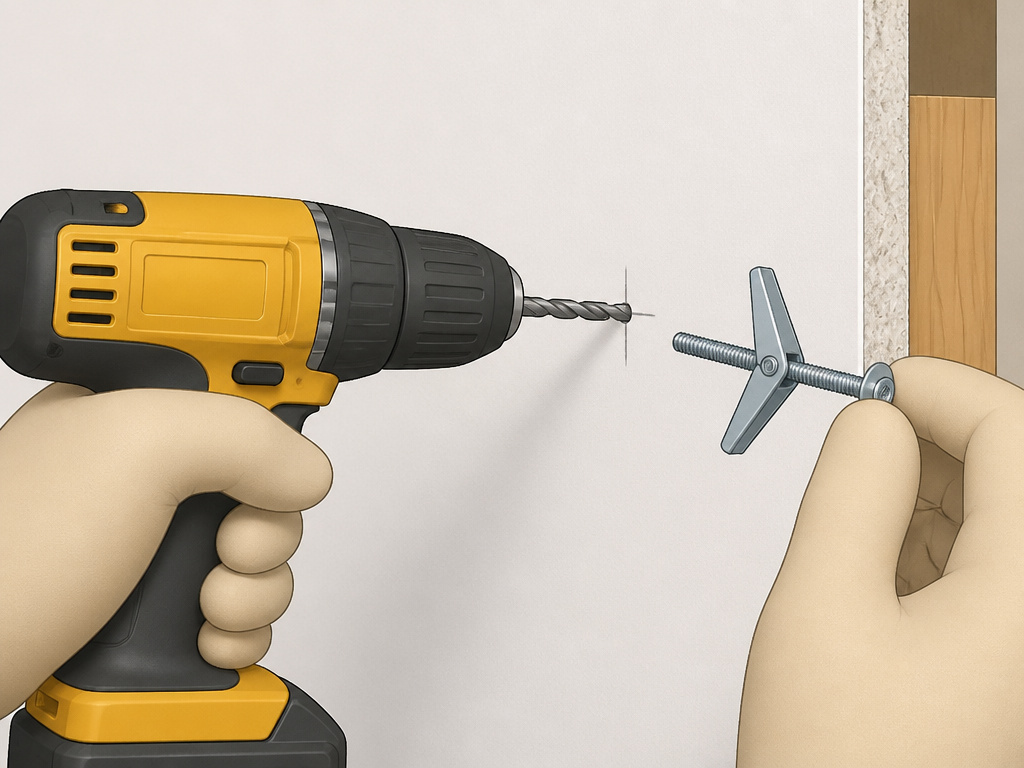 This walkthrough assumes you’ve chosen the DIY toggle bolt method with a standard mount. The sequence is everything.
Step 1: Find the Studs and Hazards.
Use your electronic stud finder to map all studs in the area. Mark their edges with light pencil marks. This map tells you where you absolutely cannot drill. Also, note the location of any electrical outlets or light switches, wires often run vertically to them.
Step 2: Attach the Mounting Plate to the TV.
Lay the TV face-down on a soft, stable surface like a blanket on a table. Attach the VESA plate to the back of the TV using the provided screws. Ensure the plate is oriented correctly (usually with the arm attachment points at the bottom). Do not overtighten; you could crack the TV’s internal frame.
Step 3: Determine Mounting Height and Mark the Wall.
The ideal height has the center of the screen at or slightly above eye level when seated. For a typical living room, this is often 42 to 48 inches from the floor to the center of the screen. Hold the mount (or use its paper template) against the wall at this height. Use the level to make it perfectly straight. Mark the centers of the four bolt holes with a pencil.
Step 4: Drill Holes for the Toggle Bolts.
Using a drill with the correct-sized bit (usually 1/2-inch for large toggles), drill straight into the wall at each mark. Drill only through the drywall. If you hit significant resistance, you may have hit a stud or blocking, stop and reassess. The hole must be clean and the correct size for the toggle to slip through.
Step 5: Install the Toggle Bolts and Mount.
Insert the toggle bolt through the mount’s hole, then attach the toggle wings. Collapse the wings and carefully insert the bolt into the wall hole. Push it through until the wings snap open behind the drywall. Do this for all four bolts before tightening any of them. Once all are seated, use a wrench to evenly tighten each bolt, pulling the mount snug against the wall. The toggle should clamp firmly against the drywall’s back.
Step 6: Hang the TV and Secure.
With a helper, lift the TV and hook the VESA plate onto the wall-mounted bracket. Listen for a solid click or engagement. Secure any included safety screws or locking bars to prevent the TV from being lifted off accidentally.
Before you start: Verify the wall has no hidden utility lines. Toggle bolts require large holes, increasing the risk of hitting wires or pipes. Unplug the TV before threading bolts into its back panel to prevent shock risk.
What Most People Get Wrong About Weight Ratings
The numbers on the box are a starting point, not a guarantee. Two factors gut the official rating: dynamic load and wall integrity.
A 55-pound TV doesn’t create a steady 55-pound pull on the anchors. Swiveling the mount, a dog bumping the stand, or a sudden stop if the mount has articulation creates shock loads. The Harbor Freight manual calls this out explicitly, it’s the reason a static 100-pound system can fail with an 80-pound TV.
Wall integrity is the other variable. Drywall anchors assume the gypsum core is intact and the paper facing is bonded. Water damage, old screw holes nearby, or simply brittle, old board reduces capacity. If your wall has any give or crackle when you push on it, don’t trust it to hold a TV.
The fix is to always buy a system rated for well above your TV’s weight. If your TV is 50 pounds, aim for a mount and anchor system rated for 80 pounds minimum. That margin is your insurance against reality.
When You Should Just Call a Pro
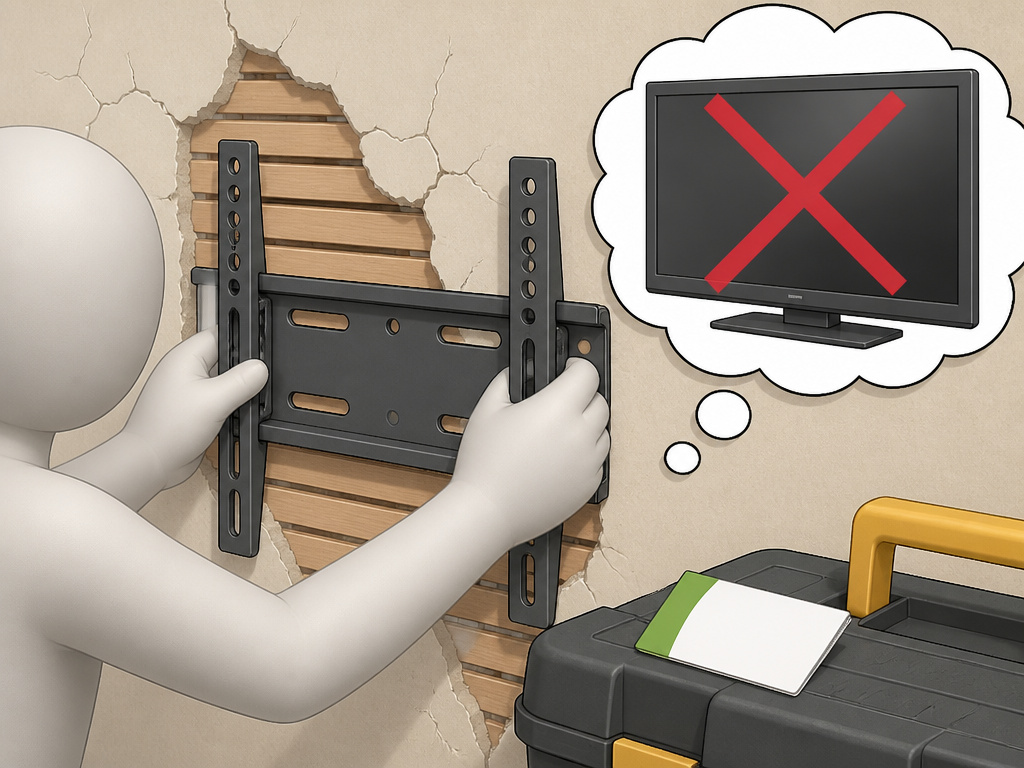 This is a matter of risk assessment. You should hire a professional installer if: * Your walls are plaster and lath.It’s brittle, inconsistent, and hides a maze of wood.
* You need to mount above a fireplace. The heat and the often-unusual wall construction add complexity.
* The desired location has no studs and you’re unsure of the drywall’s thickness or condition.
* You’re mounting a very large, heavy TV (over 75 inches or 80 pounds). The stakes are too high for guesswork.
This is a matter of risk assessment. You should hire a professional installer if: * Your walls are plaster and lath.It’s brittle, inconsistent, and hides a maze of wood.
* You need to mount above a fireplace. The heat and the often-unusual wall construction add complexity.
* The desired location has no studs and you’re unsure of the drywall’s thickness or condition.
* You’re mounting a very large, heavy TV (over 75 inches or 80 pounds). The stakes are too high for guesswork.
The cost of a professional install is often less than the cost of replacing a shattered TV and repairing a torn-up wall.
Frequently Asked Questions
Can you really mount a TV securely without studs?
Yes, using a dedicated no-stud mount system or properly rated toggle bolts. The security comes from using hardware specifically designed to distribute the TV’s weight across a broad section of solid, thick drywall. It is not secure if you use inadequate anchors or if your drywall is damaged or too thin.
What is the best no-drill TV mount for drywall?
The best system is a dedicated no-stud mount like the Harbor Freight Slim No-Stud Mount for a permanent solution, or a Kanto mobile floor stand for a flexible, zero-wall-impact option. The “best” depends on whether you need a flush wall look or total renter-friendly portability.
How much weight can drywall hold without a stud?
It depends on the anchor. A single 1/4-inch toggle bolt in 1/2-inch drywall can hold 50 to 75 pounds in ideal conditions. However, for a TV mount, you use multiple anchors as a system. A quality no-stud mount system is rated for 100 pounds on drywall, which is sufficient for most TVs under 75 inches.
Can I use Command Strips to mount a TV?
No. Never use adhesive strips or hooks to mount a television. They are designed for static, shear-force loads like a picture frame. A TV creates a constant pulling force (tensile load) that adhesive cannot withstand long-term. It will eventually fail, potentially catastrophically.
How do I find studs without a stud finder?
You can tap the wall lightly with a knuckle, a solid, dull sound indicates a stud, while a hollow sound indicates cavity. You can also look for subtle clues like baseboard nails, electrical outlets, or switch boxes, which are typically attached to the side of a stud. However, for a TV mount, guessing is unacceptable. Invest in a reliable electronic stud finder to avoid hazards.
Before You Go
Mounting a TV without a drill is entirely possible, but it trades one tool for stricter discipline. The drill’s job is replaced by rigorous weight matching, hardware selection, and wall assessment.
For most renters or those in temporary spaces, a mobile floor stand like a Kanto cart is the smartest, safest investment. For homeowners with solid drywall willing to make permanent holes, a dedicated no-stud mount system provides a clean, reliable installation. If you already have a mount, heavy-duty toggle bolts can work, but only if you respect the derated capacity and install them perfectly.
The goal is to use the right tools. In this case, the right tools are a stud finder, a level, a quality anchor, and a healthy respect for the limits of drywall.Get those right, and your TV stays on the wall.
