
What Is a Drill Driver | The 2-in-1 Workhorse Explained
This post contains affiliate links. As an Amazon Associate, we earn from qualifying purchases.
A drill driver is a single cordless power tool designed to perform two core tasks: drilling precise holes and driving screws with controlled torque. It combines a variable-speed drill motor with an adjustable mechanical clutch, housed in a gun-shaped body that accepts round-shank drill bits and hex-shank driver bits via a keyless chuck.
That clutch is the entire game. It lets you dial in the exact twisting force needed to sink a screw flush without stripping the head or damaging the material. A drill driver is the default pick for most home workshops because it handles 80% of common drilling and fastening jobs without needing a second tool.
What follows: a breakdown of its three essential parts, the one setting that causes most beginner mistakes, and the hard limits you hit when a project demands more brute force.
Key Takeaways
- The adjustable clutch separates a drill driver from a basic drill. Set it too high, and you’ll overdrive screws or snap small bits.
- Brushless motor models like the DeWALT DCD801B run cooler and last longer under load, but a brushed motor is fine for weekend projects.
- Drill drivers have strict maximum capacities for different materials. Exceed the 1-inch twist bit limit in wood or the 1/2-inch limit in metal, and the tool will stall, overheat, or damage the chuck.
- For driving many long screws into dense material, you’ll eventually need an impact driver. A drill driver can do it, but it’ll strain the motor and your wrist.
- Always match your bit’s shank to your chuck. A 1/2-inch keyless chuck grips round and hex shanks, but a 3/8-inch model won’t accept larger paddle bits.
The Core Components of a Drill Driver
A drill driver isn’t just a motor in a case. Three specific parts work together to turn electricity into controlled rotation.
First is the keyless chuck. This is the three-jaw clamp at the front of the tool. You turn the outer sleeve by hand to open or close it, gripping everything from a 1/16-inch drill bit to a 1/2-inch driver bit. No key is needed, which is why you lose fewer accessories.
A keyless chuck uses three metal jaws that move in unison when you rotate the outer sleeve. Tightening it on a bit’s shank creates a friction grip strong enough to handle the tool’s maximum torque. Over-tightening with pliers can warp the jaws, causing the bit to wobble at high speed.
Second is the adjustable clutch, usually a numbered ring behind the chuck. This isn’t a power setting. It’s a mechanical disconnect. When the torque needed to turn the bit reaches the clutch’s set level, the clutch slips with a distinct clicking sound. The motor keeps spinning, but the bit stops. This prevents you from driving a screw too deep.
The third part is the two-speed gearbox. A switch on the top of the tool toggles between high-speed, low-torque mode (for drilling) and low-speed, high-torque mode (for driving). Using high speed to drive a large screw is a common mistake. The bit spins too fast to seat properly, cams out of the screw head, and strips it.
Why the Clutch Number Isn’t a Power Level
The numbers on the clutch ring (often 1-15 or 1-20) are relative, not absolute. A “5” on one brand’s drill driver does not equal the same torque as a “5” on another. They’re a calibration for the job in front of you.
Start low. For assembling flat-pack furniture with softwood screws, set the clutch between 3 and 5. Drive a test screw. If it stops before the head is flush, move the setting up two numbers and try again. Stop when the screw seats perfectly. This trial run takes 90 seconds and saves a weekend project.
Skip this if: you’re drilling a hole. For drilling, you must turn the clutch ring past the numbers to the drill bit icon. This bypasses the clutch and sends all the motor’s power directly to the chuck.
Drill Driver vs. Impact Driver: When You Need the Second Tool
A drill driver excels at control. An impact driver delivers raw, concussive force. They look similar, but their internal mechanisms are completely different.
A drill driver applies constant, rotating torque. When you hit resistance, the tool strains against it. Your wrist feels that strain. An impact driver has a hammer-and-anvil mechanism inside. When resistance builds, it disengages and re-engages the drive, delivering rapid rotational blows, up to 50 times per second. This creates far more rotational force while transferring much less kickback to your arm.
| Task | Drill Driver | Impact Driver |
|---|---|---|
| Drilling clean holes | Excellent. Constant speed is ideal. | Poor. The hammering action makes for rough, imprecise holes. |
| Driving small to medium screws | Excellent. The clutch allows perfect depth control. | Overkill. Can easily overdrive or snap the screw. |
| Driving many long screws (3″+) into dense wood | Possible, but slow. Will strain the motor and your wrist. | Ideal. The impacts power through without pre-drilling. |
| Bit Compatibility | Accepts round-shank drill bits and hex-shank driver bits. | Only accepts 1/4-inch hex-shank bits. |
This is why understanding the difference between impact driver and drill is crucial for tool shopping. For building a deck or framing a wall, you need the impact driver’s brute force. For hanging shelves or assembling cabinets, the drill driver’s precision is non-negotiable. Most pros and serious DIYers end up owning both, often bought together in a cordless drill vs impact driver combo kit.
Where this goes sideways: Using an impact driver to drill a hole with a standard twist bit. The bit’s round shank won’t fit the hex collet, and even with an adapter, the hammering action will chew up the hole’s edges and likely break the bit.
How to Use a Drill Driver: The Three-Step Setup
Operating the tool is simple. Setting it up correctly is what most people rush.
1. Insert the Bit
Open the chuck by rotating the sleeve counter-clockwise. Insert the bit shank as far as it will go, ensuring it’s centered. Hand-tighten the sleeve clockwise until it’s firmly snug. Do not use pliers for extra force, this can crack the plastic sleeve or misalign the metal jaws inside.
2. Set the Direction and Speed
The switch above the trigger controls rotation: forward for drilling/driving, center for lock, reverse for removing bits or backing out screws. For drilling, set the gearbox to high speed. For driving screws, start with low speed.
3. Dial in the Clutch
If you’re driving screws, set the clutch to a low number (4-6). If you’re drilling, rotate the clutch ring to the drill bit symbol. This is the step everyone forgets, and it leads to a stalled drill and a confused user.
For a complete walkthrough, including how to hold the tool for control, see our guide on how to use a cordless drill.
Understanding Drill Driver Specifications and Capacities
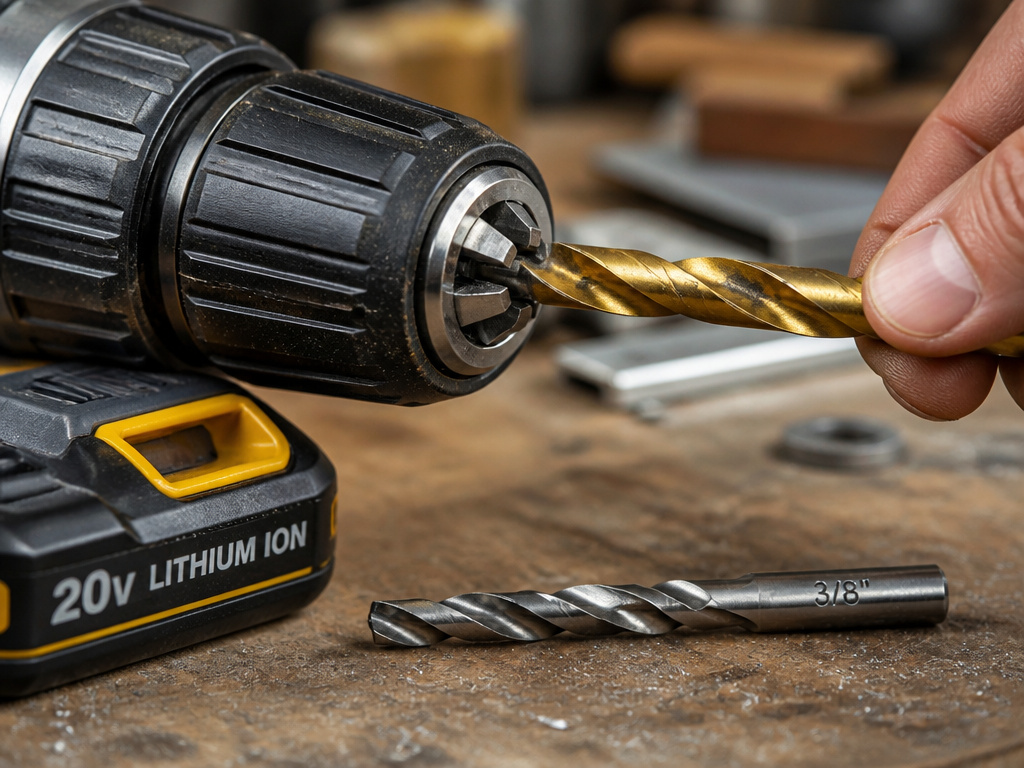 The numbers on the box aren’t marketing fluff. They tell you exactly what the tool can and cannot do. Ignoring them is how you burn out a motor.
Voltage (12V vs. 20V): This indicates the battery platform’s nominal voltage, roughly correlating to power and runtime. A 12-volt drill driver is lighter and sufficient for most indoor tasks. A 20-volt model, like the SKIL DL527501 or DeWALT DCD801B, delivers more torque for longer sessions and heavier materials. The choice between a 12 volt vs 20 volt drill often comes down to your project frequency and the weight you’re willing to handle.
Chuck Size (3/8″ vs. 1/2″): This is the maximum diameter shank the chuck can accept. A 1/2-inch chuck is more versatile, handling larger paddle bits and hole saws. A 3/8-inch chuck limits you to smaller bits. The debate around 3/8 drill vs 1/2 drill is really about matching the tool to your most common bit sizes.
Brushless Motor: A brushless motor uses electronic controls instead of physical carbon brushes to commutate. The result is less friction, less heat, more efficiency, and longer tool life. The DeWALT DCD801B is brushless. It’s a significant investment that pays off if you use the tool weekly.
Maximum Recommended Capacities
Every manufacturer defines hard limits. The DeWALT DCD805 manual lists these maximums. Go beyond them, and the tool will stall. The manual’s instruction for a stall is specific: release the trigger immediately, remove the bit, and find the cause. Do not “pump” the trigger to restart it, that can damage the motor.
| Material | Bit Type | Maximum Capacity |
|---|---|---|
| Wood | Twist Bit | 1 inch (25 mm) |
| Wood | Self-feed Bit | 2-9/16 inch (65 mm) |
| Wood | Hole Saw | 3 inch (76 mm) |
| Metal | Twist Bit | 1/2 inch (13 mm) |
| Metal | Hole Saw | 1-1/2 inch (38 mm) |
| Masonry | Carbide Bit | 1/4 inch (6.4 mm) |
These capacities are for the tool under ideal conditions with a sharp, high-quality bit. A dull bit or hardened material lowers the effective capacity immediately.
Choosing the Right Drill Driver for Your Projects
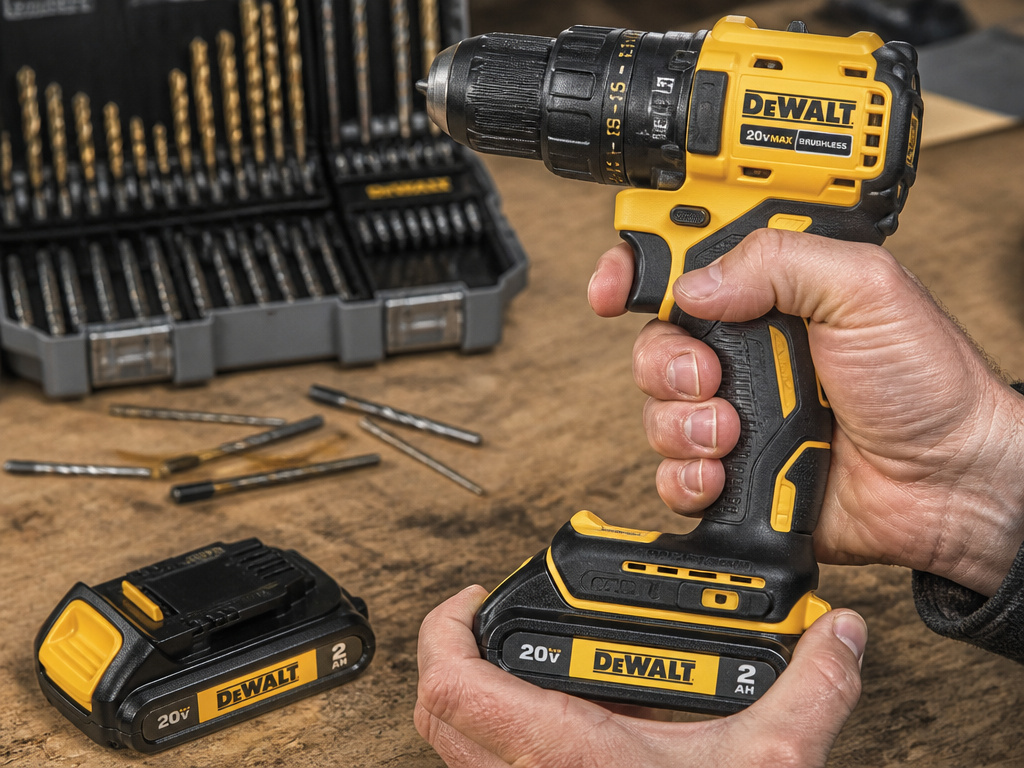 Your choice hinges on three questions: how often you’ll use it, what you’ll use it on, and what other tools you might add later.
For the occasional user tackling light repairs and furniture assembly, a standard 12V or 18V brushed motor drill driver from a major brand is fine. You’ll never push it to its limits.
For the weekly DIYer or homeowner managing a variety of tasks, step up to a 20V brushless model. The efficiency and durability are worth the cost. The DeWALT DCD801B is a standout here, with its anti-rotation safety feature and rated capacity for 175 holes per charge.
If you’re building a tool ecosystem, buy into a battery platform. If you start with a DeWalt 20V Max drill driver, your next tool, like an impact driver or circular saw, should use the same 20V Max batteries. This saves money and clutter.
Common mistake: Buying a drill driver based on a kit’s accessory count. Those included bits are often low-grade. It’s better to buy a tool-only drill driver and spend the savings on a separate set of high-quality drill bits and driver bits. The tool will perform better and last longer.
Frequently Asked Questions
Can a drill driver remove screws?
Yes. Use the reverse direction setting (usually marked with an arrow pointing left). The clutch still works in reverse, so if a screw is stuck, set the clutch to a high number or drill mode to apply maximum torque.
What’s the difference between a drill and a drill driver?
Basic drill typically lacks an adjustable clutch. It’s for drilling holes only. A drill driver includes that clutch, making it suitable for both drilling and controlled screw driving. When people say “drill” today, they usually mean a drill driver.
Do I need a hammer drill?
Only if you plan to drill into concrete, brick, or stone regularly. A hammer drill adds a percussive “hammering” action to the rotation. A standard drill driver will not drill into masonry effectively. For the occasional concrete anchor, you can use a carbide-tipped bit in a drill driver, but it will be slow and wear the bit quickly.
How do I maintain my drill driver?
Keep it clean and dry. Blow dust out of the vents and chuck with compressed air after use. Don’t store it in extreme temperatures (the SKIL manual recommends 32–104°F). If the chuck starts to slip, it may need replacement. For internal repairs, follow the manufacturer’s service advice; Milwaukee recommends a professional check every six months to a year for heavily used tools.
Why does my drill driver stop turning when I push hard?
You’ve likely hit the clutch setting. The tool is doing its job, preventing you from applying too much torque. Either increase the clutch number or switch to drill mode if you’re drilling a hole. If it stops suddenly with a grinding noise in drill mode, you’ve stalled it. Release the trigger immediately.
The Bottom Line
A drill driver is the cornerstone of a functional toolkit. It’s the one power tool that can honestly claim to do two jobs well. Master its clutch, respect its material limits, and know when to pair it with an impact driver for heavier work.
For most home workshops, the answer is a 20V brushless model from a reputable brand. It’s the balance point of power, control, and longevity. Keep your bits sharp, your battery charged, and that clutch set just right. Everything else is just noise.
