Can You Cut Plexiglass with a Table Saw? The Pro Guide
This post contains affiliate links. As an Amazon Associate, we earn from qualifying purchases.
Yes, you can cut plexiglass with a table saw, but only if you match two specific things: the type of acrylic (cast, not extruded) and the blade geometry (a triple-chip grind plastic-cutting blade). The blade should have 80 or more teeth on a 10-inch diameter, and you must set the height so only 1/4 inch protrudes above the material. Feed the sheet steadily at about 3 inches per second to prevent melting or chipping.
Most people grab a standard wood blade because it’s already on the saw. That’s the mistake. A wood blade’s aggressive rake angle and alternating bevel teeth are designed to chip out wood fibers. On acrylic, those same teeth grab, heat up the plastic instantly, and leave a melted, chipped mess that looks like it was chewed by a beaver. You get one shot before the edge is ruined.
This guide walks through picking the right plexiglass, the exact blade specs that matter, the setup that prevents kickback, and the finishing steps that turn a rough cut into a polished edge. It also covers when you should walk away from the table saw and use a different tool entirely.
Key Takeaways
- Only cast acrylic is suitable for table saw cutting. Extruded acrylic melts too easily and will gum up your blade.
- The blade is non-negotiable: you need a carbide-tipped plastic-cutting blade with a triple-chip grind (TCG) and 80+ teeth. A standard wood blade will destroy the material.
- Set the blade height to 1/4 inch above the plexiglass. A higher blade increases vibration and the chance of chipping.
- Feed the material slowly and steadily, about 3 inches per second. Stopping or forcing it causes immediate melting.
- Always leave the protective film on during cutting. It prevents scratches and contains the fine plastic dust.
What Type of Plexiglass Can You Cut on a Table Saw?
Not all clear plastic sheet is the same. The manufacturing process determines its hardness, melting point, and suitability for power tools.
Cast acrylic is poured and cured in molds. It’s harder, more heat-resistant, and machines cleanly. This is the material you want for the table saw. You can identify it by its sharper, more polished edges on the raw sheet and it often carries a paper protective film.
Extruded acrylic is pushed through rollers in a continuous sheet. It’s softer, has a lower melting point, and is prone to internal stress. On a table saw, extruded acrylic will almost certainly melt, cling to the blade, and produce a ragged, burnt edge. Use the score-and-snap method for extruded sheets.
Polycarbonate (often sold as Lexan) is a different beast, it’s softer than cast acrylic but has a much higher melting point. You can cut it on a table saw with a plastic-cutting blade, but it’s gummier and requires an even slower feed rate. For this guide, we’re focusing on cast acrylic, the ideal candidate.
Cast acrylic sheets are polymerized in a cell-casting process between two plates of glass, resulting in a homogenous structure with high molecular weight. This gives it superior thermal stability and edge-finishing characteristics compared to the continuously extruded variety, which cools rapidly and retains internal stress lines.
The Non-Negotiable: Choosing the Right Blade
This is the single point of failure. A standard 24-tooth framing blade or even a 40-tooth crosscut blade will ruin your plexiglass and potentially your saw. The wrong blade geometry generates heat through friction and chip-making action, not clean shearing.
You need a blade designed for plastics or non-ferrous metals. Look for three specs on the package: carbide-tipped teeth, a high tooth count (80 teeth for a 10-inch blade), and a triple-chip grind (TCG) or modified triple-chip grind (MTCG) tooth design. The TCG geometry features a trapezoidal tooth followed by a flat-top raker. This shears the plastic cleanly instead of gouging it, and the flat-top raker clears the chips efficiently to prevent re-welding.
Blade height and speed matter just as much as tooth design. Set the blade so it protrudes only 1/4 inch above the thickness of your acrylic.
A blade set too high has more surface area in contact with the cut, creating more heat and increasing the chance of the material chipping or vibrating. If your saw has variable speed, dial it down to around 2,000–2,500 RPM. Most contractor saws run at a fixed 3,450 RPM, which is fine if your feed rate is slow and steady.
| Blade Characteristic | What to Look For | Why It Matters for Plexiglass |
|---|---|---|
| Tooth Geometry | Triple-Chip Grind (TCG) or Modified TCG | Shears plastic cleanly; flat-top rakers clear chips to prevent melting. |
| Tooth Count | 60–80 teeth (10″ blade) | More teeth create a smoother cut with less chip-out. Fewer teeth can work on thicker sheets but risk chipping. |
| Tooth Material | Carbide-tipped | Stays sharp longer than steel when cutting abrasive plastics. |
| Kerf | Thin kerf (0.098″ or less) | Removes less material, generates less heat and friction. |
| Hook/Rake Angle | Zero to negative rake | Prevents the blade from grabbing and climbing the workpiece, which causes kickback with slick plastic. |
I learned this the hard way on a bathroom shelf project. I had a sheet of what I thought was cast acrylic. I threw on my trusty Freud 40-tooth combo blade.
Halfway through the first cut, the air filled with the smell of burning plastic and the cut line was a cloudy, melted mess. The blade was coated in a gummy residue that took 20 minutes to clean with acetone. The sheet was extruded. I wasted thirty dollars and an afternoon.
Setting Up Your Table Saw for Success
Before you power on, your saw needs to be tuned. A misaligned fence or a wobbly blade turns a precision cut into a dangerous, poor-quality one.
First, check that the blade is perfectly perpendicular to the table. Use a reliable square against a tooth, not the blade body. Next, ensure the fence is parallel to the blade along its entire length. A fence that toes in will pinch the acrylic against the blade, causing heat buildup and kickback. A fence that toes out will allow the material to wander, creating an uneven cut.
Install a zero-clearance insert. This is a throat plate that fits snugly around the blade, providing support directly under the cut line. It prevents the thin acrylic from sagging into the wide opening of a standard insert, which is the leading cause of bottom-edge chipping. You can buy them or make one from 1/4-inch hardboard.
Finally, support your workpiece. For a full 4×8 sheet, you need outfeed support and side support. Letting the sheet tip or drag off the back of the table is a sure way to bind the blade or snap the plastic. For smaller pieces, use a push block that grips the entire surface, plastic is slippery.
The Step-by-Step Cutting Technique
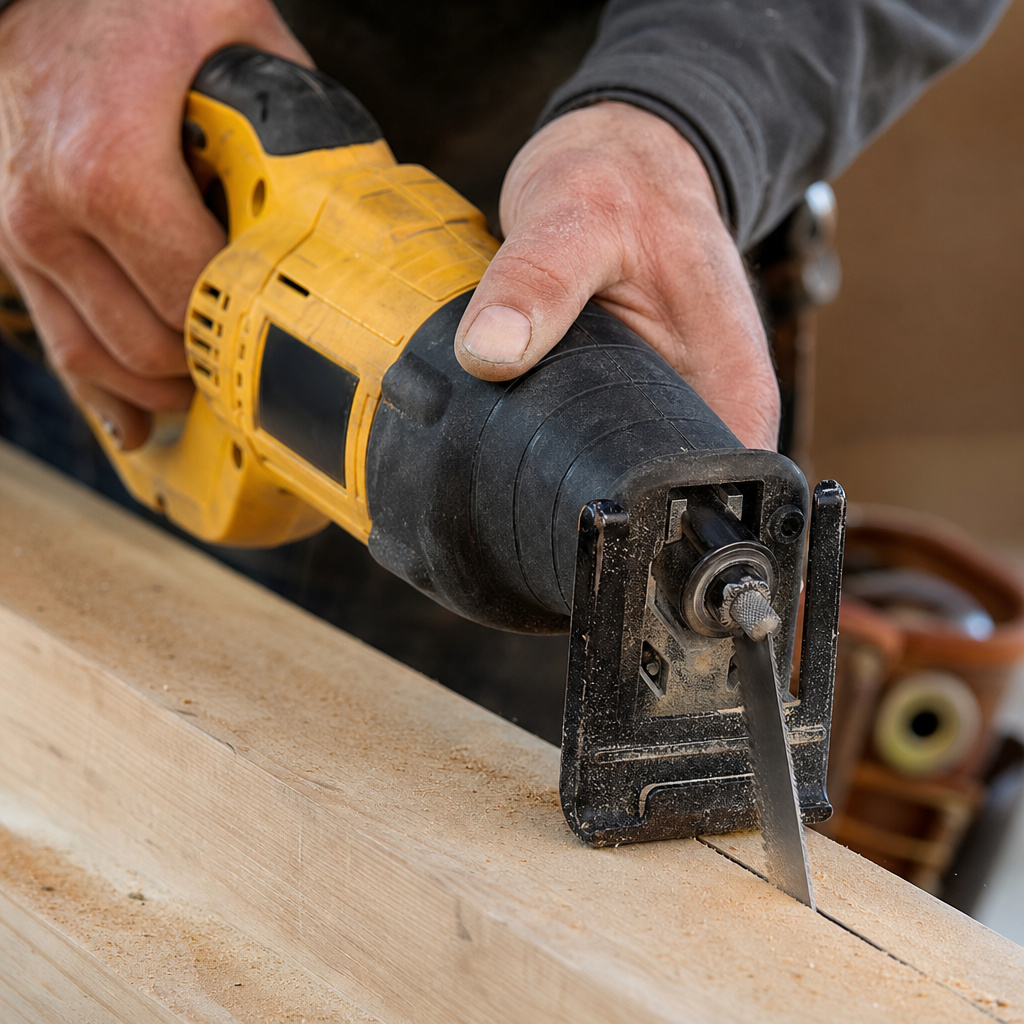
Before you start: A table saw throws fine plastic dust and occasional sharp chips. Acrylic can also bind and kick back with surprising force. Wear safety goggles or a full face shield, a respirator (not a dust mask), and hearing protection. Use push sticks and blocks religiously, never let your fingers get within 12 inches of the blade.
-
Prepare the Sheet: Leave the protective film on. It’s your scratch guard and helps contain static-charged dust. Mark your cut line on the film with a fine-point marker. Clean the table saw surface with isopropyl alcohol to remove any grit that could scratch the underside.
-
Position the Fence: Set the fence for your desired cut width. Remember, the blade will remove material equal to its kerf (usually about 1/8 inch). Account for this in your measurement. Double-check that the fence is locked down parallel.
-
Start the Cut: Position the sheet flat on the table, film-side up, and firmly against the fence. Turn on the saw and let it reach full speed. Using a push block at the rear and a push stick guiding the side against the fence, begin feeding the acrylic into the blade.
-
Maintain Feed Rate: This is the critical moment. Feed the material at a slow, steady, continuous pace, about 3 inches per second. You should hear a consistent, light hiss, not a groan or a chatter. Do not stop. Do not push faster. If you feel resistance or hear the motor bog, you’re feeding too fast or the blade is dull.
-
Complete and Clear: Once the back edge of the sheet passes completely through the blade, use your push stick to guide the offcut away from the blade. Turn off the saw and let the blade come to a complete stop before removing any scraps from the table.
If you see a hazy, melted line or smell burning plastic, your feed rate is too slow or your blade is dull. If you get a chipped, splintered edge, your feed rate is too fast or your blade height is too high. The fix is always to stop, reassess, and adjust one variable at a time.
Troubleshooting Common Problems
Even with perfect setup, things can go sideways. Here’s how to diagnose and fix the most common issues.
- Melting and Gumming: The cut line is cloudy, and plastic is welded to the blade. This is a heat issue. The most likely cause is a feed rate that’s too slow, allowing the blade to rub instead of cut. The second cause is using a standard wood blade. The fix is to increase your feed rate slightly and ensure you’re using a dedicated plastic-cutting blade.
- Chipping on the Bottom Edge: The top of the cut looks clean, but the underside is shattered. This is caused by a lack of support directly under the cut line, the acrylic flexes downward as the blade exits. The solution is a zero-clearance insert. If you already have one, check that the blade is sharp; a dull blade pushes the material down instead of shearing it.
- Cracking or Stress Marks: Fine cracks appear near the cut edge, sometimes minutes after cutting. This usually means you’re cutting extruded acrylic, which has internal stress lines. The saw’s vibration causes it to fracture. Switch to cast acrylic for power tool work.
- Excessive Static and Dust Cling: Acrylic generates a lot of static electricity when cut. The dust will stick to everything. Wipe down the sheet with a damp cloth with a drop of fabric softener before cutting to reduce static. Have a shop vac with a static-safe hose ready for cleanup.
Finishing the Cut Edge
The edge straight off the saw will be rough, often with a slight “glaze” from the heat. You need to sand it to transparency and safety.
Start with the protective film removed. Use 120-grit wet/dry sandpaper under a trickle of running water. The water lubricates and carries away debris, preventing scratches.
Sand evenly along the entire edge, holding the sheet at a consistent angle. Progress through 220-grit, 400-grit, and finally 600-grit paper. The edge will go from translucent to clear.
For a glass-like polish, you can buff the edge with a muslin wheel on a bench grinder and a plastic polishing compound. Be warned: if you plan to glue this edge to another piece of acrylic, do not polish it. The glue needs a microscopically rough surface to bond properly. A sanded edge bonds stronger than a polished one.
When to Use a Different Tool
The table saw excels at long, straight cuts. If your project calls for curves, circles, or intricate shapes, you need a different tool. A jigsaw with a fine-tooth, down-cut plastic blade works for curves. For circles or interior cutouts, a router with a spiral flush-trim bit and a template is the professional’s choice. For simple straight cuts on thin material (1/8 inch or less), the score-and-snap method with a plexiglass scoring tool is faster, cleaner, and safer.
If you’re working with a very thick sheet (over 1 inch), even a table saw can struggle. The blade generates immense heat in the kerf. In that case, a cutting plexiglass approach with a circular saw and a guide might be better, as it allows for slower, more controlled cuts with frequent cooling pauses.
Frequently Asked Questions
Can I use a tablesaw blade for plastic on wood?
You can, but it’s not ideal. A plastic-cutting blade’s zero- or negative-hook angle makes it less aggressive on wood. It will cut more slowly and require more power from your saw. It’s better to dedicate a blade to plastic and keep your wood blades separate.
How many times can I cut plexiglass with one blade?
good carbide-tipped plastic blade should handle several hundred linear feet of cast acrylic before needing sharpening. You’ll know it’s dull when cuts require more force, produce more heat, or the edge quality declines. Learn the signs of table saw blade maintenance to keep it in top shape.
Why did my plexiglass crack after I cut it?
This is almost always a material issue, not a technique issue. You used extruded acrylic. The vibration of the saw amplified its internal stresses, causing it to fracture. Always verify you have cast acrylic for sawing.
Do I need a special saw or just a special blade?
Just the blade. Any standard 10-inch contractor or cabinet saw with at least 1.5 horsepower can cut plexiglass if it’s fitted with the correct blade and set up properly. The key is the tool holding the blade, not the saw itself.
Is the dust dangerous to breathe?
Yes. Acrylic dust is a respiratory irritant. You should always wear a NIOSH-approved respirator with particulate filters when cutting, not just a disposable dust mask. Good dust collection at the source is also critical.
The Bottom Line
Cutting plexiglass on a table saw is a straightforward job if you respect the material’s needs. It demands a specific blade, a high-tooth-count TCG design, and a patient, steady hand on the feed rate. The setup, with a low blade height and a zero-clearance insert, is what separates a clean cut from a ruined sheet.
Remember to only use cast acrylic, keep the film on, and sand your edges under water for a professional result. It’s a powerful method that makes repetitive, precision straight cuts easy, saving you from the tedium of scoring and snapping. Just don’t rush it.
