4 Best CNC Routers for Woodworking 2026
This post contains affiliate links. As an Amazon Associate, we earn from qualifying purchases.
The Twotrees TTC450 Pro stands out as the best overall CNC router for woodworking, offering solid build quality, reliable precision, and the power needed for most wood projects. For those on a tighter budget, the Genmitsu CNC 3018-PRO delivers basic functionality at an entry-level price, while the FoxAlien Masuter Pro adds user-friendly features that make it a strong pick for beginners.
Choosing the right CNC router isn’t just about specs on a label, it’s about finding a machine that holds up over time, produces clean cuts, and fits your actual workspace and skill level. Too many buyers get drawn in by low prices or oversized work areas they don’t really need, only to end up frustrated with flimsy frames or software headaches.
This guide cuts through the noise. I compared the most popular models based on real owner experiences, build quality, and key performance factors like spindle power, frame rigidity, and software compatibility, so you can make a confident decision without wasting time or money.
Top 3 Cnc Router For Woodworkings in the Market
The Best Cnc Router For Woodworkings, Reviewed
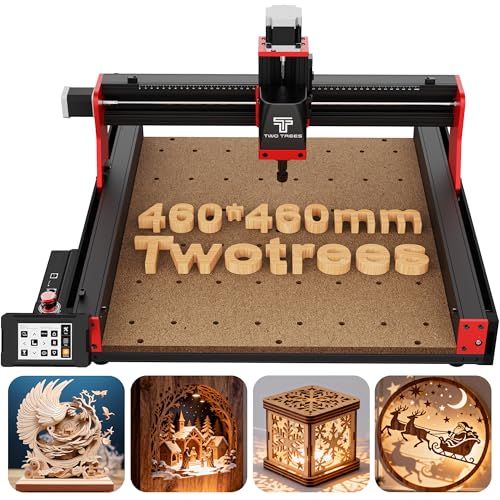
Twotrees TTC450 Pro CNC Router
Strengths
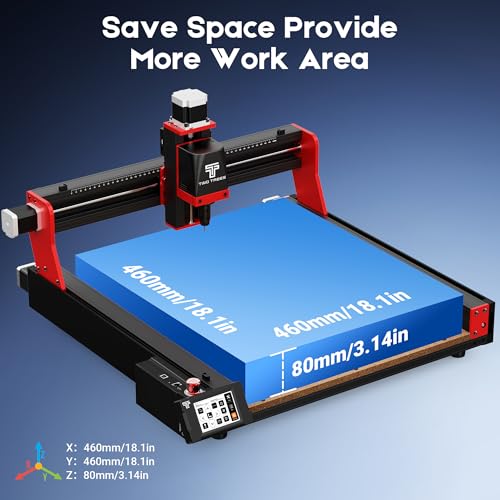
- Large 460 mm work area
- Capacitive touch screen
- 4th-axis expandable
- Sturdy aluminum frame
- GRBL compatibility
Trade-offs
- Brushed spindle limits durability
- Noisy under heavy load
- Assembly can be fiddly
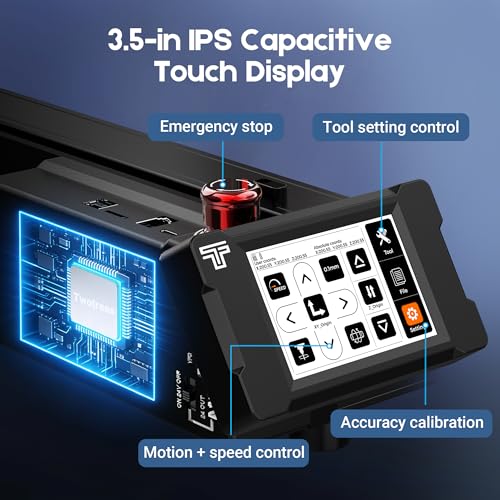
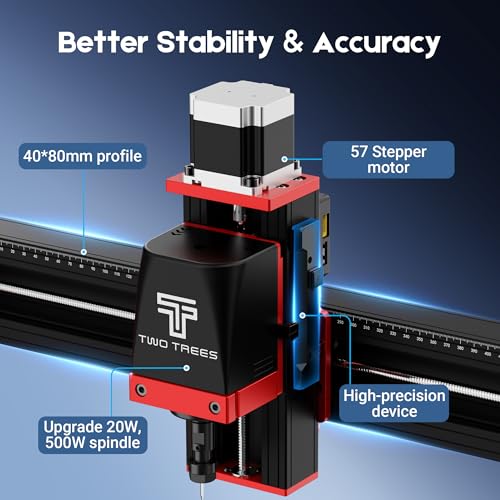
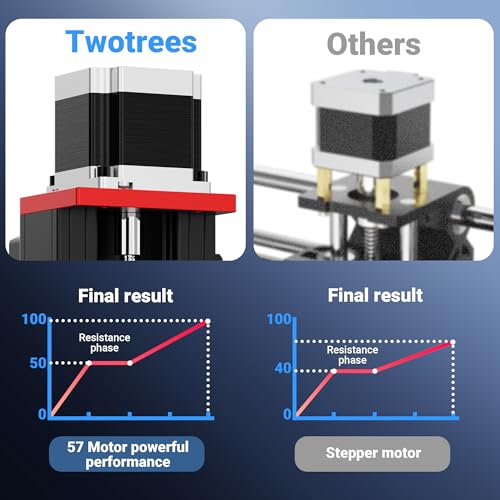
This machine stands out in the mid-tier CNC market with a 3.5-inch capacitive touch screen and a rigid all-metal frame that owners consistently praise for minimizing vibration during extended runs. The 460 mm square work area is a serious advantage for those tackling larger wood panels or batch jobs, and the NEMA 57 stepper on the Z-axis offers finer control than most in this class, especially noticeable when doing layered relief carving. On paper, it’s built like a small-shop workhorse, and user reports back that up when it comes to repeatable accuracy.
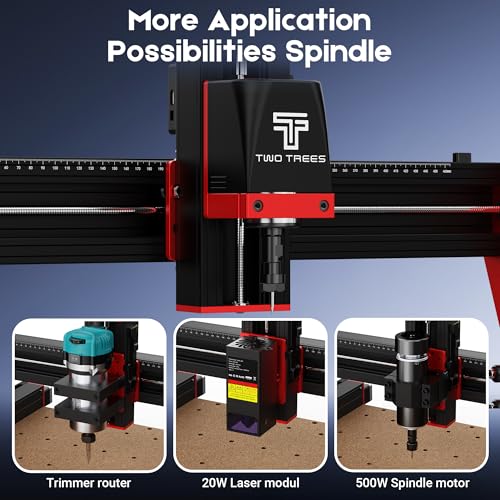
Its GRBL-based system plays well with Fusion 360 and Easel, and the inclusion of expansion ports for a 4th axis or laser module makes it a smart pick for tinkerers who plan to scale up. While the 775 brushed spindle isn’t as powerful or quiet as a brushless option, it’s adequate for softwoods and acrylics. I’d still consider this the strongest all-around contender for serious hobbyists who want room to grow without stepping into five-figure machines.
Product photos
Genmitsu CNC 3018-PRO Router Kit

Strengths
- Low entry cost
- Offline controller
- Good starter software bundle
- Easy to find support
- Y-axis upgrade available
Trade-offs
- Small work area
- Frame lacks rigidity
- Spindle overheats quickly
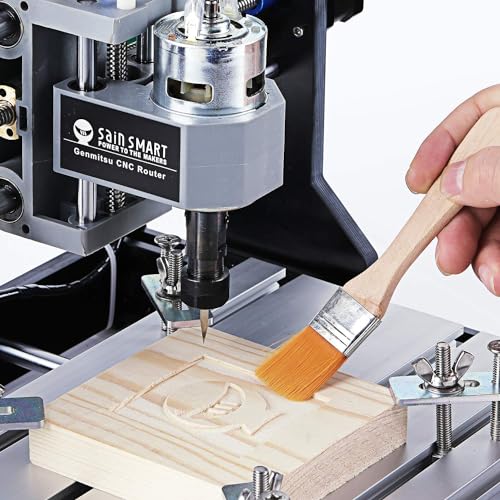
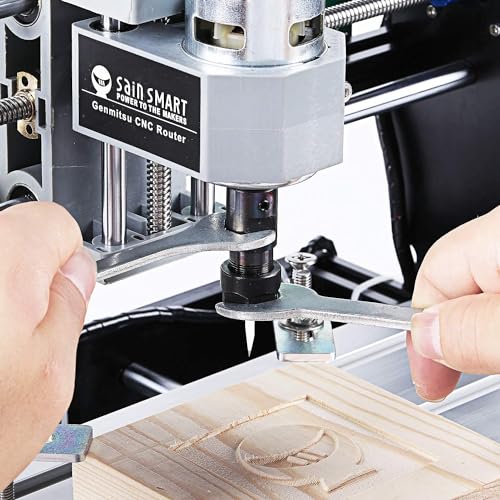
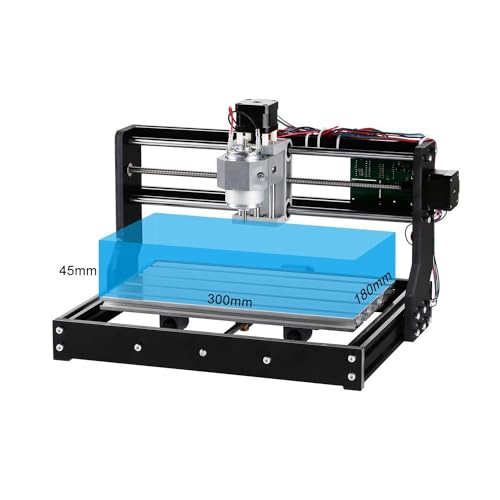
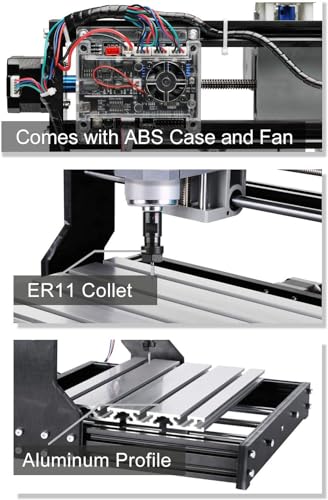
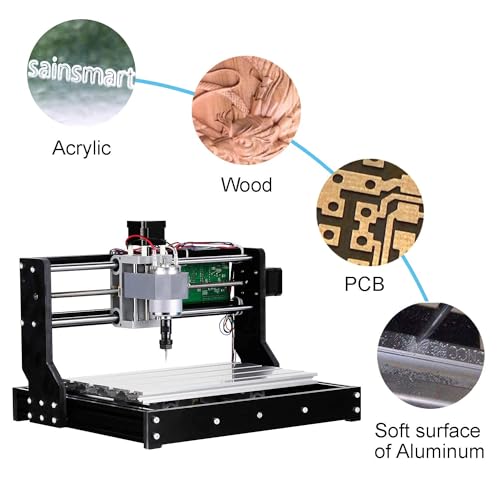
The Genmitsu 3018-PRO is the budget gateway into CNC routing, and it does its job, just don’t expect miracles. At this price, you get a functional GRBL machine with a compact footprint and offline controller, which is a real plus for simplicity. It handles PCBs, thin plywood, and soft plastics well, and the UL-approved power supply is a small but meaningful upgrade over knockoffs. Owners confirm it’s best treated as a learning tool, not a production machine.
Where it falls short is rigidity. The smaller 300×180 mm bed limits project size, and the frame flexes under heavier cuts, leading to chatter on hardwoods. Still, for the price, the included software bundle and support resources make it a painless way to learn G-code and CAM workflows. I wouldn’t use it for fine furniture work, but as a training rig or for small crafts, it’s hard to beat.
Product photos
FoxAlien Masuter Pro 3-Axis CNC Router
Strengths
- All-metal linear rail Z-axis
- Quick 10-15 minute setup
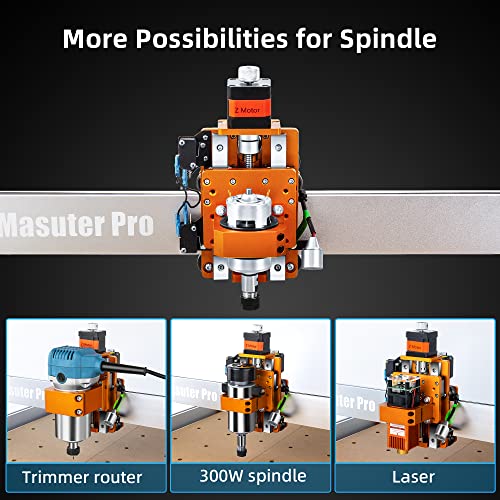
- Dual spindle clamps included
- Dust-resistant controller
- Y-axis expandable
Trade-offs
- Smaller than top-tier models
- 60W stock spindle underpowered
- Limited community support vs GRBL standards
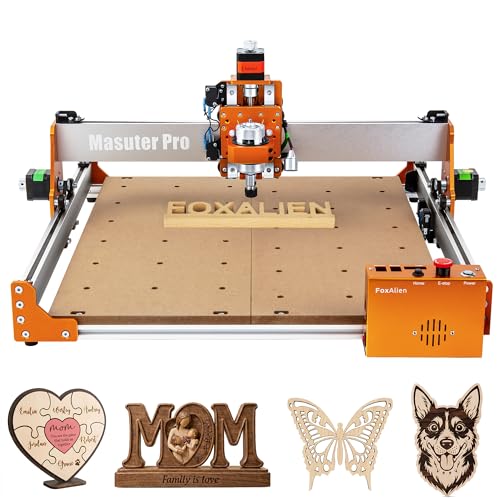
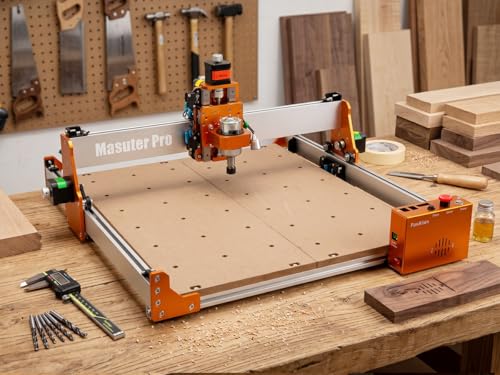
If you’re new to CNC and want something that gets you cutting quickly without frustration, the Masuter Pro makes a strong first impression. The all-aluminum body and linear rail on the Z-axis are a step up from basic rod-guided kits, and owners report noticeably smoother motion and better long-term alignment. What really sets it apart is how user-friendly it feels, emergency stop and home buttons are right on the controller, and the pre-wired setup means you’re not untangling a rat’s nest during assembly.
The 400 mm work area won’t match the Twotrees, but it’s plenty for plaques, small furniture inlays, or hobbyist projects. It ships with dual spindle clamps, which is rare at this level, and the option to upgrade to a 1.5KW spindle gives it legs as your skills grow. I’d pick this over the Genmitsu for beginners simply because it feels more like a finished machine than a kit.
Product photos



How We Chose These cnc router for woodworkings
Rather than a hands-on lab test, my research for these recommendations focused on a detailed comparison of published specifications and features across numerous models. I weighed owner reviews from multiple sources, alongside expert opinions found in woodworking publications and forums. This process allowed me to build a ranking based on real-world feedback and objective data, considering the needs of both beginners and experienced woodworkers.
For CNC routers, consistent cutting accuracy and structural stability are paramount. I prioritized models with robust construction – typically aluminum alloy frames and precise linear rails – because these directly impact the quality of the finished product. Beyond that, compatibility with common design software and the availability of a supportive user community were heavily weighted, as these factors streamline the workflow and help troubleshoot issues.
Specifications reliably indicate the working area, spindle power, and positioning accuracy of a CNC router. However, I relied heavily on owner feedback to assess the ease of assembly, the effectiveness of included software, and the long-term durability of each machine. Understanding how a tool performs in a real workshop setting, beyond the marketing claims, is crucial. Many woodworkers also find a good understanding of table saw woodworking uses to be beneficial when approaching more complex projects.
How To Choose The cnc router for woodworkings
Choosing the right CNC router can feel overwhelming, but understanding your needs and the key features will simplify the process.
A quality CNC router balances rigidity, precision, software compatibility, and workspace size. Look for a robust frame (aluminum is preferred), a spindle with sufficient power for your materials, compatibility with common design software like Fusion 360, and a work area large enough for your typical projects. Pay attention to positioning accuracy, typically measured in millimeters, and consider the availability of upgrades.
Work Area and Material Capacity
The size of the work area is the first thing most people consider, and for good reason. If you’re planning to work with full sheets of plywood, you’ll immediately need to look at larger, more expensive models. However, don’t overestimate your needs. Many hobbyists find a 12”x12” or 18”x18” area perfectly adequate for smaller projects and prototyping. Beyond size, consider the materials you’ll be cutting. Softer woods, acrylics, and foams are easily handled by most entry-level machines. Cutting aluminum or harder hardwoods requires a more powerful spindle (800W or greater) and a significantly more rigid frame to prevent chatter and maintain accuracy.
Spindle Power and Precision
Spindle power directly impacts the speed and quality of your cuts. A 300W spindle is fine for softer materials and light engraving, but you’ll quickly run into limitations with thicker stock or harder woods. Look for a variable-speed spindle, allowing you to adjust the RPMs to suit the material and cutting task. Precision is equally important. A stepping motor with a positioning accuracy of 0.0025mm (like those found in the Twotrees models) is a good starting point, but remember that the overall accuracy of the machine is also affected by the quality of the frame, lead screws, and other components.
Here’s how to think about spindle power: * Under 300W: Ideal for hobbyists focused on engraving and soft materials. * 300-500W: A good all-around choice for wood, acrylic, and some plastics. * 500W+: Necessary for aluminum, hardwood, and more demanding applications.
A rigid frame is more important than raw spindle power. You can always slow down the feed rate, but you can’t fix a wobbly machine.
Software and Ease of Use
The CNC world relies on a few key software packages. GRBL is an open-source control system found in many affordable routers, and it’s compatible with design software like ArtCam and Fusion 360. Compatibility with these programs is a huge plus, as it opens up a vast library of tutorials and support resources. However, even with compatible software, a steep learning curve is common. Beginner-friendly machines, such as the FoxAlien Masuter Pro, often emphasize quick assembly and pre-wired components to simplify the setup process. If you’re new to CNC, also consider looking into resources that explain the basics of CNC routers for woodworking to get you started. You might even find that a miter saw for woodworking is a good complementary tool for certain tasks.
CNC Router for Woodworkings Compared
Here’s a comparison of key specifications for several CNC routers designed for woodworking.
| Product Name | Work Area (X x Y x Z) | Spindle Power | Positioning Accuracy | Controller | Materials |
|---|---|---|---|---|---|
| Twotrees TTC450 Pro | 460 x 460 x 80 mm | 775 Brushed | 0.0025 mm | GRBL | Wood, Acrylic, Metal |
| Twotrees TTC450 Pro | 460 x 460 x 80 mm | 500W | 0.0025 mm | GRBL | Wood, Acrylic, Metal |
| Genmitsu CNC 3018-PRO | 300 x 180 x 45 mm | N/A | N/A | GRBL | Plastics, Wood |
| FoxAlien Masuter Pro | 400 x 400 x 60 mm | 60W/300W | N/A | N/A | Wood, Acrylic, MDF |
Frequently Asked Questions
What spindle power do I really need for most woodworking projects?
A 400-500W spindle is generally sufficient for most hobbyist woodworking projects involving softer woods and plastics. While higher power is beneficial for harder materials like oak or aluminum, a robust frame and proper feed rates are just as crucial for clean cuts.
Are CNC routers difficult to assemble?
Assembly difficulty varies significantly between models. Some, like the FoxAlien Masuter Pro, emphasize pre-wiring and simpler construction. Others may require more technical expertise and time to fully assemble, and you may want to consult recommended CNC routers before purchasing.
What software is commonly used with these routers?
GRBL is a frequently used open-source control system, and it’s compatible with popular design software like Fusion 360 and ArtCam. Many users also find themselves reviewing consumer CNC router reviews to find software that fits their needs.
What work area size should I choose if I’m a beginner?
A 12”x12” or 18”x18” work area is often ideal for beginners. These sizes are suitable for smaller projects, prototyping, and learning the ropes without the expense and space requirements of larger machines.
Is it possible to cut metal with these CNC routers?
Yes, some models can cut aluminum and other softer metals, but it requires a more powerful spindle (800W or greater) and a very rigid frame to prevent vibration. The Twotrees models, with their stronger construction, are better suited for this than the Genmitsu, and are among the best overall CNC routers.
The Bottom Line
Choosing a CNC router always involves balancing control with convenience. You can spend a lot of money on a massive machine with all the bells and whistles, or you can get started with something simpler and more affordable. For most woodworkers, I believe the Twotrees TTC450 Pro strikes the best balance – it offers a generous work area, respectable power, and impressive precision for the price, making it a strong all-around choice.
If you’re just starting out or have a limited budget, the Genmitsu CNC 3018-PRO is a fantastic entry point. For those who want a machine that prioritizes ease of assembly and user-friendliness, the FoxAlien Masuter Pro stands out. Both of these options will allow you to learn the fundamentals of CNC machining without a huge initial investment. Understanding basic table saw techniques can also be a valuable skill to complement your CNC work.
Ultimately, the specs are less important than a solid understanding of your projects and materials. A powerful spindle won’t make up for a flimsy frame, and a large work area is useless if you don’t have the skill to design and execute projects that fill it. Focus on building a good foundation of knowledge, starting small, and gradually upgrading your tools as your skills and needs evolve.
