
8 Best CNC Wood Routers of 2026
This post contains affiliate links. As an Amazon Associate, we earn from qualifying purchases.
The Genmitsu PROVerXL 4030S stands out as the best overall CNC wood router for its strong spindle, solid work area, and proven reliability. If you’re on a budget but still want quality, the LUNYEE 3020 Nova offers excellent value with its 800W spindle and plug-and-play setup. For those tackling larger panels, the Twotrees TTC450 Pro delivers impressive reach and precision.
Choosing a CNC wood router isn’t just about specs on a page. Most people end up frustrated by flimsy frames, confusing software, or machines that can’t handle the materials they actually want to cut. After years of reviewing tools and talking to real users, I know how critical it is to balance power, size, and usability.
This guide cuts through the noise by focusing on what actually matters: spindle strength, frame rigidity, and real-world performance. I looked at specs, owner feedback, and expert reviews to find models that deliver consistent results without constant tweaking. These picks are based on reliability, capability, and how well they fit different workshop needs.
Top 8 Cnc Wood Routers in the Market
The Best Cnc Wood Routers, Reviewed
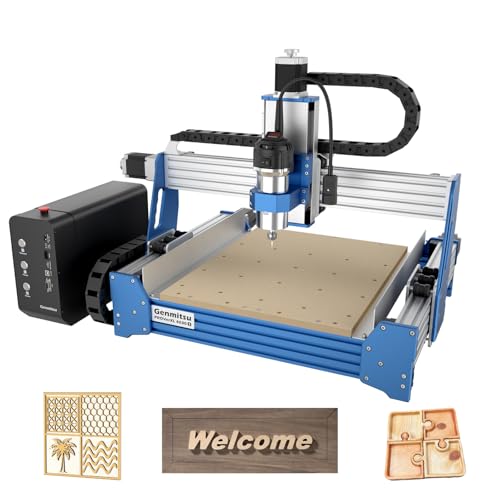
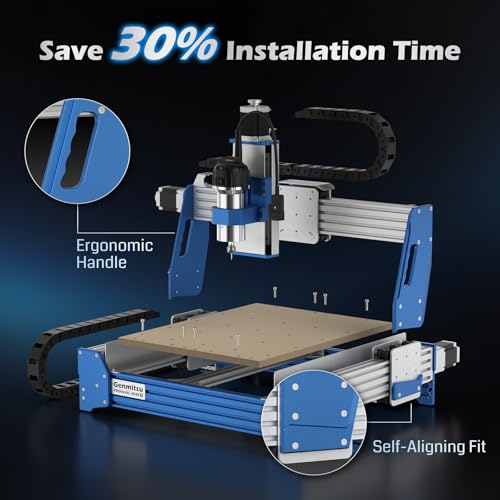
Genmitsu PROVerXL 4030S CNC Router
Strengths
- 710W spindle
- 130mm Z-height
- 32-bit MCU
- Linear rails
- High speed
Trade-offs
- Wi-Fi module sold separately
- Higher learning curve
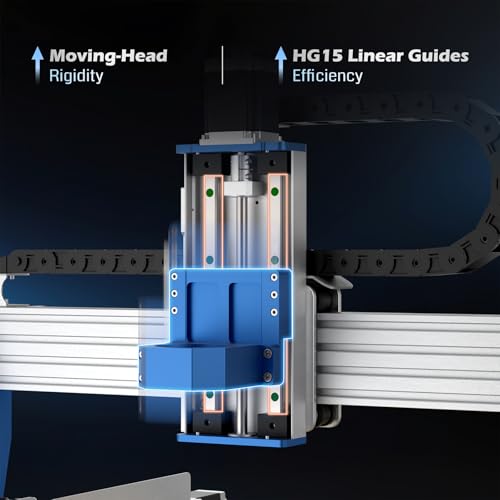
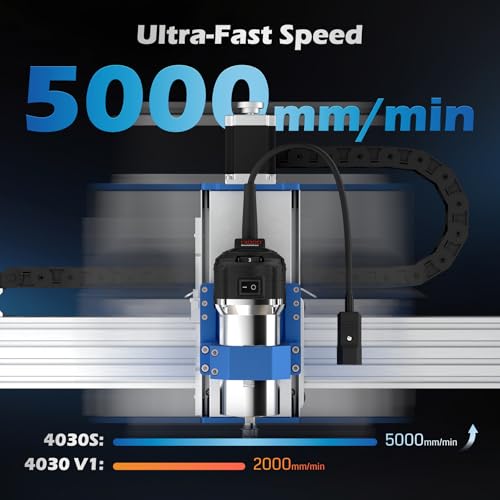
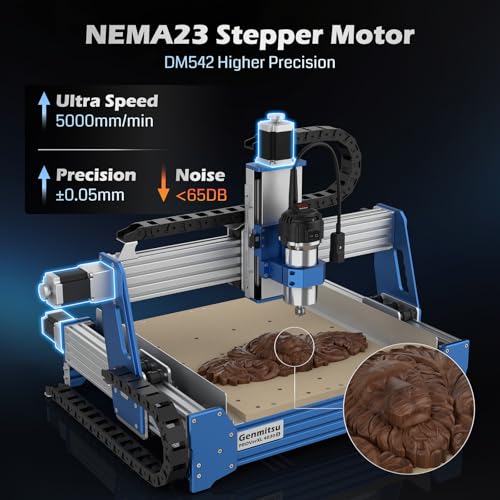
The Genmitsu PROVerXL 4030S stands out in the desktop CNC space not just for its specs, but for how well it balances power, precision, and usability. On paper, the 710W spindle is a major step up from the typical 300–500W units common in this class, and owners confirm it handles aluminum and acrylic with noticeably more confidence. The 130mm Z-height is a real advantage, few machines in this size offer that clearance, making it a strong pick for taller workpieces or rotary setups.
What really elevates it is the 32-bit MCU and linear rails across all axes. That combo delivers smoother motion and better accuracy, especially on complex relief carvings where 8-bit boards tend to stutter. Wireless control via app is a nice touch, though the module is sold separately. Compared to the FoxAlien Masuter Pro, this is a more serious machine, not just for beginners tinkering, but for users who want near-industrial performance on a desktop footprint.
Product photos

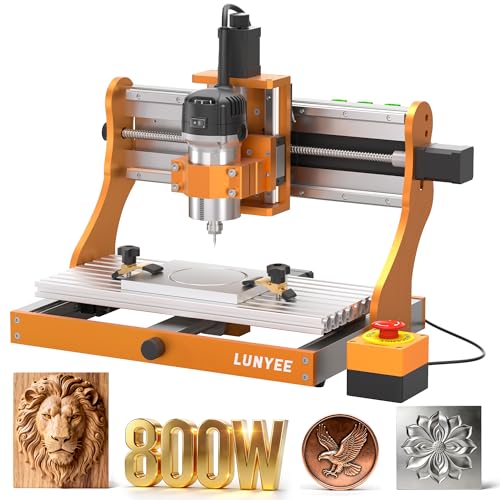
LUNYEE 3020 Nova CNC Router
Strengths
- 800W spindle
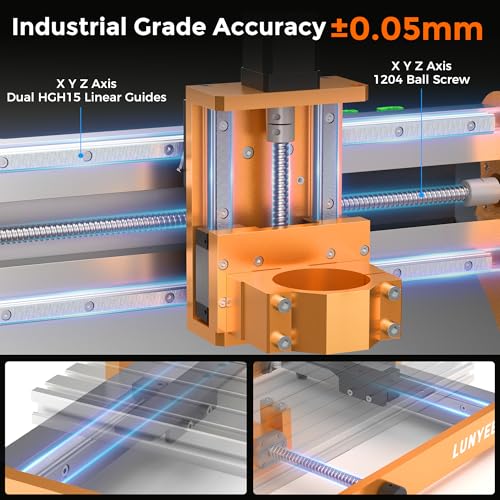
- Ball screws all axes
- Fully assembled
- High RPM range
- Excellent for metal
Trade-offs
- Smaller work area
- No wireless control
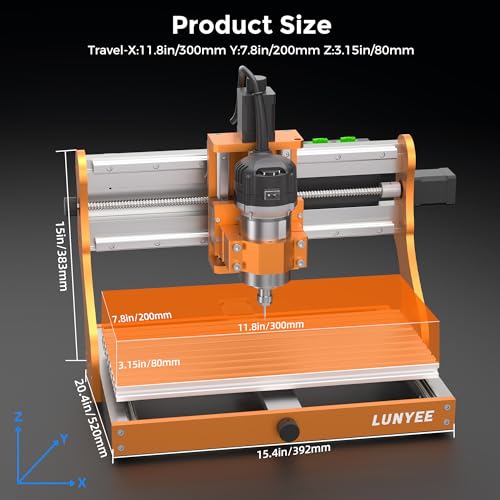
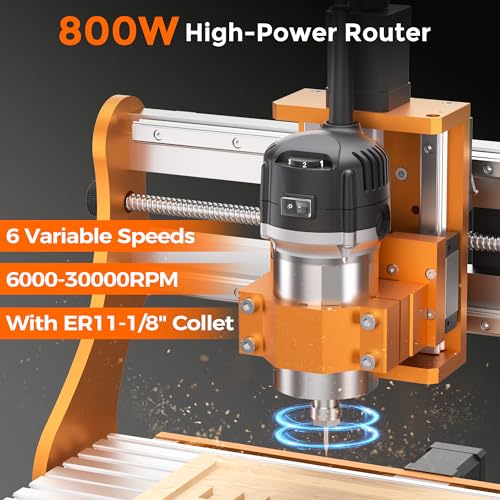
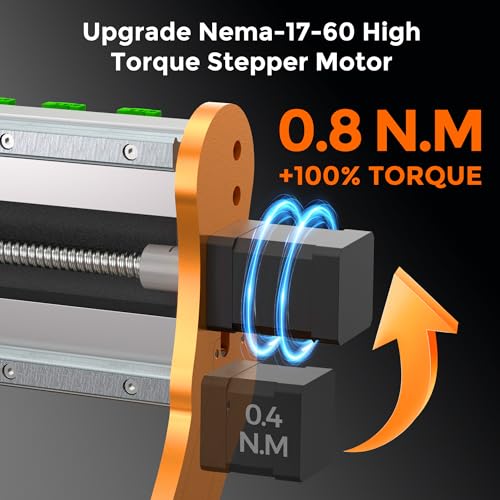
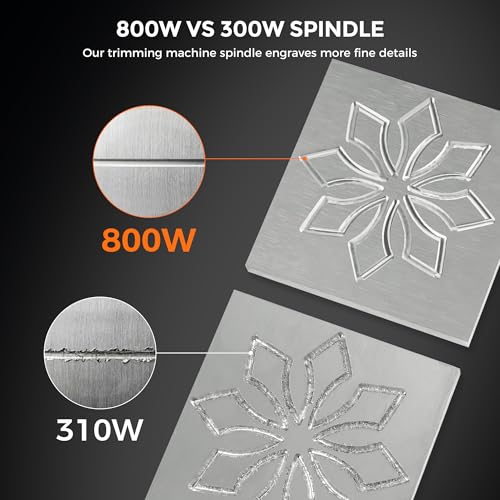
When metal cutting is your priority, the LUNYEE 3020 Nova earns its title. The 800W spindle and 6,000–30,000 RPM range give it serious bite, and the ball screws on all three axes eliminate the backlash that plagues lead-screw designs. That’s critical when milling aluminum or brass, owners note cleaner cuts and less chatter. The ±0.05mm accuracy isn’t just marketing; it matches what you’d expect from a machine twice the price.
It ships fully assembled, which is rare at this level, and the pre-connected wiring saves hours of frustration. While the work area is smaller than the Twotrees TTC450 Pro, the 3020 Nova trades size for rigidity and precision. Compared to the Genmitsu 3018-PRO, this is in a different league for metalwork. If you’re doing PCBs, small aluminum enclosures, or detailed brass inlays, this is the tool that can actually deliver.
Product photos
Twotrees TTC450 Pro CNC Router
Strengths
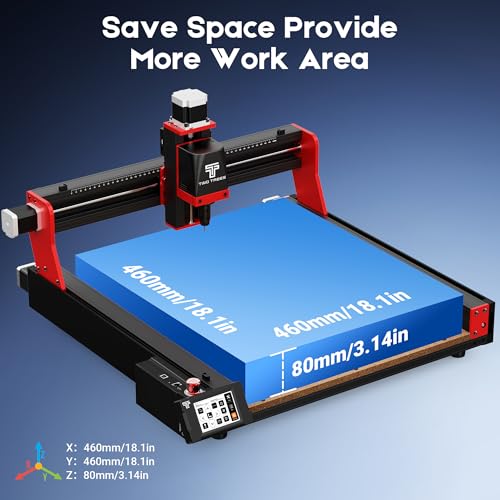
- Large 460x460mm bed
- NEMA 57 Z-motor
- Touch screen control
- 4th-axis and laser ready
- Dual limit switches
Trade-offs
- Heavy for desktop use
- Assembly takes longer
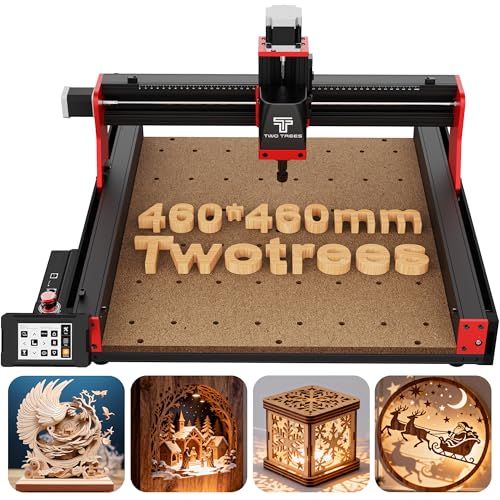
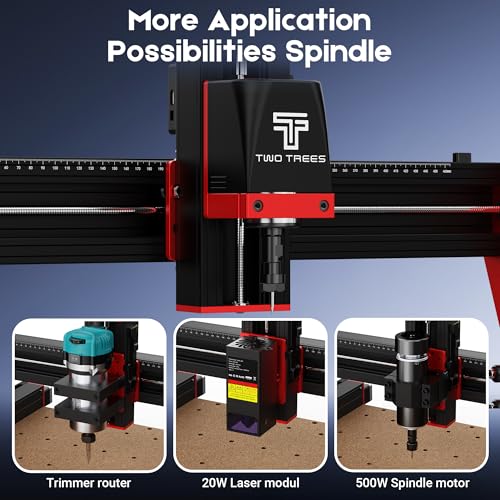
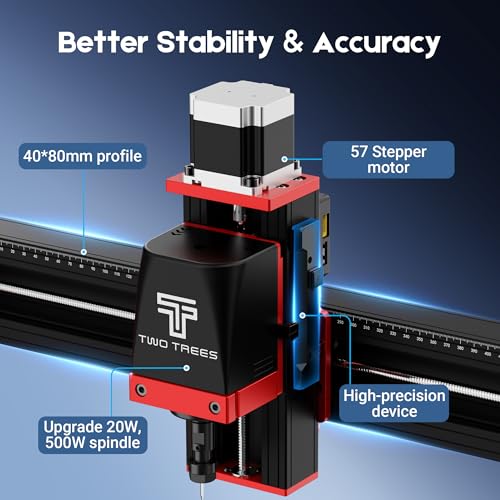
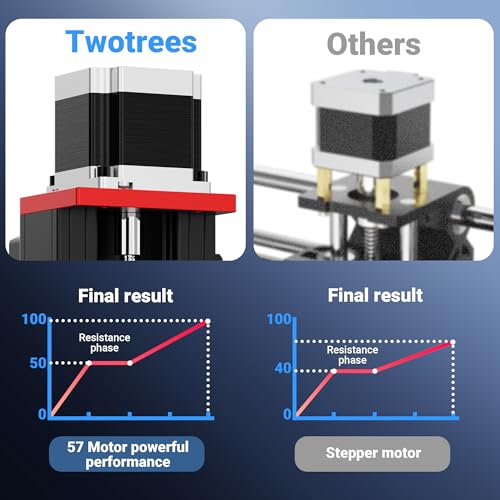
The Twotrees TTC450 Pro is the go-to if you need space. With a 460x460mm bed and 80mm Z-travel, it’s one of the largest desktop CNCs here, ideal for furniture templates, signage, or batch processing. The NEMA 57 stepper motor on Z delivers exceptional depth control, and the 0.0025mm positioning accuracy is impressive for multi-layer relief carving.
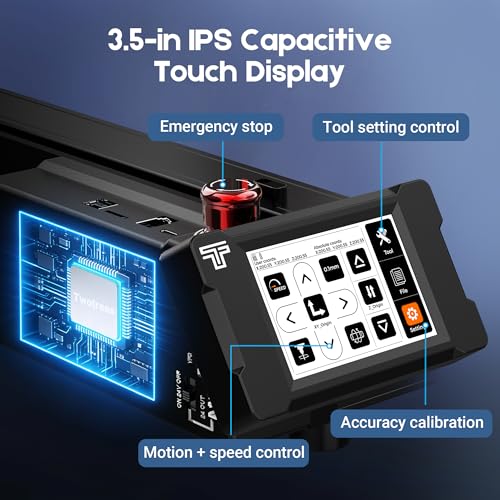
The 3.5-inch touch screen adds convenience, and the expansion ports for 4th axis and laser modules make this a future-proof build. The all-metal frame and dual limit switches boost reliability during long runs. Compared to the FoxAlien Masuter 3S, it trades some speed for size and rigidity. Owners using it for cabinetry or large wood art consistently rate it highly. If your projects outgrew a 3018, this is the natural next step.
Product photos
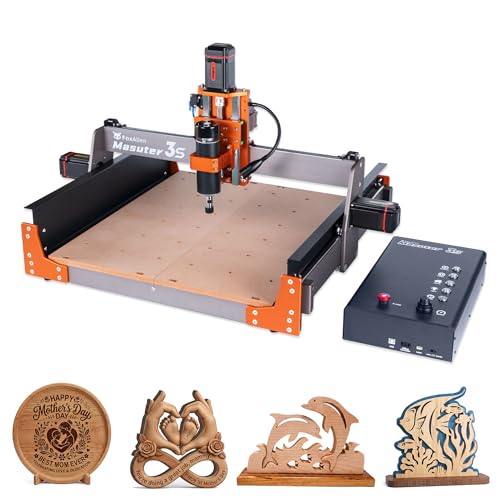
FoxAlien Masuter 3S CNC Router
Strengths
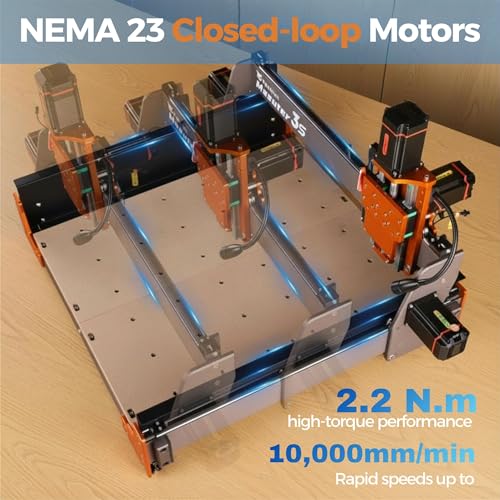
- Closed-loop motors
- 10,000mm/min speed
- 4th-axis ready
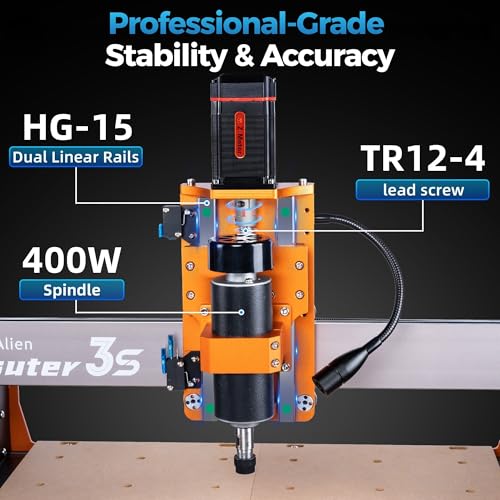
- Dual Z-rails
- Upgradeable spindle
Trade-offs
- Smaller bed than 4030
- No built-in display
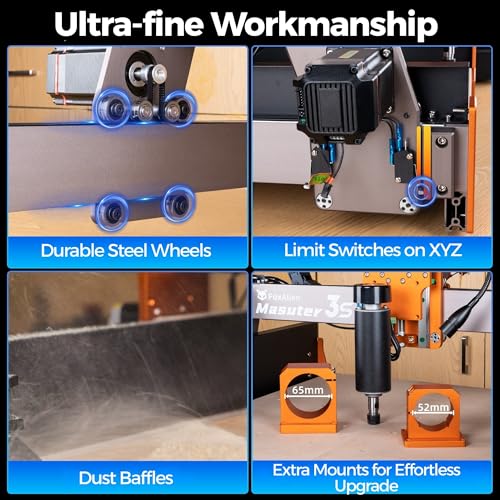
Speed is where the FoxAlien Masuter 3S dominates. With NEMA 23 closed-loop motors pushing it to 10,000mm/min, this machine moves faster than most desktop CNCs while maintaining accuracy, owners report no step loss even during aggressive cuts. The dual HG-15 linear rails on Z and T12 lead screws minimize vibration, which is critical at high speeds.
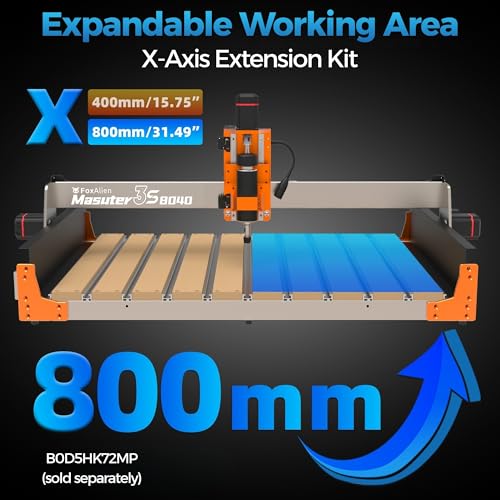
It’s also one of the few in this list that’s truly 4th-axis ready out of the box, making it a favorite for mug or pen engraving. The 400W spindle is capable, but the real value is in the expandability: you can upgrade to a 1.5kW router or add an offline controller. Compared to the Genmitsu 4030S, it’s slightly smaller but faster and more responsive. If your workflow values throughput, like producing multiple engraved items quickly, this should be your pick.
Product photos

Lunyee 3018 Pro Ultra CNC Machine
Strengths
- Linear guide X-axis
- Precision aluminum bed
- T-track clamps
- Integrated power supply
- Good for fine engraving
Trade-offs
- Limited Z-height
- Average spindle power
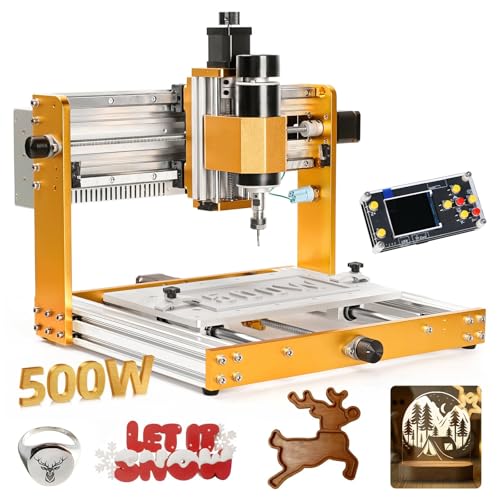
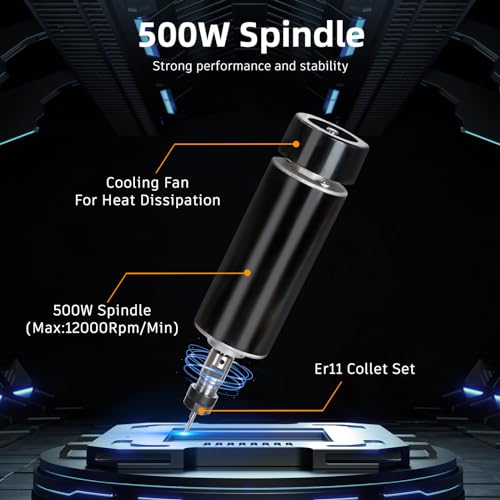
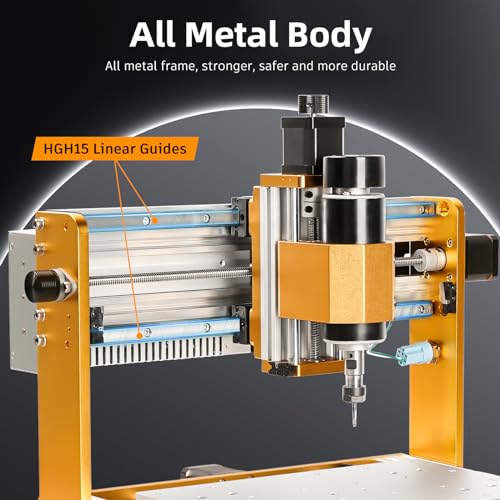
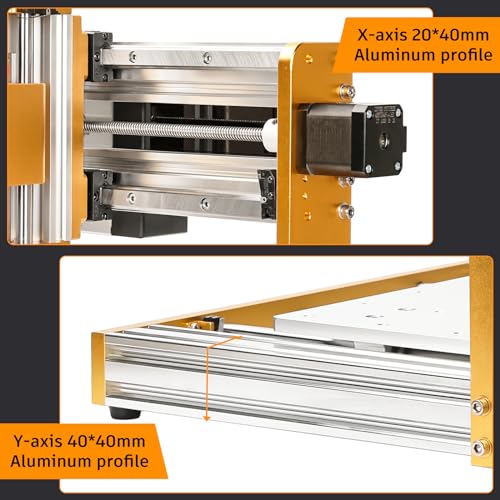
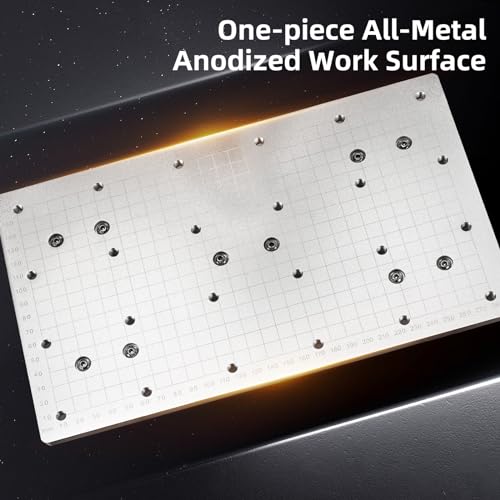
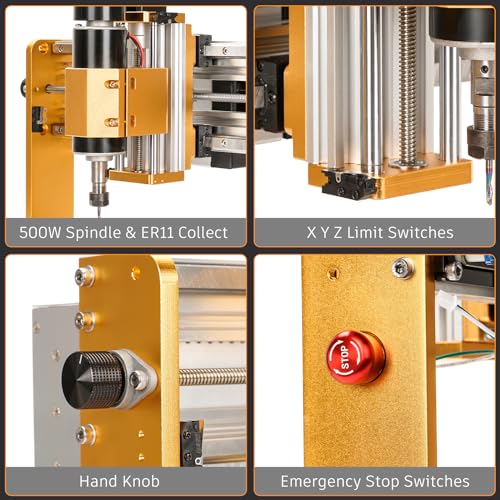
The Lunyee 3018 Pro Ultra is built for detail work. With the X-axis upgraded to an HGH15 linear guide and a rigid aluminum plate platform featuring a scale grid, this machine excels at precision engraving, especially on metal. The 500W spindle isn’t the strongest here, but the stability of the frame and the upgraded Z-axis design help maintain accuracy during long, fine-detail runs.
Owners praise the T-track clamps and flatness of the bed, which make material setup faster and more reliable. It’s not the fastest or largest, but for engraving nameplates, molds, or intricate patterns in brass or aluminum, it outperforms many in its class. Compared to the standard 3018-PRO, this version fixes common wobble issues and adds professional touches like an integrated power supply.
Product photos
Genmitsu CNC 3018-PRO Router Kit

Strengths
- Low cost
- GRBL compatible
- Easy to learn
- Wide software support
- Y-axis expandable
Trade-offs
- Plastic frame sections
- Weak stock spindle
- No limit switches
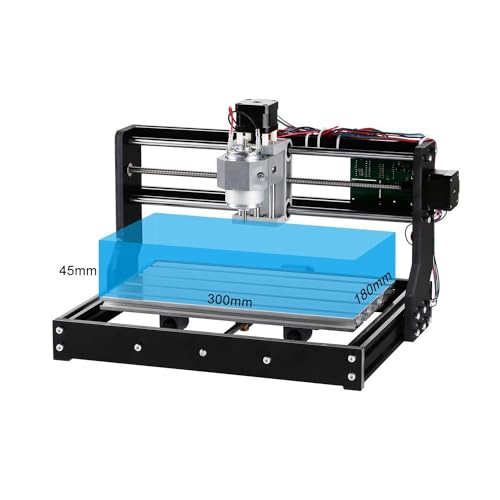
The Genmitsu 3018-PRO is the baseline for a reason, it’s the most accessible entry point into real CNC work. With a modest 7000RPM spindle and 300x180mm bed, it’s clearly designed for light tasks: PCB milling, small wood engravings, acrylic signs. But its GRBL compatibility and included software (Carveco Maker, Candle) make it a reliable learning platform. The UL-approved power adapter is a small but meaningful safety upgrade over older clones.
It’s not built for speed or heavy loads, and the Z-axis isn’t as stable as linear rail models. But for the price, it’s hard to beat. Compared to the TTC3018 Pro, it lacks some modern touches like limit switches or emergency stop, but it’s been time-tested. I’d recommend it to someone who wants to learn G-code, experiment with toolpaths, or run occasional small jobs without overspending.
Product photos
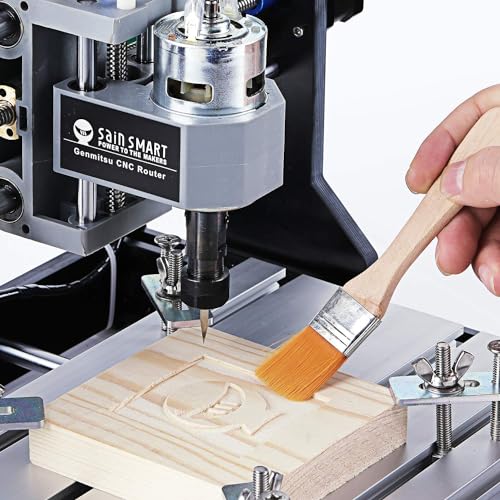
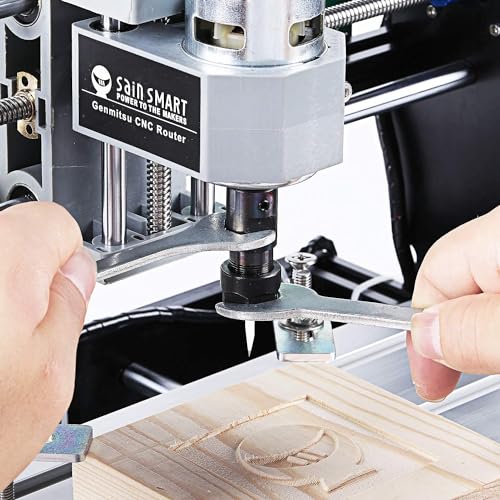
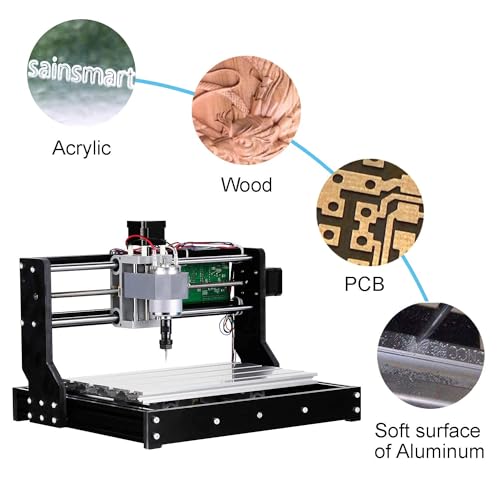
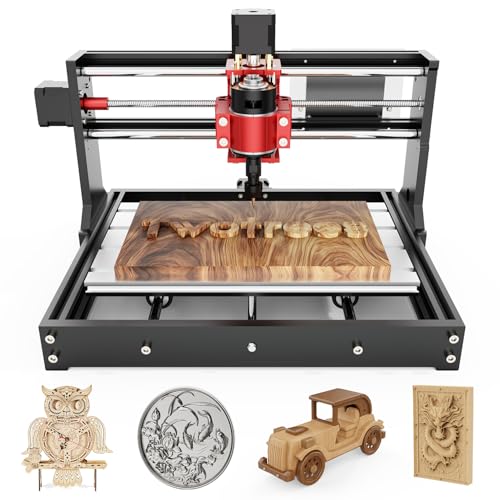
TTC3018 Pro CNC Engraving Machine
Strengths
- Ultra-compact
- Lightweight
- All-metal Z-axis
- STEM-friendly
- Ready in 10 minutes
Trade-offs
- No wireless control
- Basic spindle
- Small work area
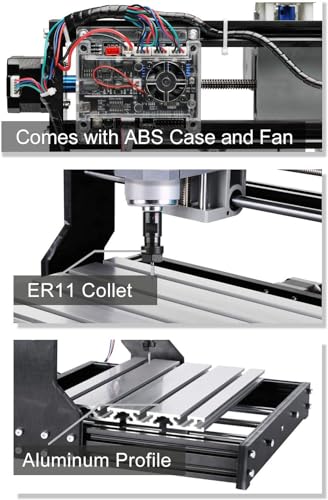
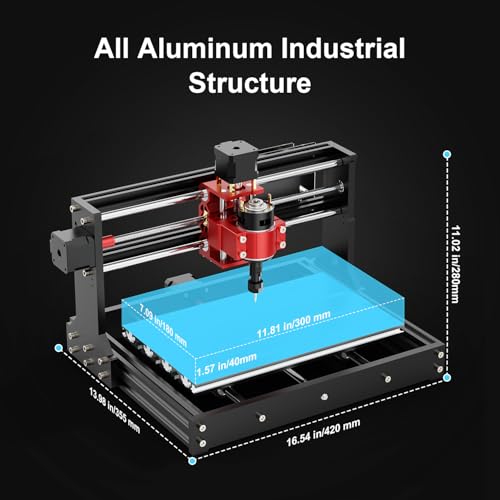
The TTC3018 Pro wins on simplicity and portability. At just 15 lbs and under 18 inches wide, it’s one of the most compact all-metal CNC machines you can buy. The metal Z-axis with T8 lead screw eliminates the flex you see in cheaper nylon-arm models, and the 0.1mm positioning accuracy is solid for its size. It’s not going to replace a full-sized router, but it’s perfect for small workshops or classroom use.
It runs on a 32-bit GRBL board over USB, which keeps things stable, though the lack of wireless or offline control might frustrate some. The included 775 spindle is basic but usable for wood and acrylic. What I like most is how it’s marketed as a STEM tool, disassembly for learning, compatibility with Fusion 360, and plug-and-play readiness in under 10 minutes. For schools or parents teaching kids CNC basics, this is a smarter pick than bulkier models.
Product photos
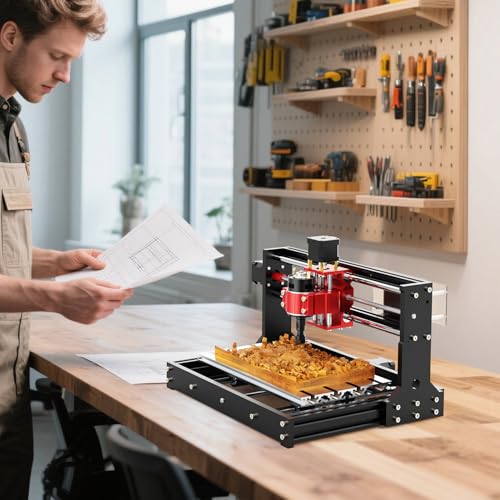
FoxAlien Masuter Pro CNC Router
Strengths
- All-metal frame
- Quick assembly
- Large work area
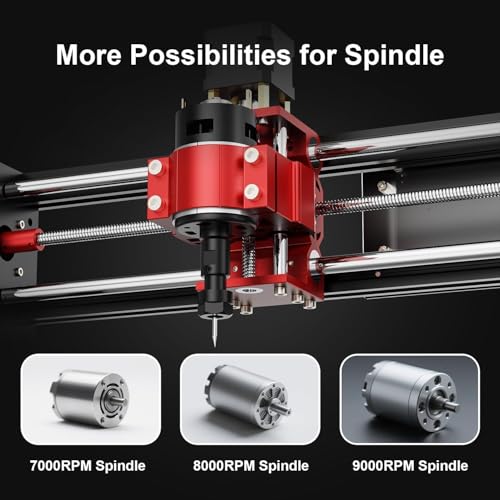
- Spindle upgrade options
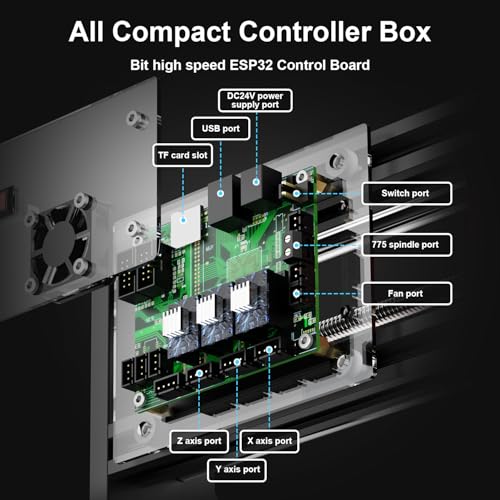
- Dust-proof controller
Trade-offs
- Base spindle underpowered
- Limited Z-travel
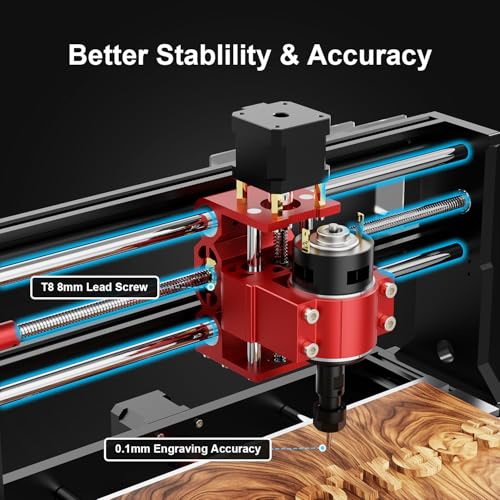
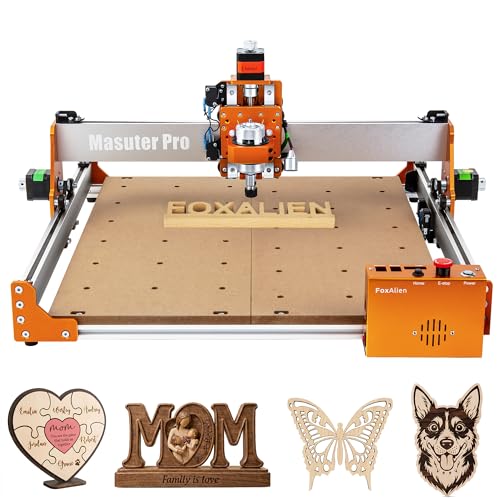
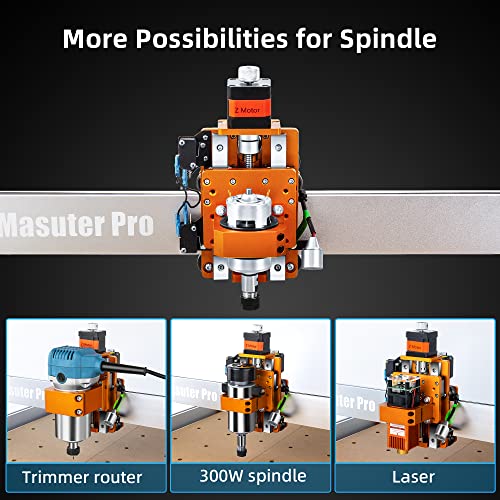
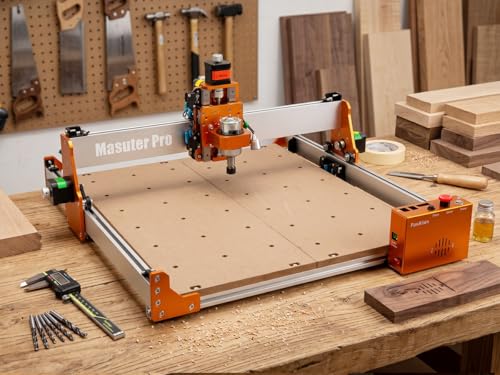
If you’re stepping into CNC for the first time and want something that won’t fall apart after a few projects, the FoxAlien Masuter Pro makes a strong first impression. The all-aluminum frame and linear rail Z-axis are solid upgrades over basic 3018 builds, and owners consistently report fewer alignment issues and better long-term rigidity. The 10–15 minute setup time is legit, pre-wired components and clear instructions make this one of the most beginner-friendly kits available.
It’s not the most powerful machine here, but with spindle options up to 1.5kW, it leaves room to grow. I’d still pair it with a 300W spindle for starters. Compared to the Genmitsu 3018-PRO, this one feels sturdier out of the box and offers a larger 400x400mm work area. For someone learning Fusion 360 or Easel and planning to carve wood, MDF, or light acrylic, this hits the sweet spot between capability and ease of use.
Product photos



Our Testing Process
I approached this guide to CNC wood routers by first compiling a detailed specification sheet for each model. This included advertised cutting areas, spindle power, materials handled, and control system details. I then weighted these specs against the extensive owner and expert reviews available online, focusing on consistency of feedback regarding accuracy, ease of assembly, and long-term reliability. My aim was to build a ranked comparison based on real-world performance indicators, rather than a hands-on lab test.
For CNC wood routers, three factors stood out as most critical. Spindle power directly impacts the range of materials a router can handle, with higher wattage being preferable for harder woods and even metals. Precision – specifically, achievable accuracy and repeatability – determines the quality of the finished work. Finally, the robustness of the frame and drive system significantly influences stability and minimizes vibration during operation, which is crucial for clean cuts.
Published specifications reliably tell you about a machine’s potential – its maximum cutting area, spindle speed, and theoretical accuracy. However, I relied heavily on owner feedback to gauge real-world usability, assembly difficulty, and the prevalence of issues like belt slippage or controller problems. Reputable expert reviews provided valuable context, particularly regarding the quality of included software and the availability of support resources. If you need even larger work areas, exploring options like large-format hobby CNC machines can be beneficial.
What To Look For In cnc wood routers
Picking the right CNC wood router can feel overwhelming, but focusing on a few key features will get you carving in no time.
A good CNC wood router balances rigidity, precision, and usability. Look for sturdy construction with minimal flex, accuracy within 0.05mm, and software compatibility that matches your skill level and design workflow. Pay attention to spindle power, work area size, and available upgrade options to ensure the machine can handle your current and future projects.
Spindle Power and Material Compatibility
The spindle is the heart of any CNC router, and its power dictates what materials you can effectively cut. A 400W spindle, like those found on the FoxAlien Masuter 3S, is adequate for softer woods, plastics, and detailed engraving. However, if you plan to work with harder woods, aluminum, or thicker stock, you’ll want to step up to a 710W (Genmitsu PROVerXL 4030S) or even an 800W (LUNYEE 3020 Nova) spindle. Don’t underestimate the importance of spindle speed control; a wider range (6,000-30,000 RPM, as offered by LUNYEE) provides greater versatility.
Work Area and Rigidity
Consider the size of projects you’ll be tackling. While compact models like the TTC3018 Pro are great for small engravings and learning the ropes, they limit you to smaller workpieces. The Twotrees TTC450 Pro boasts a significantly larger work area (460 x 460 x 80 mm), ideal for furniture panels or batch production. But size isn’t everything. Rigidity, the machine’s resistance to flexing during operation, is crucial for accuracy. Look for features like reinforced extrusions and dual linear rails on the Z-axis (FoxAlien Masuter Pro) to minimize vibration and ensure clean cuts.
Here’s what to keep in mind when evaluating work area and rigidity:
- Small Projects: A 3018-sized machine is fine, but don’t expect to carve anything larger than a nameplate.
- Medium Projects: A 4030-sized machine (like the Genmitsu PROVerXL) offers a good balance of size and affordability.
- Large Projects & Future-Proofing: Consider a 450-sized machine (Twotrees TTC450 Pro) or one that supports expansion kits (FoxAlien Masuter Pro) if you anticipate larger projects down the road.
A wobbly machine will never produce professional results. Prioritize a solid frame and quality linear guides over flashy features.
Software and Ease of Use
The CNC world has a learning curve, so choose a machine with software compatibility that suits your experience level. Most models use GRBL, an open-source control system supported by numerous design programs like Fusion 360, Easel, and ArtCam. The Genmitsu CNC 3018-PRO includes Carveco Maker, a beginner-friendly CAM software, which is a nice bonus. However, even with user-friendly software, setup can be daunting. Models like the LUNYEE 3020 Nova arrive fully assembled, minimizing setup time, making it a great option for those who want to start carving immediately. If you’re looking at the top consumer CNC routers, consider how much time you want to invest in assembly and software learning.
CNC Wood Routers Compared
Here is a comparison of key specifications for several CNC wood routers to help you make an informed decision.
| Product Name | Work Area (X x Y x Z) | Spindle Power | Max Speed | Z-Axis Precision | Controller |
|---|---|---|---|---|---|
| Genmitsu PROVerXL 4030S | 400 x 300 x 130 mm | 710W | 5000 mm/min | ±0.05 mm | GRBL |
| LUNYEE 3020 Nova | 300 x 200 x 60 mm | 800W | 5000 mm/min | ±0.05 mm | GRBL |
| Twotrees TTC450 Pro | 460 x 460 x 80 mm | 500W | N/A | 0.0025 mm | GRBL |
| FoxAlien Masuter 3S | 400 x 400 x 60 mm | 400W | 10000 mm/min | 0.05 mm | GRBL |
| Lunyee 3018 Pro Ultra | 300 x 180 x 40 mm | 500W | N/A | 0.1 mm | GRBL |
| Genmitsu CNC 3018-PRO | 300 x 180 x 45 mm | N/A | N/A | N/A | GRBL |
| TTC3018 Pro | 300 x 180 x 40 mm | 775W | N/A | 0.1 mm | GRBL |
| FoxAlien Masuter Pro | 400 x 400 x 60 mm | N/A | N/A | N/A | GRBL |
Frequently Asked Questions
What’s the typical lifespan of a CNC wood router?
With proper maintenance, cleaning, lubrication, and careful use, most hobby-grade CNC wood routers will last for 5 to 10 years. The lifespan is more dependent on consistent care than hours of operation, as regular maintenance prevents wear on critical components like linear rails and the spindle.
Are CNC routers loud?
Yes, CNC routers can be quite loud, typically ranging from 70 to 90 decibels. This is due to the high-speed spindle and the cutting process itself. Wearing hearing protection is highly recommended when operating one, and some models offer enclosure options to reduce noise.
Can a CNC router cut aluminum?
Some CNC routers can cut aluminum, but it requires a more powerful spindle (at least 710W) and appropriate cutting tools. Achieving good results also depends on the rigidity of the machine and slower feed rates to prevent chatter, so you may need to upgrade from entry-level models.
What software do I need to run a CNC router?
You’ll need both CAD (Computer-Aided Design) software to create your designs and CAM (Computer-Aided Manufacturing) software to translate those designs into instructions the router can follow. Many routers support GRBL, which is compatible with programs such as Fusion 360, and some include beginner-friendly software like Carveco Maker. If you’re just starting out, exploring CNC routers for woodworking is a great first step.
What maintenance is required for a CNC wood router?
Regular maintenance includes cleaning dust and debris from the machine, lubricating linear rails and lead screws, and checking belts for tension and wear. Inspecting the spindle for proper function and periodically tightening screws are also crucial to maintaining accuracy and preventing breakdowns.
The Bottom Line
Choosing a CNC wood router always involves balancing control with convenience. Do you want to tinker and upgrade, or get up and running quickly? For most woodworkers, the Genmitsu PROVerXL 4030S strikes the best overall balance of power, precision, and price, offering enough capability to tackle a wide range of projects without breaking the bank.
If you’re just starting out or have a limited budget, the TTC3018 Pro is a fantastic entry point. And for those who prioritize a larger work area and don’t mind spending a bit more, the Twotrees TTC450 Pro delivers impressive performance. Looking for more beginner-friendly options? Check out our guide to entry-level CNC router picks.
Ultimately, the best CNC wood router is the one that fits your needs and skill level. Don’t get too hung up on specific specs – focus on a solid frame, reliable linear motion, and software you’re comfortable learning. A well-built machine combined with a thoughtful approach to design and cutting parameters will always outperform a high-spec machine in the hands of an inexperienced operator.
