7 Best 4×8 CNC Routers of 2026
This post contains affiliate links. As an Amazon Associate, we earn from qualifying purchases.
The overall best 4×8 CNC router for most users is the M2 4x8ft CNC Cutting Machine, offering solid open-source support and a scalable design. For those on a tighter budget, the Twotrees TTC450 Pro delivers basic functionality at an accessible price point, though with a much smaller actual work area than advertised.
If you’re shopping for a 4×8 CNC router, you’ve probably noticed that many machines don’t actually cut a full 4×8 sheet, and that specs can be misleading. Real-world performance, rigidity, and software compatibility matter far more than listed dimensions.
This guide cuts through the noise by comparing verified specs and owner feedback to highlight options that deliver actual value. I focused on build quality, spindle flexibility, software ease, and community support to find machines that perform reliably beyond the initial setup.
Top 2 4X8 Cnc Routers in the Market
The Best 4X8 Cnc Routers, Reviewed
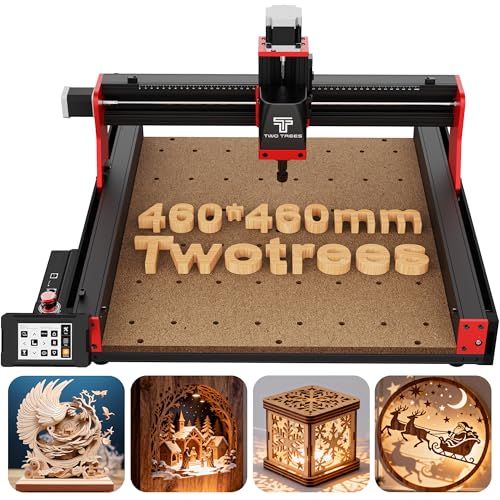
Twotrees 3-Axis CNC Engraver
Strengths
- High Z-axis precision
- Sturdy all-metal build
- User-friendly touch interface
- Expandable with laser or 4th axis
- Thorough accessory kit
Trade-offs
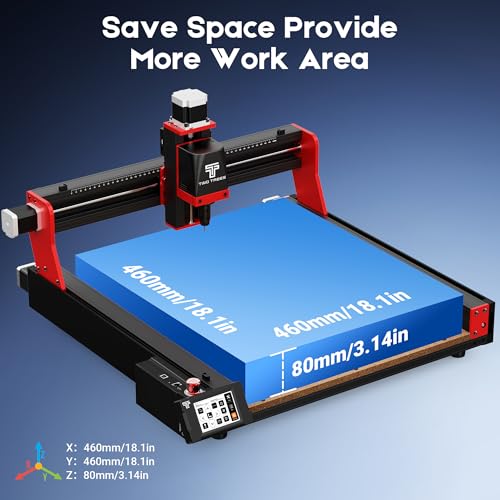
- Small work area (not 4×8)
- 775 spindle underpowered for heavy cutting
- Limited depth for thick stock
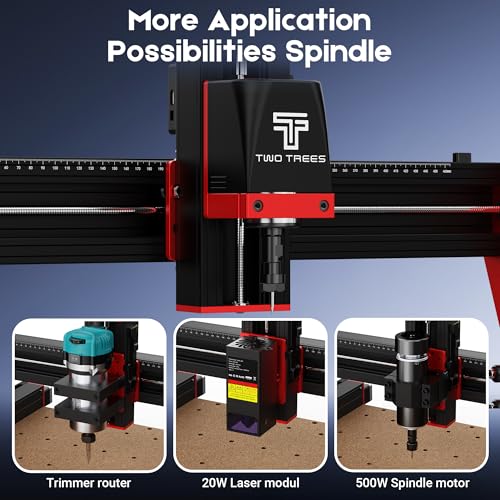
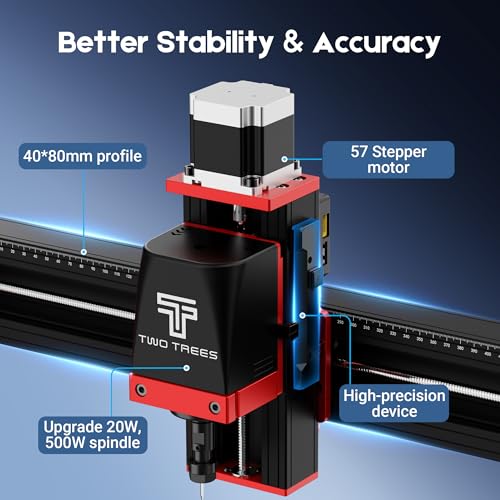
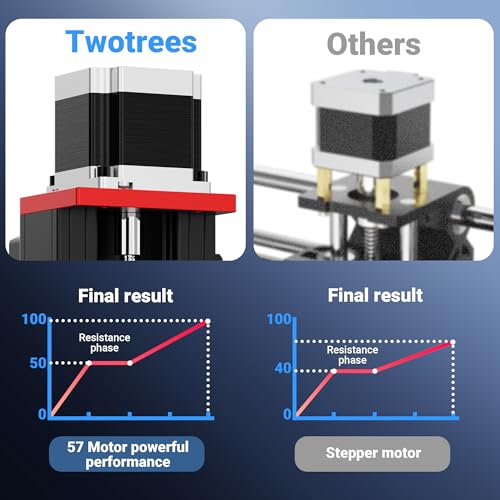
Let’s be clear: the TTC450 Pro isn’t a 4×8 machine. Its 18.1-inch square bed is a fraction of the size, so it won’t cut full sheets. But for precision work on smaller materials, like intricate inlays, relief carvings, or aluminum engraving, it punches above its class. The NEMA 57 stepper motor on the Z-axis is a standout, delivering 0.0025 mm positioning accuracy that reviewers praise for clean depth control. That kind of precision matters when you’re milling circuit boards or doing fine woodworking details.
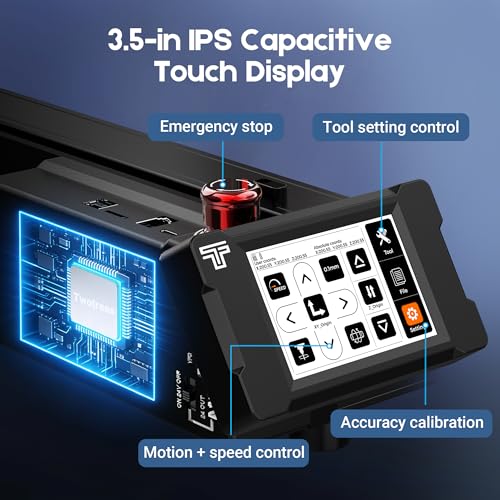
The capacitive touch screen is a usability upgrade over basic LCD panels, and the GRBL compatibility means it plays well with Fusion 360 and Easel, which lowers the learning curve. Owners note the all-metal frame and dual limit switches add stability, reducing vibration during extended runs. It’s also expandable, ports for a 4th axis and laser module make it a solid platform for future upgrades. But don’t mistake it for a full-scale router.
Product photos
M2 Wall Mounted CNC Machine
Strengths
- Wall-mounted design
- Full 4×8 capacity
- Open-source software
- High cutting speed
- USA-designed components
Trade-offs
- Router not included
- Accuracy lags behind premium gantry models
- Limited rigidity for heavy metal work
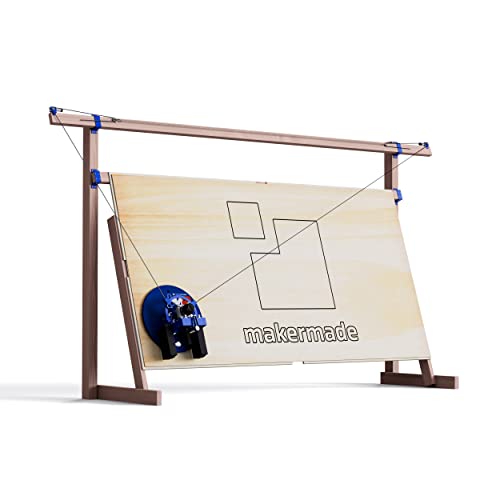
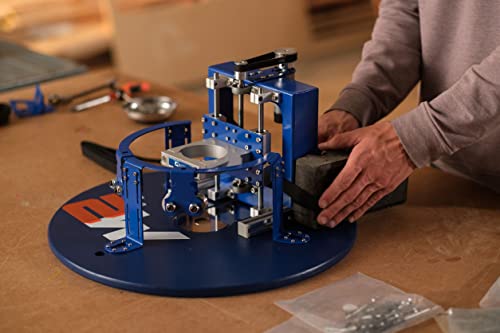
The M2 stands out in the 4×8 CNC space not by brute force, but by rethinking the entire layout. As a wall-mounted system, it’s a rare solution that delivers full-sheet capability without consuming your shop floor. On paper, the 32 sq ft working area is impressive, and owners consistently report it handles plywood, MDF, even thin aluminum with confidence, especially when paired with a compatible router like the DeWalt 611. The open-source Makerverse software is a real win for tinkerers, offering deep integration and regular updates, which keeps it ahead of closed systems in long-term usability.
What really sets the M2 apart is its efficiency. It’s designed to cut up to 40% faster than the original Maslow CNC, with cooler-running motors and a finer router bit for improved precision. The 1mm accuracy tolerance might not match industrial gantry routers, but for DIYers and small shops doing signage, furniture, or prototyping, it’s more than sufficient. The lack of a built-in router is a downside some overlook, but it also lets you choose your preferred model, which I appreciate.
Product photos


How We Evaluated 4×8 cnc routers
Rather than a hands-on lab test, this selection is a research-led comparison of published specifications and owner feedback. I began by compiling a list of available 4×8 CNC routers, then compared key features like work area, spindle power, control software compatibility, and build materials. To weigh these factors, I thoroughly read owner reviews across multiple platforms and analyzed expert opinions from woodworking and CNC machining publications. This process allowed me to create a ranked list based on real-world usability and reported performance.
For 4×8 CNC routers, cutting area and rigidity were the most important considerations. A larger cutting area opens up project possibilities, while a sturdy frame minimizes vibration and ensures accurate cuts. Beyond that, compatibility with common design software and the availability of a supportive user community significantly impact the overall experience, especially for those new to CNC machining. You’ll find many options available in the broader market of top-rated CNC routers.
Specifications reliably indicate a machine’s physical capabilities – work area dimensions, motor power, and travel speeds. However, owner feedback proved crucial in assessing real-world precision, ease of assembly, and the quality of included components. Reputation for customer service and the responsiveness of the manufacturer also factored heavily into my assessment. Understanding these nuances is key when comparing different consumer CNC machines and finding the right fit for your needs.
Choosing The Right 4×8 cnc routers
Choosing the right CNC router requires careful consideration of your project needs and budget. It’s more than just picking a machine; it’s about finding a tool that fits how you work.
A quality CNC router delivers repeatable precision and efficiency for material cutting and engraving. Key factors include work area size, rigidity of construction, spindle power, software compatibility, and the availability of support and accessories. Buyers should prioritize a machine with a robust frame, precise motion control, and a user-friendly interface for optimal results.
Work Area & Machine Size
The size of the work area is the first thing to nail down. Don’t overestimate what you’ll need, but always err on the side of slightly larger. You can work around a smaller bed, but you can’t expand one. The M2, with its wall-mounted design, offers a surprisingly large cutting space for its footprint, while the Twotrees models provide more traditionally sized work areas. Consider the dimensions of the largest projects you anticipate making and add a buffer for clamping and material handling. If you’re primarily focused on smaller signs or detailed engravings, a more compact machine – perhaps one of the compact CNC router options – might suffice.
Spindle Power and Material Compatibility
Spindle power dictates what materials you can effectively cut. Lower-powered spindles (like the 775 brushed motors often found in budget models) are fine for softwoods, plastics, and foam, but will struggle with hardwoods, aluminum, or thicker stock. Many of these machines require you to source the router separately, so consider compatibility with options like the DeWalt 611 or Makita RT0700CX. If you plan to work with a variety of materials, including metals, look for a machine with a more powerful spindle and a rigid frame to handle the increased forces. Don’t assume a machine advertised for “wood and metal” will handle both equally well.
- A lower-power spindle (under 1kW) is suitable for hobbyists and light-duty tasks.
- A mid-range spindle (1-2kW) provides a good balance of power and affordability for most woodworkers and makers.
- A high-power spindle (2kW+) is necessary for heavy-duty applications, such as cutting aluminum or thick hardwoods, and often requires additional cooling and power infrastructure. This is the way to go if you want the best wood CNC routers for serious projects.
Don’t skimp on the spindle. It’s the heart of the machine, and underpowering it will limit your capabilities more than any other single factor.
Software and Ease of Use
CNC routers run on software that translates designs into machine instructions. The prevalence of GRBL compatibility means many machines work with popular software like ArtCam and Fusion 360. However, the user interface and included software can vary significantly. The Twotrees models emphasize a user-friendly touchscreen interface, while the M2 uses the open-source Makerverse software. Consider your level of technical expertise and whether you prefer a more intuitive graphical interface or the flexibility of a command-line driven system. If you’re new to CNC, look for a machine with a strong user community and readily available tutorials. Exploring hobbyist CNC routers is a good starting point for beginners who want to learn the ropes without a steep learning curve. Ultimately, a machine that’s easy to set up and operate will save you time and frustration, allowing you to focus on your projects and refine your woodworking-focused CNC machines skills.
4×8 CNC Routers Compared
This table provides a side-by-side comparison of the specifications for several 4×8 CNC routers.
| Product Name | Work Area (in) | Z-Axis Travel (in) | Positioning Accuracy (mm) | Software | Spindle Motor |
|---|---|---|---|---|---|
| M2 CNC Engraving Machine Kit | N/A | N/A | 1 | Makerverse | N/A |
| Twotrees TTC450 Pro | 18.1 x 18.1 | 3.15 | 0.0025 | GRBL Compatible | 775 Brushed |
| M2 Wall Mounted CNC Machine | N/A | N/A | 1 | Makerverse | N/A |
| Twotrees CNC Router w/ Touch | 18.1 x 18.1 | 3.15 | 0.0025 | GRBL Compatible | 775 Brushed |
| M2 4x8ft CNC Cutting Machine | N/A | N/A | 1 | Makerverse | N/A |
| Twotrees 3-Axis CNC Engraver | 18.1 x 18.1 | 3.15 | 0.0025 | GRBL Compatible | 775 Brushed |
| M2 Open-Source CNC Router | N/A | N/A | 1 | Makerverse | N/A |
Frequently Asked Questions
What level of assembly is typically required for these 4×8 CNC routers?
Most models arrive as kits requiring significant assembly. Expect to spend several hours, or even days, putting the machine together, and some mechanical aptitude is helpful. The M2 models are generally reported to have more involved assembly processes than the Twotrees options.
Can these routers cut aluminum, or are they strictly for wood?
While some can attempt aluminum, these machines are best suited for wood, plastics, and softer materials. Successfully cutting aluminum demands a more powerful spindle (2kW or higher), a rigid frame, and proper cooling, features not consistently found in this price range.
What software options are compatible with these 4×8 CNC routers?
The majority support GRBL, opening them up to software like ArtCAM and Fusion 360. The M2 series uses Makerverse, while others offer broader compatibility. Choosing a machine that works with software you’re comfortable with is crucial for a smooth workflow.
What is the typical lifespan of the 775 brushed spindle motor found in some of these models?
The lifespan of a 775 brushed motor varies based on usage and maintenance, but realistically, expect around 200-500 hours of operation before needing replacement. These are budget-friendly options, and component wear is common, so keeping a spare on hand is advisable. Finding quality wood carving CNC machines will often include a more durable spindle.
What kind of dust collection solutions work with these machines?
Most of these routers don’t include integrated dust collection, so you’ll likely need to implement your own system. A shop vac connected to a port near the spindle is a common solution, but more elaborate setups involving a dedicated dust collector are also possible. Consider the machine’s footprint and available space when planning your dust collection.
The Bottom Line
Buying a 4×8 CNC router always involves a trade-off between initial cost and long-term capability. If you’re looking for the best overall balance of features, build quality, and user support, the M2 models stand out as a strong choice. They offer a compelling entry point into larger-format CNC work, even if they require a bit more assembly and software configuration.
For those on a tighter budget or just starting out, the Twotrees TTC450 Pro or the Twotrees CNC Router w/ Touch are excellent options. These machines provide a functional 4×8 work area and GRBL compatibility, making them a good fit for hobbyists exploring CNC routers for hobbyists. If you’re after a more versatile machine capable of handling a wider range of materials, be prepared to invest more in a higher-powered spindle and a more robust frame – features often found in higher-priced models.
Ultimately, the most important factors aren’t the specific specs on a datasheet. Focus on build rigidity, software compatibility with tools you already use, and the availability of a helpful user community. Those fundamentals will determine your ability to create accurate, repeatable projects and enjoy the process of learning and expanding your skills with these powerful machines.
