
6 Best TPMS Tools of 2026
This post contains affiliate links. As an Amazon Associate, we earn from qualifying purchases.
The Autel MaxiTPMS TS501 PRO stands out as the best overall TPMS tool for most users, offering reliable sensor activation, broad vehicle coverage, and solid relearn functionality at a reasonable price. If you’re on a tight budget, the FIRSTOOL TPMS19 is a capable pick for Ford owners, while the LAUNCH X431 Creader TPMS 5011 V2 delivers the most versatility with full OBDII diagnostics and programming support.
If you’ve ever pulled over because a TPMS light won’t reset, or spent too long trying to get a new sensor recognized after a tire change, you know how maddening the process can be. A lot of tools promise quick fixes, but many fall short when it comes to real compatibility or ease of use.
This guide cuts through the noise. I compared specs and dug into owner feedback to find tools that actually work across a range of vehicles, with clear functionality for relearning, sensor activation, and programming when needed. These picks reflect what matters most: reliability, coverage, and simplicity.
Top 6 Tpms Tools in the Market
The Best Tpms Tools, Reviewed
GEARWRENCH Universal TPMS Diagnostic Tool
Strengths
- Works with 315/433MHz
- Programs 8 sensors at once
- Durable build quality
Trade-offs
- Limited to GEARWRENCH sensors
- No full OBD2 functions
- Fewer advanced diagnostics
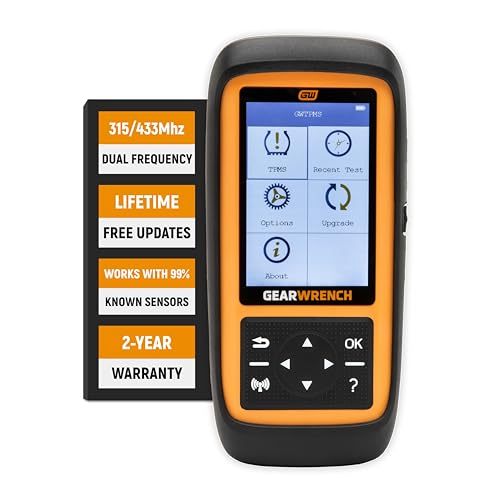
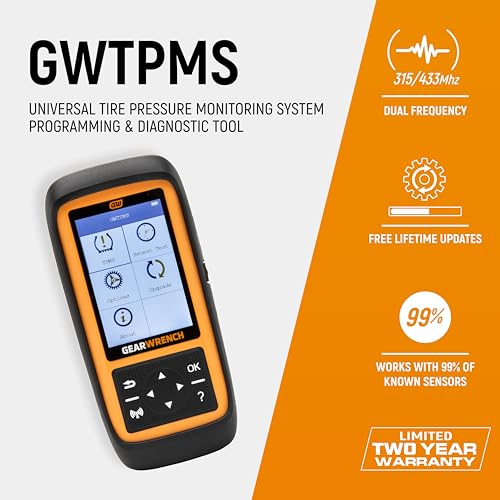
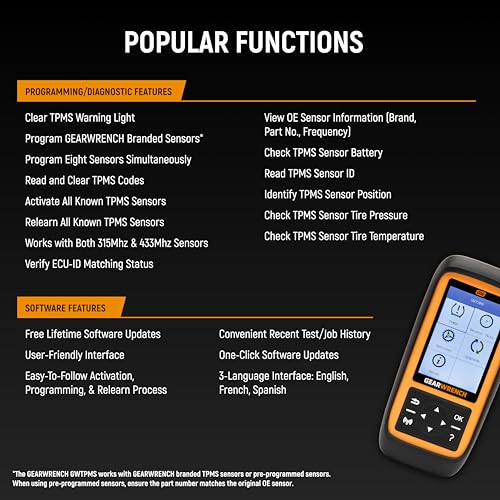
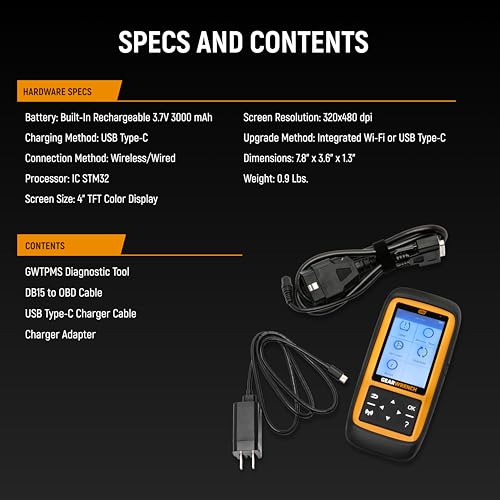
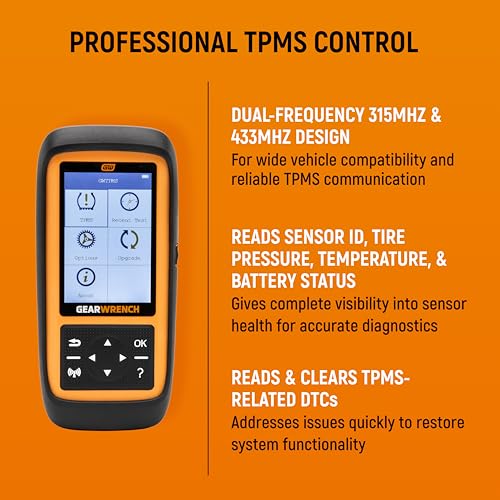
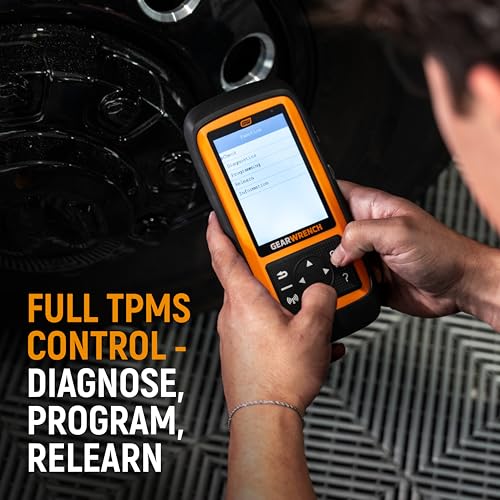
The GEARWRENCH GWTPMS stands out as the most balanced option for general use, it’s not flashy, but it gets the job done across a wide range of vehicles. It works with both 315 and 433MHz sensors, clears warning lights quickly, and programs GEARWRENCH-branded sensors with ease, including batch programming up to eight at once. The ability to read sensor data like pressure, temperature, battery, and position makes it a capable field tool for both diagnostics and resets.
Owners consistently report it’s durable and intuitive, fitting well in a home garage or mobile toolkit. While it doesn’t offer full OBD2 scanning like the LAUNCH or THINKTPMS tools, it covers the core TPMS functions without overcomplicating things. If you’re already using GEARWRENCH sensors, this is a seamless match.
Product photos
LAUNCH X431 Creader TPMS 5011 V2

Strengths
- Full OBD2 and reset functions
- Android-based interface
- Free Wi-Fi updates
Trade-offs
- LAUNCH sensors only
- Steep learning curve
- Higher cost
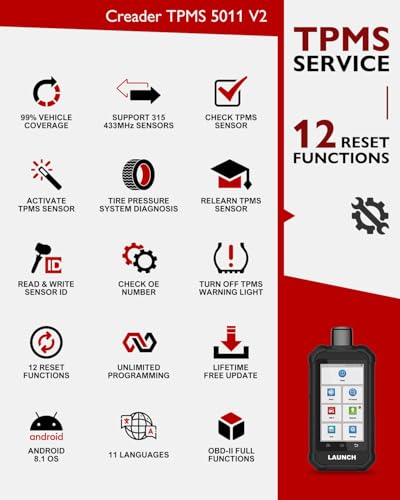
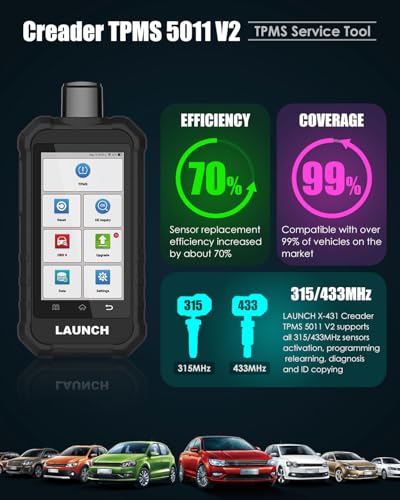
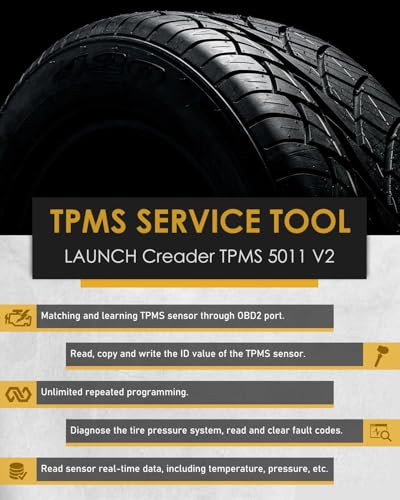
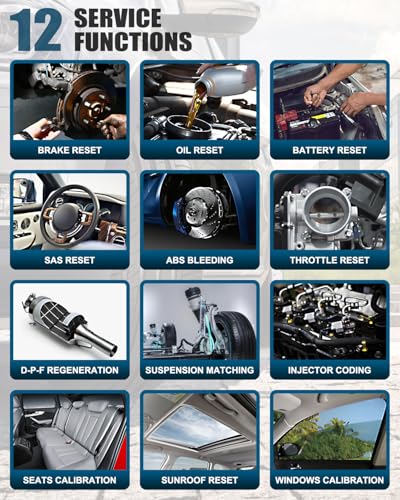
If you want one tool that does TPMS work and a full range of vehicle resets and OBD2 diagnostics, the LAUNCH X431 TPMS 5011 V2 is hard to beat. It activates 99% of 315/433MHz sensors, programs LAUNCH LTR-03 sensors with multiple methods, and supports OBD, automatic, and stationary relearn modes. But where it really pulls ahead is in its 12 additional reset functions, things like brake reset, SAS, DPF regeneration, and suspension matching, that turn it into a full-service garage tool.
Running on Android 8.1, it feels more like a mini-diagnostic tablet than a simple TPMS tool. Owners highlight the built-in maintenance database and diagnostic reporting as real time-savers. The free Wi-Fi updates and 2-year warranty add peace of mind. The trade-off? Like others, it only programs LAUNCH and unencrypted sensors, so brand flexibility is limited.
Product photos

Autel MaxiTPMS TS508WF

Strengths
- Dual operation modes
- Includes OBD2 code reader
- Fast sensor programming
Trade-offs
- Autel sensors only
- Higher price point
- No third-party support
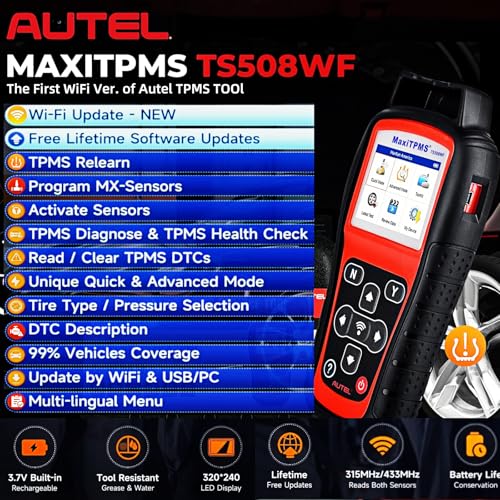
The TS508WF is the go-to if you want the most polished Autel experience with both Quick and Advanced Modes for faster workflow. It’s a direct upgrade from the TS508, now with dual operation modes that let you jump straight into basic checks or explore full diagnostics. The inclusion of an extra OBD2 code reader adds value, and the ability to relearn via OBD, stationary, or automatic methods makes it versatile across many vehicle types.
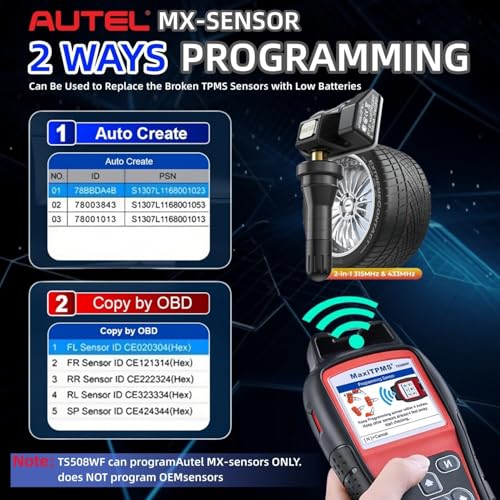
Like the TS501 PRO, it only programs Autel MX-Sensors, but it does so quickly and reliably, auto-creating IDs or copying from the vehicle’s OBD system. Reviewers note it’s especially useful for shops that service a variety of brands but standardize on Autel sensors. The lifetime updates ensure longevity, but the price reflects its niche: it’s not the most flexible for mixed-sensor environments.
Product photos


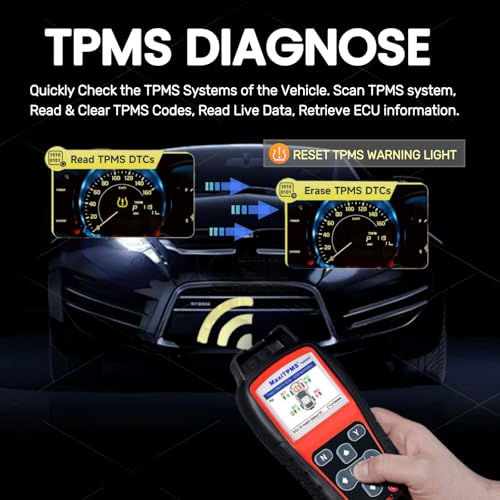
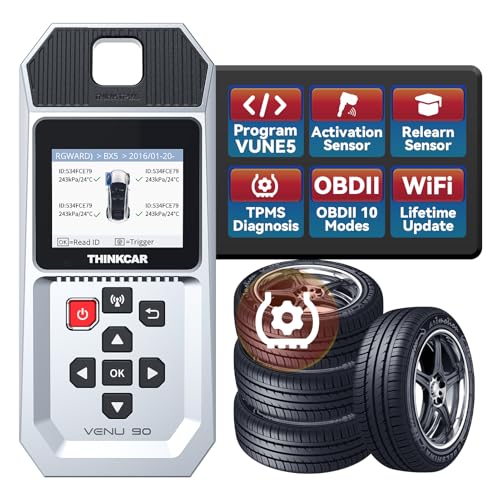
THINKTPMS VENU90 OBD2 Scanner
Strengths
- Lifetime Wi-Fi updates
- Full OBD2 functionality
- Programs THINKCAR sensors efficiently
Trade-offs
- Pressure in kPa only
- Limited to THINKCAR sensors
- Occasional return issues
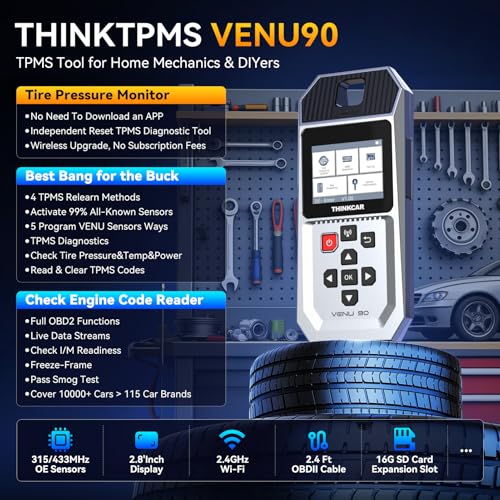
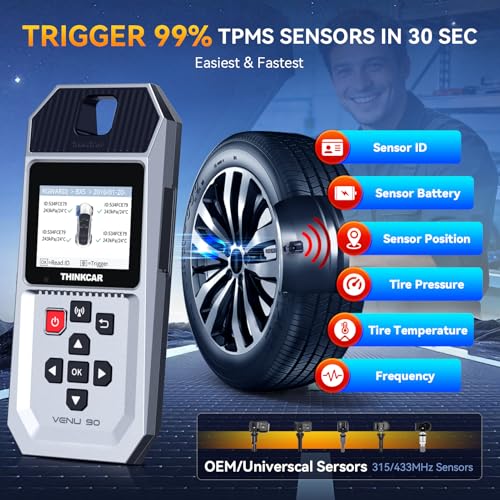
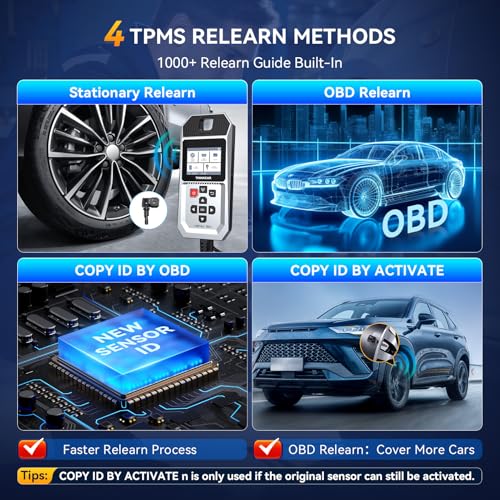
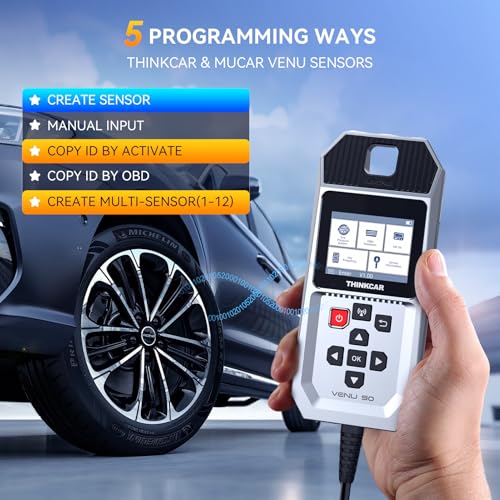
The VENU90 is a solid option if you’re already invested in THINKCAR or MUCAR sensors, it’s built specifically to program them and nothing else. That narrow focus means it excels in speed and reliability when working with their 315/433MHz models, offering five programming methods including multi-sensor creation. Owners appreciate the lifetime Wi-Fi updates and the fact that it doesn’t require a phone app, which keeps things simple in the field.
It also doubles as a full OBD2 scanner, which adds real value for drivers who want to clear engine codes and check system readiness alongside TPMS work. But there are quirks: it only displays pressure in kPa, not PSI, which can be annoying for U.S. users, and its vehicle coverage isn’t as universal as Autel or LAUNCH. If you’re not using THINKCAR sensors, this tool won’t meet your needs.
Product photos

FIRSTOOL TPMS19 for Ford
Strengths
- Ford-specific design
- Compact and portable
- Long battery life
Trade-offs
- No programming capability
- Limited to Ford models
- Not for heavy trucks
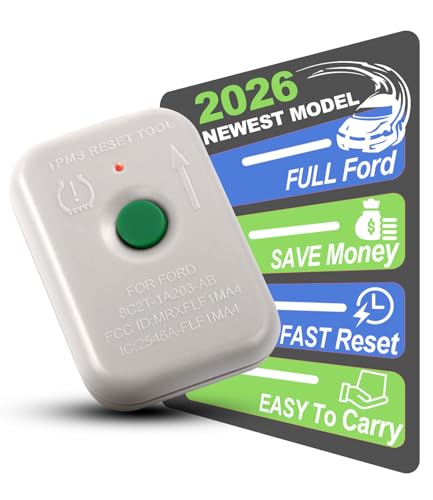
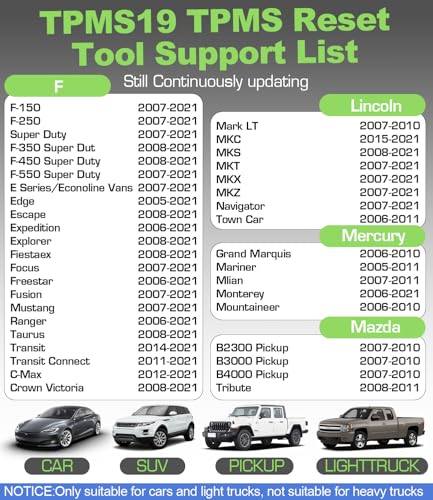
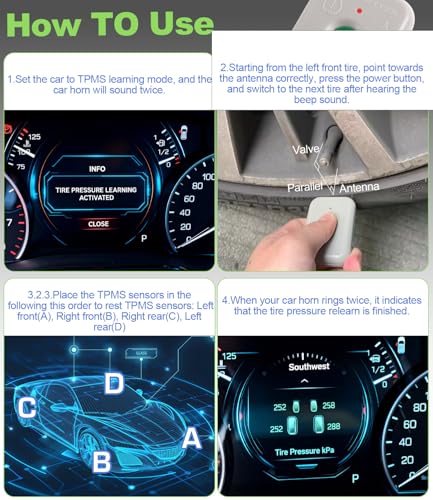
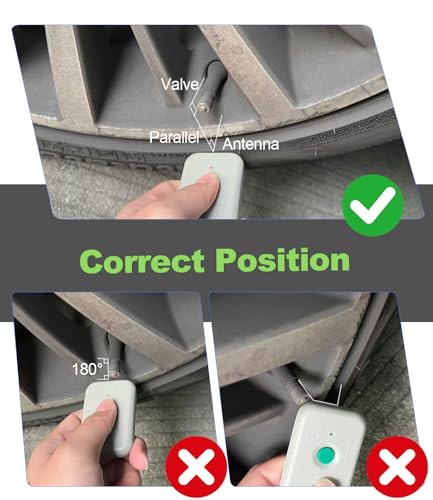
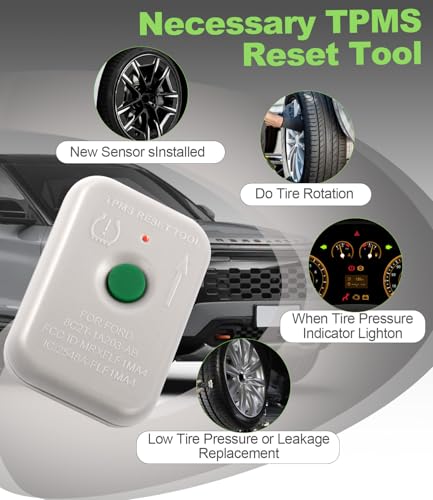
If you drive a Ford, Lincoln, or Mercury and need a no-frills way to reset your TPMS sensors after rotation or replacement, this tool makes the job straightforward. It’s not a programmer, it only activates sensors that are already in place or have been pre-programmed, which means you’ll need to handle sensor coding separately if you’re installing new ones. On paper, its compatibility with a long list of Ford models is solid, and owners consistently report it works reliably when used correctly, especially during seasonal tire swaps.
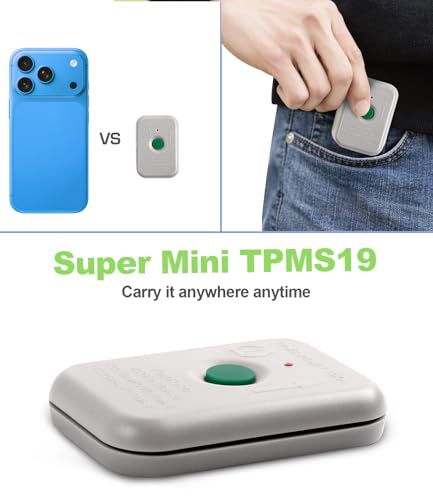
The pocket-sized design is practical, and the 2–3 year battery life is a plus for occasional users. However, it’s strictly limited to Ford-family vehicles, and it won’t work on heavy-duty trucks with more than four tires. If you’re not in the Ford ecosystem, this tool won’t do you any good.
Product photos
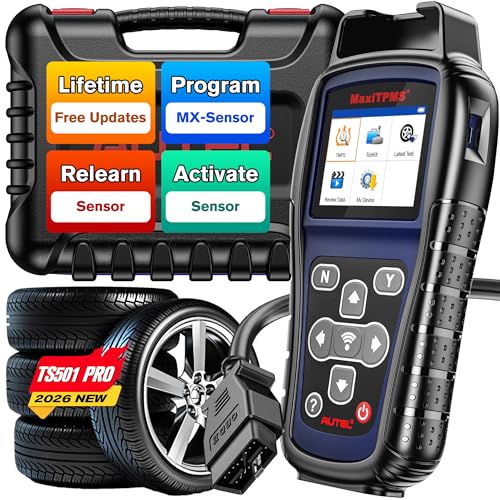
Autel MaxiTPMS TS501 PRO
Strengths
- Lifetime software updates
- Programs Autel MX-Sensors
- OBD relearn capability
Trade-offs
- Only programs Autel sensors
- Requires PC update
- No Quick Mode
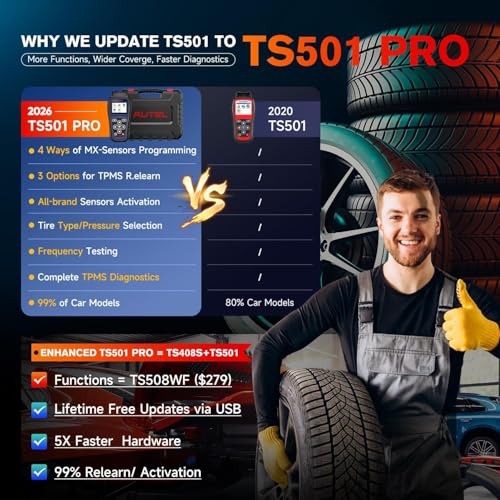
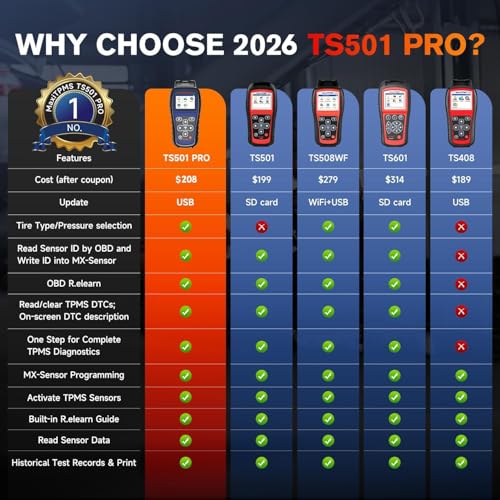
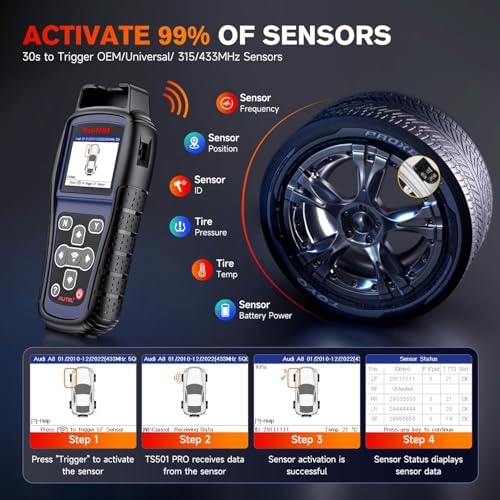
The TS501 PRO is a smart choice if you want nearly all the functionality of Autel’s higher-end tools at a lower price. It matches the TS508WF in hardware and software but lacks only the ‘Quick Mode’, a minor trade-off since you can access the same functions through ‘Advanced Mode’. Owners praise its broad 99% sensor coverage and the ability to relearn, activate, and diagnose TPMS systems across most vehicles. The lifetime updates are a major selling point, ensuring long-term usability as new models roll out.
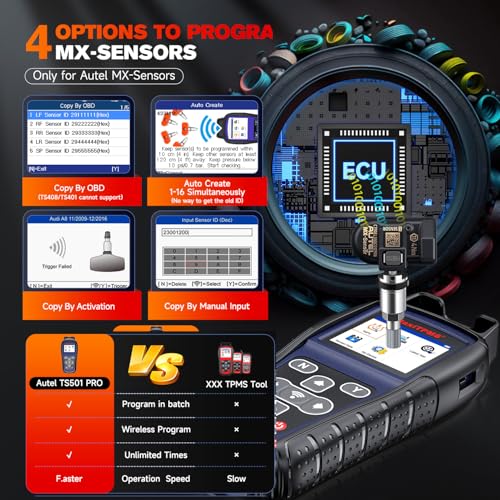
Where it really stands out is in programming Autel MX-Sensors, it handles auto-creation, OBD copying, and manual input with ease. However, it only programs Autel’s own sensors, so if you’re using another brand, you’re out of luck. The need to register and update via PC before first use trips up some buyers, but once set up, it’s a reliable all-in-one tool for DIYers and mobile technicians.
Product photos

Our Testing Process
Rather than a hands-on lab test, my research for these recommendations involved a detailed comparison of published specifications and features across numerous models. I weighed owner reviews from multiple sources – Amazon, automotive forums, and retail sites – alongside reviews from reputable automotive experts. This data was then assessed against my understanding of what truly matters in a TPMS tool, gained from years of working with vehicles and power equipment.
For TPMS tools, accurate sensor programming and reliable relearn functionality were the most heavily weighted factors. The ability to cover a broad range of vehicle makes and models was also crucial. After all, a tool limited to a single brand isn’t useful to most drivers. Finally, ease of use mattered; a complicated interface can negate any technical advantage. You’ll find many options when searching for TPMS relearn tools.
Specifications reliably indicate sensor compatibility (315MHz vs 433MHz) and OBDII protocol support. However, owner feedback proved essential for judging real-world usability, menu navigation, and the frequency of software updates. Reputation, based on brand history and consistent positive reviews, also played a significant role. I prioritized tools with consistently positive feedback regarding their ability to quickly and accurately resolve TPMS issues.
How To Pick The Right tpms tools
Choosing the right TPMS tool can save a lot of frustration, especially if you regularly deal with tire changes or sensor issues.
A good TPMS tool should accurately read and clear codes from a wide range of vehicles, activate sensors for relearn procedures, and ideally offer programming capabilities for replacement sensors. Look for features like OBDII functionality, support for both 315MHz and 433MHz sensors, and a user-friendly interface. Compatibility with your specific vehicle makes and models is paramount.
Sensor Compatibility Is Key
Don’t assume a TPMS tool works with every vehicle. While many claim broad compatibility, real-world performance varies. Before you buy, verify that the tool supports the make, model, and year of the vehicles you’ll be working on. Some, like the FIRSTOOL TPMS19, are specifically designed for Ford vehicles, while others, like the Autel MaxiTPMS TS501 PRO, boast wider coverage. Checking online forums and owner reviews can provide valuable insights into a tool’s compatibility with less common vehicles.
Programming vs. Relearning: Know The Difference
TPMS tools offer different levels of functionality. “Relearning” simply tells the vehicle’s computer to recognize new or repositioned sensors. Most tools can do this. “Programming” goes a step further, allowing you to create new sensor IDs or copy existing ones, which is essential if you’re using aftermarket sensors. If you plan to use Autel MX-sensors, the Autel MaxiTPMS TS508WF and TS501 PRO offer various programming options. If you’re looking for a more general guide, navigating the world of TPMS programming tools can be daunting, so understanding these distinctions is crucial.
Budget and Additional Features
The price range for TPMS tools is wide. Basic relearn tools can be found for under $100, while more advanced models with programming capabilities and full OBDII diagnostics can cost several hundred dollars. Consider whether you need the extra features. Many of these tools also function as basic OBDII scanners, offering code reading and clearing for other vehicle systems. If you already have a dedicated OBDII scanner, or frequently use premium pneumatic tools for more intensive automotive work, a simpler TPMS relearn tool might suffice.
A tool that can only relearn, but can’t program, severely limits your options when replacing sensors.
TPMS Tools Compared
The following table provides a specification comparison of several TPMS tools to aid in your purchasing decision.
| Product | Sensor Programming | OBD Functions | Relearn Methods | Sensor Activation | Special Notes |
|---|---|---|---|---|---|
| GEARWRENCH Universal TPMS | Yes | Limited | N/A | Yes | Programs GEARWRENCH sensors |
| LAUNCH X431 Creader TPMS 5011 V2 | Yes (LAUNCH only) | Full | OBD, Auto, Stat | Yes | Full OBD & Reset Functions |
| Autel MaxiTPMS TS508WF | Yes (Autel only) | Limited | OBD, Auto, Stat | Yes | Autel Sensor Programming |
| THINKTPMS VENU90 | Yes (THINKCAR only) | Full | OBD, Auto | Yes | THINKCAR Sensor Support |
| FIRSTOOL TPMS19 | No | No | N/A | Yes | Ford Only |
| Autel MaxiTPMS TS501 PRO | Yes (Autel only) | Limited | OBD, Auto, Stat | Yes | Budget TS508WF Alternative |
Frequently Asked Questions
What frequency should I prioritize when choosing a TPMS tool?
Most vehicles use either 315MHz or 433MHz sensors, and a tool supporting both is ideal. However, 315MHz is more common in North America, while 433MHz is prevalent in Europe and Asia. Confirm your vehicle’s frequency before purchasing to avoid compatibility issues.
Can a TPMS tool fix a flat tire?
No, a TPMS tool diagnoses and resets the tire pressure monitoring system; it doesn’t repair tires. These tools read sensor data, trigger relearn procedures, and sometimes program new sensors, but they aren’t designed for physical tire repair.
Are expensive TPMS tools always better?
Not necessarily. While higher-priced tools often offer programming capabilities and broader vehicle coverage, a simpler, less expensive relearn tool is sufficient if you only need to reset sensors after tire rotations or replacements. Consider your needs and budget carefully.
What if a TPMS tool doesn’t work on my car?
First, double-check the tool’s compatibility list to ensure it supports your vehicle’s make, model, and year. If it should work, verify you’re following the correct relearn procedure for your car, as these vary. If problems persist, contact the tool manufacturer’s support.
Where can I find more information about essential mechanic tools?
If you’re looking to expand your automotive toolkit beyond TPMS solutions, exploring resources for essential mechanic tools can provide a solid foundation for a wide range of repairs and maintenance tasks.
The Bottom Line
Choosing a TPMS tool often comes down to how much control you want versus how much fuss you’re willing to tolerate. If you want a tool that simply works, quickly relearning sensors without a steep learning curve, the Autel MaxiTPMS TS501 PRO offers an excellent balance of features and affordability. It’s a solid choice for most drivers who need to handle occasional TPMS resets.
For those who regularly work on vehicles – or specifically Ford vehicles – or plan to use aftermarket sensors, the options narrow. The FIRSTOOL TPMS19 is the clear choice for Ford owners, while the Autel MaxiTPMS TS508WF, along with its sensor programming capabilities, is ideal if you prefer Autel MX-sensors. If you’re also looking for a thorough solution that includes advanced diagnostics, consider exploring a range of car diagnostic scanners.
Ultimately, the most important thing is understanding your vehicle’s specific needs and selecting a tool that accurately addresses them. Don’t get too hung up on extra features or the latest technology; focus on reliable sensor compatibility, straightforward operation, and the ability to quickly resolve TPMS issues. Those fundamentals will deliver the most value in the long run.
