7 Best TPMS Programming Tools of 2026
This post contains affiliate links. As an Amazon Associate, we earn from qualifying purchases.
The Autel TS508WF stands out as the best overall TPMS programming tool for its broad compatibility, multiple programming methods, and reliable OBD relearn function. For those on a budget, the MUCAR T261 delivers solid performance with app integration at a lower price point. If you work across many vehicle types and demand maximum versatility, the Autel TS501 PRO offers lifetime updates and advanced diagnostics.
Dealing with TPMS warnings shouldn’t mean a trip to the dealer every time you rotate tires or replace a sensor. Most DIYers and home mechanics just want a tool that works reliably without a steep learning curve. After comparing the field based on specs, owner feedback, and real-world usability, I focused on tools that balance compatibility, ease of use, and diagnostic value, so you can program sensors confidently and get back on the road.
Top 7 Tpms Programming Tools in the Market
The Best Tpms Programming Tools, Reviewed
Autel TS508WF TPMS Programming Tool

Strengths
- WiFi lifetime updates
- OBD ID cloning
- Data review and printing
Trade-offs
- Autel sensors only
- Higher upfront cost
- No non-Autel programming
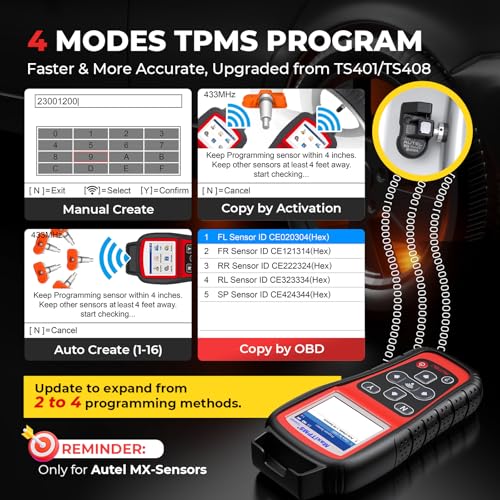
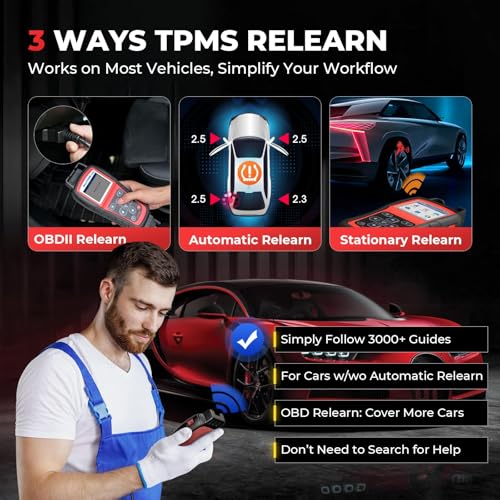
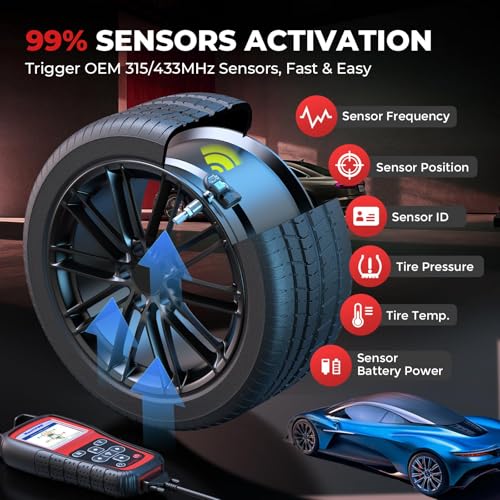
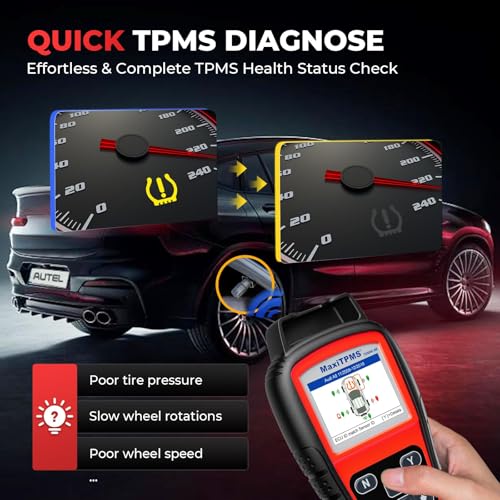
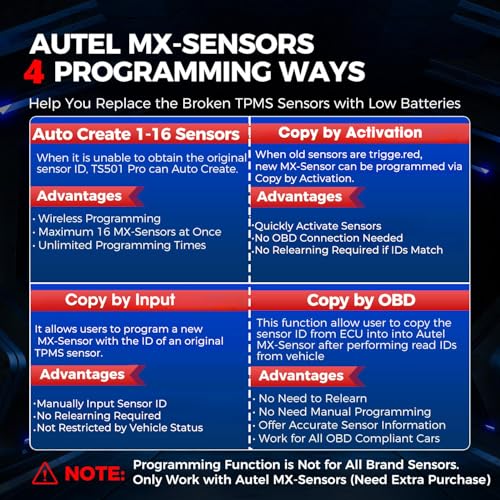
Let’s be clear: the Autel TS508WF is the complete package. With WiFi-enabled lifetime updates, OBD relearn, full diagnostics, and support for 99% of global vehicles, it’s the most versatile TPMS tool here. It programs Autel MX-sensors using four methods, including cloning via OBD, which saves time when replacing failed units. The interface is responsive, and the ability to review and print data logs makes it shop-ready. Owners consistently rate it highly for first-time success, even on finicky European models.
Yes, it only works with Autel sensors, but given how well those perform and how often they’re used in pro shops, that’s less of a limitation than it seems. Compared to the TS501 PRO, the WiFi alone justifies the bump in price. If you’re tired of buying tools that become obsolete, this one stays current. My recommendation for anyone doing regular TPMS work, it’s the closest thing to a one-and-done solution.
Product photos

GEARWRENCH Universal TPMS Programming Tool
Strengths
- Programs 8 sensors at once
- Full diagnostic capabilities
- Reads battery and temp
Trade-offs
- Slower updates than Autel
- Limited to GEARWRENCH sensors
- No WiFi syncing
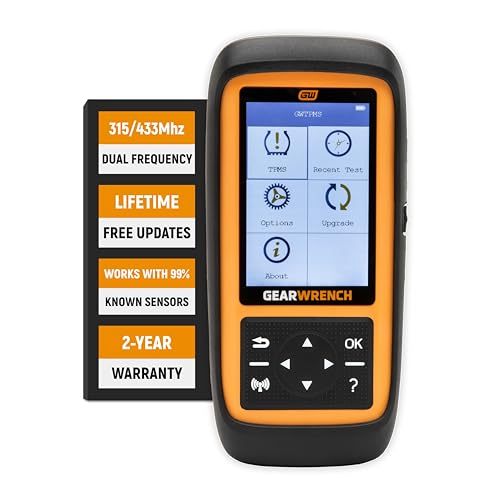
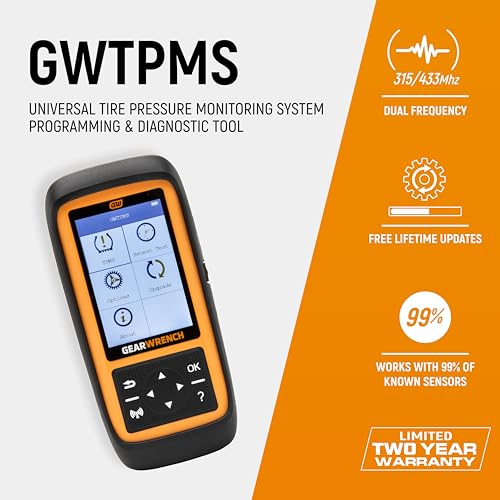
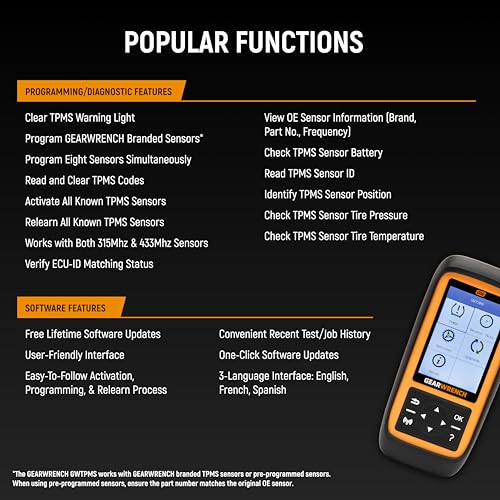
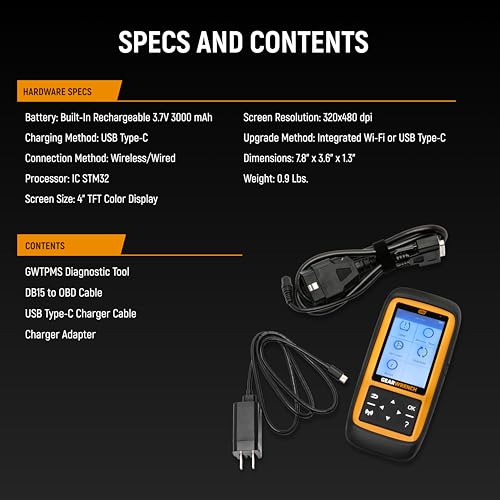
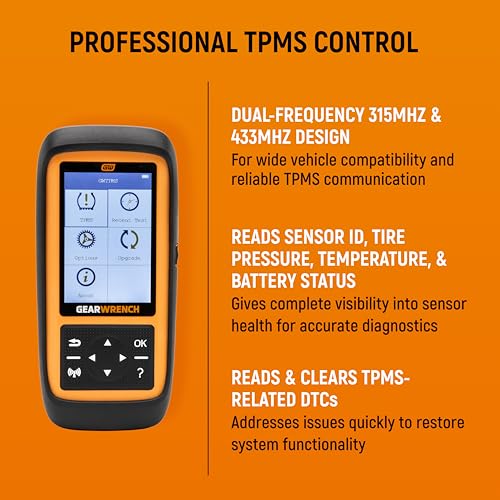
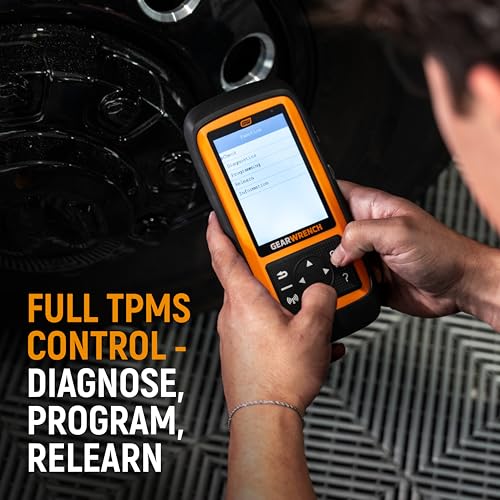
GEARWRENCH built a reputation on durable hand tools, and the GWTPMS carries that ethos into the electronic space with a no-nonsense, highly functional design. It covers both 315MHz and 433MHz sensors and can program up to eight at once, making it a time-saver for shops doing batch sensor replacements. The ability to read and clear DTCs, check battery status, and verify sensor IDs gives it real diagnostic weight. Unlike brand-locked tools, it works with its own GEARWRENCH sensors, offering more freedom than the Autel-exclusive models.
Still, it doesn’t match the Autel TS508WF in software polish or update frequency. And while it’s universal in sensor support, vehicle compatibility isn’t quite as broad as Autel’s 99% claim. But for a tool that balances speed, diagnostics, and build quality without locking you into one ecosystem, it’s a smart middle ground. I’d pick this over the MUCAR T261 for shop use where throughput matters.
Product photos
MUCAR T261 TPMS Relearn Tool
Strengths
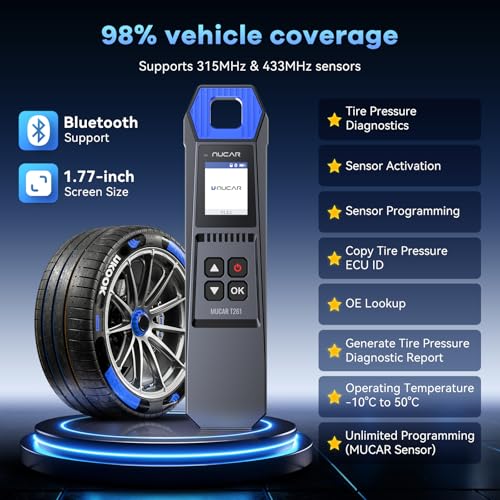
- 98% vehicle coverage
- Bluetooth with app sync
- Compact and durable
Trade-offs
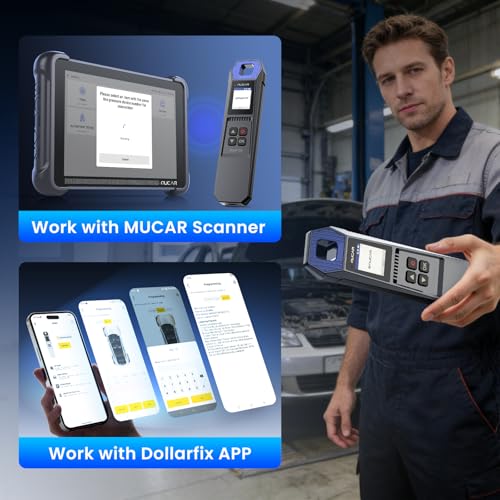
- App-dependent features
- MUCAR sensors only
- No OBD relearn
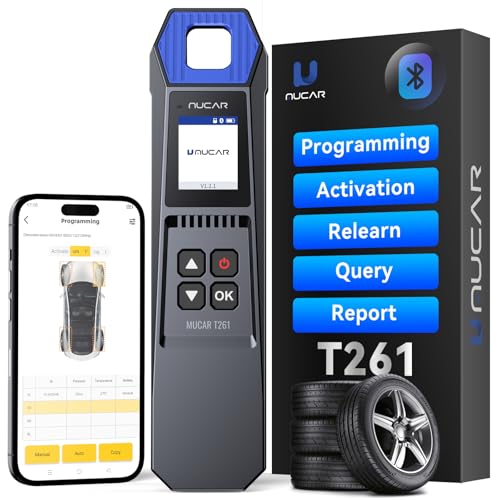
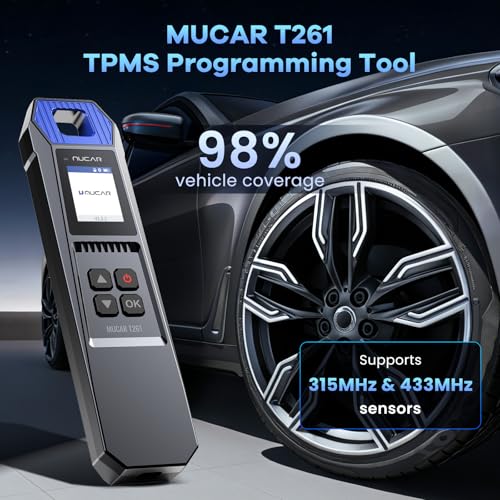
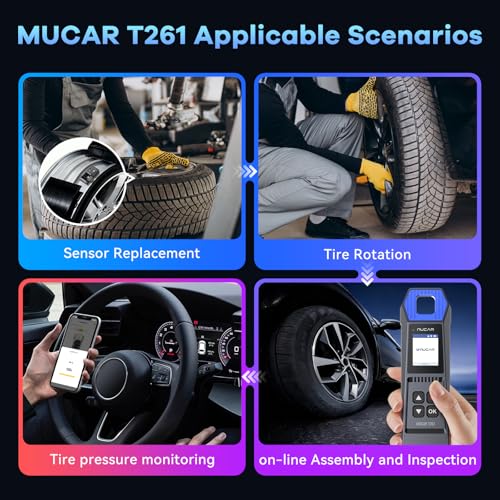
The MUCAR T261 stands out as a budget-friendly option that still delivers solid functionality for DIYers who need reliable TPMS programming without overspending. On paper, it promises 98% vehicle coverage and supports both 315MHz and 433MHz sensors, which is impressive for the price. Its integration with a mobile app via Bluetooth adds a layer of convenience, letting users pull diagnostic reports and clone ECU IDs, features usually seen on pricier tools. Owners consistently report fast activation times and smooth relearn procedures, especially when using MUCAR’s own sensors.
That said, it’s locked into programming only MUCAR sensors, which limits flexibility if you’re working across different brands or servicing various customers. While the compact design and rugged build make it portable and durable, the reliance on app pairing could be a hiccup for those who prefer standalone operation. Compared to the Autel tools, it lacks OBD-based relearning and full onboard diagnostics.
Product photos
VXDAS TPMS Relearn Tool for GM
Strengths
- Affordable GM-specific tool
- Fast activation
- Durable circuit design
Trade-offs
- No pressure gauge
- No diagnostics
- GM OEM sensors only
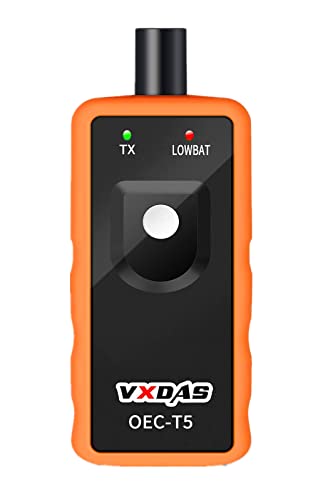
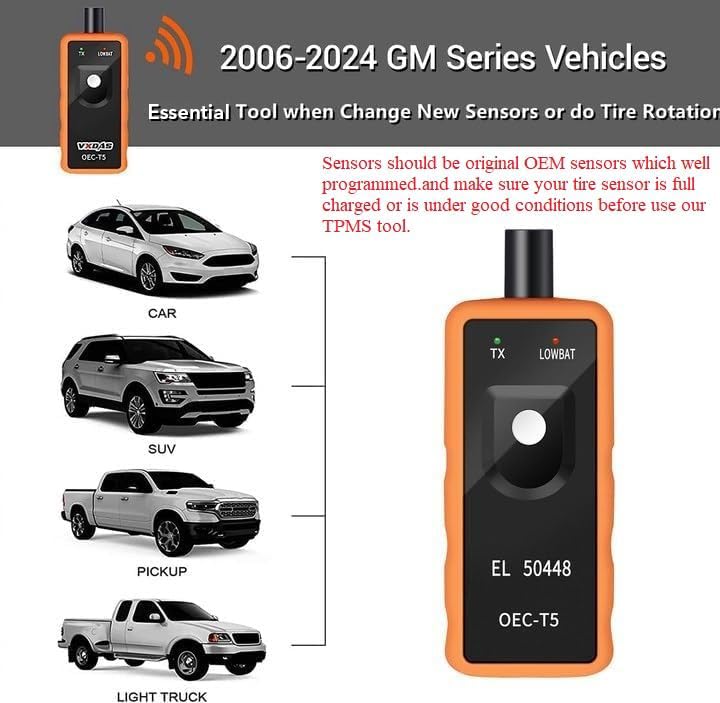
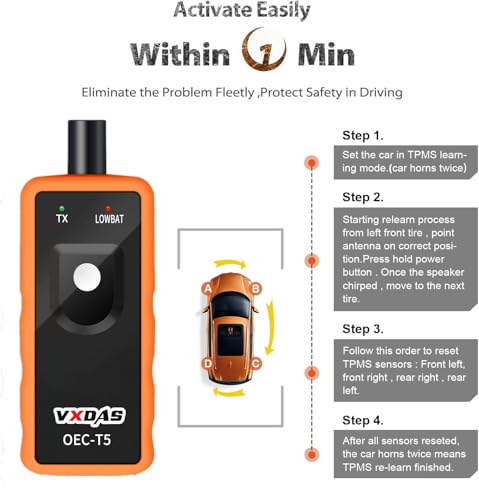
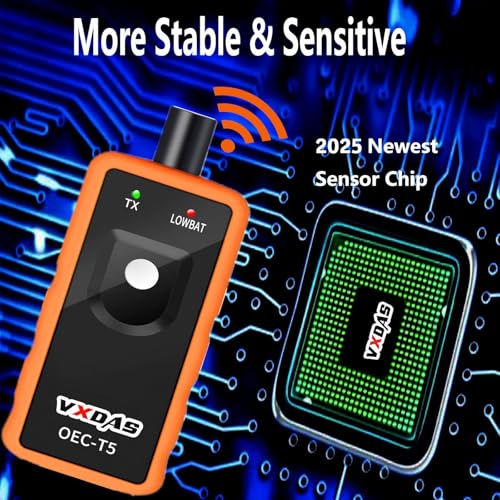
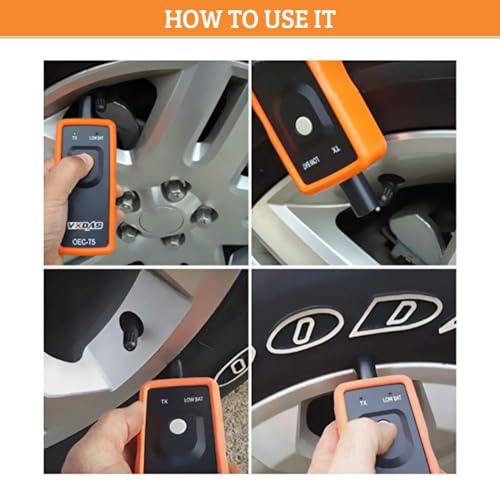
This VXDAS OEC-T5 model is the bare-bones version of TPMS resetting, designed solely to activate and relearn sensors on GM vehicles from 2006 to 2024. It does one job, and it does it reliably. Owners confirm it works quickly on models like the Malibu, Equinox, and Tahoe, with a simple press-against-the-valve procedure. The immersion gold circuit board helps maintain signal stability, which pays off in consistent performance.
But there’s no gauge, no diagnostics, no programming, just sensor activation. If you already have a pressure gauge and only need a reset stick, it’s a solid, low-cost option. Compared to the TPA01, it’s less versatile but slightly cheaper. Still, given how close the prices are, I’d rather have the gauge built in. This one’s only worth it if you’re strictly minimizing cost and already own a separate gauge.
Product photos

JDIAG 2IN1 TPMS Tool for GM Ford
Strengths
- One-button operation
- Solid GM and Ford support
- Affordable and reliable
Trade-offs
- No programming capability
- Battery performance sensitive
- Limited to light-duty vehicles
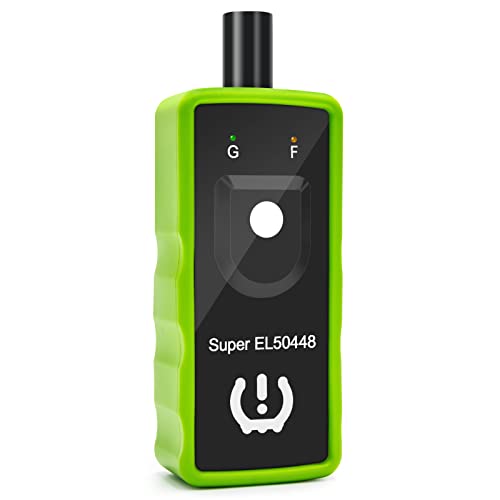
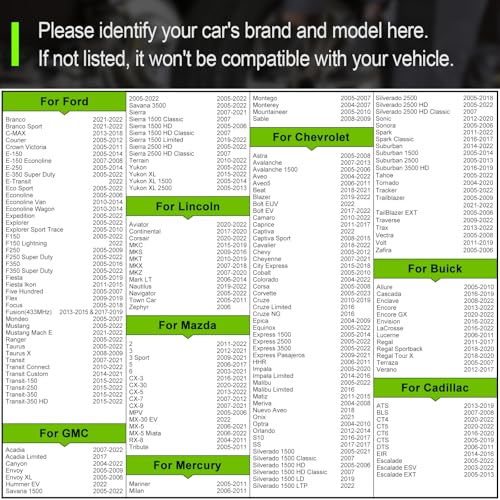
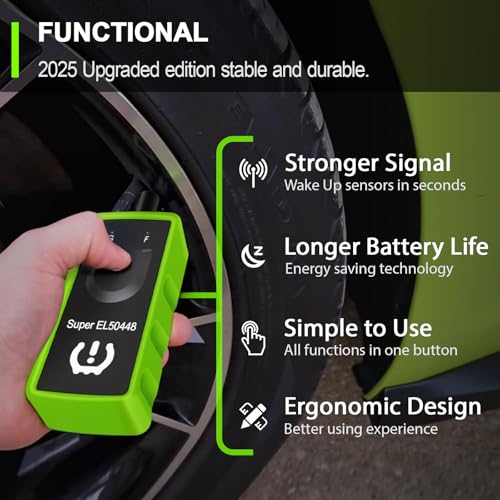
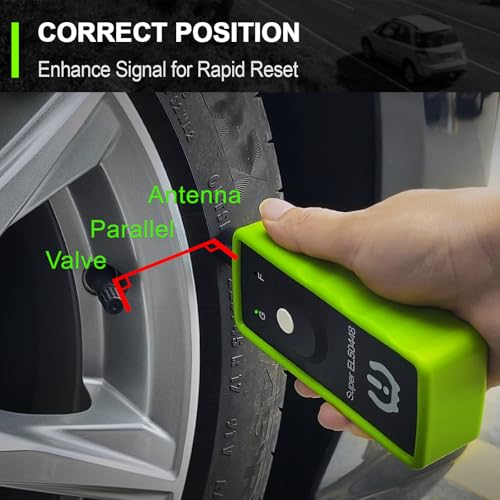
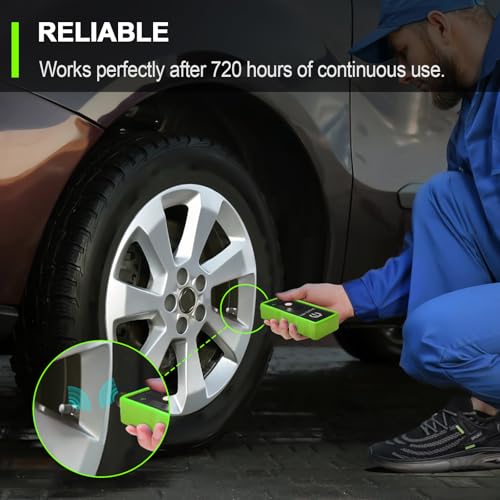
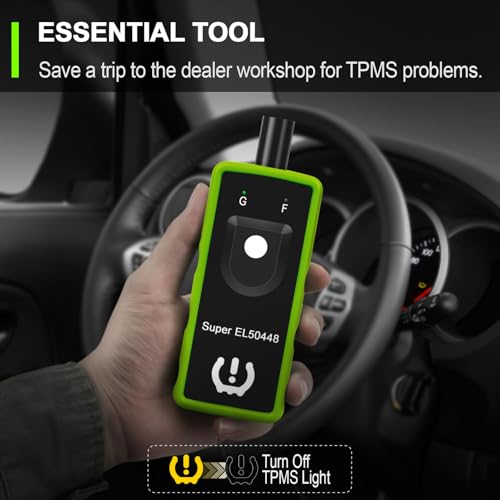
If your garage is full of GM and Ford trucks, the JDIAG EL50448 makes a strong case as a no-frills, one-button solution for resetting TPMS after rotations or sensor swaps. It’s not programmable, but it excels at its core job: waking up sensors and guiding the vehicle through the relearn process. Reviewers note it works reliably on models like the F-150, Silverado, and Focus, with clear LED feedback during operation. The 9V battery power gives it portability, though performance drops fast with weak batteries, owners stress using fresh ones.
It won’t program sensors or read codes, so don’t expect diagnostic depth. But for what it is, a dedicated reset tool for two of America’s biggest OEMs, it’s hard to beat the simplicity and cost savings over dealer visits. Compared to the VXDAS GM-only models, it covers more Ford variants, giving it a slight edge in versatility within its niche.
Product photos
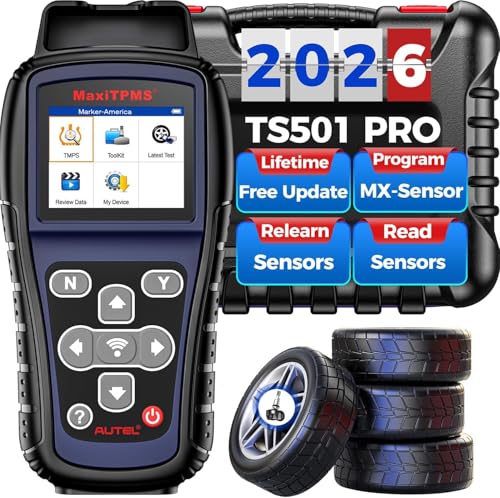
Autel TS501 PRO TPMS Programming Tool
Strengths
- OBD relearn capability
- Lifetime software updates
- Tire type/pressure settings
Trade-offs
- Autel sensors only
- No WiFi updates
- Registration required
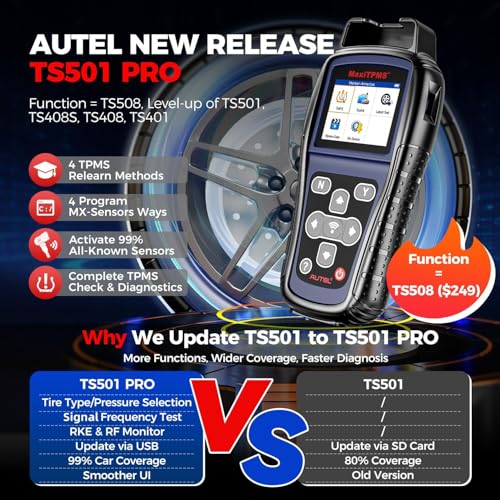
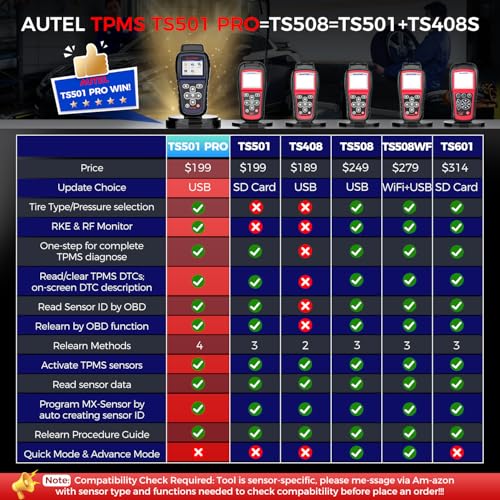
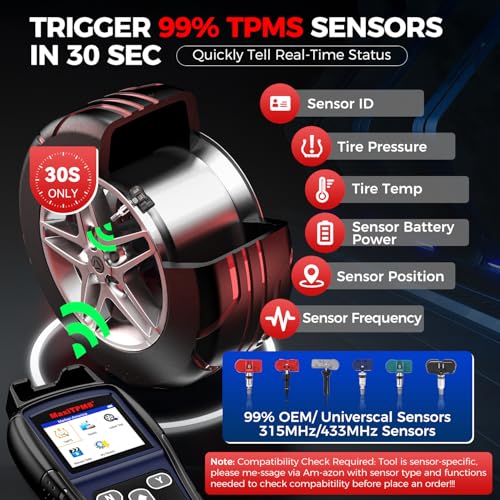
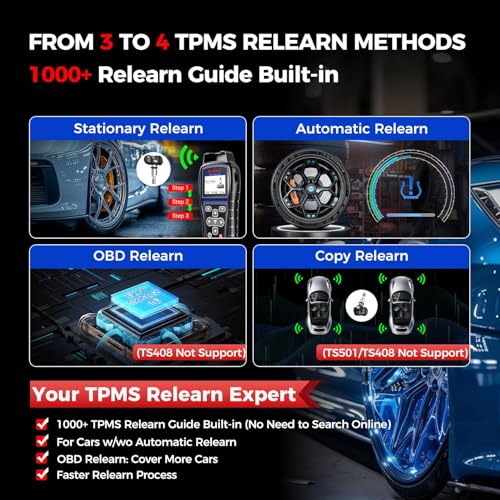
The Autel TS501 PRO is a clear step up from entry-level tools, offering near-universal relearn and activation for 99% of sensors, plus full diagnostics and OBD-based ID writing, something the JDIAG and VXDAS tools can’t touch. It’s essentially a stripped-down version of the TS508WF but without WiFi. Owners praise its fast response, clear interface, and the ability to auto-create sensor IDs when replacements lack originals. The requirement to register the device before extended use is a minor annoyance, but once set up, it delivers consistent performance.
Where it falls short is exclusivity: it only programs Autel MX-sensors. That’s fine if you’re all-in on Autel, but a dealbreaker if you mix brands. Compared to the TS508WF, it lacks wireless updates, making it less future-proof. But for the price, it brings pro-level features like tire type/pressure selection, useful when the TPMS light won’t clear post-reset.
Product photos
VXDAS 2-in-1 TPMS Tool with Gauge
Strengths
- Built-in pressure gauge
- Multi-unit display
- Simple 3-step reset
Trade-offs
- GM vehicles only
- No sensor programming
- Battery not included
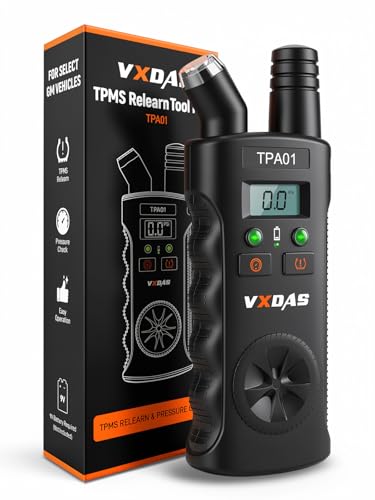
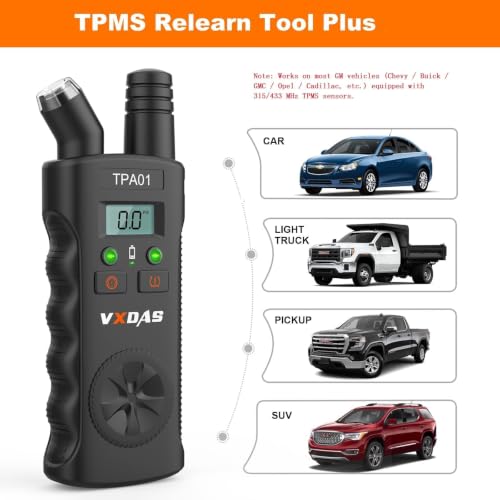
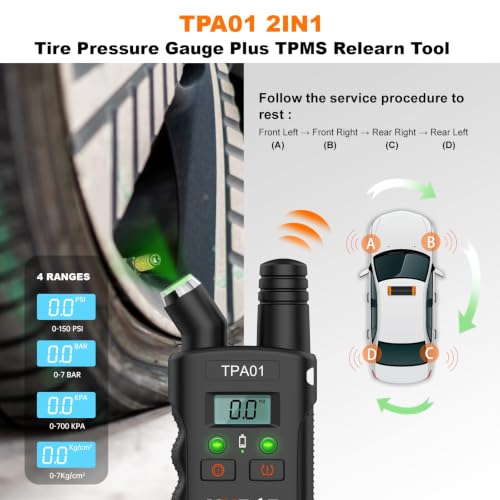
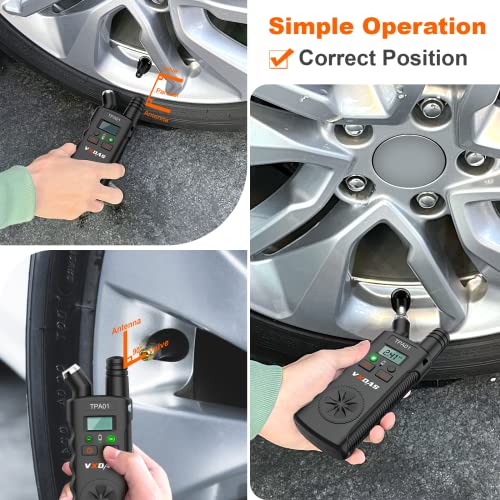
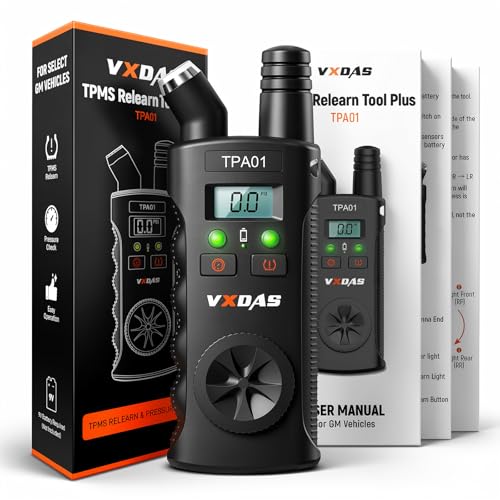
The VXDAS TPA01 is a clever 2-in-1 tool that combines a GM-specific TPMS relearn function with a digital pressure gauge, making it unusually practical for quick checks and resets. The gauge rotates between PSI, BAR, and other units, and it’s accurate enough for daily use. For GM owners (Chevy, Buick, Cadillac, etc.), it handles the relearn sequence in under two minutes, just like the dealer tool. The auto-shutoff saves battery, and the build feels solid for the price.
But it’s strictly for GM vehicles and requires OEM or pre-programmed sensors. You can’t program anything with it. Still, the inclusion of a quality gauge gives it an edge over the VXDAS OEC-T5 model. If you’re swapping tires at home and want to verify pressure while resetting the system, this tool pulls double duty without cluttering your toolbox.
Product photos

How We Evaluated tpms programming tools
As someone who’s spent years working with vehicles and power tools, I understand the frustration of dealing with TPMS issues. Rather than a hands-on lab test of each tool, we approached this guide as a research-led comparison. We started by compiling specifications and features from manufacturer websites, then weighed those against owner reviews from multiple sources and expert opinions found in automotive publications. This allowed us to build a ranked list based on real-world feedback and technical capabilities.
For TPMS programming tools, three factors proved most crucial: compatibility with a wide range of vehicles, the speed and reliability of sensor programming, and the ease of use for someone without extensive automotive experience. A tool that works on only a few makes and models isn’t very useful, and a complicated process can negate any cost savings. We also prioritized tools that offered multiple programming methods and diagnostic features.
Specifications reliably tell you the frequencies a tool supports (315/433MHz) and the types of sensors it can interact with. However, we relied heavily on owner feedback to gauge the actual usability and durability of each device. Reports of frequent errors, confusing interfaces, or battery life issues were significant detractors. Ultimately, our recommendations aim to steer you towards the most effective and user-friendly TPMS sensor relearn tools available, based on a combination of technical details and practical experience reported by other users.
How To Choose The tpms programming tools
Choosing the right TPMS programming tool can save you a lot of headaches – and money – compared to dealership visits. It’s about more than just resetting a warning light; it’s about accurately diagnosing and servicing a critical safety system.
A quality TPMS tool should reliably activate and program sensors, offer broad vehicle compatibility, and provide access to essential diagnostic information like sensor ID, pressure readings, and battery status. Look for features like OBD relearn capabilities, multiple programming methods, and frequent software updates to ensure continued usefulness as vehicle technology evolves. Consider whether you primarily work on a single brand or need universal coverage.
Sensor Compatibility is Key
The biggest pitfall I see people make is buying a tool that doesn’t play well with their vehicle – or the sensors they’ve chosen. Some tools, like the Autel TS508WF, are designed to work specifically with the manufacturer’s sensors. This isn’t necessarily a bad thing if you plan to use those sensors exclusively, but it severely limits your options. Others, like the GEARWRENCH Universal tool, advertise broad compatibility, but it’s crucial to verify that it supports your vehicle’s make, model, and year before you buy. Don’t assume “universal” means it works with everything.
Programming Methods Matter
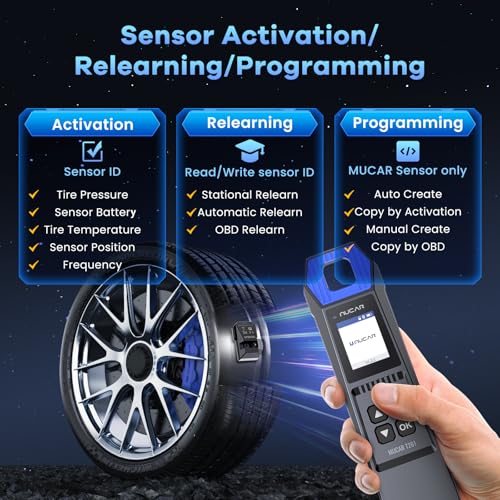
Beyond compatibility, consider how the tool programs sensors. The more methods available, the better. Some tools offer OBD relearn, which writes the sensor ID directly to the vehicle’s ECU. This is generally the most reliable method. Others rely on auto-creation or manual entry of IDs, which can be more prone to errors. The Autel TS501 PRO, for example, boasts four different programming options, offering flexibility. Here’s a quick breakdown of what to look for:
- OBD Relearn: The most reliable, writes directly to the ECU.
- Auto Create: Convenient when the original ID is unavailable.
- Manual Create: Requires accurate input, higher risk of error.
- Copy by Activation: Duplicates an existing sensor’s ID (useful for replacements).
Value Beyond Basic Resetting
Don’t just look for a tool that resets the TPMS light. That’s the bare minimum. A good TPMS tool should offer diagnostic capabilities. The ability to read sensor data – pressure, temperature, battery life – is incredibly valuable for identifying failing sensors before they cause problems. Additionally, features like data review and printing (found on some Autel models) can be helpful for record-keeping. If you’re looking for a budget-friendly option, the MUCAR T261 offers a lot of features for the price, but remember, you might sacrifice some of the advanced functions found in higher-end models.
A rule of thumb: if you’re regularly working on TPMS systems, investing in a tool with thorough diagnostic features will pay for itself quickly in time saved and potential problems avoided.
For those who need a more robust solution, exploring professional TPMS equipment is worthwhile. And remember to consider pairing your tool with best TPMS sensors to ensure optimal performance and reliability. Ultimately, choosing the right tool depends on your needs and budget, but prioritizing compatibility, programming options, and diagnostic capabilities will lead you to the best outcome. Finally, don’t overlook the importance of getting reliable TPMS testers to verify sensor functionality.
TPMS Programming Tools Compared
Here’s a comparison of key specifications for popular TPMS programming tools to help you make an informed decision.
| Product Title | Sensor Compatibility | Vehicle Compatibility | Programming Method(s) | Relearn Methods | Additional Features |
|---|---|---|---|---|---|
| Autel TS508WF | Autel MX-Sensors | Most US/Europe/Asia | Copy by OBD, Auto Create, Manual Create, Copy by Activation | Stationary, Automatic, OBD | WIFI Updates, Diagnostics |
| GEARWRENCH Universal TPMS Tool | Universal | Nearly Any | N/A | N/A | 8-Sensor Simultaneous Programming |
| MUCAR T261 | MUCAR Sensors | 98% of Vehicles | N/A | N/A | Bluetooth, App Integration |
| VXDAS TPMS for GM | OEM | GM (2006-2023) | N/A | One-Button | N/A |
| JDIAG 2IN1 TPMS Tool | OEM | GM & Ford | N/A | One-Button | N/A |
| Autel TS501 PRO | Autel MX-Sensors | Most | Copy by OBD, Auto Create, Manual Create, Copy by Activation | Stationary, Automatic, OBD | Lifetime Updates, Tire Type/Pressure Selection |
| VXDAS 2-in-1 TPMS Tool | OEM | GM | N/A | N/A | Tire Pressure Gauge |
Frequently Asked Questions
What if a TPMS tool says my vehicle isn’t supported?
Vehicle compatibility lists aren’t always perfect. Check the manufacturer’s website for the most up-to-date information and search online forums to see if other owners with your vehicle have successfully used the tool. If it’s a relatively new model, support may be added in a future software update.
Can I use a TPMS programming tool to diagnose a faulty sensor?
Yes, most tools beyond the very basic models offer diagnostic features. They can typically read sensor IDs, pressure readings, and battery levels, helping you pinpoint a failing sensor without removing all the tires. This is far more efficient than manual testing.
Are aftermarket sensors as reliable as OEM (Original Equipment Manufacturer) sensors?
Aftermarket sensors from reputable brands like Autel are generally reliable and can offer cost savings. However, some owners report that OEM sensors have slightly better longevity, particularly in harsh climates. It really depends on the specific brand and your driving conditions.
Do I always need to program sensors after a tire rotation?
Not necessarily. Many vehicles have systems that automatically relearn sensor positions during a rotation. However, if the TPMS light illuminates after a rotation, or if your vehicle requires manual relearning, a TPMS tool will be needed.
Where can I find more resources if I need help with TPMS issues beyond using a tool?
If you’re facing complex TPMS problems, or are uncomfortable working on your vehicle’s system, consulting a qualified mechanic is always a good idea. You can find highly-rated shops and diagnostic tools for technicians to help ensure a proper repair.
The Bottom Line
Choosing a TPMS programming tool often comes down to balancing control and convenience. Do you want a tool that offers maximum flexibility and diagnostic capabilities, or a simpler device focused on quickly resetting the system? For most users, the Autel TS508WF strikes the best overall balance, providing broad compatibility, multiple programming methods, and diagnostic features that go beyond the basics.
If you’re on a tighter budget, the MUCAR T261 delivers a surprising amount of functionality for the price. And for those primarily working on GM vehicles, the VXDAS TPMS for GM offers a dedicated, one-button solution. But if you need a versatile tool for a variety of vehicles and want the peace of mind that comes with advanced diagnostics, the Autel TS501 PRO is a strong contender.
Ultimately, the best TPMS programming tool isn’t about the fanciest features or the highest price tag. It’s about finding a reliable device that accurately diagnoses and services your vehicle’s TPMS, and understanding the fundamentals of tire pressure monitoring is more crucial than any single specification. Don’t forget to also invest in essential vehicle repair tools to maintain your car’s overall health.
