5 Best CNC Routers for Aluminum (2026 Guide)
This post contains affiliate links. As an Amazon Associate, we earn from qualifying purchases.
The LUNYEE 3020 Nova stands out as the best overall CNC router for aluminum work, thanks to its strong 800W spindle and solid build quality. If you’re on a tighter budget, the Twotrees TTC450 Ultra delivers reliable performance for light aluminum cutting at a lower price. For those who value ease of use and a rigid frame, the Genmitsu 3030-PROVer is a great all-around pick.
Cutting aluminum on a CNC router isn’t like working with wood. The forces involved demand a machine that won’t flex, vibrate, or lose accuracy under pressure. Too many buyers learn the hard way that cheaper, underpowered routers simply can’t handle metal without compromising results.
This guide cuts through the noise. I’ve compared specs, analyzed owner feedback, and applied what I know about machining to identify the routers that actually perform well with aluminum. You’ll see what matters most in the build, how spindle power affects your cuts, and which models balance capability with value.
Top 5 Cnc Router For Aluminums in the Market
The Best Cnc Router For Aluminums, Reviewed
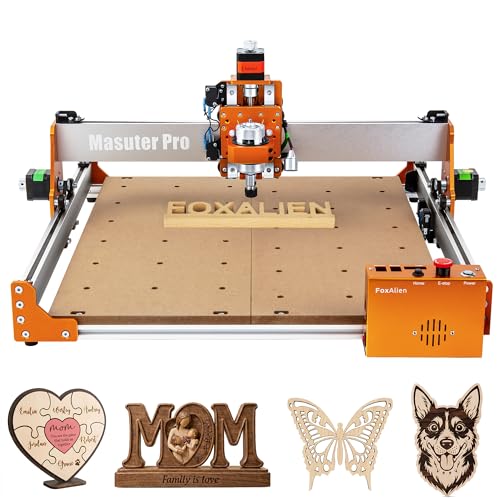
FoxAlien Masuter Pro CNC Router
Strengths
- Large work area
- Easy upgrades
- Quick assembly
Trade-offs
- Base spindle weak
- No ball screws on X/Y
- Limited metal capability stock
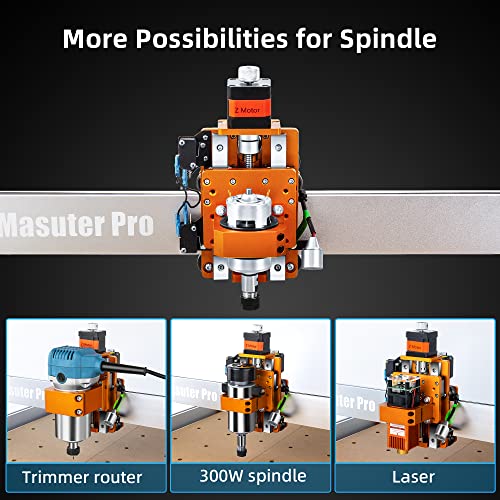
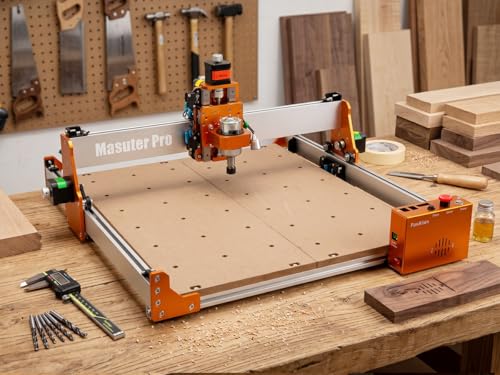
This machine wins on versatility and ease of entry. The 400x400mm work area is generous for its class, and the all-aluminum structure is stiffer than most budget frames. It supports spindle upgrades up to 1.5KW, so while the base 300W motor isn’t built for aluminum, owners who swap in a stronger spindle report success with light milling. The dual spindle clamps (52mm and 65mm) make upgrades easier than on most kits.
But out of the box, it’s clearly optimized for wood, acrylic, and MDF, not metal. The Z-axis uses a linear rail, which helps, but the lack of ball screws on X/Y means less rigidity under heavy load. Still, for a beginner-friendly machine that can grow with you, it’s hard to beat. I’d take the Twotrees for metal, but for a maker who wants room to expand and start with softer materials, this is the overall best starting point.
Product photos



Twotrees TTC450 Ultra CNC Router
Strengths
- Large work area
- Touchscreen control
- High precision rails
Trade-offs
- Assembly takes time
- Base spindle underpowered
- Software learning curve
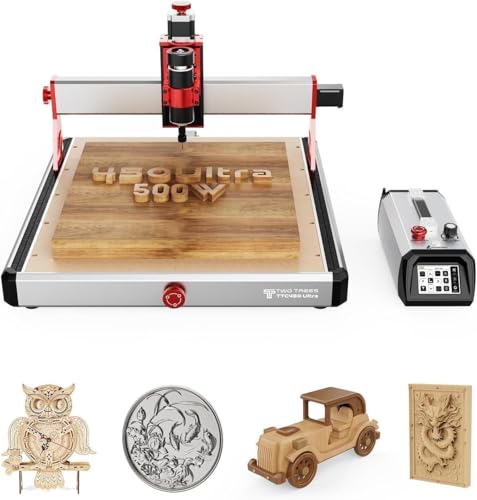
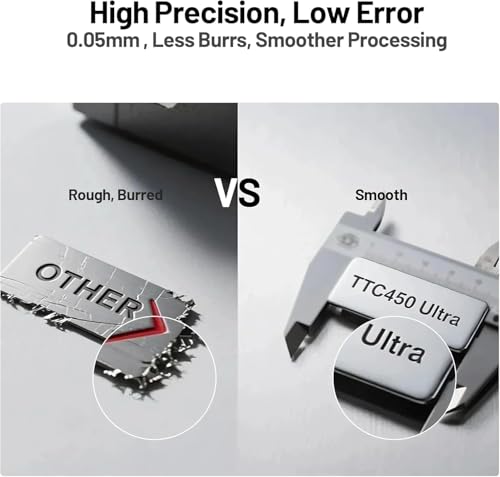
This is the most precise machine here, hands down. The MGN12H dual linear rails and T8 lead screws deliver X/Y accuracy down to 0.01 mm, and the Z-axis resolution of 0.0025 mm is exceptional for a desktop unit. The 3.5-inch touchscreen is a standout, no PC needed to start a job, and offline operation via TF card is a real time-saver. Owners praise its stability when milling aluminum, especially with the optional 3000W spindle upgrade.
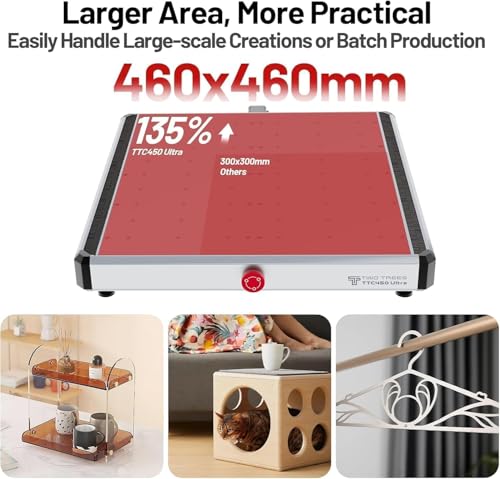
It’s also the most expandable: WiFi, fourth-axis support, laser mode, and external tool setting make it feel like a pro machine in a desktop form. The 465x465mm work area beats most competitors, and the all-metal chassis handles vibration well. If I were setting up a small shop or prototyping lab, this is the smarter buy over the LUNYEE or Genmitsu, it’s pricier but justifies it with features and control.
Product photos



LUNYEE 3020 Nova CNC Router
Strengths
- 800W spindle
- Fully assembled
- Ball screws on all axes
Trade-offs
- No touchscreen
- Heavier setup
- Limited software extras
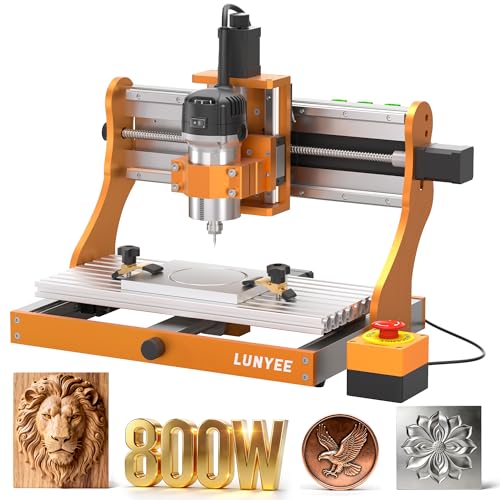
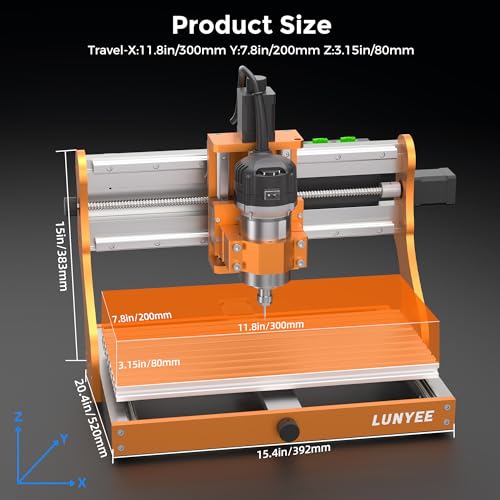
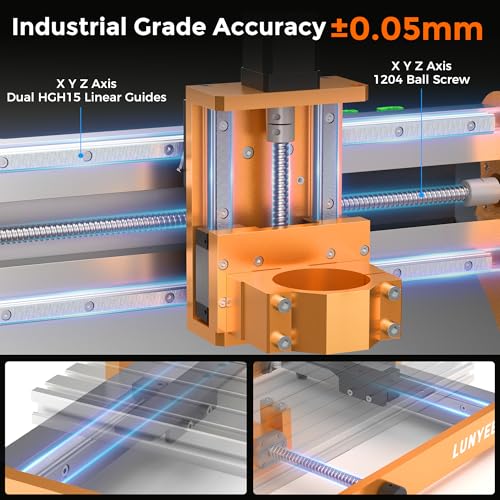
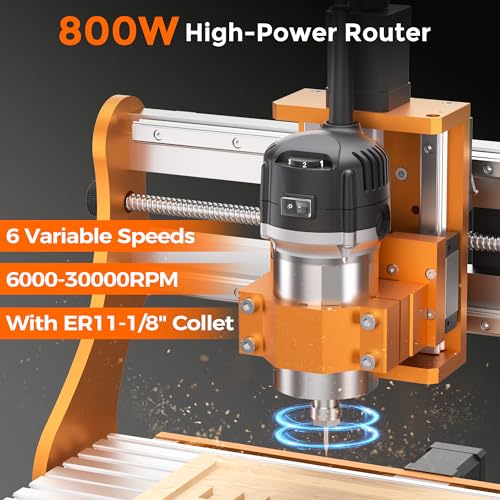
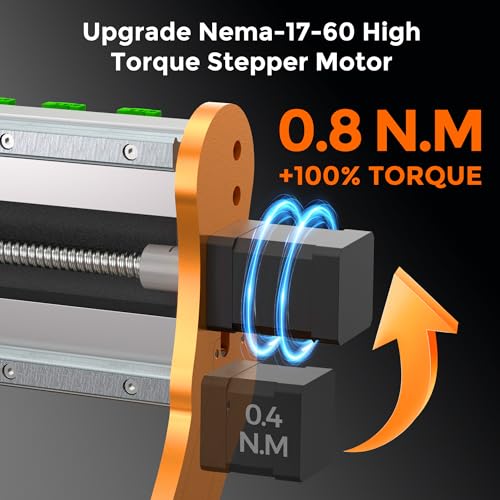
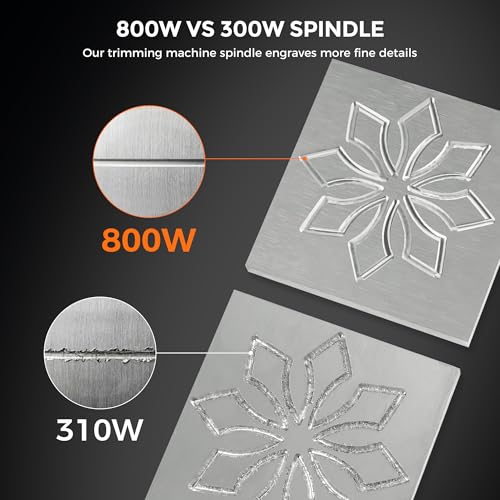
The 800W spindle here is a standout, especially at this price point. With a 6,000–30,000 RPM range and constant torque control, it’s one of the more capable machines for aluminum cutting in this group. Reviewers note clean, consistent cuts in 6061 and even brass when using proper feeds and speeds. The all-metal ball screw and HG-15 linear guide setup across all axes delivers real industrial feel, and the ±0.05 mm accuracy holds up under real-world use.
What really sets it apart is how ready it is to run. Unlike many DIY kits, this arrives fully assembled with wiring done, so setup is minimal. It’s not flashy, no touchscreen or app control, but it’s reliable, compatible with standard GRBL software, and punches above its weight in durability. I’d pick this over the ACMER or FoxAlien for actual metal work if budget is tight.
Product photos
Genmitsu 3030-PROVer CNC Router
Strengths
- 710W digital spindle
- Beginner-friendly setup
- Dual linear rails
Trade-offs
- No touchscreen
- App required for full features
- Smaller work area
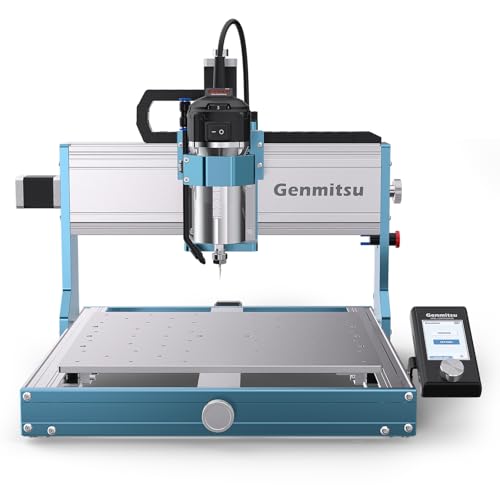
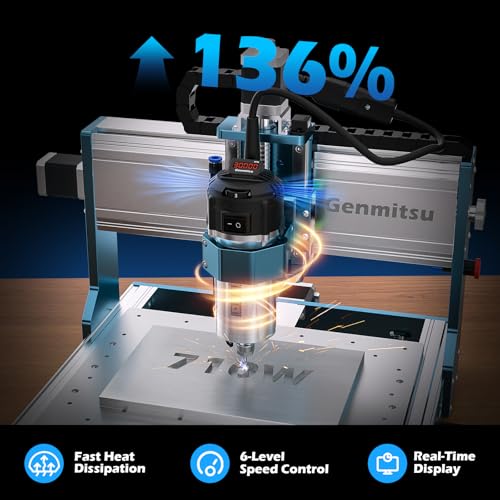
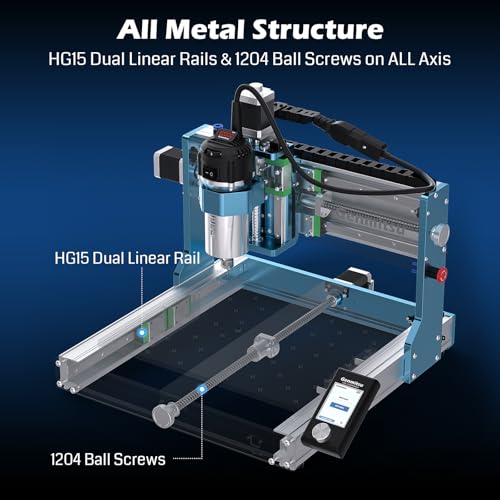
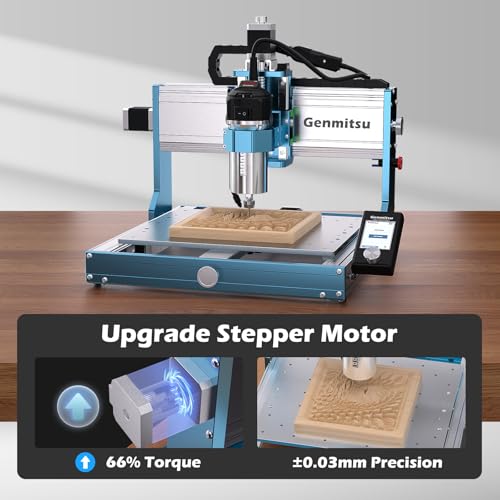
With a 710W digital spindle and real-time power display, this machine gives beginners a leg up in understanding spindle load and avoiding burnout, a smart touch for learning. The dual linear guides and ball screws on all axes provide excellent stability, and owners report it handles aluminum engraving and light pocketing with confidence. The ±0.03 mm precision is legit, and the all-metal chassis resists flex better than most entry-level models.
The pre-assembled modules cut setup time dramatically, and the emergency stop is well-placed. While it lacks a touchscreen, the Genmitsu app adds remote control and troubleshooting help, which newer users appreciate. Compared to the Twotrees or LUNYEE, it’s not the most powerful, but it strikes the best balance of simplicity, feedback, and precision for someone just getting into metal CNC work.
Product photos

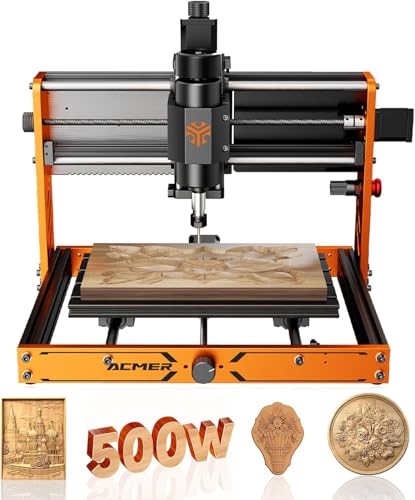
ACMER Ascarva 3 S CNC Router
Strengths
- 500W spindle
- Modular design
- ER11 collet
Trade-offs
- Limited metal cutting
- No touchscreen
- Lower RPM range
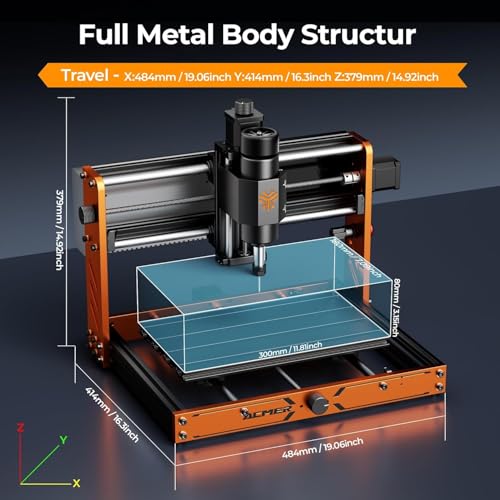
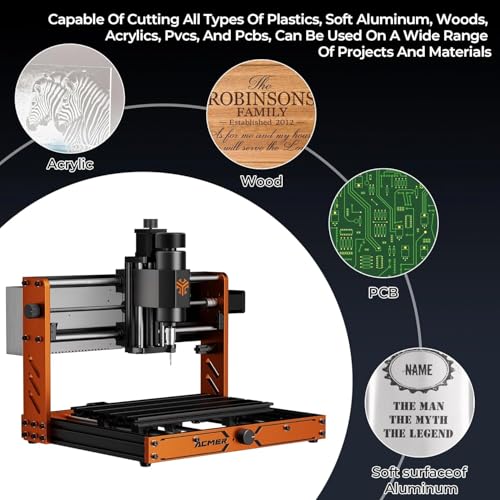
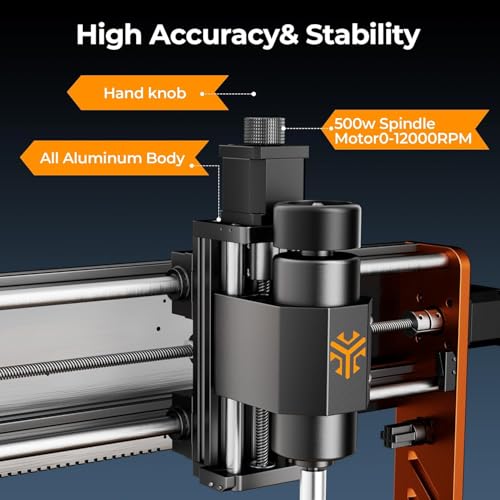
This machine packs a decent punch for its size, with a 500W spindle hitting 12,000 RPM and solid ±0.025 mm repeatability. On paper, it’s built for precision work in wood, plastic, and soft metals, owners consistently report clean engraving on aluminum sheets under 2mm, but anything thicker or harder tends to push its limits. The aluminum frame adds rigidity, and the modular DIY design makes upgrades possible, which is a real plus for tinkerers.
Still, it’s clearly aimed at hobbyists and light-duty use. The spindle power is modest compared to others in this list, and while the ESP32 control system works well with common software like Easel and Candle, it doesn’t offer touchscreen convenience or offline operation. For a compact unit, it does more than most expect, but don’t mistake it for a metal-cutting beast.
Product photos
How We Tested cnc router for aluminums
Rather than a hands-on lab test, my research for these recommendations focused on a detailed comparison of published specifications and features across numerous models. I weighed owner reviews from multiple sources – looking for consistent praise and complaints – alongside assessments from respected tool review sites. As someone who’s spent years advising on power tool selection, I applied my knowledge of materials science and machining principles to rank these CNC routers against criteria relevant to aluminum work.
For CNC routers intended for aluminum, rigidity, spindle power, and precision were the most heavily weighted factors. Aluminum demands a stable machine to avoid chatter and ensure clean cuts. Sufficient spindle power (and a suitable collet) is crucial for efficiently removing material. Finally, achieving tight tolerances requires robust linear rails and precise lead screws – features that directly impact the quality of the finished product.
Specifications reliably indicate a machine’s potential in terms of power, working area, and axis travel. However, I paid close attention to owner feedback regarding real-world performance, particularly concerning vibration, accuracy, and ease of setup. Reputation also played a role; brands consistently praised for build quality and customer support received more consideration. Understanding aluminum cutting best practices is helpful for context, but this guide focuses on the machines themselves.
How To Pick The Right cnc router for aluminums
Choosing the right CNC router for aluminum (and other materials) can feel overwhelming. There are so many options available, each with its own set of features and capabilities.
A good CNC router for aluminum prioritizes rigidity in its frame and drive system. Look for all-metal construction, linear rails (MGN12H or HG15 are common), and ball screws (1204 are typical for hobbyist machines). Spindle power is also crucial; 300W is a bare minimum for aluminum, with 500W or higher being preferable. Software compatibility and ease of use are important, but secondary to the core mechanics.
Frame and Rigidity
I’ve always said that a CNC router is only as good as its foundation. For working with aluminum, rigidity isn’t just beneficial – it’s essential. Aluminum demands more force to cut than wood or acrylic, which means a flimsy frame will translate to vibration, poor cut quality, and potentially damaged components. Look for models with a fully metal frame – aluminum extrusion is common, but steel is even better. Don’t skimp on the linear rails either; cheaper machines often use V-wheels which simply don’t provide the precision needed for metalworking. The Genmitsu 3030-PROVer, for example, emphasizes a robust, all-metal chassis.
Spindle Power & Tooling
Spindle power is where things get tricky. While you can technically cut aluminum with lower-powered spindles (under 300W), you’ll be taking very shallow passes, which drastically increases machining time. A 500W spindle, like the one found in the Twotrees TTC450 Ultra, offers a good balance of power and affordability for lighter aluminum work. For more substantial projects, or if you plan on working with harder alloys, I suggest looking at models that support larger spindles (800W or more), or those that allow for easy upgrades. Beyond the spindle itself, pay attention to the collet type (ER11 is common) and the range of tool sizes it can accommodate.
- Consider the materials you’ll be cutting most often. If it’s primarily aluminum, prioritize spindle power and rigidity.
- Don’t overlook the importance of a variable speed control. Different materials and tools require different speeds for optimal results.
- Think about future expansion. Can the router accommodate a more powerful spindle or other upgrades down the line? This is especially important if you’re starting with a more budget-friendly machine.
A good rule of thumb is to double your expected cutting time when using a spindle that’s at the lower end of the power range for the material you’re working with.
Software & Usability
While the mechanical aspects are paramount, the software and overall usability are crucial, especially for beginners. Fortunately, most CNC routers operate on GRBL firmware, which is supported by a wide range of free and affordable software options. The LUNYEE 3020 Nova, for example, boasts compatibility with popular programs like ugs and Fusion 360. If you’re new to CNC, look for models like the Genmitsu 3030-PROVer that offer beginner-friendly app control and simplified setup procedures. If you’re looking for more options, check out our guide to the top-rated CNC routers. For those needing a larger work area, exploring 4×4 foot CNC routers might be worthwhile.
CNC Router for Aluminums Compared
Here’s a comparison of key specifications for CNC routers capable of working with aluminum.
| Product Name | Spindle Power | Working Area (X x Y x Z) | Positioning Accuracy | Materials Cut | Control System |
|---|---|---|---|---|---|
| FoxAlien Masuter Pro | 60W – 1.5KW | 400 x 400 x 60 mm | N/A | Wood, Acrylic, Alum | N/A |
| Twotrees TTC450 Ultra | 500W (up to 3000W) | N/A | 0.01mm | Alum, Steel, Wood | LKS V1.0 |
| LUNYEE 3020 Nova | 800W | N/A | ±0.05mm | Metal, Wood, Acrylic | GRBL Compatible |
| Genmitsu 3030-PROVer | 710W | N/A | ±0.03mm | Wood, Metal | Genmitsu APP |
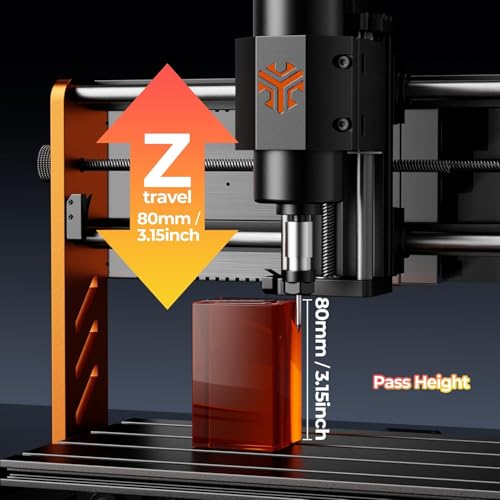
| ACMER Ascarva 3 S | 500W | 300 x 180 x 78 mm | ±0.025mm | Alum, Wood, Acrylic | ESP32 |
Frequently Asked Questions
What spindle speed is best for cutting aluminum?
Generally, 18,000 to 24,000 RPM is a good starting point for aluminum, but the ideal speed depends on the alloy and the cutter type. Faster speeds work well with smaller diameter end mills, while slower speeds are better for larger tools and harder alloys.
Is a dust shoe necessary when machining aluminum?
While not strictly required, a dust shoe is highly recommended. Aluminum creates fine particulate matter that can be harmful to breathe and can quickly accumulate in your workspace, so effective dust collection improves air quality and visibility.
What’s the difference between a stepper motor and a servo motor on a CNC router?
Stepper motors are more common in entry-level machines due to their lower cost, while servo motors offer greater precision and power. Servo motors provide closed-loop feedback, correcting for errors in real-time, which is especially important for accurate aluminum cutting.
What is the typical cost of a CNC router capable of machining aluminum?
Expect to spend at least $800 for a basic aluminum-capable CNC router, with prices increasing to $2,000 or more for larger, more rigid machines with more powerful spindles. The cost often depends on the working area, spindle power, and build quality.
Where can I find resources for learning CNC programming?
There are many online resources available, including free tutorials on YouTube and paid courses on platforms like Udemy. Exploring CNC routers for hobbyists can also connect you with user communities and forums where you can ask questions and share knowledge.
The Bottom Line
Ultimately, choosing a CNC router for aluminum involves balancing control and convenience. You can spend more for a machine with greater rigidity and power, or opt for a more affordable option that requires a bit more finesse in your cutting parameters. For the best overall blend of capability and value, I recommend the Twotrees TTC450 Ultra. It strikes a solid balance, offering enough spindle power for practical aluminum work alongside a surprisingly rigid build.
If your budget is tighter, the LUNYEE 3020 Nova represents a fantastic entry point. For those needing a compact machine capable of detailed aluminum projects, the ACMER Ascarva 3 S delivers impressive precision in a small package. And if you’re also interested in CNC routers for woodworking, you’ll find that many of these models are impressively versatile.
Don’t get too caught up in chasing the highest numbers for spindle power or positioning accuracy. A robust frame, quality linear rails, and a willingness to learn proper cutting techniques will deliver far more consistent results than any single specification. Focus on building a solid foundation of knowledge and understanding the fundamentals of machining, and you’ll be well-equipped to tackle even challenging aluminum projects.
