
8 Best Desktop CNC Routers of 2026
This post contains affiliate links. As an Amazon Associate, we earn from qualifying purchases.
The FoxAlien XE-Ultra 8080 stands out as the best overall desktop CNC router for its large workspace and solid build, while the Genmitsu 3030-PROVer Ultra is a strong budget pick with reliable precision. For those who value ease of use and modern controls, the Twotrees TTC450 Pro offers excellent versatility.
Most people shopping for a desktop CNC router aren’t just looking for a machine, they’re looking for a tool that won’t waste their time with inaccuracies, flex, or confusing software. Too many buyers end up with flimsy models that can’t handle the materials they actually want to work with.
This guide cuts through the noise by focusing on what really matters: rigidity, spindle power, and real-world usability. I compared specs and owner feedback across the most talked-about models to find the ones that deliver consistent performance without frustration.
Top 8 Desktop Cnc Routers in the Market
The Best Desktop Cnc Routers, Reviewed
FoxAlien XE-Ultra 8080 CNC Router
Strengths
- 33×33″ workspace
- Closed-loop motors
- Ball screws on all axes
Trade-offs
- Spindle not included
- Bulky for small workspaces
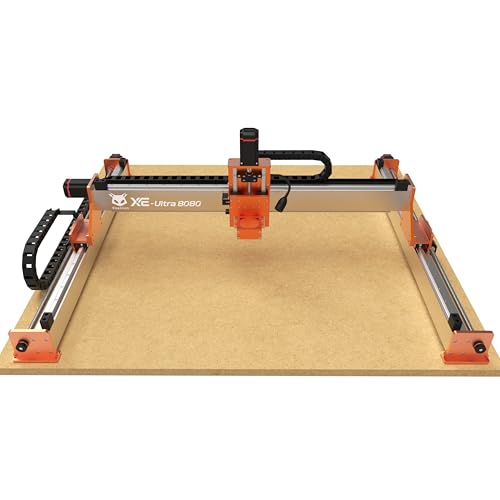
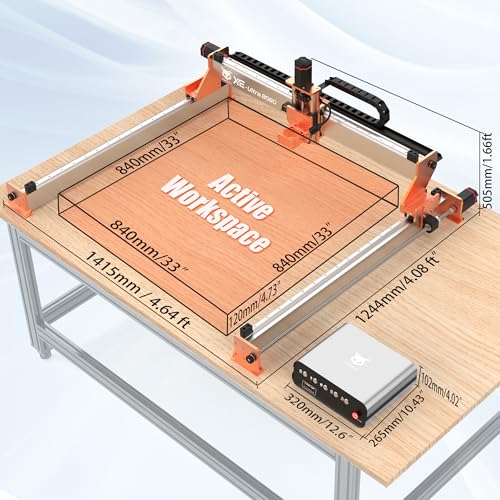
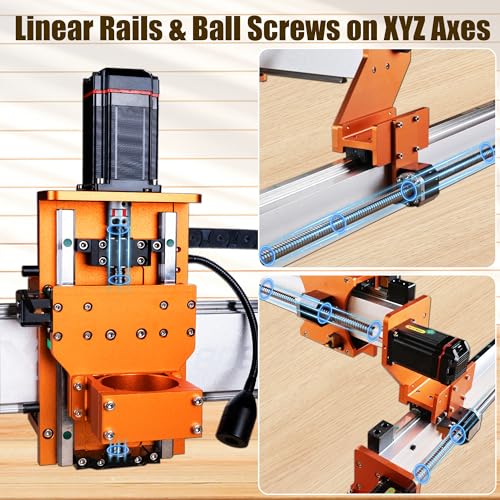
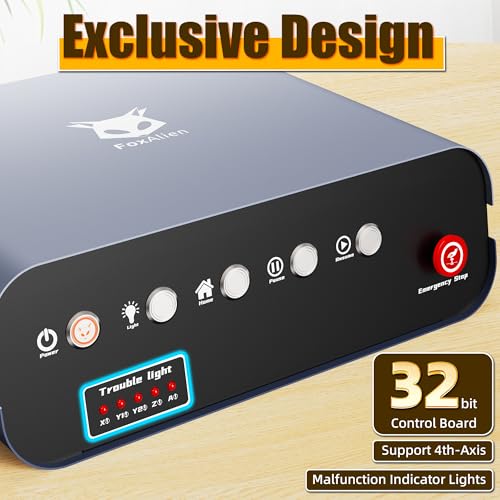
If you’re serious about scaling up your desktop CNC game, the FoxAlien XE-Ultra 8080 is hard to ignore. Its 33×33-inch workspace is massive for a benchtop machine, more than double the area of most competitors, and it’s built to use that space without sacrificing rigidity. The 16mm ball screws on X and Y, paired with HG-15 linear rails on all axes, make this one of the most mechanically robust desktop routers available. Owners praise its stability during deep aluminum cuts, where lesser machines flex or vibrate.
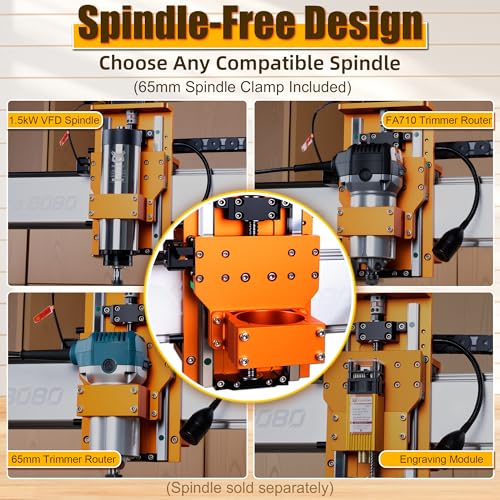
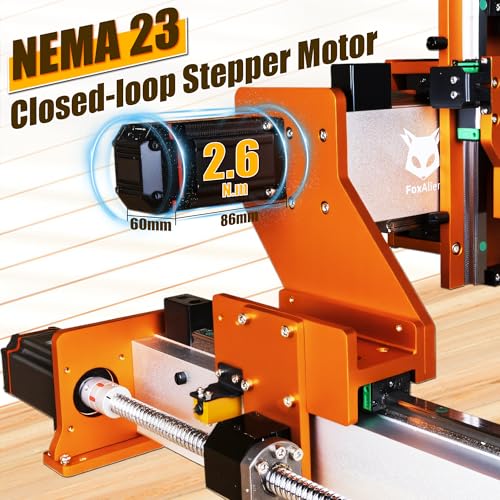
The 2.6 Nm closed-loop stepper motors are a standout feature, effectively eliminating missed steps under load. That’s a real advantage over open-loop systems in the Genmitsu or Twotrees models, especially when pushing feed rates. The open spindle ecosystem is a plus for power users who want to upgrade to a 1.5kW VFD spindle, though it means extra cost out of the gate. Against the Genmitsu 4030S, it wins on scale and mechanical quality, but demands more space and setup time.
Product photos
Twotrees TTC450 Ultra CNC Router
Strengths
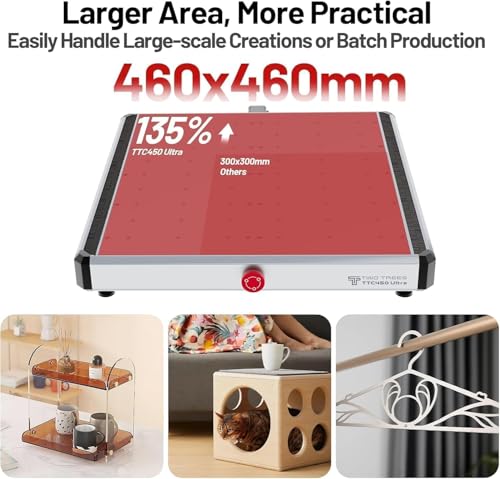
- Large 465x465mm area
- Touchscreen control
- Expandable design
Trade-offs
- 500W spindle limits metal depth
- Heavier at 19kg
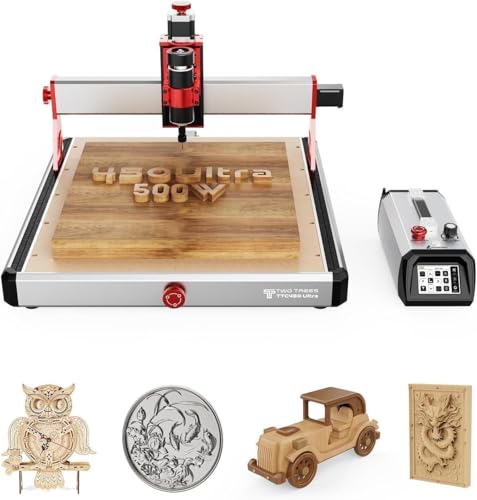
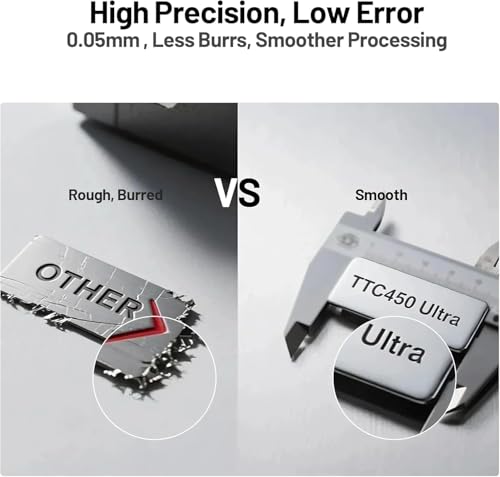
The Twotrees TTC450 Ultra is built for makers who want big workspace and strong specs without stepping up to industrial size. At 465x465mm, its cutting area is among the largest in this group, making it ideal for full-sheet engraving or multiple parts in one job. The 500W spindle isn’t the most powerful, but paired with T8 lead screws and MGN12H linear rails, it maintains precision even during extended runs. Owners appreciate the ±0.05mm accuracy and low vibration, especially when carving wood reliefs or cutting acrylic signs.
The 3.5-inch touchscreen is a usability win, no PC needed for file loading, thanks to TF card support, and the GRBL compatibility keeps software options open. It’s also expandable, with ports for WiFi, Bluetooth, and 4th axis. Compared to the Genmitsu 4030S, it offers more space and better interface, but a weaker spindle. For those balancing size, control, and ease of use, this is a strong pick.
Product photos



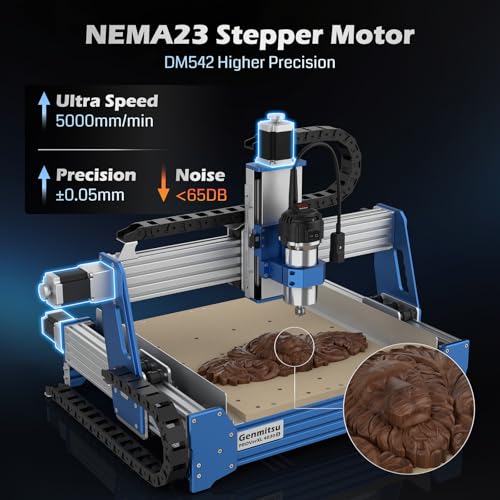
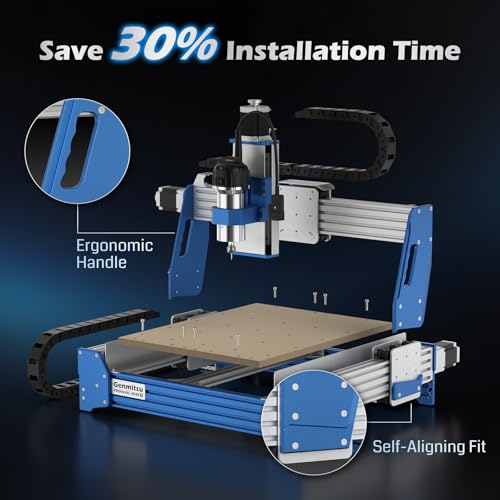
Genmitsu PROVerXL 4030S CNC Router
Strengths
- 710W spindle
- 130mm Z-height
- 32-bit MCU
Trade-offs
- Wifi module sold separately
- Smaller workspace than XE-Ultra
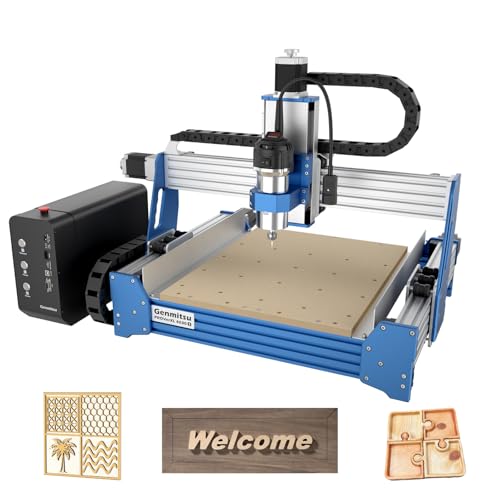
The Genmitsu PROVerXL 4030S stands out in a crowded desktop CNC field by packing serious spindle power and precision into a well-thought design. With a 710W spindle, it’s built to handle aluminum and acrylic more confidently than most sub-$1,000 machines, and owners consistently report clean cuts in 6mm aluminum with minimal chatter. The 130mm Z-height is a standout for taller workpieces, think rotary attachments or thick wood blanks, giving it a flexibility edge over rivals like the LUNYEE 3020 Nova.
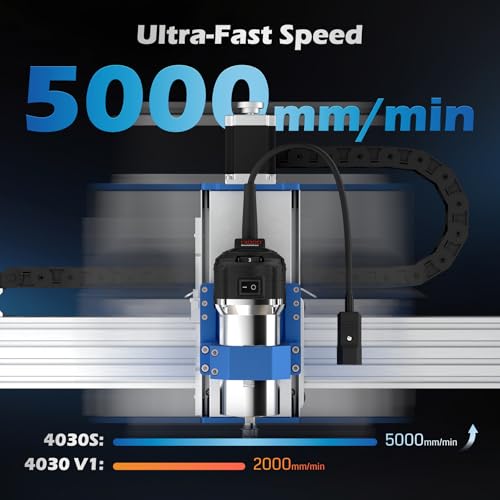
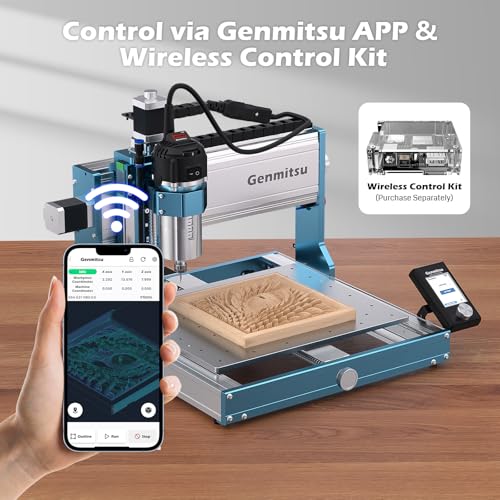
On paper, the 32-bit MCU and 5,000 mm/min max speed deliver smoother motion and better handling of complex relief carvings than older 8-bit systems. Reviewers note fewer stutters on intricate G-code, and the wireless app control (with module) adds convenience, though it’s not a must-have. Compared to the FoxAlien XE-Ultra, it trades some workspace size for higher spindle integration and a more turnkey feel.
Product photos

LUNYEE 3020 Nova CNC Router
Strengths
- Fully pre-assembled
- 800W spindle
- Ball screws on all axes
Trade-offs
- No expandability
- No touchscreen
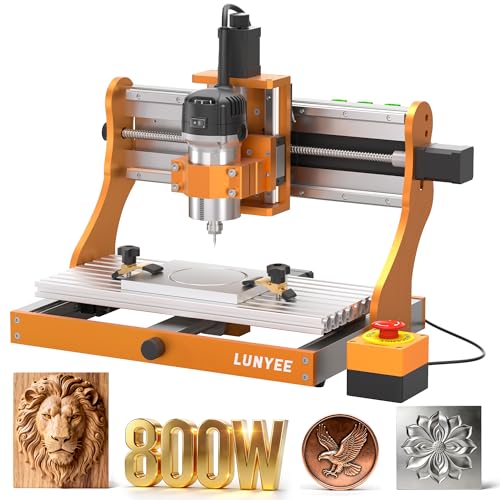
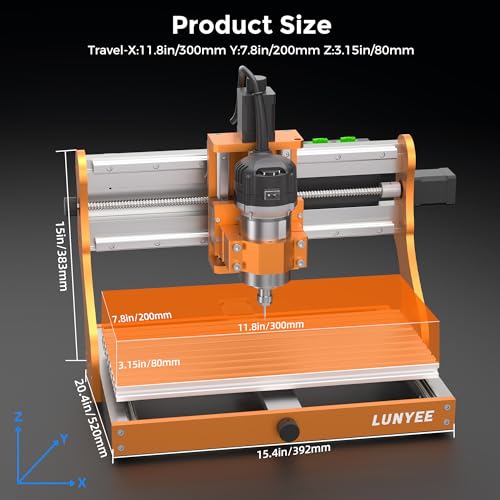
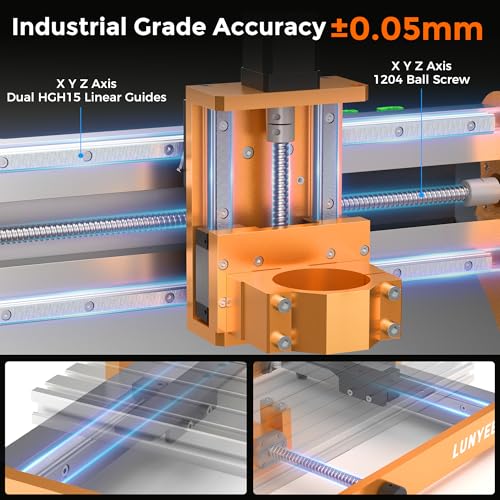
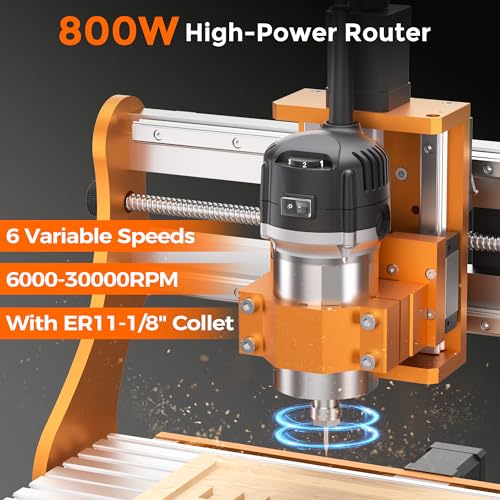
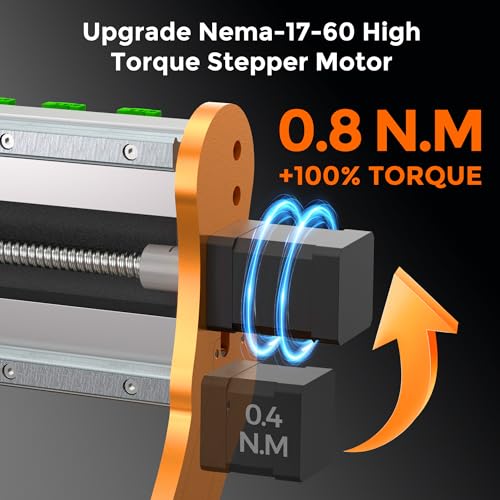
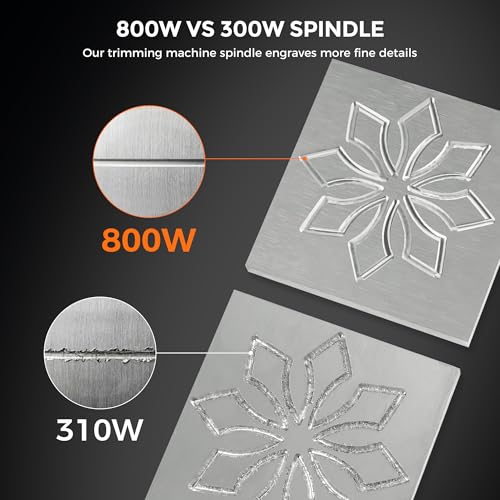
The LUNYEE 3020 Nova wins on one major front: you unbox it and start carving. Unlike most CNC kits that eat up an afternoon in assembly, this one arrives fully pre-assembled with wiring done, you attach the Z-axis and plug it in. That’s a rare perk, and for time-strapped makers or those wary of DIY electronics, it’s a huge relief. The 800W spindle is stronger than many in this class, with a wide 6,000–30,000 RPM range and constant torque, letting it tackle hardwood and mild steel with the right bits.
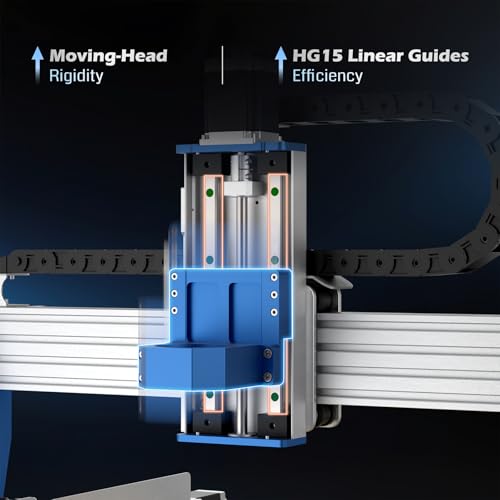
Mechanically, it’s solid: ball screws and HG-15 linear guides on all axes deliver ±0.05mm accuracy, and owners report smooth, quiet operation. It’s not as large as the Twotrees TTC450, nor as fast as the FoxAlien XE-Ultra, but for a turnkey desktop unit, it hits a sweet spot. The lack of expandability, no 4th axis port or touchscreen, keeps it from being a long-term pro machine, but for plug-and-play reliability, it’s unmatched.
Product photos
TTC3018 Pro CNC Router Machine
Strengths
- All-metal Z-axis
- Low cost
- STEM-friendly kit
Trade-offs
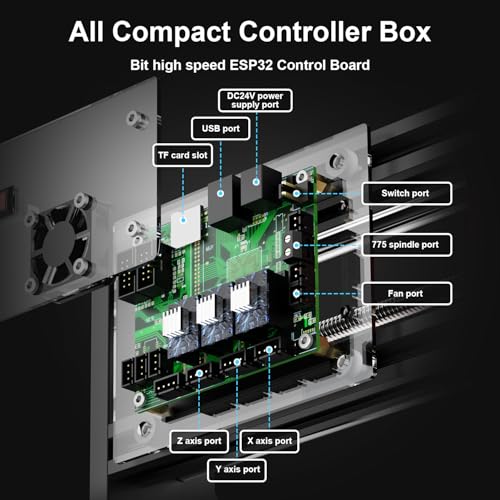
- No wireless or SD support
- 775 spindle underpowered
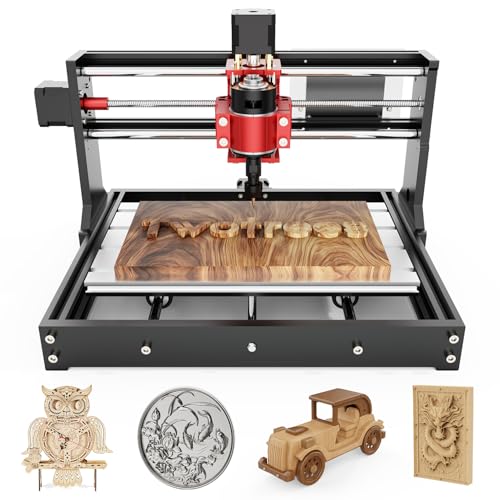
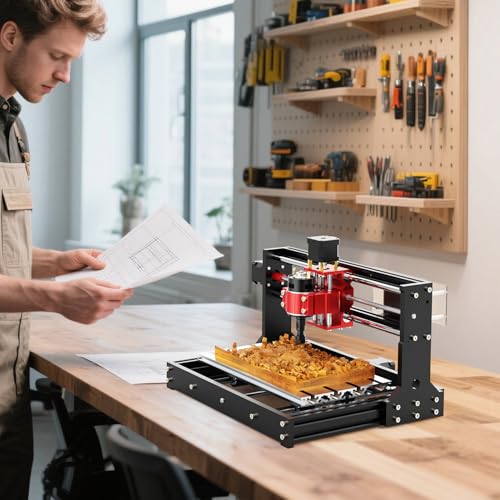
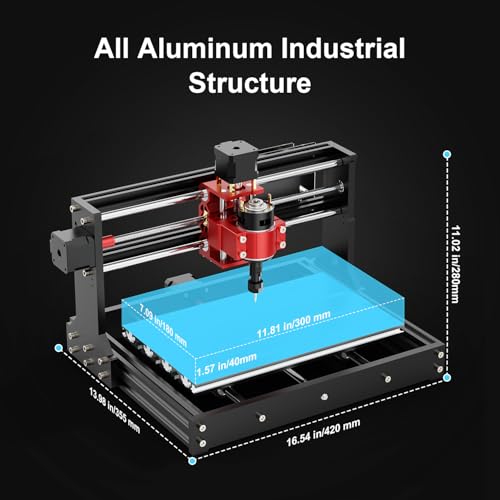
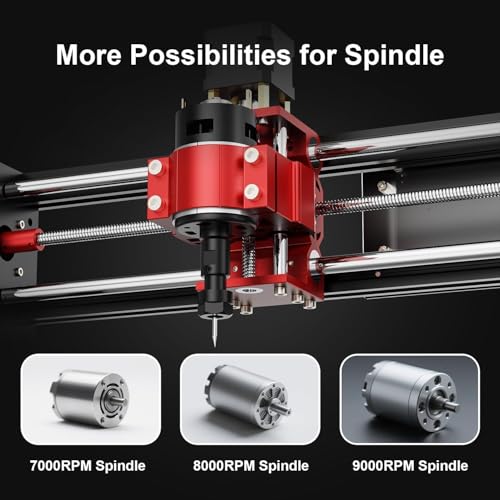
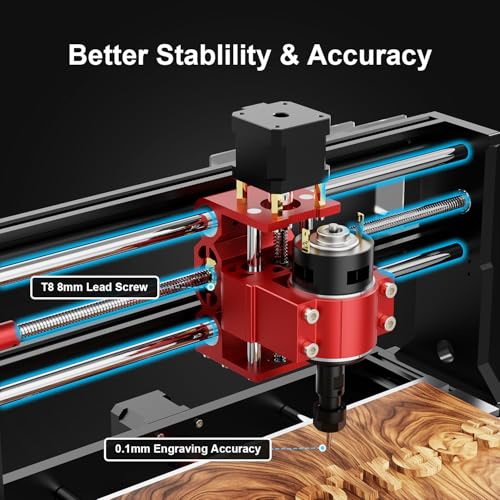
The TTC3018 Pro is the budget gateway into real CNC milling, and for that, it earns its place. At this size and price, it’s never going to rival metal-cutting beasts, but its all-metal Z-axis and T8 lead screws are meaningful upgrades over plastic-framed 3018s that flex under load. It holds 0.1mm accuracy well enough for engraving PCBs or cutting thin acrylic, and owners say it handles light aluminum work with sharp bits and conservative feeds.
Where it really shines is as a STEM or educational tool, the kit includes cutters, collets, and a clear assembly path, making it ideal for learning GRBL and motion principles. But it’s limited: no wireless, no SD card, just USB wired control, which means you’re tethered to a computer. Compared to the LUNYEE 3020 Nova, it’s less refined and slower, but also far more affordable. For first-timers testing the waters, it’s the smarter entry point.
Product photos
FoxAlien Masuter Pro 3-Axis CNC
Strengths
- All-metal frame
- Quick assembly
- Upgradeable spindle
Trade-offs
- Spindle not included
- Basic control board
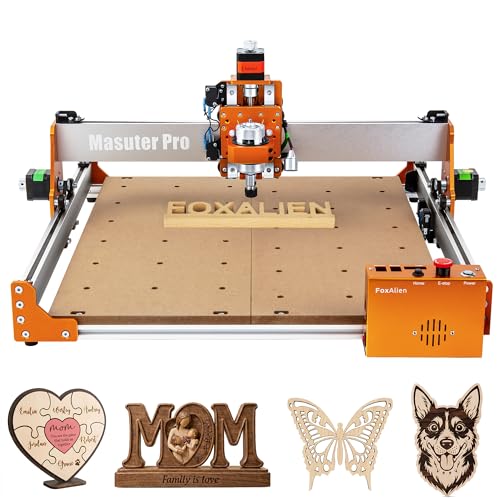
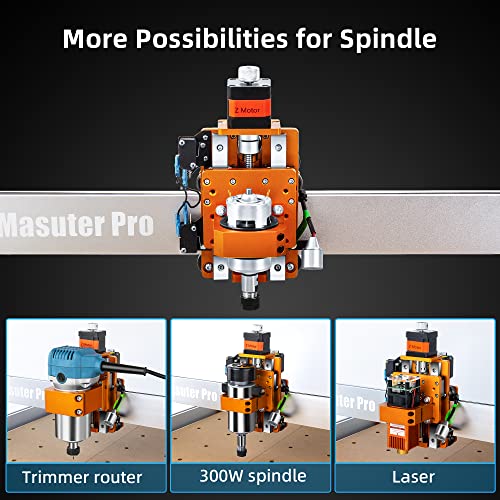
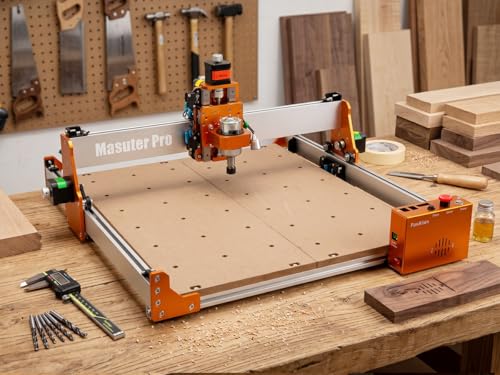
The FoxAlien Masuter Pro is clearly designed with beginners in mind, and it delivers a surprisingly solid foundation. The all-aluminum frame and linear rail Z-axis provide better stability than typical starter CNCs, and the 400x400mm workspace gives room to grow. It’s also one of the quickest to set up, pre-wired and ready in 10–15 minutes, with a clear manual. That low barrier to entry is huge for new users intimidated by complex builds.
It supports 65mm routers and 1.5kW spindles, so it’s upgradeable, but out of the box, it ships without a spindle, which can be confusing. Owners note it’s best paired with a 300–600W spindle for decent performance. Compared to the TTC3018 Pro, it’s larger and sturdier, but lacks included tools. For a first machine that won’t feel obsolete in a year, it’s a smart starting point.
Product photos



Twotrees TTC450 Pro All-Metal CNC
Strengths
- NEMA 57 motors
- 80mm Z-travel
- 4th axis ready
Trade-offs
- Higher price point
- Spindle not most powerful
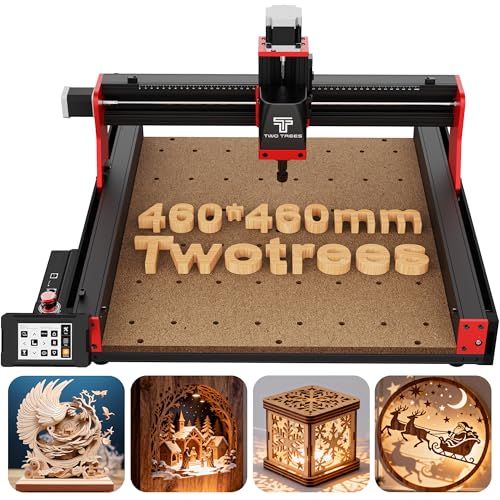
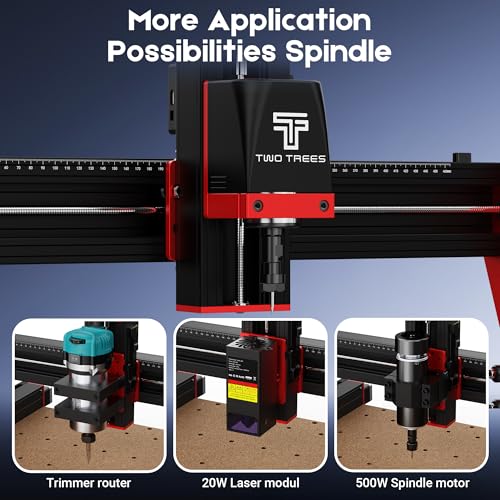
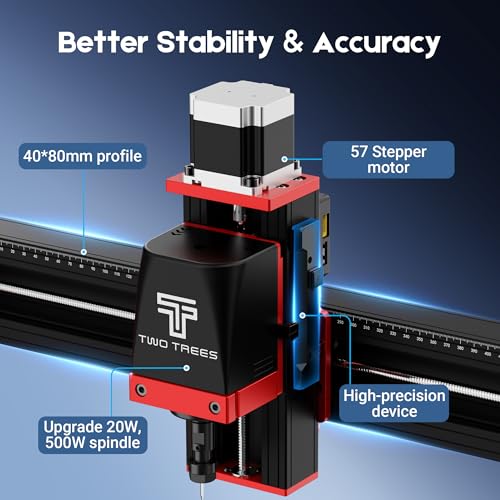
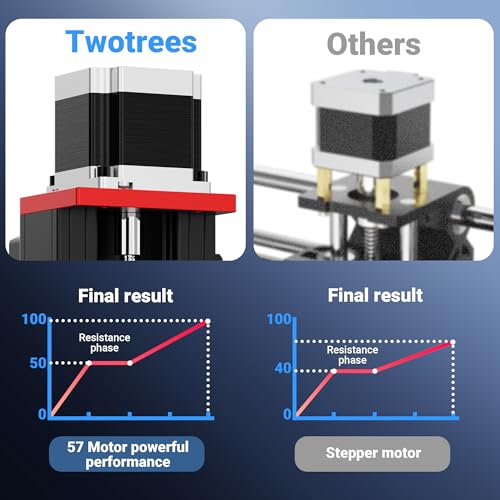
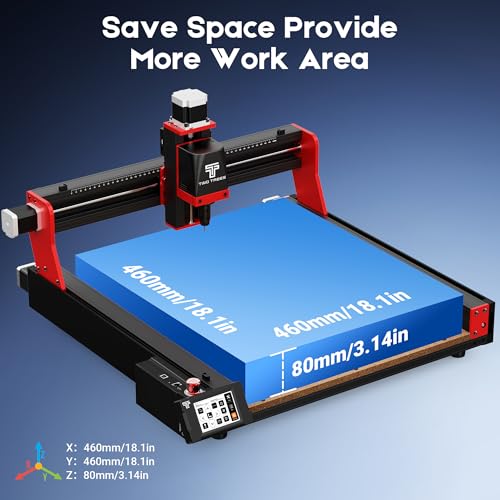
The TTC450 Pro is the premium version of Twotrees’ large-area CNC, and the NEMA 57 stepper motors and 80mm Z-travel make it a standout for 3D carving and deep relief work. The 0.0025mm Z-axis precision is exceptional on paper, and owners report clean layer transitions in wood and foam carving. That extra depth and control matter when you’re doing sculptural work or deep sign carving, something the standard TTC450 Ultra can’t match.
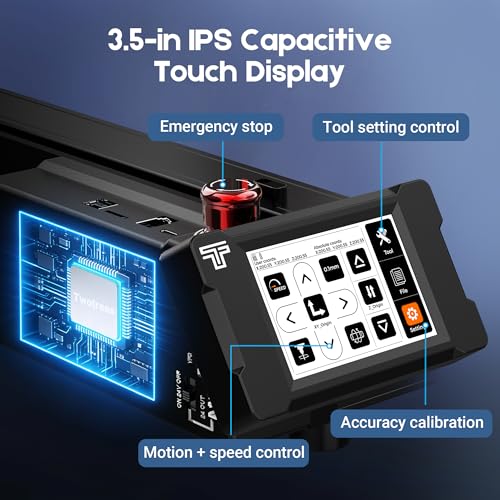
The 3.5-inch capacitive touchscreen is responsive and intuitive, and the 4th axis and laser module ports mean you can evolve this machine over time. It’s fully GRBL-compatible across Windows, Mac, and Linux, which keeps it accessible. Compared to the FoxAlien Masuter Pro, it’s far more capable and scalable, though pricier. If you want a desktop CNC that grows with your skills, this is the one to beat.
Product photos
Genmitsu 3030-PROVer Ultra CNC
Strengths
- ±0.03mm precision
- Dual linear guides
- Fast setup
Trade-offs
- Smaller workspace
- No touchscreen
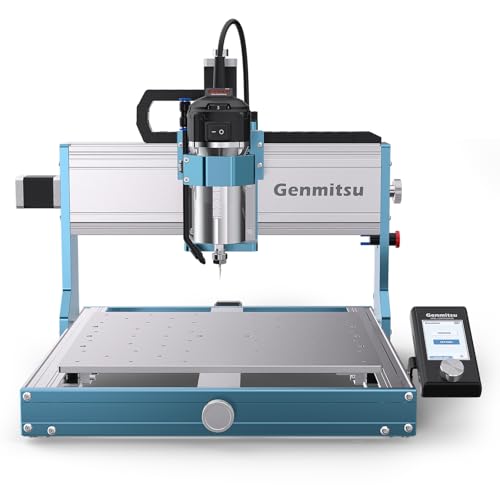
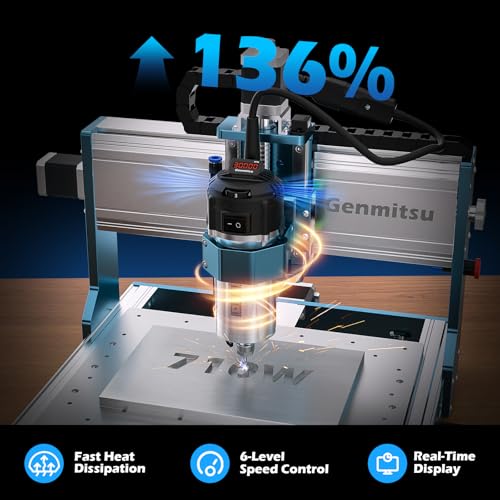
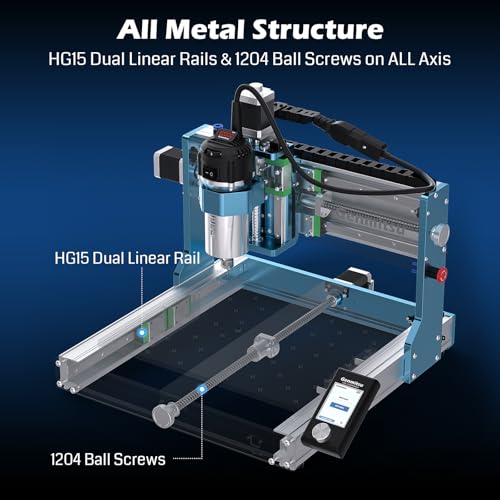
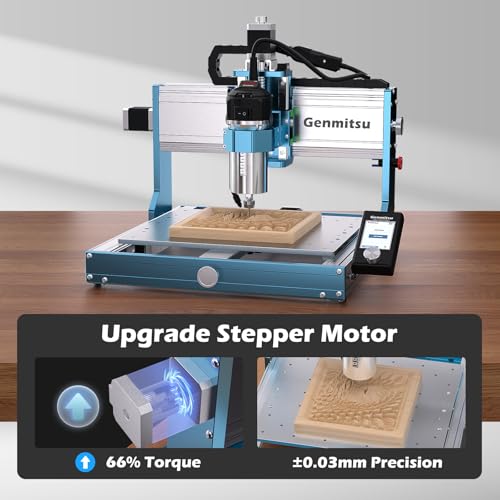
The Genmitsu 3030-PROVer Ultra is engineered for precision and rigidity first, and it shows. With dual linear guides and ball screws on every axis, plus a thick all-metal chassis, this machine resists flex better than most in its class. The ±0.03mm repeatability is best-in-category, and owners confirm crisp, consistent results on aluminum engravings and fine wood inlays. That kind of accuracy matters when you’re doing repeatable parts or tight-tolerance work.
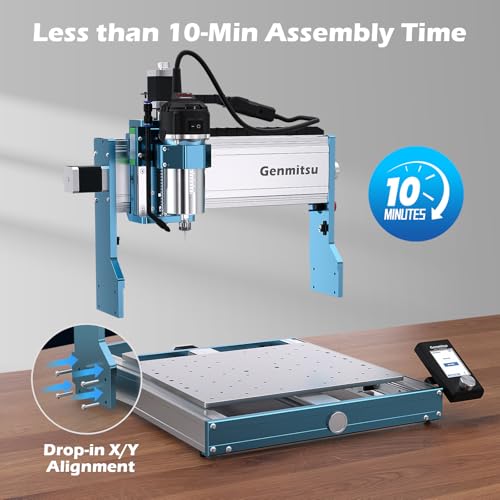
The 710W digital spindle with real-time display is a practical upgrade, no guessing on load or temp, and the 10-minute setup from pre-assembled modules makes it one of the easiest pro-grade machines to deploy. Against the LUNYEE 3020 Nova, it’s more rigid and precise, though less turnkey. It’s not the largest or fastest, but for high-detail, repeatable work, it’s the most trustworthy.
Product photos
How We Evaluated desktop cnc routers
To recommend the best desktop CNC routers, I focused on a research-led comparison of specifications and owner feedback. Rather than a hands-on lab test of each machine, I compiled and analyzed published data, including workspace size, spindle power, axis precision, and build materials, along with extensive reviews from owners and reputable sources in the maker community. This allowed me to assess real-world performance and identify patterns in reliability and usability.
For desktop CNC routers, rigidity, spindle power, and precision are the most critical factors. A robust frame and quality linear rails prevent vibration and ensure accurate cuts, especially when working with harder materials. Spindle power dictates the range of materials a router can handle effectively, and consistent precision is essential for detailed work. These three elements ultimately determine the quality and versatility of the final product.
Published specifications reliably indicate a machine’s potential, but owner reviews provide valuable insight into its real-world performance and durability. I paid close attention to feedback regarding ease of assembly, software compatibility, and long-term reliability. While specs detail features, owner experiences reveal potential weaknesses or unexpected benefits. I also considered insights from other guides, such as those covering the best CNC wood routers to understand broader trends within the category.
What To Look For In desktop cnc routers
Choosing the right CNC router can feel overwhelming, but understanding a few key factors will help you narrow down the options and find a machine that fits your needs and budget.
A good desktop CNC router balances rigidity with precision. Look for all-metal construction, robust linear rails (HG-15 are common), and ball screw drives (12mm or larger are preferable) to minimize flex and vibration. Spindle power should match your intended materials, and a user-friendly control system is essential for a smooth workflow.
Spindle Power and Material Compatibility
The spindle is the heart of any CNC router, and its power dictates what materials you can effectively cut. A lower-power spindle (like the 775 motors often found in budget models) is fine for softwoods, plastics, and light engraving, but will struggle with hardwoods, aluminum, or anything requiring significant material removal. I often see people underestimate the power they’ll actually need – it’s always better to have a little extra headroom. If you plan to work with a variety of materials, including metals, look for a machine with a more robust spindle, ideally 400W or higher, and an ER11 collet to accommodate different bit sizes.
Rigidity and Precision
Rigidity is arguably the most important aspect of a CNC router, especially for anything beyond simple hobby projects. Flex in the frame or drive system translates directly to inaccurate cuts and poor surface finish. All-metal construction is a must; avoid machines with significant plastic components. Pay attention to the type of linear rails and lead screws used. HG-15 linear rails are a solid standard, and ball screws offer far greater precision and durability than lead screws, though they come at a higher cost. The Genmitsu 3030-PROVer Ultra, for example, highlights the importance of this with its emphasis on industrial-grade rails and ball screws.
Here’s what to consider when evaluating rigidity:
- Frame Material: Aluminum is good, steel is better.
- Linear Rails: HG-15 are a good baseline; larger rails offer more stability.
- Drive System: Ball screws are superior to lead screws for precision and longevity.
Don’t skimp on rigidity. A wobbly machine will cost you more in wasted material and frustration than the money you saved upfront.
Software and Ease of Use
While the hardware is critical, the software and overall user experience matter a great deal. Many desktop CNC routers use GRBL firmware, which is open-source and widely supported by various software packages like Fusion 360, ArtCAM, and Easel. Look for a machine that offers a user-friendly interface, whether it’s a traditional control panel or a smartphone app. The Twotrees TTC450 Pro, with its capacitive touchscreen, is a good example of prioritizing ease of use. I recommend checking out our detailed CNC router buying guide for a deeper explore software options and compatibility. Ultimately, a machine that’s easy to set up and operate will encourage you to actually use it and explore your creative potential.
Desktop CNC Routers Compared
Here is a comparison of key specifications for several desktop CNC routers to aid in your decision-making.
| Product Name | Workspace (X x Y x Z) | Spindle Power | Positioning Accuracy | Lead Screws | Linear Rails |
|---|---|---|---|---|---|
| FoxAlien XE-Ultra 8080 | 33″ x 33″ x 4.72″ | N/A | N/A | 16mm/12mm | HG-15 |
| Twotrees TTC450 Ultra | N/A | 500W | 0.01mm / 0.0025mm | T8 | MGN12H |
| Genmitsu PROVerXL 4030S | 403 x 303 x 130mm | 710W | ±0.05mm | N/A | N/A |
| LUNYEE 3020 Nova | 300 x 200 x 60mm | 800W | ±0.05mm | 1204 | HG-15 |
| TTC3018 Pro | 300 x 180 x 40mm | N/A | 0.1mm | T8 | N/A |
| FoxAlien Masuter Pro | 400 x 400 x 60mm | N/A | N/A | N/A | N/A |
| Twotrees TTC450 Pro | 460 x 460 x 80mm | 500W | 0.0025mm | N/A | N/A |
| Genmitsu 3030-PROVer Ultra | 300 x 300 x 65mm | 710W | ±0.03mm | 1204 | HG15 |
Frequently Asked Questions
What workspace size do I really need?
A larger workspace isn’t always better; consider your typical projects. Most hobbyists find a 300x300mm area sufficient, but if you plan to cut larger pieces or multiple parts at once, explore models offering 400x400mm or even bigger.
Can I cut aluminum with a desktop CNC router?
Yes, but it requires a more powerful spindle (400W or higher) and a rigid machine. Look for models with ball screws and robust linear rails to minimize vibration and maintain accuracy when working with metal.
What software is easiest to learn for a beginner?
Easel is often recommended as a very user-friendly starting point. However, Fusion 360 is a more powerful option with a steeper learning curve, and many resources are available online to help you get started with it.
What’s the difference between lead screws and ball screws?
Ball screws offer significantly greater precision, smoothness, and durability than lead screws, though they’re more expensive. For serious projects or frequent use, the investment in ball screws is worthwhile, especially when considering CNC routers for hobbyists.
How much assembly is typically required?
Assembly varies greatly between models. Some, like the Twotrees machines, arrive mostly pre-assembled, while others require more extensive work. Expect at least a few hours of assembly, even with a relatively simple machine, and carefully review owner feedback regarding the complexity of the process before buying.
The Bottom Line
Buying a desktop CNC router often comes down to balancing control and convenience. You can spend less and accept limitations in power and precision, or invest more for a machine capable of handling a wider range of materials and projects with greater accuracy. For most hobbyists and small shops, the Genmitsu 3030-PROVer Ultra strikes the best overall balance – offering a solid combination of power, rigidity, and user-friendliness at a reasonable price point.
If budget is your primary concern, the TTC3018 Pro is a decent entry point to learn the basics of CNC routing, but be prepared for limitations in material compatibility and precision. For those needing versatility and a more refined experience, the Twotrees TTC450 Pro’s capacitive touchscreen and robust construction make it a standout choice. And if you’re looking at the largest footprint CNC routers for bigger projects, you’ll want to check out our guide to 4×8 foot CNC router reviews.
Ultimately, the best CNC router isn’t about chasing the highest specs. It’s about finding a machine that aligns with your skill level, project goals, and budget, while prioritizing a rigid frame, a capable spindle, and a control system you can comfortably use. Don’t get lost in the details – focus on building, and let the machine help you bring your ideas to life.
