8 Best Soldering Tools of 2026
This post contains affiliate links. As an Amazon Associate, we earn from qualifying purchases.
After comparing the field and weighing specs against owner feedback, the YIHUA 926 III Digital Soldering Station stands out as the best overall pick for its precise temperature control and build quality, the 80W LCD Digital Soldering Iron Kit is a strong budget-friendly option, and the Fanttik T1 Max Cordless Soldering Iron offers unmatched portability for on-the-go repairs.
Most people shopping for soldering tools aren’t sure whether they need a full station, a basic iron, or something cordless, they just want something that heats up fast, stays at the right temperature, and won’t wreck their circuit board. I get it. As Robert A. Bennett from PowerToolGuide.net, I’ve spent over 15 years around tools that need to perform, and I know how frustrating it is when a soldering iron fails you mid-job.
This guide cuts through the noise. I looked at temperature stability, wattage, kit value, and real-world feedback to find tools that deliver where it matters. Whether you’re fixing headphones or building custom electronics, these picks give you reliable performance without guesswork.
Top 8 Soldering Tools in the Market
The Best Soldering Tools, Reviewed
80W LCD Digital Soldering Iron Kit

Strengths
- 80W high power
- LCD temperature display
- Quick heat-up
Trade-offs
- Not temperature-stabilized like PID stations
- Stand feels flimsy
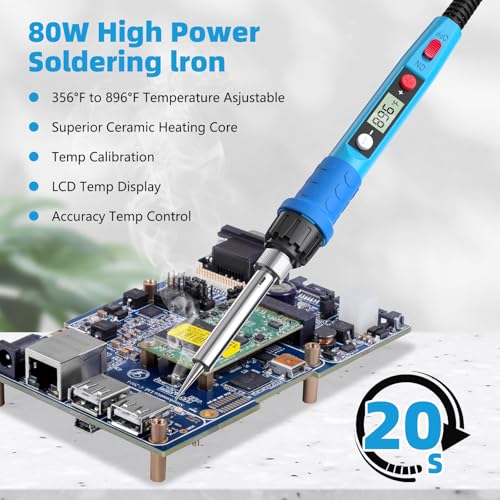
On paper, this 80W soldering iron stands out with its quick heat-up time and wide 180°C–480°C range, which gives it solid flexibility for both light electronics and heavier-duty repairs. The LCD digital display is a real win, owners consistently report it makes temperature control far more reliable than analog dials, especially for beginners who aren’t yet judging heat by feel.
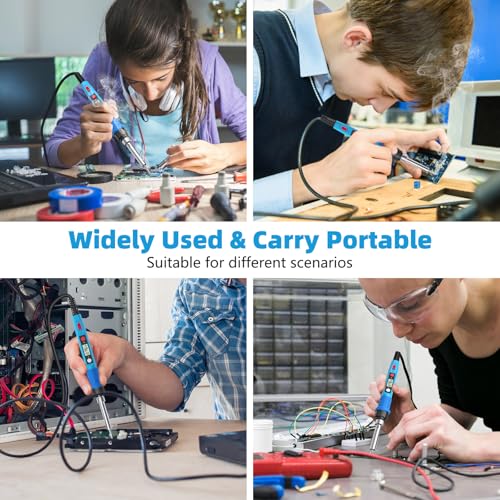
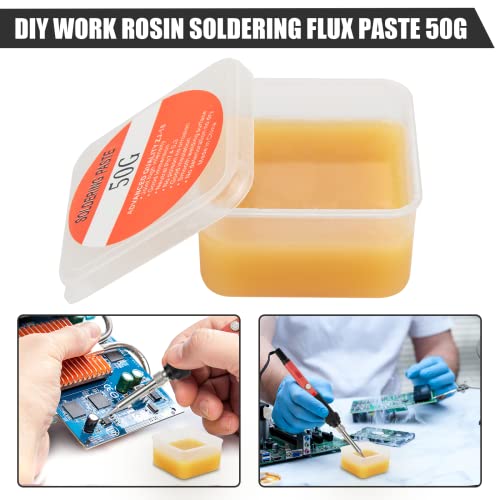
It’s not a station, so don’t expect lab-grade stability, but for the price it punches above its weight. Compared to basic 60W irons, this one handles thicker joints more confidently, and the included accessories, like flux paste and multiple tips, are genuinely usable, not just filler. I’d pick this over a no-name kit any day for someone stepping up from casual tinkering.
Product photos



60W Adjustable Temperature Soldering Iron

Strengths
- Affordable price
- Quick heat-up
- Good starter kit
Trade-offs
- Basic temperature control
- No digital display
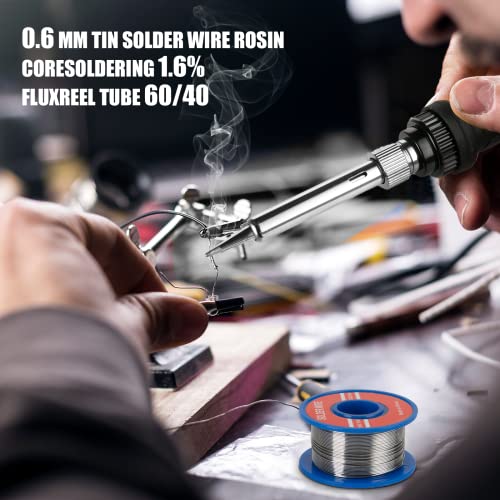
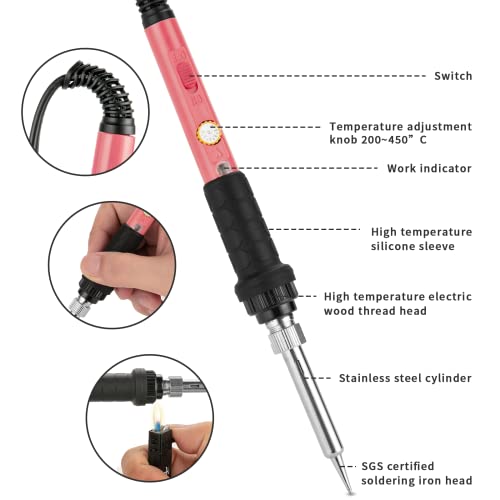
This is a no-frills, budget-friendly starter iron that gets the basics right. The 60W ceramic heater heats in about 15 seconds, and the temperature range (200–450°C) covers most common tasks. It’s a plug-and-play tool, no station, no PID, but it works.
Owners say it’s great for first-time users or kids learning soldering, and the included flux and solder are actually usable. It lacks the digital precision of higher-end models, but for simple fixes and school projects, it’s capable. Compared to pricier kits, it’s the smarter pick if you’re just getting started.
Product photos
Fanttik T1 Max Cordless Soldering Iron

Strengths
- Cordless and portable
- 7-second heat-up
- Gravity sleep mode
Trade-offs
- Lower max wattage than wired stations
- Battery limits heavy use
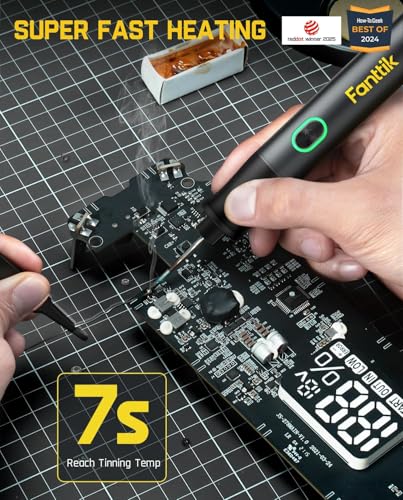
The Fanttik T1 Max is built for mobility without sacrificing too much performance. Its 7-second heat-up and gravity-sensing sleep mode are smart touches that owners love, especially when working in tight spaces or on the go. The 360° swivel stand isn’t just functional, it keeps your bench tidy, and that matters when you’re juggling small parts.
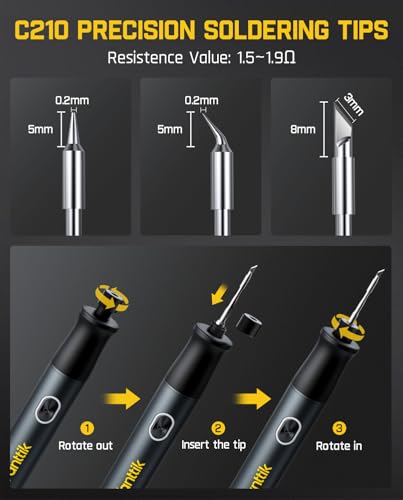
Running on a 2600mAh battery in DC mode gives you about an hour of intermittent use at 450°C, which is enough for quick phone repairs or field fixes. It won’t replace a plugged-in station for long sessions, but compared to other cordless kits, this one balances runtime and responsiveness well. The C210 tips are durable and resist oxidation, a detail pros appreciate.
Product photos



YIHUA 926 III Digital Soldering Station
Strengths
- PID temperature control
- Full accessory kit
- Auto sleep mode
Trade-offs
- Not cordless
- Slightly bulkier design
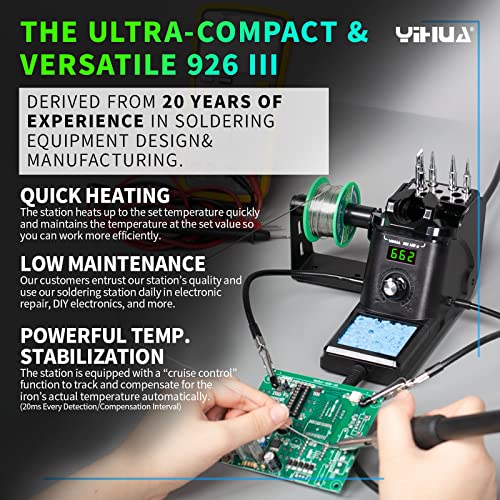
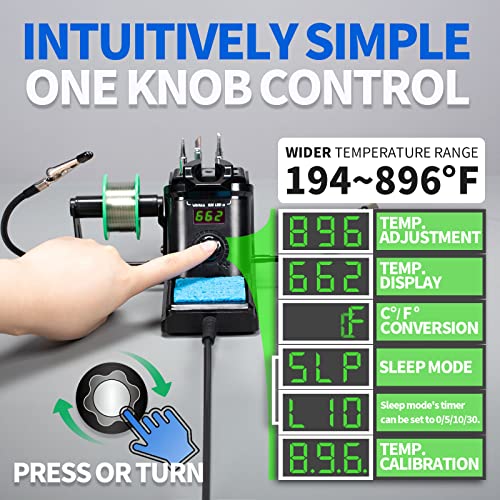
The YIHUA 926 III is the kind of station I’d recommend to anyone serious about electronics, even if they’re not a pro. It features PID temperature stabilization, which means the iron holds its set point tightly, a major upgrade over basic thermostatic pens. The °C/°F toggle and calibration support add pro-level control.
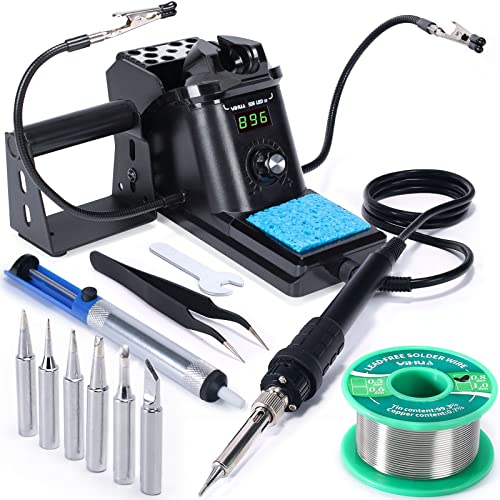
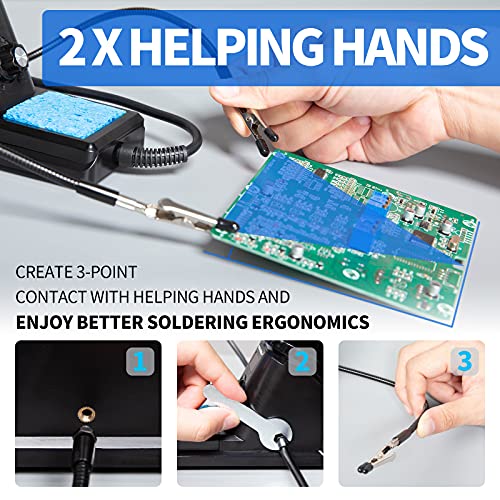
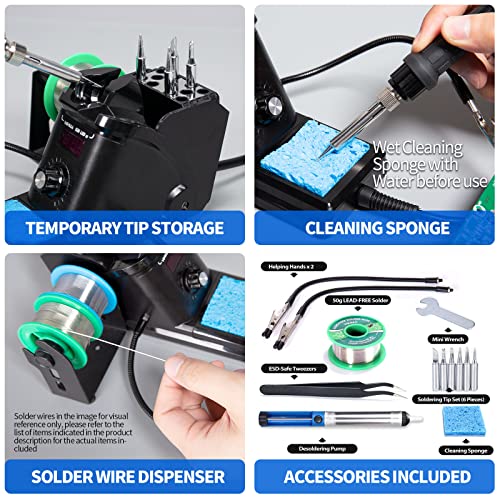
It comes with nearly everything you need: two helping hands, a solder sucker, tweezers, and a stand with tip storage. Owners consistently praise its consistency and build quality. Compared to the 80W pen-style irons, this is more precise and durable, though less portable. For bench work, it’s a smarter long-term buy.
Product photos

Kaisiking 6 Pcs Soldering Assist Tools
Strengths
- Double-sided functionality
- Hardened tips
- Includes precision tweezers
Trade-offs
- No magnifying glass
- Base is lightweight
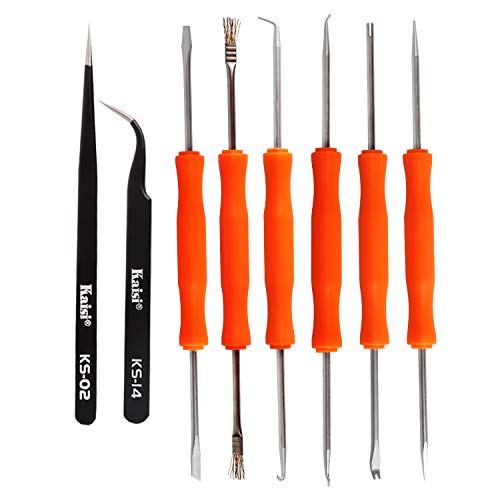
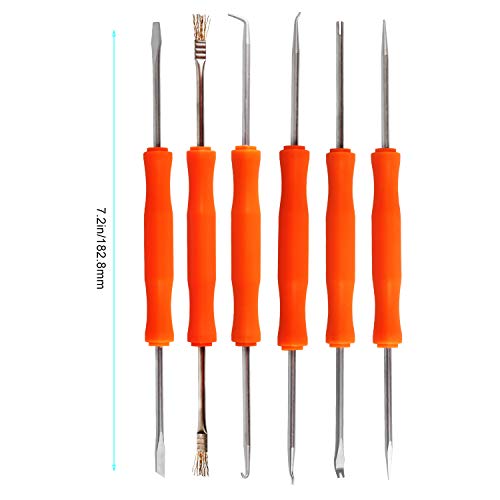
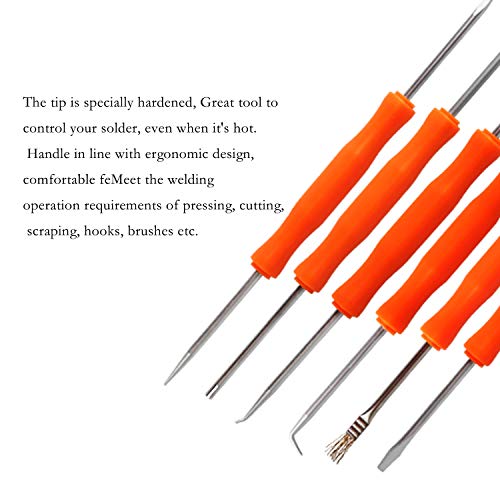
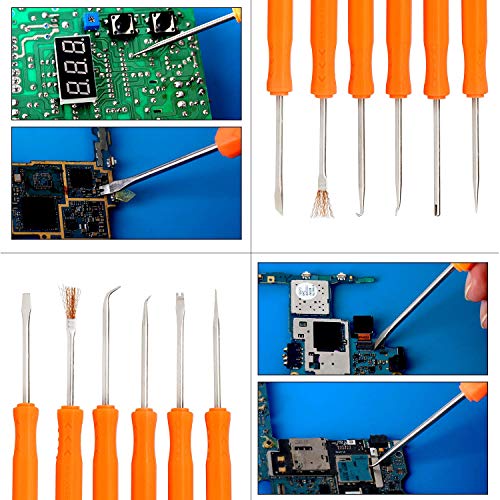
This set delivers real utility with its six double-sided tools, each offers two functional ends, like hooks, cutters, and scrapers, which saves time switching tools during intricate soldering. The hardened tips hold up well under heat, and the ergonomic handles reduce hand strain during long sessions.
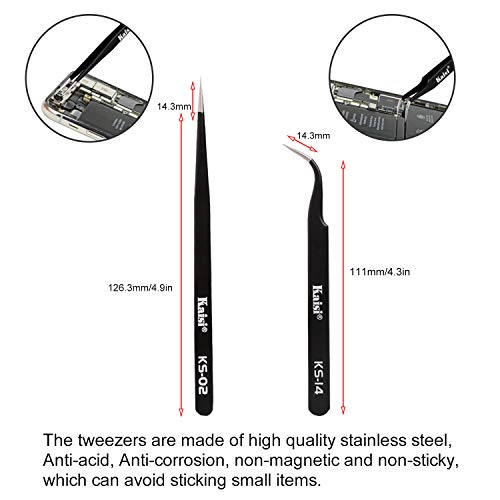
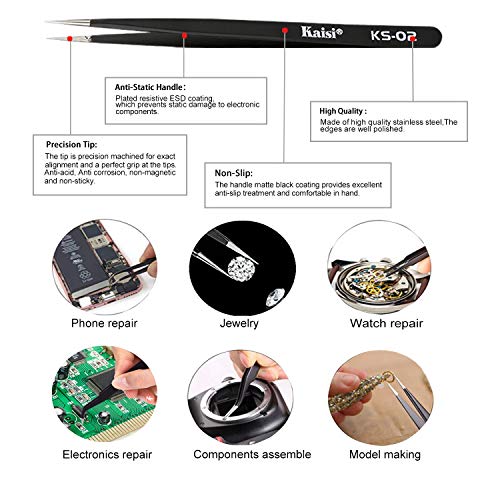
Paired with the included ESD-safe tweezers, it becomes a solid mid-tier helping hands package. It’s not as polished as some pro kits, but owners find it reliable for general electronics repair. Compared to single-function tools, this set offers far better versatility for the price.
Product photos
ENGINEER Solder Sucker Made in Japan
Strengths
- Strong vacuum suction
- Heat-resistant build
- Self-cleaning mechanism
Trade-offs
- Higher price than basic models
- Only one size
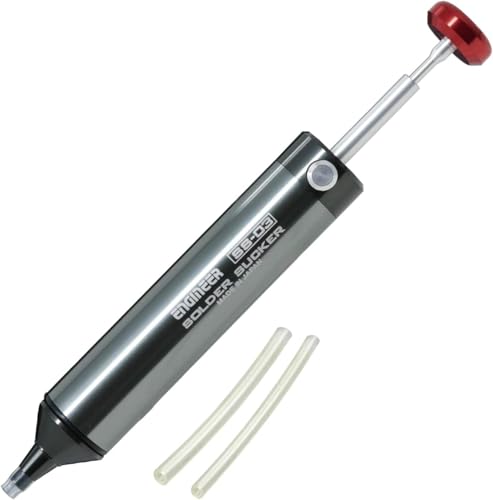
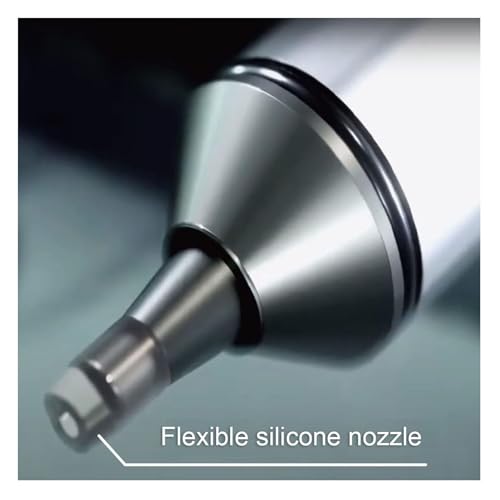
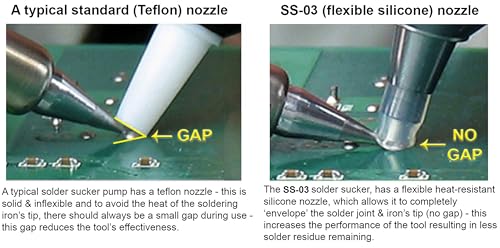
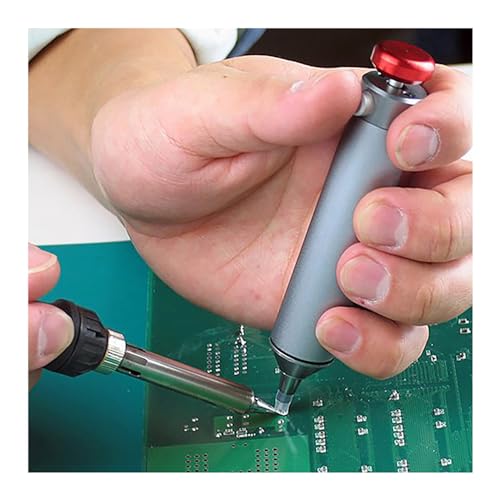
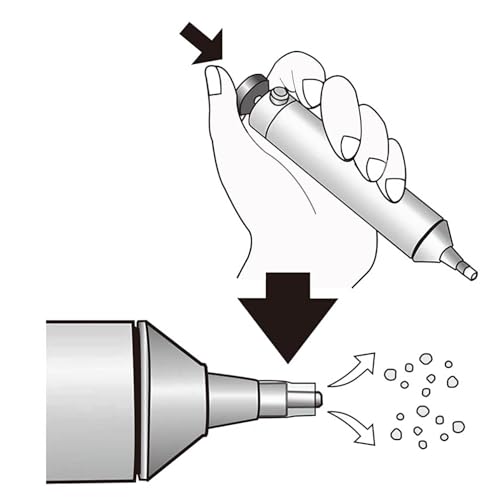
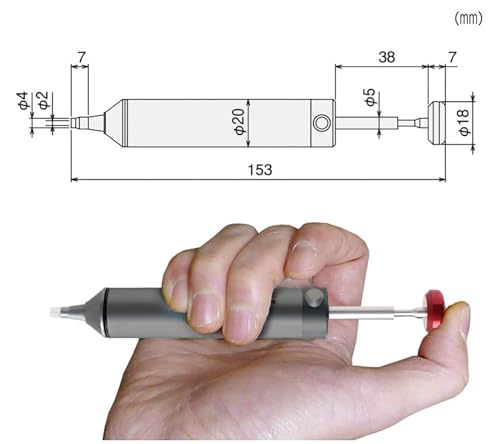
If you’ve ever fought with a clogged, weak desoldering pump, the ENGINEER SS-03 will feel like a revelation. Made in Japan with high-quality aluminum and an innovative silicone nozzle, it creates strong vacuum pressure that actually lifts molten solder cleanly, owners say it outperforms most budget pumps by a wide margin.
The self-cleaning shaft is a small detail with big impact: it lets you keep working without constant disassembly. It also handles heat well, surviving direct contact with hot tips up to 350°C. Compared to generic plastic suckers, this one feels precise and durable. For anyone doing regular PCB work, it’s worth the premium.
Product photos
WGGE 6 inch Wire Cutters

Strengths
- Flush-cut precision
- Ergonomic grip
- Angled jaws
Trade-offs
- Not rated for high voltage
- Spring can loosen over time
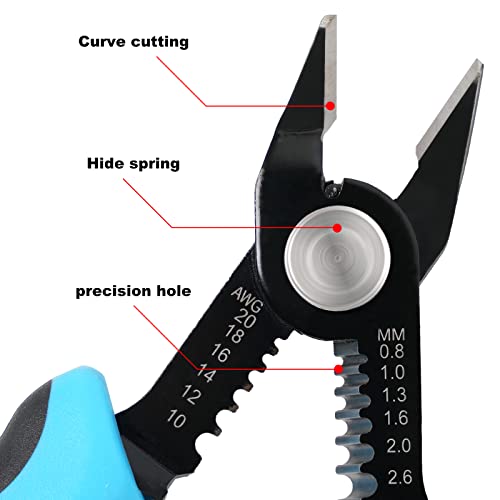
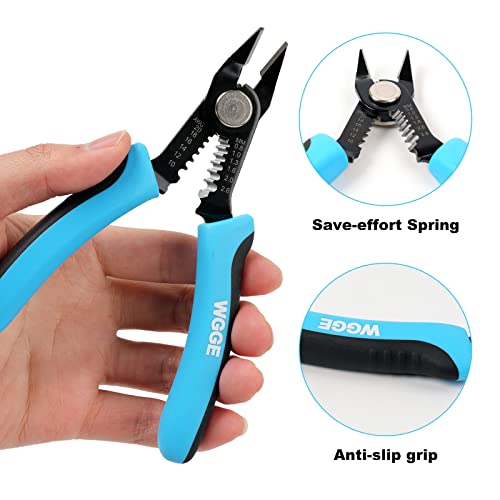
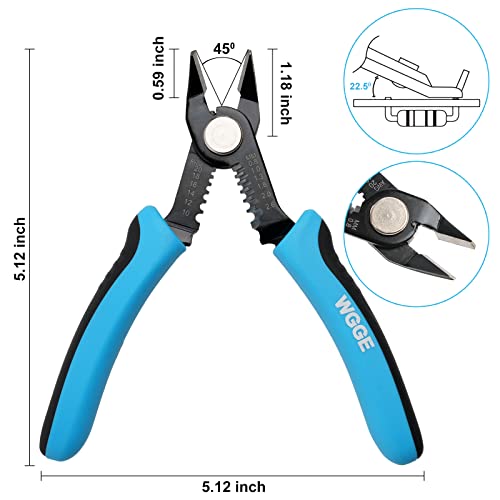
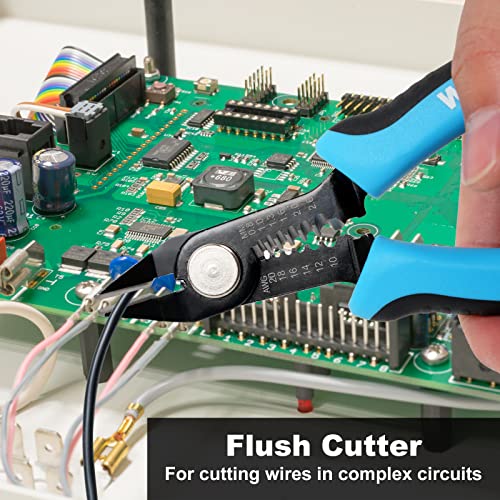
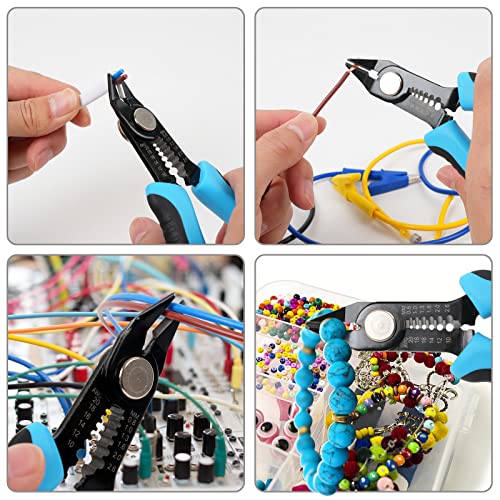
These flush cutters are sharp, well-balanced, and built for comfort. The high-carbon steel jaws stay aligned and cut cleanly through 10–20AWG wire, and the 30° angled head is perfect for snipping component leads flush on PCBs. The spring-loaded action reduces hand fatigue, a detail owners notice during long sessions.
They’re not insulated for high voltage, but for general electronics and breadboarding, they outperform most budget diagonal pliers. The rubberized grip is secure, and the 6-inch size fits comfortably in hand. Compared to no-name cutters, these are a noticeable step up in durability.
Product photos
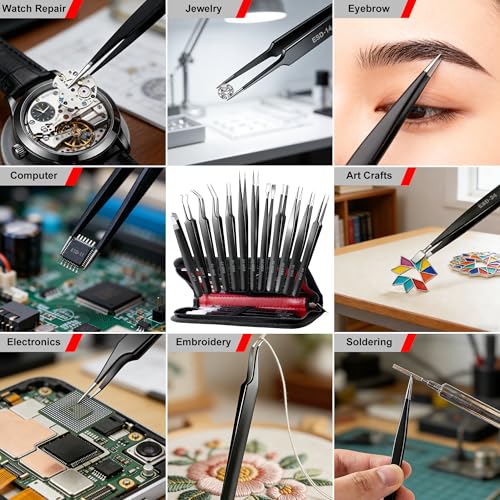
Antonki 12 Pack Precision Tweezers
Strengths
- 12 tip styles
- ESD-safe finish
- Organized case
Trade-offs
- Not for ultra-fine micro work
- Some tips less durable
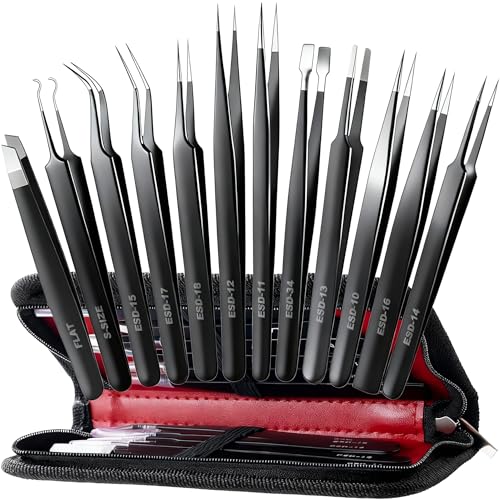
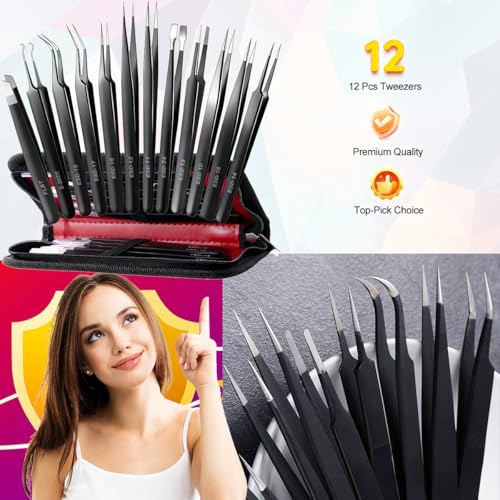
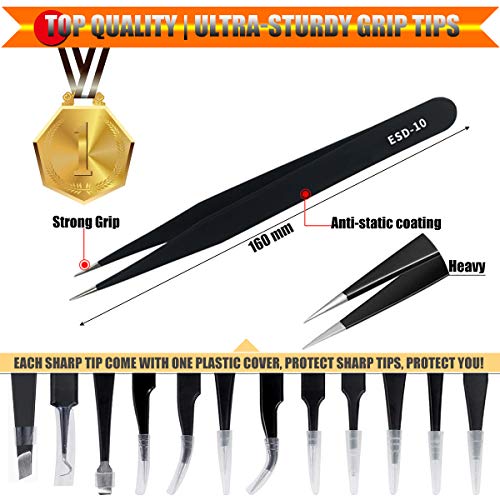
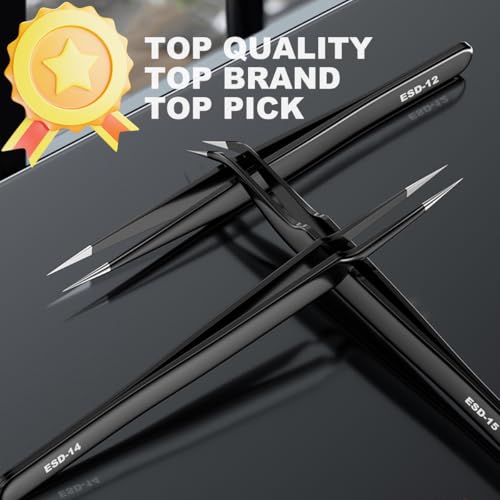
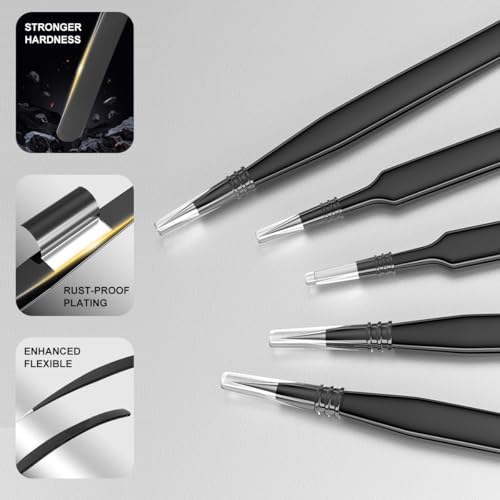
This 12-piece set covers nearly every tip shape you’d need, from fine-point to slant and curved, and the ESD-safe coating is a must for handling sensitive components. The anti-slip handles and precise tip alignment get solid marks in owner reviews, especially for tweezers at this price.
The included case keeps them organized and protected, which is rare in budget sets. While not lab-grade like Dumont, they perform well for soldering, phone repair, and crafts. Compared to generic single-pair tweezers, this set offers real value through variety and build.
Product photos
How We Picked These soldering tools
Rather than a hands-on lab test, my research for these recommendations involved a detailed comparison of published specifications and features across numerous models. I weighed owner reviews from major retailers alongside expert opinions found in trade publications and enthusiast forums. As someone who’s spent years working with power tools and electronics, I applied my understanding of what features truly matter in soldering to rank these options against clear criteria: temperature control, tip quality, kit completeness, and overall value.
For soldering tools, consistent heat and precision are paramount. I placed a heavy emphasis on temperature stability and adjustability, as these directly impact the quality of the solder joint and prevent damage to sensitive components. A good kit also needs a selection of interchangeable tips to handle different tasks, and reliable build quality to withstand repeated use. These factors ultimately determined which tools rose to the top.
Specifications reliably indicate a tool’s potential – wattage, temperature range, and tip materials are all important. However, I heavily considered owner feedback to gauge real-world performance and durability. Reports on heating speed, handle comfort, and long-term reliability were crucial, as were comments about the quality of included accessories. For tools like wire strippers and cutters, a solid grip and clean cut are essential, and user experiences confirmed which models delivered.
How To Choose The soldering tools
Choosing the right soldering iron isn’t just about wattage; it’s about matching the tool to the task and understanding what features will genuinely improve your results.
A quality soldering iron delivers consistent heat, offers precise temperature control, and is comfortable to use for extended periods. Key considerations include wattage for application, temperature adjustability for component sensitivity, tip quality for heat transfer, and ergonomic design for operator comfort and control. Look for irons with stable power delivery and durable build quality to avoid frustrating inconsistencies.
Wattage and Application
I often tell people to resist the urge to simply buy the highest wattage iron they can find. More power isn’t always better. Consider what you’ll be soldering. Fine electronics work, like repairing circuit boards, benefits from lower wattage (20-40W) to prevent heat damage to delicate components. Heavier-duty tasks – joining larger wires, appliance repair, or some jewelry work – require more power (60-80W) to melt the solder quickly and efficiently. Starting with a variable wattage iron is a smart move, giving you flexibility as your skills and projects evolve.
Temperature Control and Stability
Temperature control is absolutely vital, especially when working with sensitive electronics. A fixed-temperature iron is fine for basic tasks, but a digitally adjustable model is a significant upgrade. Look for irons that maintain a consistent temperature, avoiding fluctuations that can lead to cold solder joints or component damage. The YIHUA 926 III Digital Soldering Station, for example, boasts PID temperature stabilization, a feature often found in more professional setups. It’s worth paying a little more for this stability; inconsistent heat is a major source of frustration.
- Accuracy: A display showing the actual tip temperature is far more useful than a dial with arbitrary numbers.
- Range: A wide temperature range (180°C – 480°C/356°F – 896°F is common) allows you to work with various solders and components.
- Calibration: The ability to calibrate the temperature is a sign of a well-designed iron, ensuring long-term accuracy.
Ergonomics and Accessories
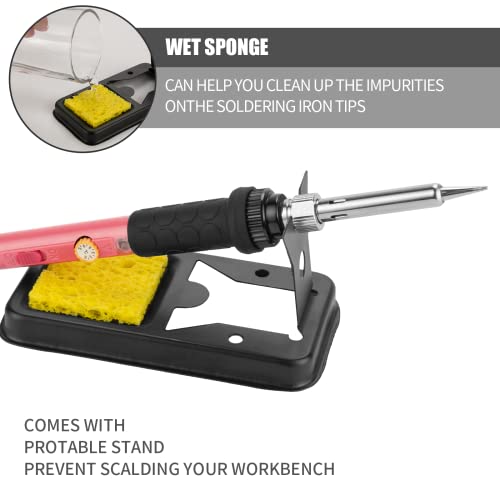
Soldering can be a detail-oriented process, and you’ll likely be holding the iron for extended periods. A comfortable, heat-resistant handle is essential. Beyond the iron itself, consider the included accessories. A good kit should include a selection of interchangeable tips, a stand to safely hold the hot iron, a sponge for cleaning the tips, and some solder. If you’re planning on doing a lot of intricate work, explore essential soldering accessories like helping hands, solder wick, and flux pens.
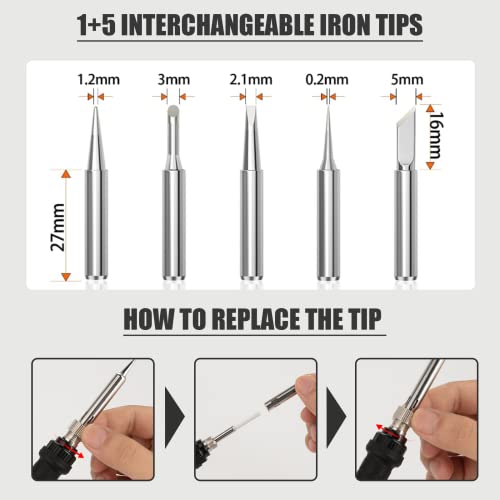
Don’t skimp on the tips. Having a variety of tip shapes allows you to reach different areas and apply the right amount of heat for the task.
If you’re interested in other precision tools, you might also find rotary engraving kits useful for marking or customizing your projects.
Soldering Tools Compared
Here’s a comparison of key specifications for the soldering tools featured in this guide.
| Product Title | Power (W) | Temp Range (°F) | Cordless | Tips Included | Kit Components |
|---|---|---|---|---|---|
| 80W LCD Digital Soldering Iron Kit | 80 | 356-896 | No | Yes | Iron, tips, stand, sponge, solder, flux |
| 60W Adjustable Temperature Soldering Iron | 60 | 392-842 | No | 5 | Iron, stand, sponge, tips, solder, flux |
| Fanttik T1 Max Cordless Soldering Iron | 16 (AC)/12 (DC) | 390-840 | Yes | 4 | Iron, tips, stand |
| YIHUA 926 III Digital Soldering Station | N/A | 194-896 | No | 6 | Station, iron, tips, tools |
| Kaisiking 6 Pcs Soldering Assist Tools | N/A | N/A | N/A | N/A | 6 tools, 2 tweezers |
| ENGINEER Solder Sucker Made in Japan | N/A | N/A | N/A | N/A | Sucker, tubes |
| WGGE 6 inch Wire Cutters | N/A | N/A | N/A | N/A | Wire cutters |
| Antonki 12 Pack Precision Tweezers | N/A | N/A | N/A | N/A | 12 tweezers, case |
Frequently Asked Questions
What wattage soldering iron do I really need for electronics repair?
For most electronics repair, a soldering iron in the 20-40 watt range is ideal. This lower wattage minimizes the risk of damaging sensitive components with excessive heat, which is a common concern with higher-powered irons.
Are cordless soldering irons practical for serious work?
Cordless soldering irons are convenient, but often lack the consistent power and temperature stability of corded models. While improvements are being made, they are generally best suited for quick repairs or hobbyists rather than demanding, prolonged tasks.
How often should I tin the tip of my soldering iron?
You should tin the tip of your soldering iron before each use and whenever the tip appears oxidized or discolored. Tinning protects the tip from corrosion and improves heat transfer, extending its lifespan and performance.
What’s the difference between a soldering iron and a soldering station?
A soldering iron is a standalone tool, while a soldering station includes the iron, a base with temperature control, and often additional features like digital displays and PID temperature stabilization. Stations offer more precise control and consistency, making them worthwhile for intricate or frequent soldering.
Where can I find tools for even more fine detail work?
If you’re looking for tools capable of even more intricate projects, exploring precision rotary tools can open up a whole new range of possibilities. These tools excel at tasks requiring extreme accuracy and control.
The Bottom Line
Choosing a soldering tool often comes down to balancing control with convenience. You can spend a lot to get every bell and whistle, or you can find a reliable iron that gets the job done without breaking the bank. For most users, I believe the 80W LCD Digital Soldering Iron Kit strikes the best overall balance. It delivers plenty of power, precise temperature control, and a thorough kit of accessories at a reasonable price.
If you have specific needs, though, there are other excellent options. For those on a tighter budget, the 60W Adjustable Temperature Soldering Iron is a solid performer. If portability is key, the Fanttik T1 Max Cordless Soldering Iron offers freedom from a power outlet. And for more advanced work requiring precision and stability, the YIHUA 926 III Digital Soldering Station is a worthwhile investment. Don’t forget to consider essential soldering companions to help with your work.
Ultimately, wattage and digital displays are helpful, but they aren’t everything. Consistent heat, a comfortable grip, and a selection of quality tips are what truly separate a good soldering iron from a frustrating one. Focus on those fundamentals, and you’ll be well-equipped to tackle any soldering project that comes your way.
