
9 Best Soldering Tools for Electronics 2026
This post contains affiliate links. As an Amazon Associate, we earn from qualifying purchases.
The YIHUA 926 III 60W Soldering Station is the best overall choice for precision and temperature stability, especially for frequent use. For beginners or those on a budget, the 60W LED Digital Soldering Kit offers solid performance and a full range of accessories. If you need help holding small parts, the XYK 4-Arm Soldering Station with Light adds excellent versatility with its adjustable arms and built-in lighting.
Most people shopping for soldering tools for electronics quickly realize it’s not just about melting solder, it’s about control, consistency, and avoiding damage to delicate components. Too much heat, a shaky setup, or a worn-out tip can turn a simple repair into a frustrating mess.
This guide cuts through the noise by focusing on what actually matters: temperature accuracy, tip quality, and a stable work setup. I researched the top models, compared specs, and analyzed real owner feedback to find the tools that deliver reliable performance for both beginners and experienced hobbyists. These picks balance build quality, features, and value based on actual user experiences.
Top 9 Soldering Tools For Electronics in the Market
The Best Soldering Tools For Electronics, Reviewed
YIHUA 926 III 60W Soldering Station
Strengths
- PID temperature control
- Thorough accessory kit
- Adjustable sleep mode
Trade-offs
- Tips not as durable as higher-end models
- Base could be heavier
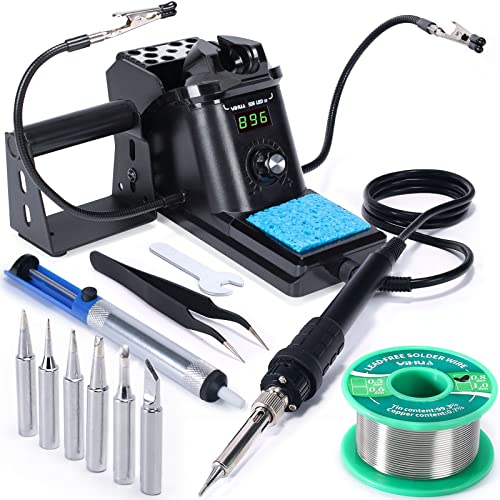
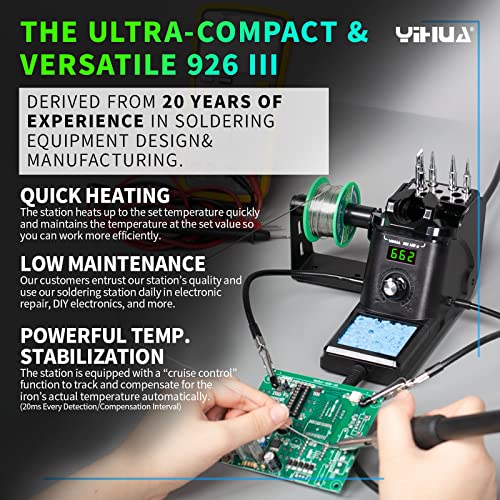
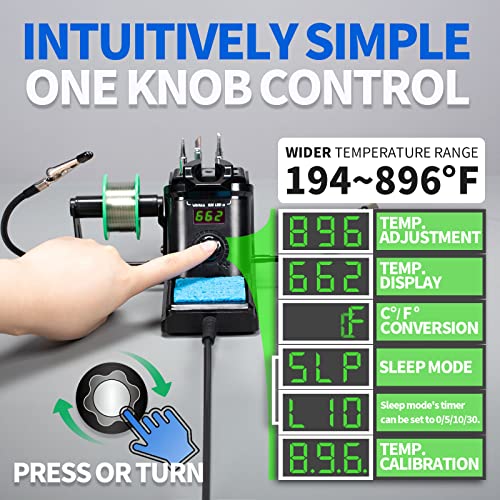
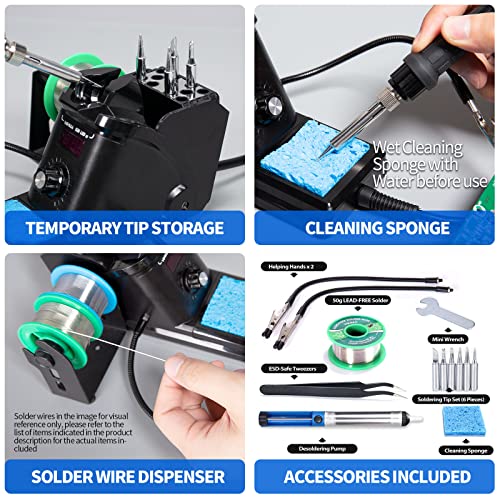
The YIHUA 926 III is the kind of station I’d recommend to anyone stepping up from a basic iron. It’s compact but packed with smart features: PID temperature control, adjustable sleep mode (5/10/30 minutes), and calibration support, all rare at this price. The digital display is crisp, and the dial control is intuitive. At 60W, it heats quickly and holds temp well, even during prolonged use.
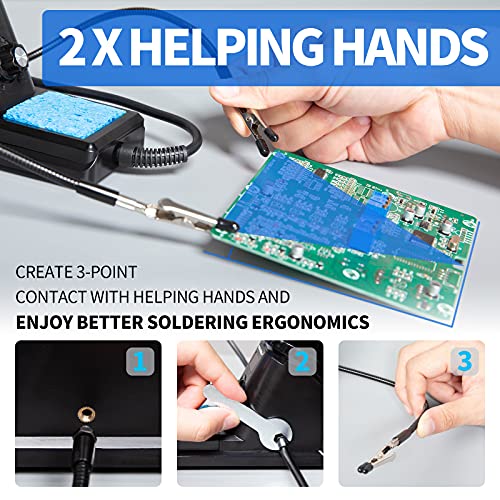
What seals the deal is the full kit: two helping hands, extra tips, lead-free solder, a desoldering pump, and ESD tweezers, everything you need for a complete workbench setup. Owners consistently say it outperforms more expensive brands in thermal stability. Compared to plug-in irons, this is a serious upgrade.
Product photos

80W LCD Digital Soldering Iron Kit
Strengths
- Heats in 10 seconds
- Clear LCD display
- Auto sleep mode
Trade-offs
- No tip storage
- Stand is basic
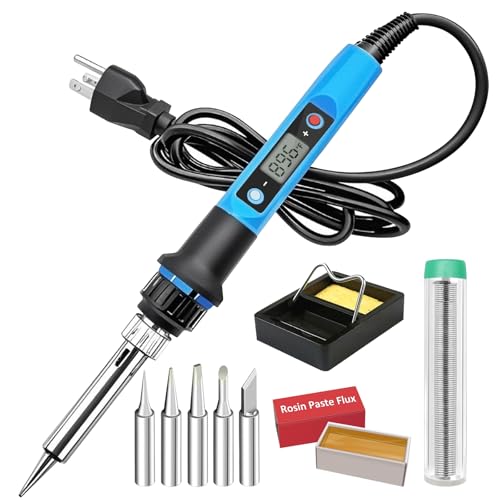
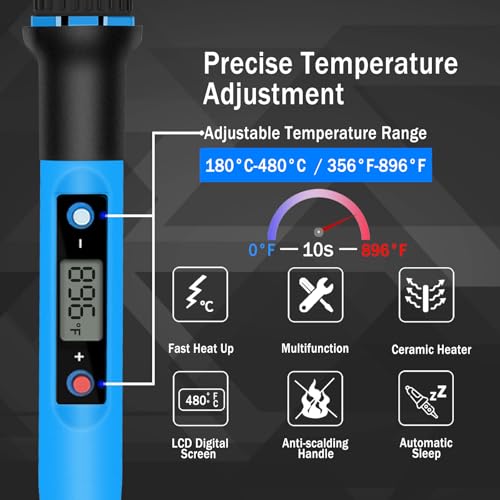
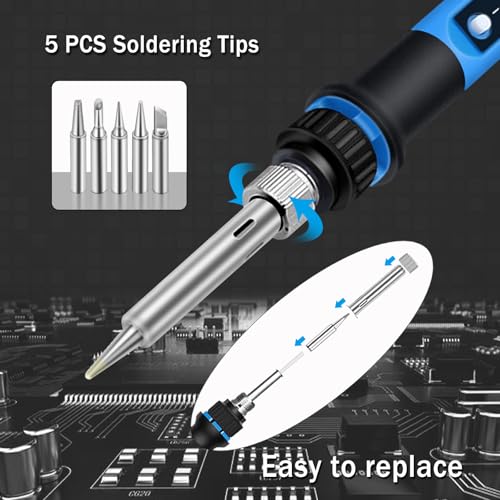
An 80W ceramic heating core that hits operating temp in 10 seconds is no joke, this iron is built for people who hate waiting. The wide 180–480°C range covers everything from low-temp lead-free solder to heavier tinning jobs. I appreciate the auto-sleep feature, which helps prolong tip life, and the temperature memory is a small but meaningful convenience between sessions. The LCD display is bright and clear, so you’re not guessing what the iron is doing.
Compared to basic irons, this one punches above its weight in responsiveness and safety. Reviewers note it holds temperature well under load, which matters when you’re bridging ground planes or working on through-hole connectors. It’s not a full station, but it brings station-like control in a plug-and-play design.
Product photos

60W LED Digital Soldering Kit
Strengths
- Excellent beginner bundle
- Carry bag included
- Clear temperature display
Trade-offs
- Solder wire is thin
- Pump has weak suction
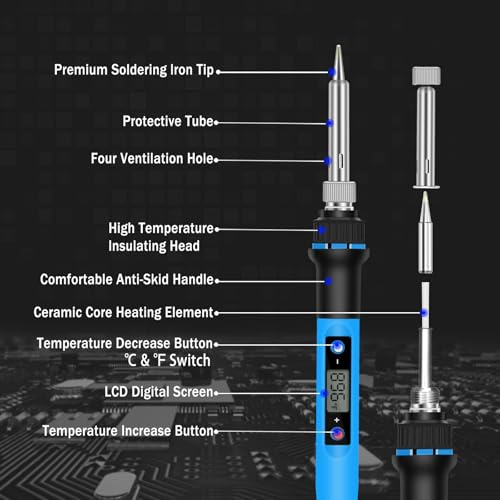
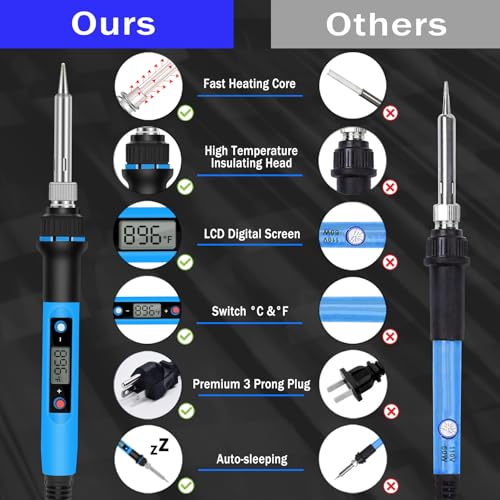
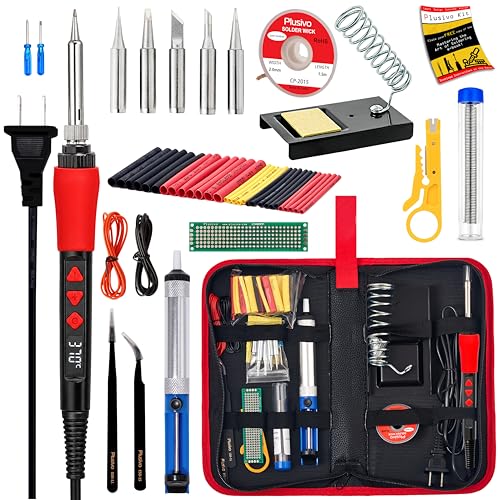
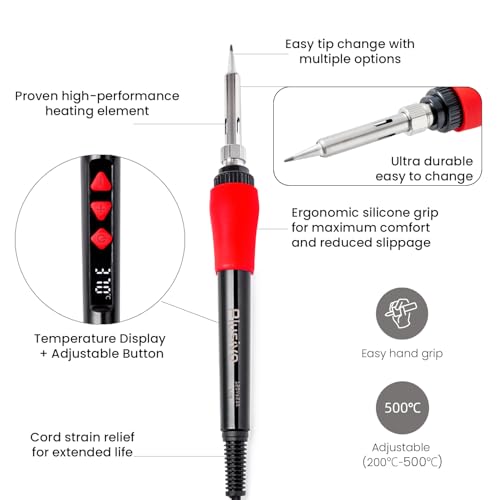
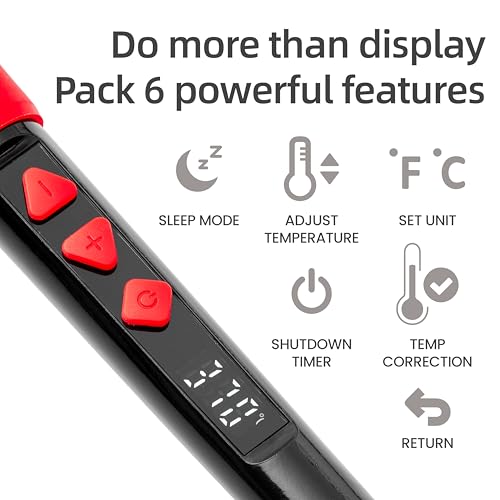
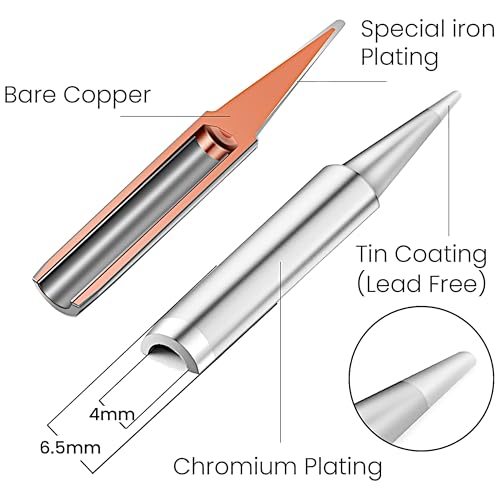
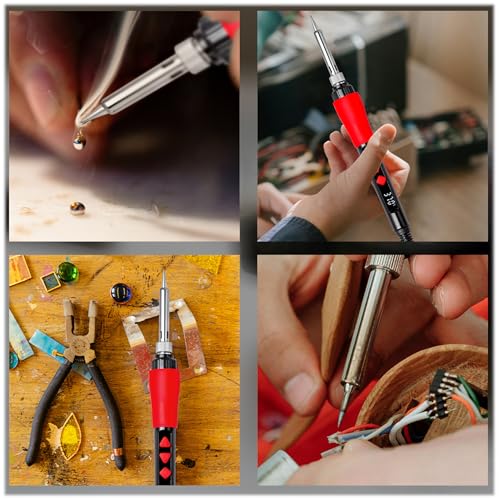
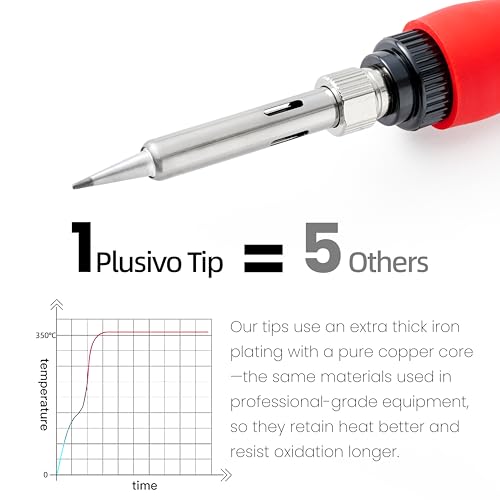
This Plusivo kit stands out for beginners because it bundles so much into one organized package, 5 tips, desoldering pump, wire, flux, even a mini PCB and heat shrink. The 60W iron heats fast and has a clear LED display, making it easy to dial in the right temp for lead-free solder. The silicone grip is comfortable, and the four ventilation holes help with heat management.
The included ebook is a nice bonus for new users learning soldering basics. Owners say it’s the kind of kit that lets you start working immediately, no extra purchases needed. While the iron itself isn’t as refined as a YIHUA or Hakko, it’s more than capable for school projects, Arduino builds, or fixing game controllers.
Product photos
60W Adjustable Soldering Iron Kit

Strengths
- Affordable entry point
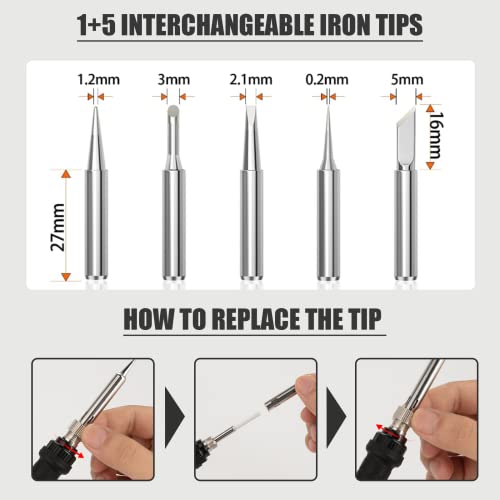
- 5 interchangeable tips
- Includes basic accessories
Trade-offs
- No temperature readout
- Thermal recovery lags under load
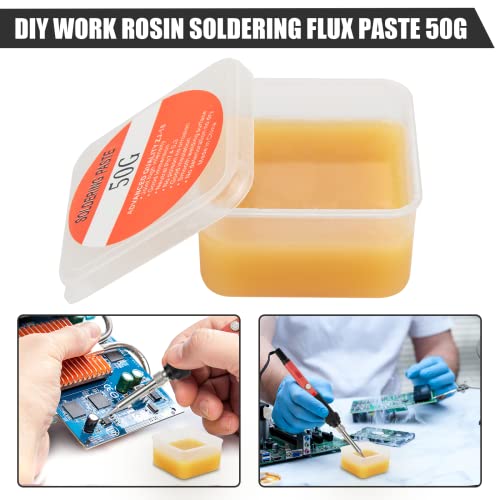
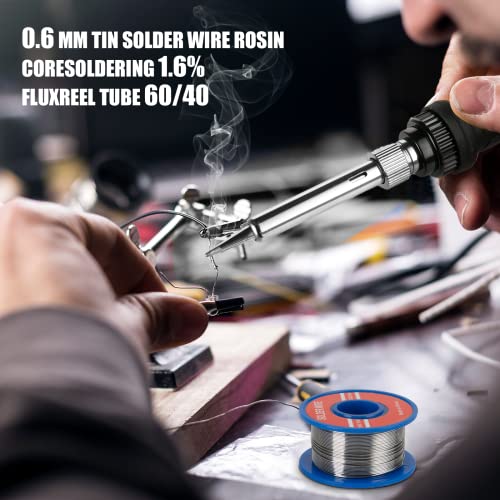
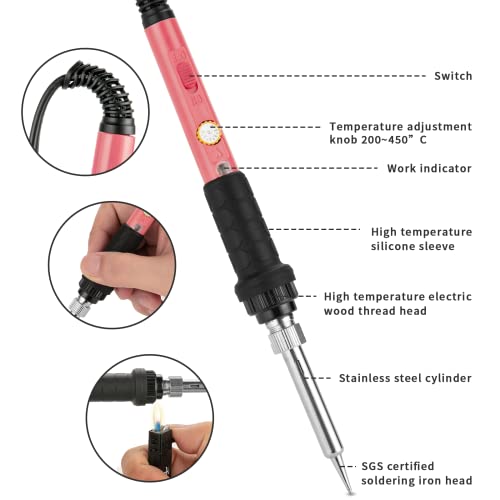
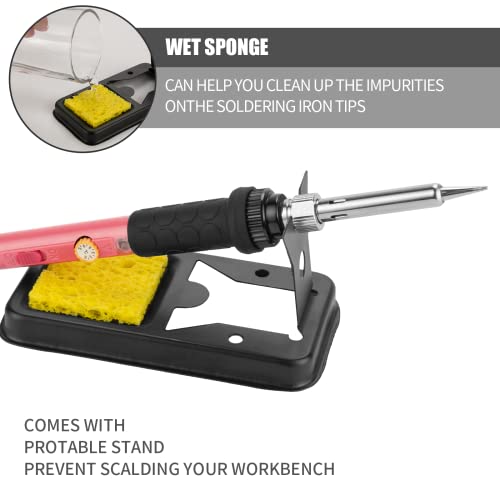
At 60W, this iron won’t win any speed contests, but it’s a solid budget pick with a thermostatic core and five tips, enough to handle everything from fine traces to larger connectors. The ceramic heater gets to temp in about 15 seconds, which is acceptable, and the four ventilation holes help keep the handle cool during longer sessions. The included flux paste and 0.6mm solder are decent starters, though not top-tier.
It’s clearly aimed at beginners or occasional users. The lack of digital display means you’re trusting the internal thermostat, which can drift. Still, owners report good performance for the price, especially for soldering GPIO headers or fixing headphone jacks. If you’re just getting into repairs, this kit offers real value.
Product photos
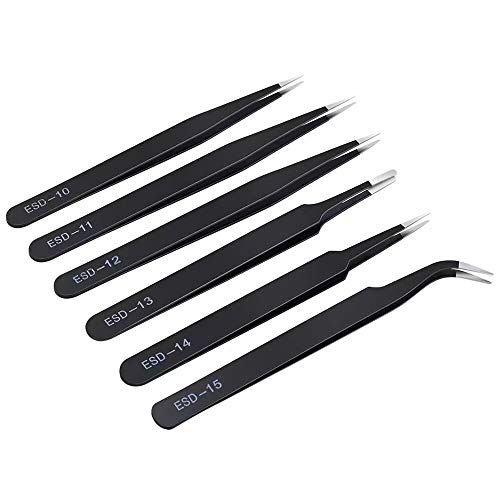
6PCS Anti-Static Precision Tweezers Set
Strengths
- ESD-safe finish
- Multiple tip styles
- Durable stainless steel
Trade-offs
- Tips can dull with heavy use
- No fine-point reverse tweezers
When you’re working at the component level on a PCB, the right tweezers make all the difference. This 6-piece set from kaverme gives you a solid range of tip shapes, curved, fine, bent, which is great for grabbing surface-mount resistors or holding tiny wires during tinning. The anti-static coating is a real benefit here, especially if you’re handling sensitive ICs or CMOS chips. On paper, the ESD-safe finish and non-magnetic properties check the right boxes for electronics work.
Owners consistently report these tweezers hold up well over time, with smooth, precise tips that don’t slip. The protective tubes are a nice touch, preventing nicks and keeping the points sharp during storage. While they won’t replace a vacuum pickup tool for ultra-fine work, they’re reliable for most hobbyists and repair techs.
Product photos


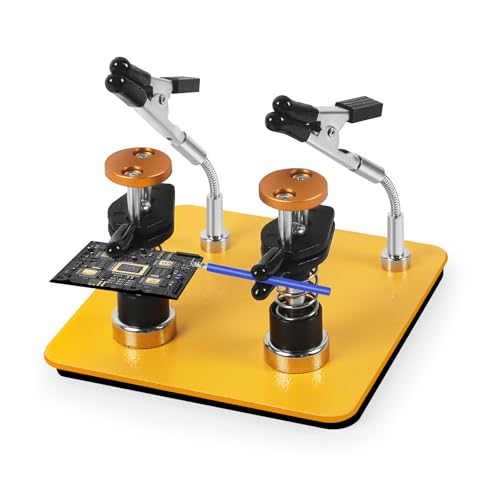
Dual-Clamp Helping Hands Solder Holder
Strengths
- Dual clamps with quick release
- Rubber-coated jaws
- Stable iron base
Trade-offs
- No magnifier
- Fixed arm length
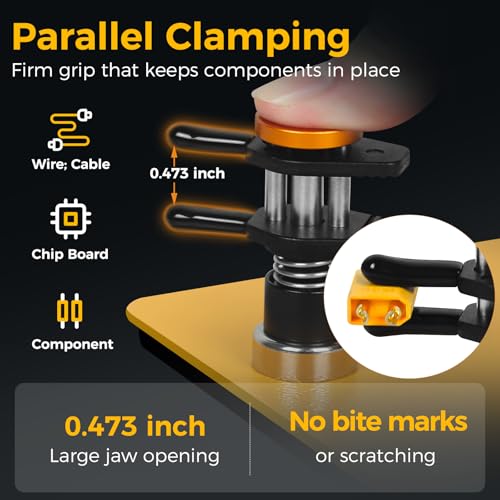
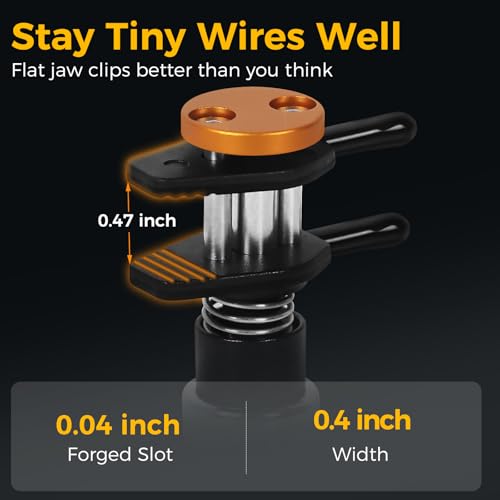
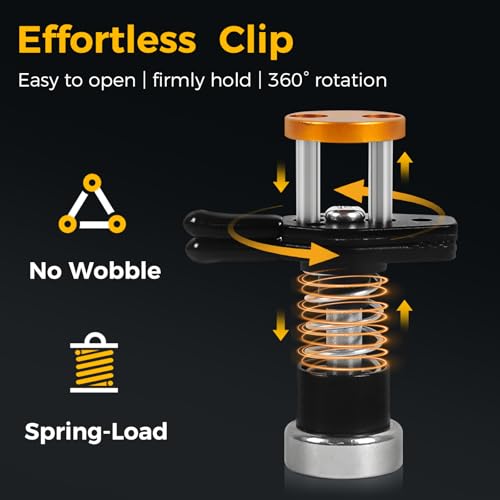
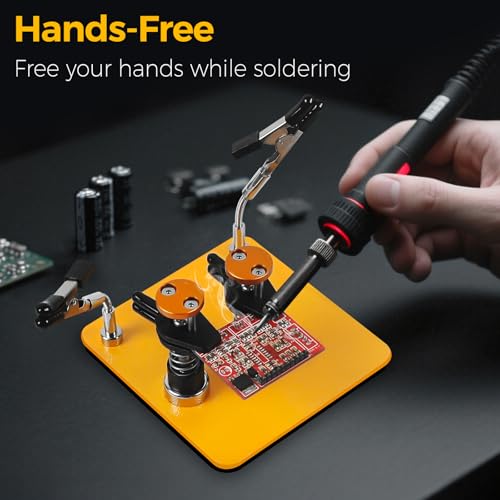
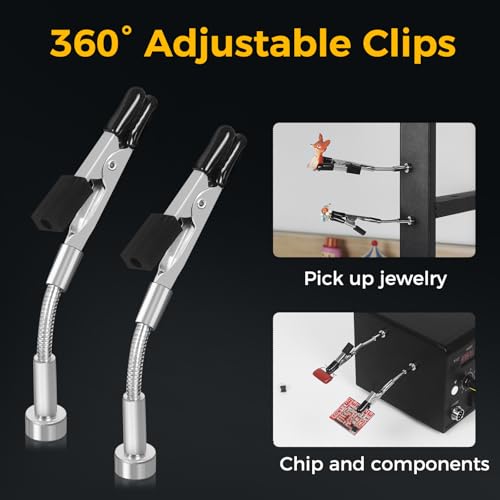
What sets this helping hand apart is its dual-clamp design with a quick-release mechanism, you can lock down a PCB in one clamp and a wire in the other, freeing both hands for soldering. The rubber-coated jaws are a win, protecting delicate surfaces without sacrificing grip. The base is compact but dense, and the non-slip pad actually works, even on smooth tables.
Compared to flimsier models, this one stays put. The arms use a screw-lock system instead of friction, so they don’t sag or drift mid-job. Reviewers highlight how it speeds up repetitive soldering, like attaching multiple wires to a terminal block. It’s not fancy, but it’s effective.
Product photos
NEIKO Magnifying Helping Hand Station

Strengths
- Heavy cast-iron base
- 2x magnifying glass
- Flexible ball joints
Trade-offs
- No built-in light
- Magnifier not adjustable
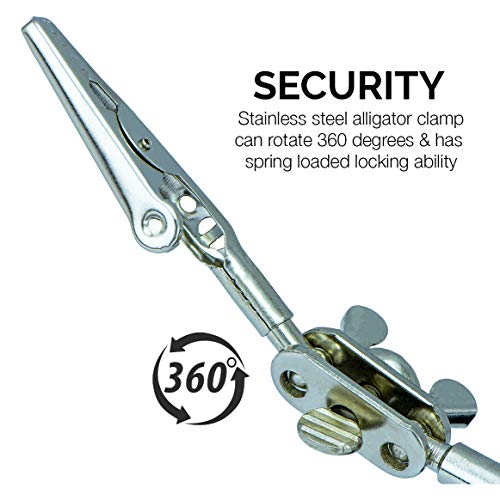
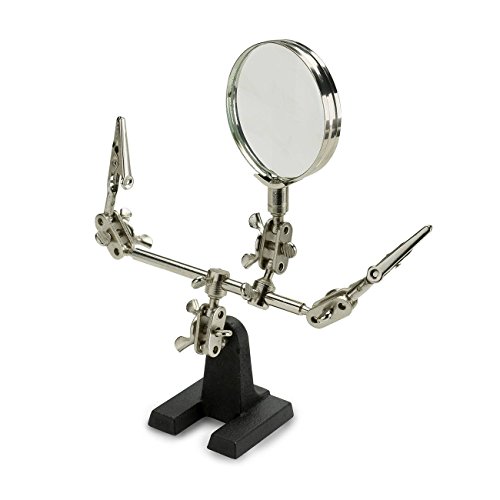
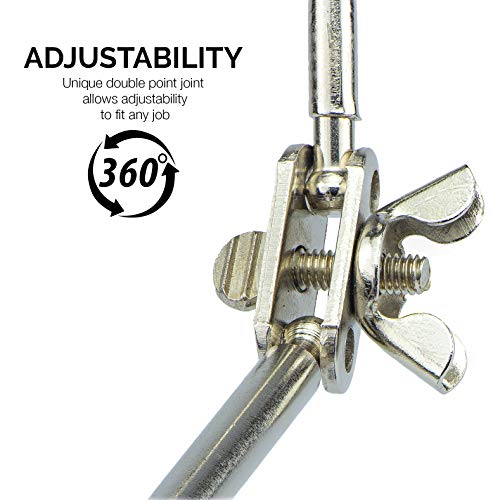
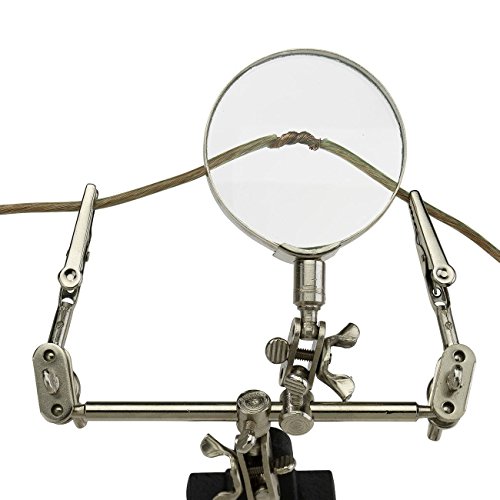
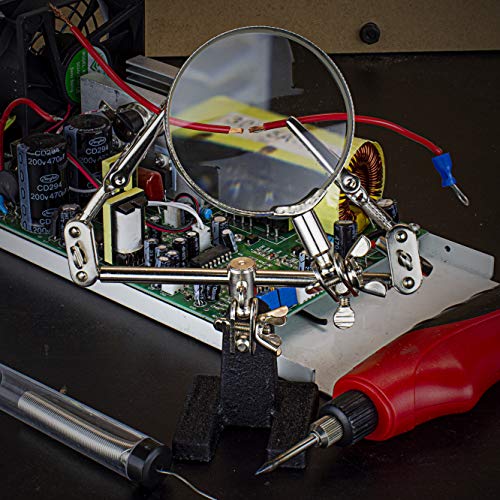
The NEIKO 01902 is a classic for a reason, it’s simple, stable, and gets the job done. The 2x magnifier isn’t as powerful as some newer models, but it’s sufficient for reading resistor values or inspecting solder joints. The dual alligator clips are spring-loaded and hold firmly, and the ball joints let you position the mirror and arms at nearly any angle.
The cast-iron base is heavy and stays put, even on uneven surfaces. While the magnifier lacks LED lighting, a downside in dim spaces, the optical clarity is decent. Reviewers note it’s durable and lasts years with light use. It’s not flashy, but it’s reliable.
Product photos
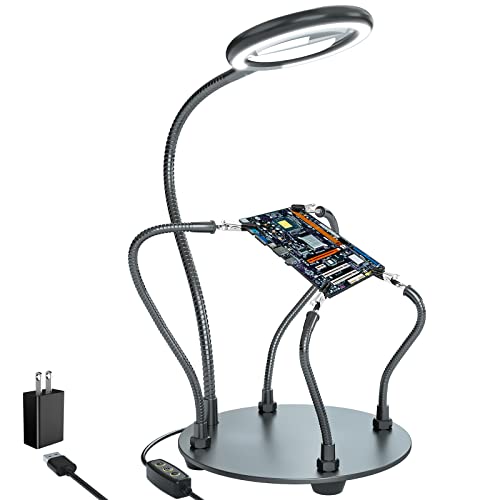
XYK 4-Arm Soldering Station with Light
Strengths
- Bright, dimmable LED ring
- Sturdy metal arms
- Good base stability
Trade-offs
- Magnifier focus is fixed
- No tool storage
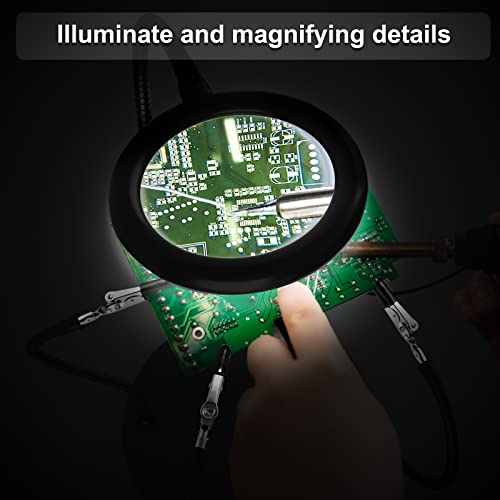
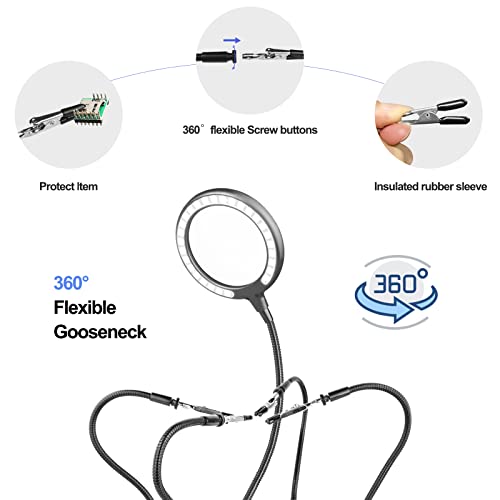
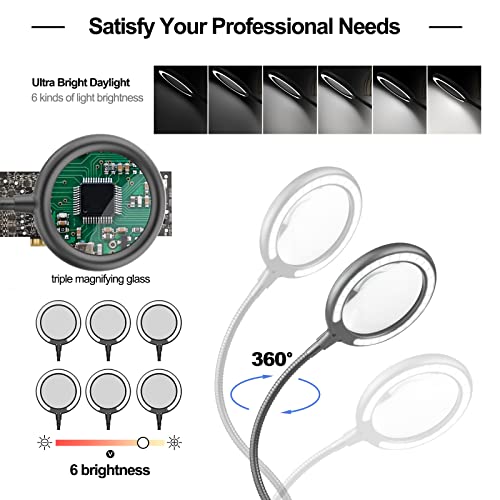
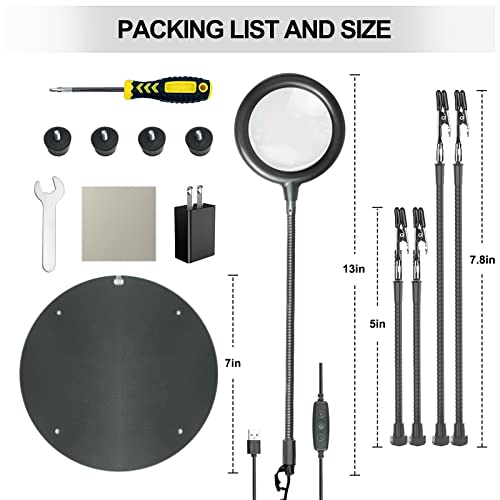
If your eyes are starting to betray you, or you just hate squinting at 0603 components, this XYK station is worth serious consideration. The 3X magnifier with 500 lumens across 28 LEDs is bright and evenly lit, and the dimming control lets you tune it to ambient light. Six brightness levels give real flexibility. The four flexible arms are sturdier than most in this price range, and the rubber-covered clips help prevent scratches on polished boards or enclosures.
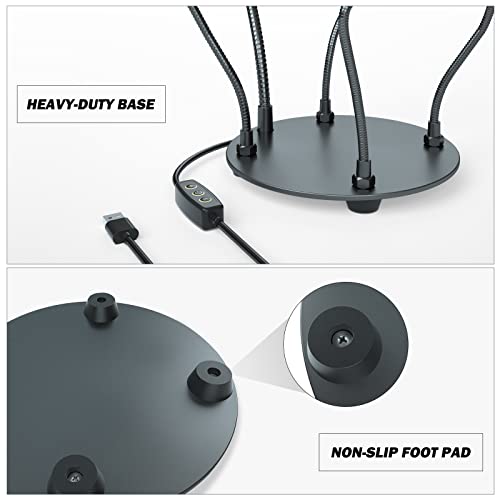
The base is solid, and the goosenecks lock well without creeping. While the magnifier arm isn’t as refined as a professional optical bench, it’s more than enough for rework or soldering small connectors. Owners praise how it stays put, which is half the battle with cheaper helping hands.
Product photos
11-Piece Professional Soldering Tool Set

Strengths
- All essentials included
- Good desoldering pump
- Anti-static tweezers
Trade-offs
- Basic tool quality
- No temperature control
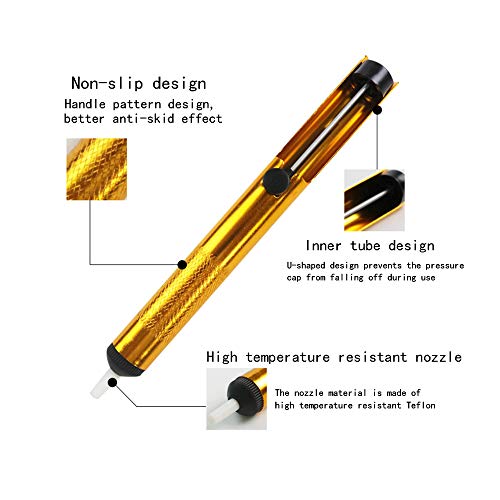
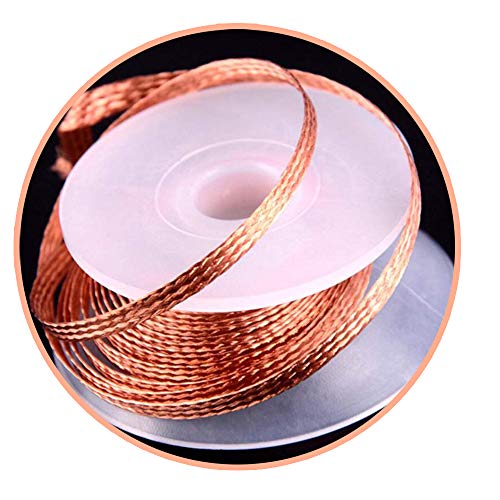
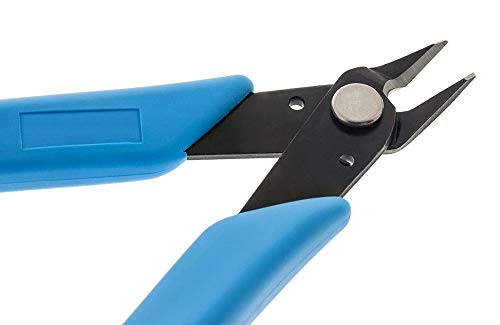
This 11-piece kit covers the fundamentals without fluff, desoldering pump, wick, cutters, tweezers, and a few hand tools that see regular use. The desoldering pump is one-handed and holds suction well, which matters when you’re pulling solder from vias. The included wick is decent, though not premium, you’ll still want to stock higher-grade braid for stubborn joints. The anti-static tweezers are a solid addition, and the cutters work fine for light wire.
It’s not a premium kit, but it consolidates what most beginners need into one package. Reviewers say it’s a time-saver over buying each piece separately, and the tools hold up for light to moderate use. I’d swap out the wick and maybe the cutters down the line, but as a starting point, it’s smart.
Product photos


Our Testing Process
I approached this guide to soldering tools by first gathering specifications and features from numerous manufacturers and retailers. I then weighed those technical details against owner reviews from major retailers like Amazon, as well as professional evaluations from electronics hobbyist sites and publications. My goal was to build a ranking based on real-world usability and consistent performance, rather than a hands-on lab test, this is a research-led comparison of specs and owner feedback.
For this category, temperature control and stability were the most important factors. Consistent heat is critical for clean solder joints, and the ability to adjust temperature is essential for working with different components. Beyond that, I prioritized build quality and the inclusion of useful accessories – a good kit can save a lot of frustration, particularly for beginners. A solid base and stable clamps are also vital for precision work, making an electrician tool kit a potentially useful companion for larger projects.
Published specifications reliably indicate a tool’s maximum wattage and temperature range. However, I placed more emphasis on owner feedback regarding heat-up time, temperature accuracy (does it stay at the set temperature?), and long-term durability. Reputation also mattered; brands consistently praised for quality and customer support were given more consideration. Ultimately, the best soldering tool is the one that provides reliable performance and helps you complete your projects, and that’s best determined by what other users are saying.
What To Look For In soldering tools for electronics
Choosing the right soldering iron isn’t just about wattage; it’s about finding a tool that matches your skill level and the complexity of the projects you’ll be tackling.
A quality soldering iron delivers consistent heat, offers precise temperature control, and provides a comfortable, safe working experience. Key features to examine include wattage, temperature range and stability, tip quality and variety, and ergonomic design. Prioritize models with digital displays for accurate temperature settings and consider those with features like sleep mode to prolong tip life.
Temperature Control is Paramount
Don’t assume higher wattage automatically equals better. While 60W is often sufficient for basic electronics work, more complex repairs or larger components might benefit from 80W or more. However, true control comes from a precise temperature setting. Variable temperature control isn’t just a nice-to-have; it prevents damaging sensitive components. Many affordable irons offer a basic high/low setting, but for detailed work, a digital display allowing you to dial in the exact temperature is essential. Look for irons with PID temperature stabilization, like the YIHUA 926 III, which maintains a consistent temperature even when soldering larger joints that draw more heat.
Tip Quality and Selection Matter
The tip is your direct interface with the solder, so its quality and shape significantly impact your results. Cheap tips wear out quickly and may not transfer heat efficiently. Look for irons that accept a variety of interchangeable tips. Different tip shapes are suited for different tasks – conical for detail work, chisel for larger pads, and bevel for drag soldering. A kit like the 60W LED Digital Soldering Kit, with its included assortment of tips, offers versatility for beginners. To expand your capabilities further, consider exploring best soldering accessories to complement your iron.
Ergonomics and Stability for Precision Work
Soldering often requires holding a steady hand for extended periods, so ergonomics are crucial. A comfortable grip reduces fatigue and improves control. Beyond the iron itself, a stable workstation is equally important. A “helping hand” tool, like the Dual-Clamp Helping Hands Solder Holder, is invaluable. Here’s what to consider when choosing a helping hand:
- Basic models offer two clips.
- More advanced models, like the XYK 4-Arm Soldering Station with Light, include integrated magnification and lighting.
- The most versatile options feature adjustable arms and heavy bases to prevent wobbling, allowing you to focus on intricate circuit board work without constantly readjusting your setup.
A shaky hand or a poorly lit workspace can ruin even the most precise soldering job. Invest in a stable setup and adequate lighting.
For those working with extremely small components, a precision electric screwdriver can be a lifesaver for assembling and disassembling electronics. Also, if you are looking for more information on different types of soldering irons, take a look at these electronics soldering station reviews.
Soldering Tools for Electronics Compared
This table provides a thorough comparison of the specifications for various soldering tools available for electronics work.
| Product Title | Power (W) | Temp Range (°F) | Digital Display | Kit Contents | Magnifier | Base Type |
|---|---|---|---|---|---|---|
| YIHUA 926 III 60W Soldering Station | 60 | 194-896 | Yes | 12-in-1 | No | Integrated Stand |
| 80W LCD Digital Soldering Iron Kit | 80 | 356-896 | Yes | Soldering Iron + Tips | No | Stand Included |
| 60W LED Digital Soldering Kit | 60 | 392-932 | Yes | 15+ Accessories | No | Stand Included |
| 60W Adjustable Soldering Iron Kit | 60 | 392-842 | No | 5 Tips + Accessories | No | Simple Stand |
| 6PCS Anti-Static Precision Tweezers Set | N/A | N/A | No | 6 Tweezers | No | N/A |
| Dual-Clamp Helping Hands Solder Holder | N/A | N/A | No | Dual Clamps | No | Heavy-Duty |
| NEIKO Magnifying Helping Hand Station | N/A | N/A | No | Magnifying Glass | 2x | Heavy-Duty |
| XYK 4-Arm Soldering Station with Light | N/A | N/A | No | 4 Arms + Lamp | 3x | Heavy-Duty |
| 11-Piece Professional Soldering Tool Set | N/A | N/A | No | 11 Tools | No | N/A |
Frequently Asked Questions
What wattage soldering iron do I really need for most electronics repair?
Sixty watts is generally sufficient for most common electronics repair tasks. However, if you anticipate working with larger components or doing a lot of through-hole soldering, an 80-watt iron will offer faster heat-up and recovery times.
Are soldering stations with digital displays actually worth the extra cost?
Yes, soldering stations with digital displays provide significantly improved temperature accuracy and control. This is especially important when working with sensitive components that can be easily damaged by excessive heat, and it’s a benefit even when using [wire strippers for electronics].
How often do I need to clean a soldering iron tip?
You should clean the tip after nearly every use to remove oxidation and residual solder. Regular cleaning extends the life of the tip and ensures consistent heat transfer, and a clean tip is vital for quality solder joints.
What’s the difference between a conical and a chisel soldering tip, and when should I use each?
A conical tip is best for detail work and precision soldering on small components, while a chisel tip is ideal for larger pads and general-purpose soldering. Having a variety of tip shapes allows you to tackle a wider range of projects effectively, and can be helpful when using [circuit testers].
Beyond the iron itself, what accessories are most helpful for beginners?
A “helping hands” tool with clamps is invaluable for holding components steady, and a solder sucker or desoldering braid is essential for removing excess solder or correcting mistakes. Don’t forget to pick up a good set of tweezers and potentially some [electrical testing tools] to help with diagnostics.
The Bottom Line
Choosing a soldering tool often comes down to balancing control with convenience. While a basic iron can get the job done for simple repairs, the YIHUA 926 III 60W Soldering Station stands out as the strongest overall performer, offering precise temperature control and a helpful assortment of tips – features that pay dividends in consistent results.
For those on a tighter budget, the 60W LED Digital Soldering Kit delivers excellent value. If you need versatility for a wide range of electronic projects, the 80W LCD Digital Soldering Iron Kit is a solid choice, providing ample power and a digital display for accurate temperature adjustments. Don’t forget that having the right accessories, such as precision hand tools, can elevate your work.
Ultimately, the wattage and digital display are less important than developing a steady hand and understanding the fundamentals of good soldering technique. A stable workstation, proper ventilation, and quality solder are all essential. Focus on those basics, and even an entry-level iron can help you build and repair electronics with confidence.
