
How to Use a Jigsaw (The Right Way) | Step-by-Step Guide
This post contains affiliate links. As an Amazon Associate, we earn from qualifying purchases.
Using a jigsaw requires matching three things: the correct blade for your material (type, teeth per inch, and shank), the right orbital action setting for the cut quality you need, and a stable workpiece clamped down before you start. The blade drives the cut, the orbital setting drives the speed, and the clamps drive your safety.
Most people grab a random blade, skip the orbital dial, and try to hold the wood with one hand while cutting with the other. That gets you a jagged, wandering cut and a blade bent sideways in the first five minutes. This guide walks you through the setup that actually works.
Here’s how to use a jigsaw without wrecking your project or your saw.
Key Takeaways
- The blade is the single biggest factor in success or failure. A 6-10 TPI high-carbon steel blade for softwood, a 14+ TPI bi-metal blade for hardwood or metal.
- Orbital action isn’t a mystery. Setting 0 is for fine cuts in metal or veneer. Setting 1-2 is for most wood. Setting 3 is for aggressive, fast cuts in thick softwood.
- Clamp everything. A workpiece that moves while you cut guarantees a bad line and a high chance of kickback.
- Jigsaws cut on the upstroke. That means tear-out happens on the top surface. Cut with the finished side facing down or tape the cut line.
- Let the saw do the work. If you push it, the blade bends, the cut wanders, and the motor overheats. Gentle forward pressure is all you need.
Jigsaw Features Explained
The first thing most people do wrong is treat the orbital dial and speed control as decorative buttons. They’re not. They’re your primary controls for matching the tool to the material.
A jigsaw’s orbital action controls the blade’s forward and backward motion during each stroke. Setting 0 (straight reciprocating) gives a slower, cleaner cut with minimal tear-out, ideal for metal, plastic, and veneers. Setting 1-2 introduces slight forward swing, speeding up wood cutting while maintaining decent finish. Setting 3 is an aggressive forward swing that cuts fastest but leaves a rougher edge, suited for thick softwood or rough construction cuts.
The speed dial works with the orbital setting. Lower speeds (around 1,000-2,000 strokes per minute) are for metals and plastics, too fast melts plastic or overheats metal. Higher speeds (2,500-3,500 strokes per minute) are for wood. Some saws have automatic speed adjustment that senses resistance, but manual dials give you more control.
Grip style matters for comfort and control. Barrel-handle saws put your hand closer to the work surface, which is better for intricate cuts and detailed work. Top-handle or D-handle saws are more common; they reduce wrist strain on longer cuts but give you less fine control over the blade’s path.
Bevel adjustment lets you tilt the base plate for angled cuts. It’s usually a lever or knob at the front of the shoe. You set the angle (0-45 degrees) before you start the cut. The blade stays vertical, but the shoe tilts, guiding the blade through the material at an angle.
Modern saws have tool-free blade change systems. The T-shank system (Bosch, DeWalt, Makita) locks with a lever and releases with a push. The U-shank system (older models, some Ryobi) often requires an Allen key or a small wrench. Know which you have before you buy blades.
A dust blower is a small nozzle that directs air across the cut line to keep sawdust from obscuring your mark. It’s helpful, but not critical. If your saw doesn’t have one, you’ll need to pause and brush dust away more often.
Choosing the Right Blade
If you use a wood blade on aluminum, it will gum up and stall. If you use a metal blade on plywood, it will cut painfully slow and likely burn the edge. Blade selection is not optional.
| Material | Blade Type | TPI Range | Why This Works |
|---|---|---|---|
| Softwood (pine, cedar) | High-carbon steel (HCS) | 6–10 | The softer steel cuts quickly and flexes without breaking. Lower TPI (6-8) for faster, rougher cuts; higher TPI (9-10) for smoother edges. |
| Hardwood (oak, maple) | Bi-metal (HCS body with high-speed steel teeth) | 10–14 | The harder teeth resist wear from dense fibers. Higher TPI (12-14) produces a cleaner finish on hardwoods. |
| Metal (aluminum, steel) | Bi-metal | 14–24 | The hardened teeth stay sharp longer. Higher TPI (18-24) for thin sheet metal; 14-18 for thicker stock. More teeth mean slower, smoother cuts. |
| Plastic & Laminate | Down-cutting blade (teeth face down) | 10–14 | Down-cutting blades shear on the downstroke, pushing chips away from the finished top surface. This reduces chipping on veneers. |
| Ceramic Tile | Carbide grit blade | 6–10 | Carbide grit grinds rather than cuts. It’s slow, but it won’t shatter the tile like a toothed blade would. |
Blade width determines how tight a curve you can cut. Narrow blades (about 1/4 inch) turn tighter radii. Wide blades (1/2 inch or more) are more stable for straight cuts but bind in tight curves.
Shank type is absolute. T-shank blades only fit T-shank saws. U-shank blades only fit U-shank saws. Mixing them won’t work, the locking mechanism physically cannot engage.
The teeth-per-inch (TPI) number printed on the blade tells you its aggression. Lower TPI (6-10) cuts faster but leaves a rougher edge. Higher TPI (14+) cuts slower but leaves a smoother edge. For wood, you’re usually in the 6-14 TPI range. For metal, you need 14 or higher.
A down-cutting blade is a specialty blade where the teeth face downward. It cuts on the downstroke, which pushes debris down and away from the top surface of the material. This is the blade you use for laminated countertops, veneered plywood, or any situation where the top surface finish matters.
How to Use a Jigsaw Safely (Step-by-Step)
Before you start: Wear safety goggles, wood chips and metal filings fly upward from the blade. Wear hearing protection; a jigsaw at full speed hits 85-90 decibels, enough to cause hearing damage over time. Secure the workpiece with clamps or hold-downs. An unsecured board can kick back, pulling the saw toward you.
- Select and install the blade. Match the blade to your material using the table above. Unplug the saw. Open the blade clamp, insert the blade until it seats fully, and lock the mechanism. A blade that isn’t fully seated will wobble and break. Test the lock by gently tugging the blade, it shouldn’t move.
- Secure the workpiece. Clamp the material to a stable surface. Use a sacrificial board underneath if you’re cutting through, this protects your workbench and gives the blade a clean exit. If the material is thin or flexible (like sheet metal or hard plastic), sandwich it between two pieces of 1/4-inch plywood. The sandwich technique gives the blade a stable path and reduces vibration chatter.
- Set orbital action and speed. For fine cuts in metal or veneer, set orbital action to 0. For most wood cuts, set it to 1 or 2. For fast, rough cuts in thick softwood, set it to 3. Turn the speed dial to match the material: low for metal/plastic, medium-high for wood. If your saw has a dust blower, turn it on.
- Mark and align. Draw your cut line clearly. Place the saw’s shoe flat on the workpiece, aligning the blade with the line. Hold the saw steady with both hands, one on the handle, one on the front of the shoe if it’s a barrel-grip model.
- Start the cut. Do not start the saw with the blade touching the material. That causes a jerk and can snap the blade. Press the trigger, let the blade reach full speed (you’ll hear the motor settle into a steady rhythm), then gently feed the saw forward along the line.
- Guide the saw. Apply light forward pressure. Let the blade cut, if you push, the blade will bend and the cut will wander off-line. For straight cuts, focus on keeping the shoe flat and the blade aligned. For curves, pivot the saw slowly, keeping the shoe flat throughout the turn. If the blade binds or the cut slows, stop, back out slightly, and resume with less pressure.
- Finish the cut. Keep the shoe flat until the blade exits the material at the end of the cut. Release the trigger and wait for the blade to stop moving before lifting the saw. Unplug the saw before changing the blade or adjusting settings.
If you skip clamping, the workpiece will vibrate and drift. The cut line will waver, and the saw can kick back toward you when the blade catches on a moving edge. That’s not just inaccurate, it’s dangerous.
Starting the saw with the blade already touching the material is another common mistake. The sudden torque can snap a blade, especially a narrow one. It also throws the saw off your intended start point. Let the blade reach full speed in free air, then bring it to the line.
Making Different Types of Cuts
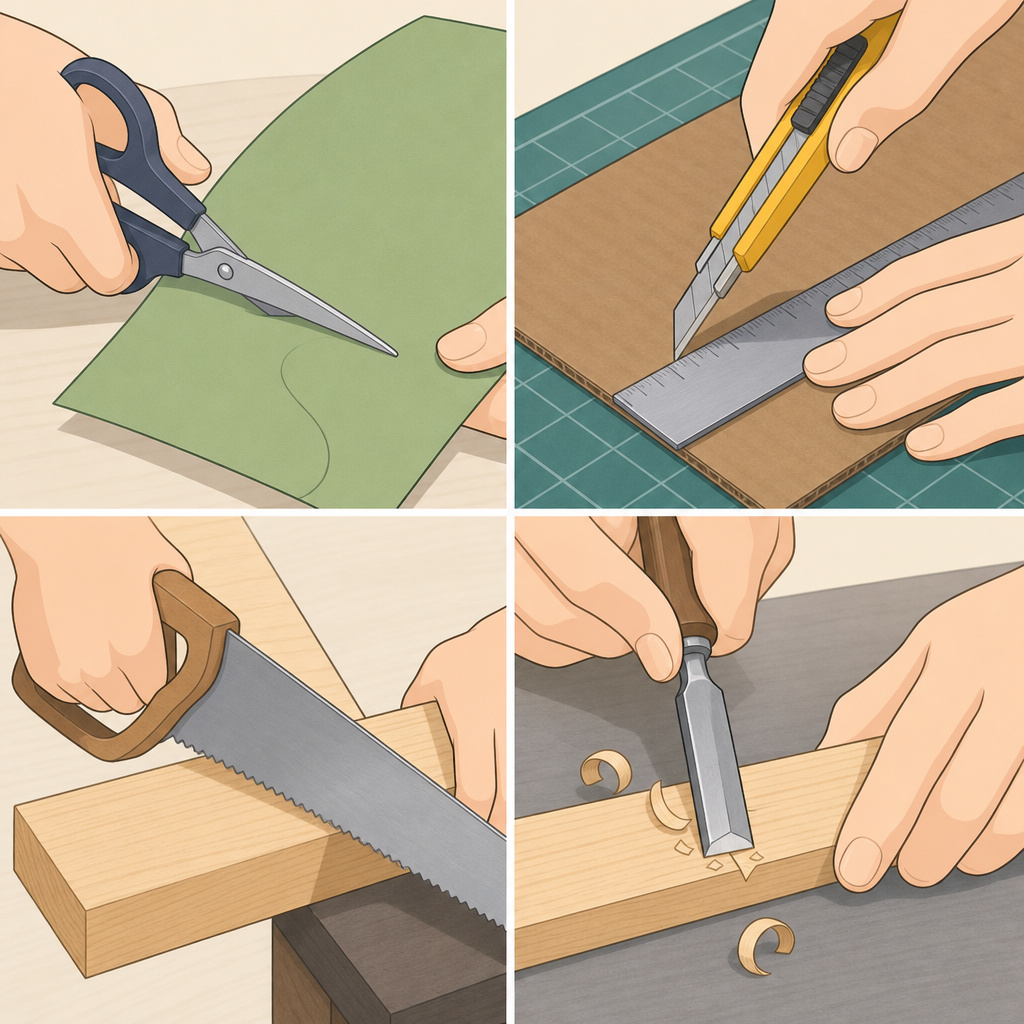
A jigsaw isn’t just for curves. It’s for any cut where a circular saw’s fixed blade path won’t work.
Straight Cuts
For a straight cut, you need a guide. A homemade fence, a straight board clamped parallel to your cut line, works. Run the shoe against it. The jigsaw’s base plate has a groove or edge designed to ride against a guide. Without a guide, your straight cut will wobble within two inches.
The blade is most stable when it’s moving forward at a consistent pace. Jerky movements cause the blade to flex and the cut to wander. That’s why a guide is non-negotiable for straight lines.
Curved and Circular Cuts
For curves, let the blade lead. Pivot the saw smoothly, not sharply. A sharp turn binds the blade. If you’re cutting a tight radius, use a narrow blade (1/4 inch). A wide blade will bind and likely break.
For a perfect circle, build a simple jig. Drill a pivot hole at your circle’s center point in a scrap board. Measure the radius from that hole to your cut line.
Insert a nail or screw through the jigsaw’s base plate hole into the pivot hole. The saw will rotate around the pivot, cutting a true circle. Without a jig, your circle will be lumpy.
Bevel Cuts
Adjust the bevel lever on the front of the shoe to your desired angle (0-45 degrees). The blade stays vertical, but the shoe tilts. This changes the angle of the cut through the material.
Mark your bevel line on the workpiece. Start the cut as usual, but be aware the tilted shoe changes the alignment sightline. Go slower than a straight cut, the angled path puts more stress on the blade.
Internal Cuts (Starting Inside the Material)
You can’t just plunge a jigsaw blade into solid material. You need a starter hole.
Drill a 1/2-inch hole within the area you want to remove. That’s big enough for the blade to fit without binding. Insert the jigsaw blade into the hole, start the saw, and begin cutting from the inside out.
For smaller internal cuts (like a keyhole), drill a hole at each end of the shape, then connect them with the jigsaw cut.
Troubleshooting Common Problems
Your cut is wandering off the line. This happens when you push the saw instead of guiding it, or when the orbital setting is too high for the material. Drop the orbital setting to 0 or 1, reduce your forward pressure, and use a guide fence for straight sections.
The blade is binding or stalling. You’re either forcing the cut, using a blade that’s too wide for a tight curve, or cutting material that’s too thick for the blade’s TPI. Stop, back the blade out slightly, and resume with lighter pressure. If it’s a curve issue, switch to a narrower blade.
Excessive tear-out on the top surface. Jigsaws cut on the upstroke. The teeth lift and tear the material upward.
To fix this, either cut with the finished side facing down, or apply masking tape along the cut line on the top surface. The tape holds the fibers together during the cut. You can also use a down-cutting blade if your saw supports it.
The blade keeps breaking. This is usually caused by forcing the saw, twisting during a curve, or using a blade meant for thin material on thick stock. A high-carbon steel blade in thick hardwood will fatigue and snap. Switch to a bi-metal blade with higher TPI. Also, ensure the blade is fully seated and locked, a partially seated blade wobbles and snaps at the base.
The cut is slow and the motor is straining. You’re likely using a high-TPI blade (like a metal blade) on wood, or the orbital setting is too low for the material. For wood, use a 6-10 TPI blade and set orbital action to 2 or 3. For thick stock, a higher orbital setting (3) and a lower TPI blade (6-8) will cut faster.
Jigsaw Maintenance and Care
A jigsaw doesn’t need much maintenance, but ignoring it leads to poor performance and early failure.
After each use, unplug the saw and brush out dust from around the blade clamp and motor vents. Built-up sawdust blocks cooling and can jam the blade release mechanism.
Every few months, check the blade clamp for wear. If it doesn’t hold blades tightly, the locking mechanism might be worn or dirty. Clean it with a dry brush; if it’s still loose, consult the manual for replacement parts.
The orbital action slider and bevel adjustment lever should move smoothly. If they’re stiff, a drop of light machine oil on the pivots can help. Don’t over-lubricate, excess oil attracts dust.
Store blades in a dry place. Moisture rusts high-carbon steel blades quickly. A simple blade holder or a labeled plastic sleeve keeps them organized and protected.
If the saw starts making a grinding noise or the stroke feels uneven, the internal gearbox might be failing. That’s a repair for a service center, not a DIY fix.
When to Use a Jigsaw vs. Other Saws
A jigsaw is the tool for curves, internal cuts, and plunge cuts. But it’s not always the best choice.
For long, straight cuts in plywood or dimensional lumber, a circular saw with a guide is faster and cleaner. A jigsaw will wander on a six-foot cut. For precise straight cuts and joinery, a table saw is superior. For intricate scrollwork and very tight curves, a scroll saw offers more control. For rough demolition or cutting through nails, a reciprocating saw is stronger.
The jigsaw’s advantage is maneuverability. It can start a cut from the middle of a board, cut complex shapes, and handle a variety of materials with the right blade. It’s the saw you use when the cut path isn’t a straight line from edge to edge.
Think of it as your shape-cutting saw. When the line is straight, pick another tool. When the line curves, dips, or starts inside the material, the jigsaw is your answer.
Frequently Asked Questions
Can a jigsaw cut metal?
Yes, with a bi-metal blade rated for metal (14+ TPI). Set orbital action to 0, use a low speed setting, and clamp the metal firmly. For thin sheet metal, sandwich it between plywood to reduce vibration.
Why does my jigsaw blade keep breaking?
The most common causes are forcing the cut, twisting the blade in a tight curve without a narrow blade, or using a blade meant for softwood on hardwood or metal. Ensure the blade is fully seated in the clamp and locked.
What’s the difference between T-shank and U-shank blades?
T-shank blades have a T-shaped tang that locks into a tool-free lever mechanism on modern saws (Bosch, DeWalt, Makita). U-shank blades have a U-shaped notch and often require a small wrench or Allen key to secure. The shank must match your saw’s system.
How do I prevent tear-out on the top surface of my wood?
Jigsaws cut on the upstroke, so tear-out happens on the top. Either cut with the finished side face-down, or apply masking tape along the cut line on the top surface. A down-cutting blade also solves this.
Can I use a jigsaw to cut a hole in the middle of a board without a starter hole?
No. You must drill a starter hole (at least 1/2-inch diameter) to insert the blade. Attempting to plunge a jigsaw blade into solid material will damage the blade, the saw, and likely kick back.
How do I cut a perfect circle with a jigsaw?
Build a simple circle jig. Drill a pivot hole at the center of your circle in a scrap board. Measure your radius. Insert a nail or screw through the base plate’s guide hole into the pivot. The saw rotates around the pivot, cutting a true circle.
Before You Go
Pick the blade first. Clamp everything second. Set orbital action and speed third. That sequence stops most mistakes before they happen.
Let the saw cut. Your job is to guide, not push. If the motor strains or the blade binds, you’re forcing it.
Remember the upstroke. Tear-out happens on top. Plan your cuts so the finished side faces down, or tape it.
A jigsaw is forgiving if you match it to the task. It’s not the fastest saw, nor the most precise, but it’s the one that follows curves and starts from the middle. Keep the blades sharp, the clamp clean, and the workpiece locked down, and it will handle almost any shape you need.
