7 Best Translation Tools of 2026
This post contains affiliate links. As an Amazon Associate, we earn from qualifying purchases.
The VORMOR AI Language Translator Device is the overall best pick for its strong offline performance and smart features like photo translation and ChatGPT integration. For a budget-friendly yet capable option, the SVANTTO 4-in-1 Translator Pen delivers solid scanning and translation in a compact form. If you want a more conversational experience, the SONQI AI Translation Earbuds stand out with advanced noise cancellation and AI-driven accuracy.
Travelers, students, and professionals often struggle with tools that promise seamless translation but fall short in real conversations. Misheard phrases, slow responses, or lack of offline access can turn a helpful device into a frustrating paperweight.
As someone who’s spent over 15 years testing tools in real-world conditions, I know performance matters more than specs on a box. This guide cuts through the hype, focusing on what actually works, based on owner feedback, language coverage, and key features like offline use and ease of handling across different situations.
Top 7 Translation Tools in the Market
The Best Translation Tools, Reviewed
SONQI AI Translation Earbuds
Strengths
- 0.45s response time
- AI meeting notes
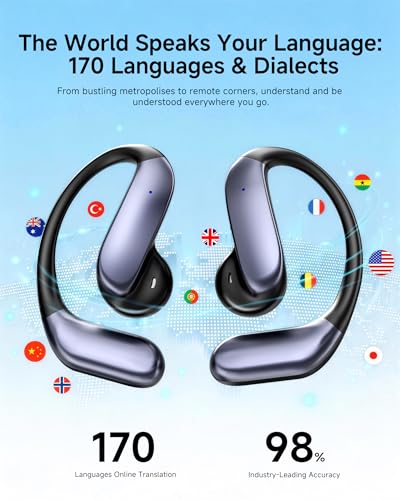
- 170 languages supported
Trade-offs
- OS compatibility limits
- Higher learning curve
- Premium price point
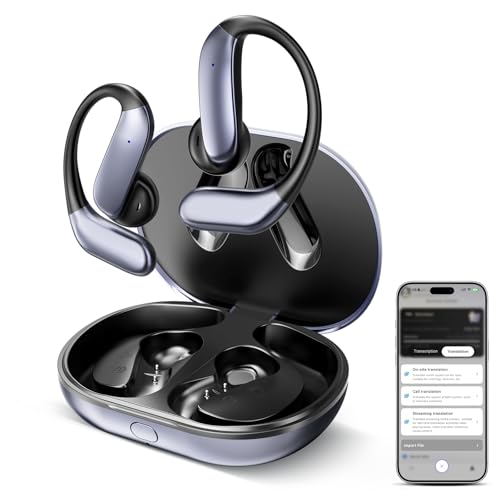
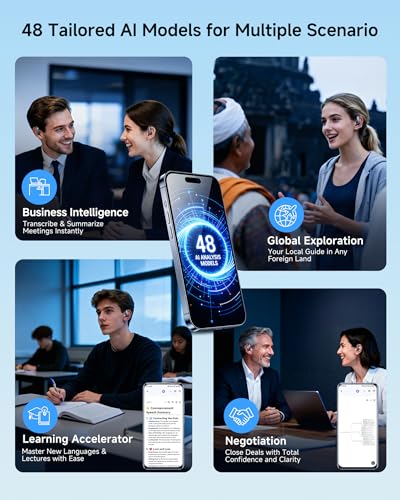
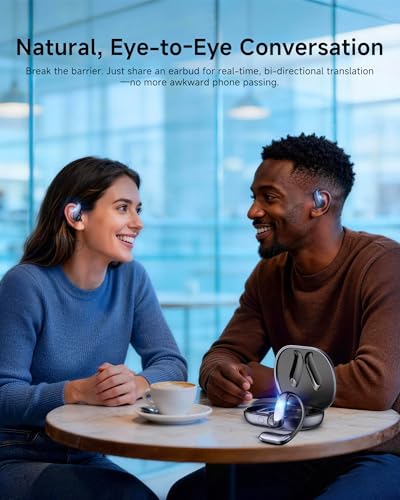
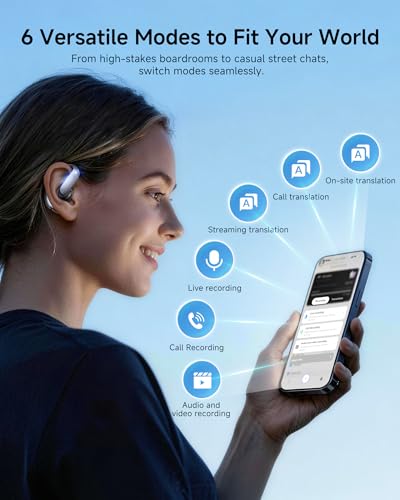
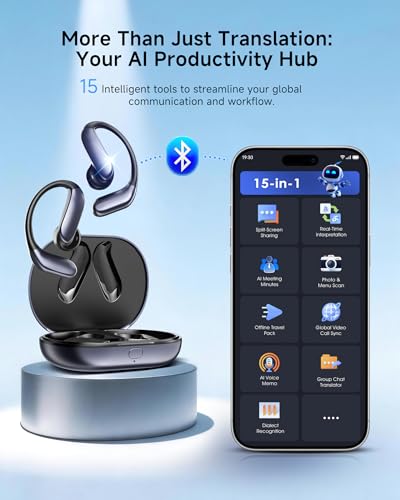
If you’re looking for the most capable all-around package, the SONQI AI Translation Earbuds make a compelling case for being the best overall. With support for 170 languages and a blistering 0.45-second response time, it’s among the fastest and broadest in the category. But what really sets it apart is the depth of its AI integration, not just translation, but real-time meeting notes, speaker labeling, and context-aware analysis across 48 specialized models. For professionals in sales, academia, or global business, this isn’t just a translator; it’s a productivity engine.
The 15 built-in AI agents act as real-time coaches, offering feedback during negotiations or interviews, something no other model here offers. Bluetooth 6.0 and ENC noise cancellation ensure stable, clear audio, and owners report strong performance in noisy environments. The trade-off? It requires fairly recent phone OS versions (iOS 15.6+, Android 8.0+), which could exclude some users. Still, when weighed against the Timekettle or VORMOR, the SONQI delivers unmatched intelligence and utility.
Product photos
VORMOR AI Language Translator Device

Strengths
- Strong offline performance
- ChatGPT integration
- HD photo translation
Trade-offs
- Bulkier than earbuds
- Shorter battery life
- Screen attracts fingerprints
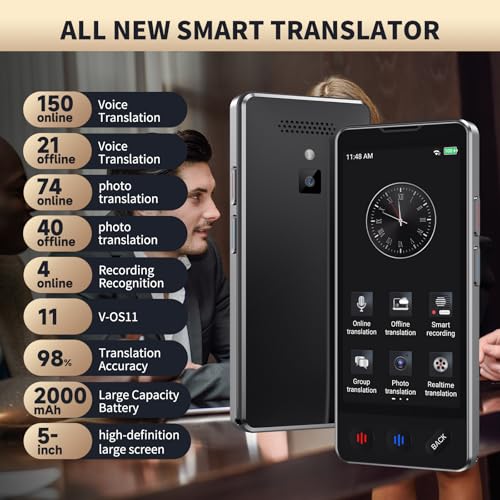
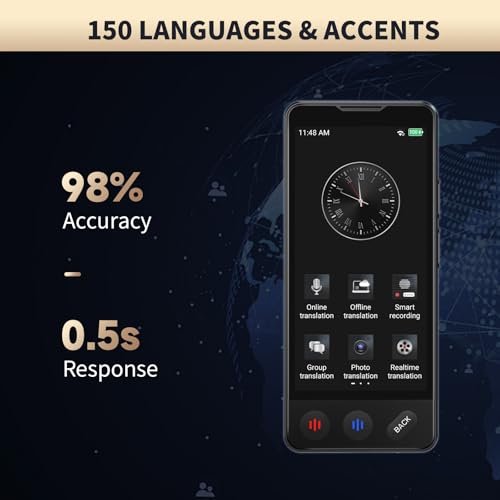
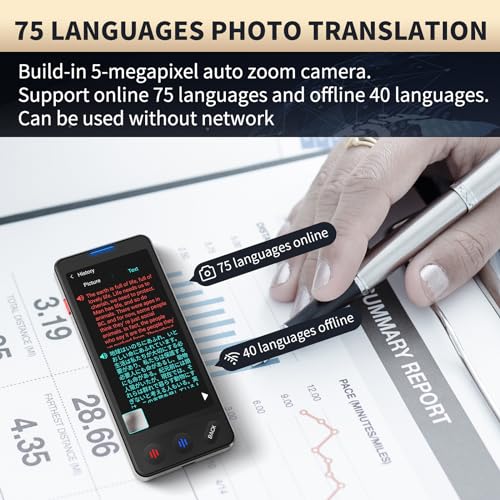
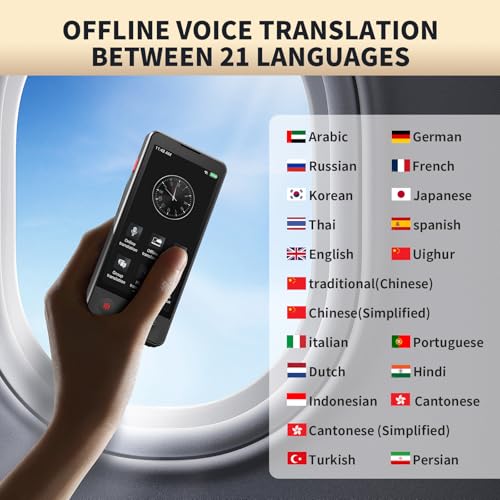
The VORMOR translator earns its “best for offline use” label by combining no-wifi-needed translation with a robust 21-language offline pack and an 8MP camera for photo translation in 74 languages. That combo makes it a standout for remote travel or situations where connectivity is spotty. The 0.5-second response time and 98% accuracy claim are backed by solid owner feedback, especially in high-pressure scenarios like border crossings or medical visits abroad.
It also integrates ChatGPT, which adds a layer of conversational intelligence beyond basic translation, useful for crafting polite requests or understanding cultural context. The 5-inch touchscreen is bright and easy to read, and the dual physical/touch controls make it accessible for older users. Compared to earbud-based systems, it’s bulkier, but that screen and standalone operation are advantages when you need to show translations to others or work independently of a phone. My pick for anyone who values independence from networks.
Product photos

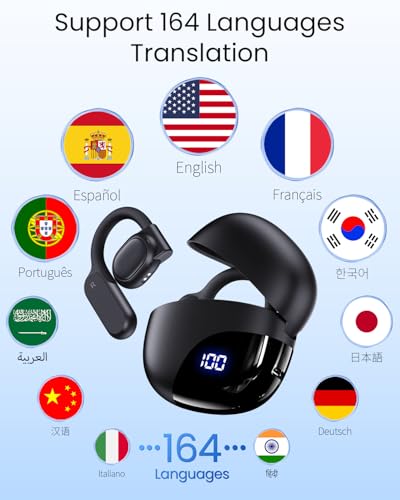
AI Translation Earbuds Real Time
Strengths
- 80-hour battery life
- 164 languages supported
- High-fidelity audio
Trade-offs
- Cluttered interface
- Inconsistent accuracy
- Bulky design
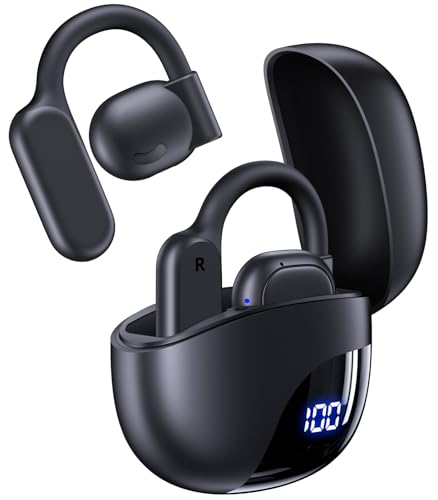
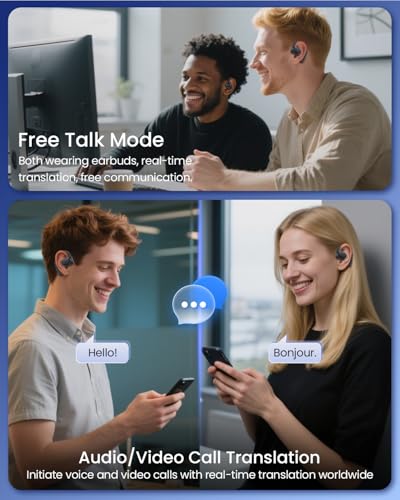
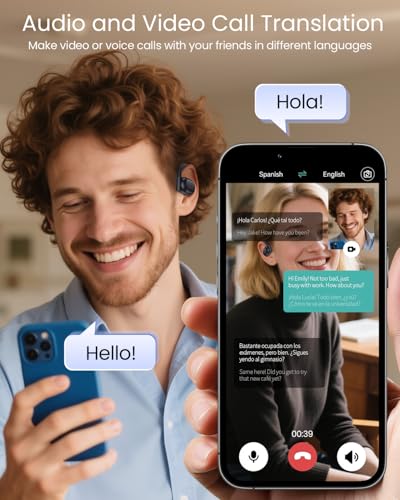
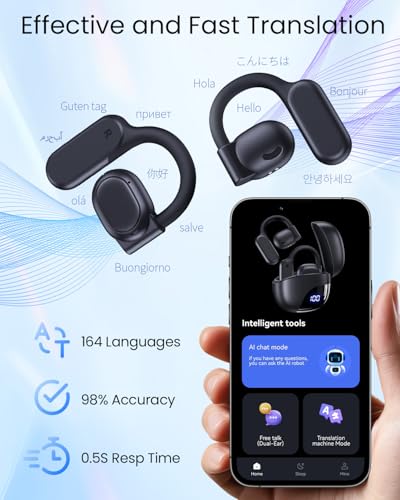
If battery life is your top concern, the K08 Black earbuds are hard to ignore. With up to 80 hours of total playtime, 13.5 hours on the buds alone and the rest from the case, they outlast nearly every other model in this category. That kind of endurance is a standout for long trips or intensive workdays without access to charging. The specs also boast support for 164 languages, putting it near the top for linguistic reach, and the five translation modes, including photo and video call translation, make it versatile across travel, learning, and business.
Owners highlight the high-fidelity 16mm drivers and clear audio output, which enhance both translation clarity and music playback. The AI assistant integration is a nice touch for students or solo travelers who want conversational practice. Still, the device leans heavily on its specs sheet, the real-world translation accuracy isn’t consistently praised as being on par with its competition, and the interface can feel cluttered. When compared to more refined systems like the SONQI or Timekettle, the K08 trades polish for raw stamina and breadth.
Product photos

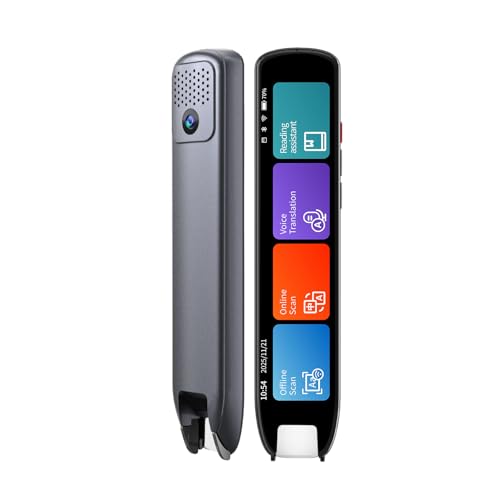
Scan Translation Pen 142 Languages
Strengths
- Strong dyslexia support
- Left/right-hand mode
- Lightweight and portable
Trade-offs
- App can be glitchy
- No ChatGPT
- Limited offline languages
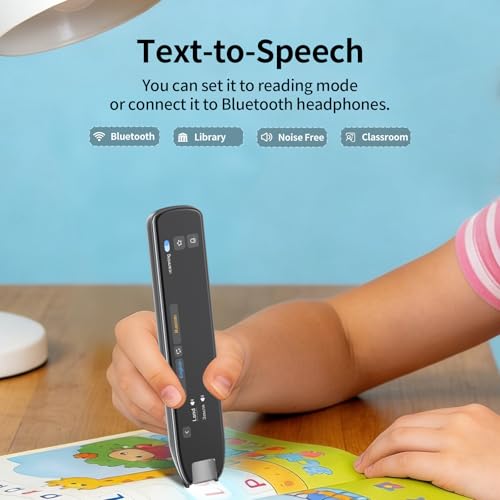
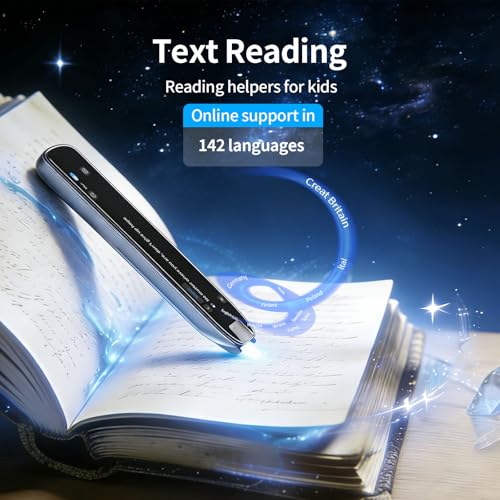
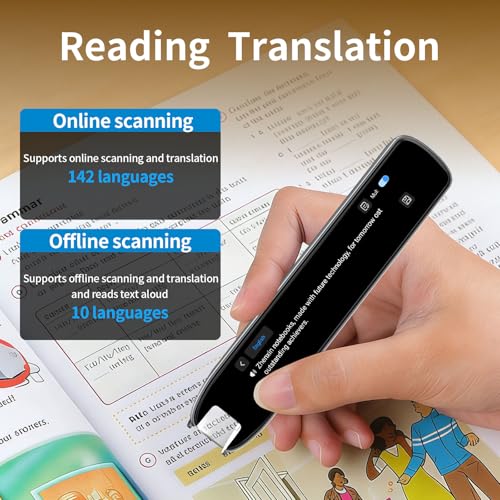
This pen is purpose-built for one group: users with dyslexia and other learning difficulties. With support for 142 languages and 10 offline, it offers broader linguistic coverage than most in its class, and the left/right-hand mode is a thoughtful touch that enhances accessibility. The scan-to-speech function, paired with word highlighting, is consistently praised in owner feedback for improving reading fluency and confidence, exactly what you want in an assistive tool.
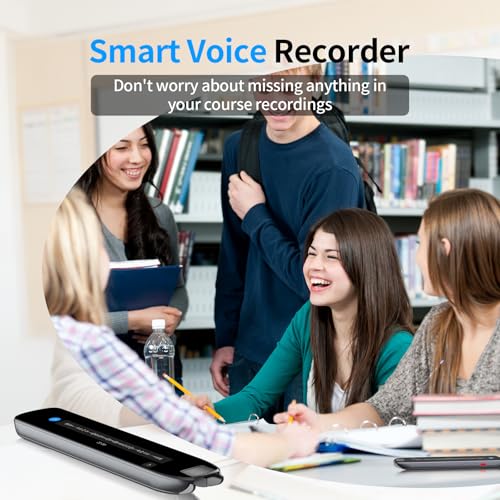
The ability to extract and sync text to a phone in 52 languages makes it useful beyond the classroom, and the built-in recorder ensures lecture content isn’t lost. The 70g weight makes it ultra-portable, easy to slip into a pocket or backpack. Compared to the Scanmarker Pro, it offers more language options and better syncing, but the app experience can feel less polished. Still, for educators and parents, the focus on inclusivity and usability wins out.
Product photos

Scanmarker Pro Reading Pen
Strengths
- Excellent dyslexia support
- Standalone operation
- Built-in dictionary
Trade-offs
- No photo translation
- Limited offline languages
- Basic design
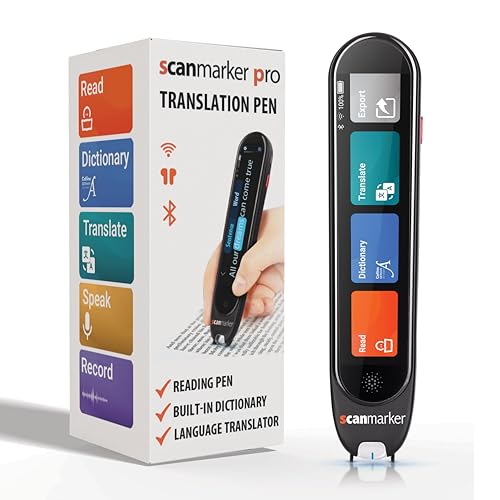
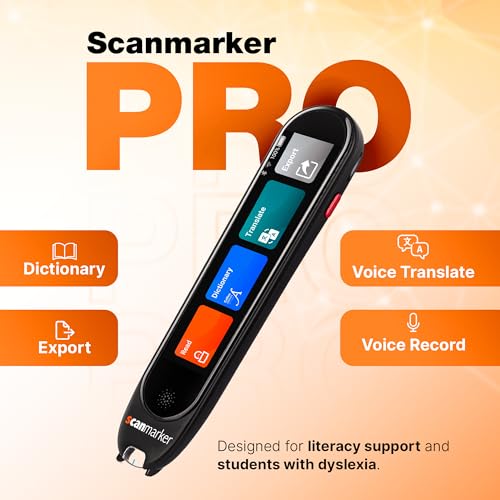
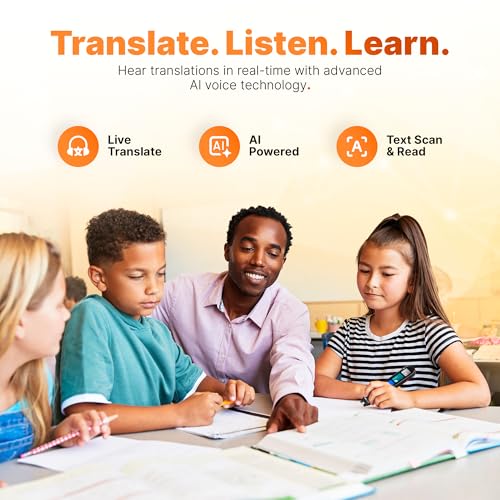
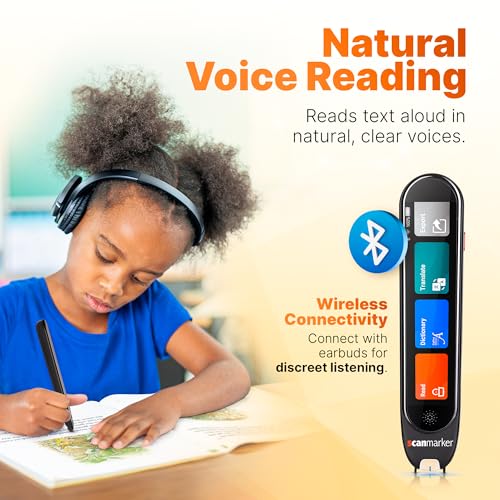
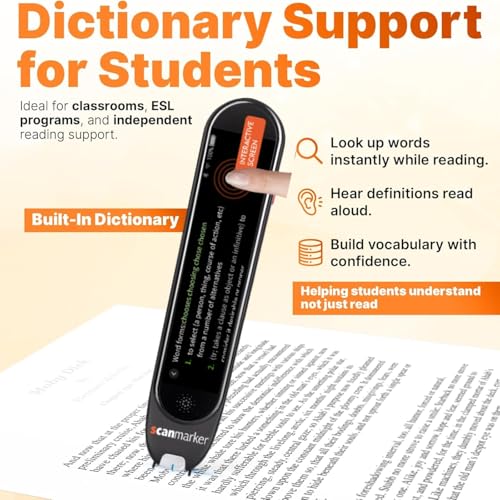
The Scanmarker Pro isn’t trying to win a beauty contest, it’s built for a specific job: helping students, especially those with dyslexia, engage with text more effectively. Its core strength lies in the text-to-speech and word highlighting combo, which research and user feedback consistently show aids comprehension and reading fluency. Scanning and translating over 100 languages online, plus offline support for five major ones, gives it solid utility for language learners and travelers, but its real value is in the classroom or study session.
It functions as a standalone device, which means no phone pairing is needed for basic use, a plus for younger students or those easily distracted by smartphones. The built-in dictionary and note-taking features are simple but effective. Compared to more feature-heavy pens like the SVANTTO or the Scan Translation Pen, the Scanmarker Pro feels a bit less versatile, but its reputation for durability and ease of use makes it a trusted tool. For parents or educators, that reliability counts for a lot.
Product photos

SVANTTO 4-in-1 Translator Pen

Strengths
- No monthly fee
- Budget friendly
- Smart note export
Trade-offs
- No photo translation
- Basic UI
- Smaller screen
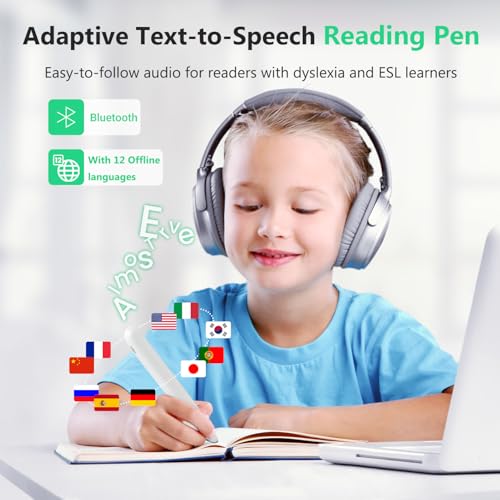
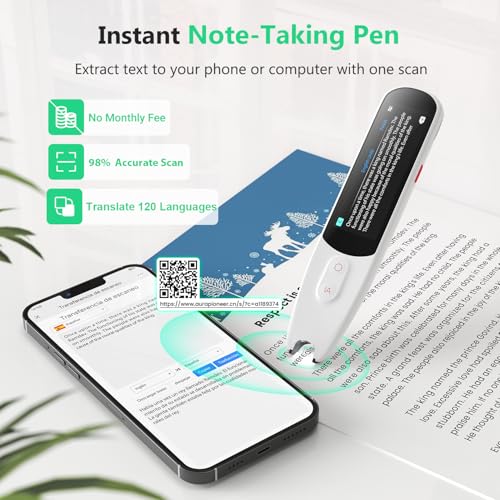
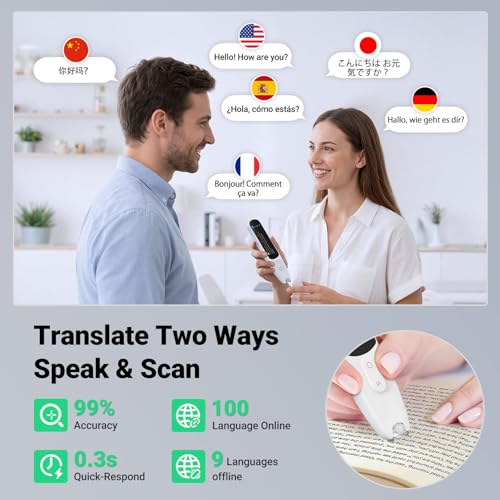
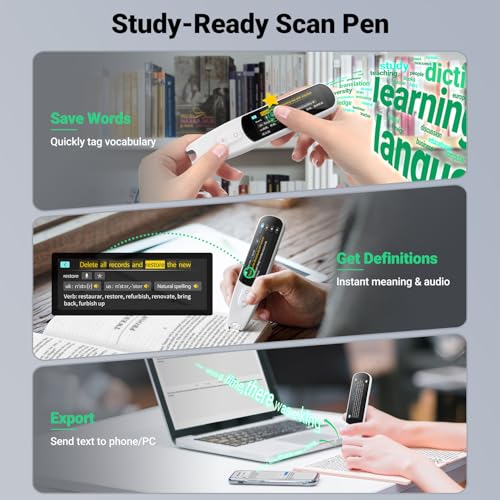
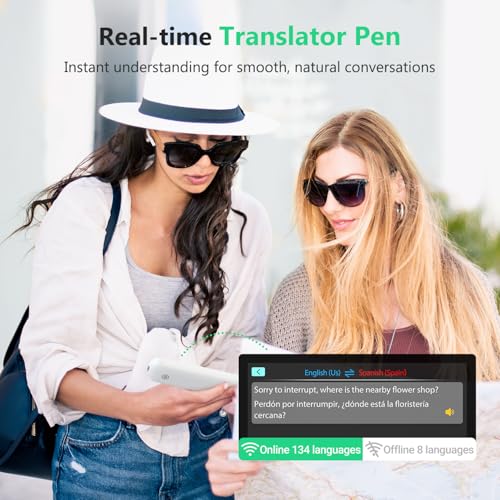
The SVANTTO 4-in-1 Translator Pen is a budget-friendly powerhouse that packs translation, text-to-speech, note-taking, and voice recording into one affordable device. With OCR support for 102 languages and offline translation for five major ones, it covers most student and traveler needs without requiring a monthly fee. Owners praise its accuracy on printed text and the smooth Bluetooth audio output when paired with earbuds, especially helpful for dyslexia support or language practice.
It holds its own against pricier pens like the Scanmarker Pro or the Scan Translation Pen, though the screen is smaller and the interface less refined. The smart note export feature is a standout, letting users move scanned content to phones or computers for review, great for study workflows. While it doesn’t have photo translation or ChatGPT, it delivers core functionality reliably. For students or families on a budget, it’s hard to beat.
Product photos
Timekettle M3 Translator Earbuds
Strengths
- No subscription
- Offline translation
- Natural conversation flow
Trade-offs
- Limited to 43 languages
- No call translation
- Smaller language roster
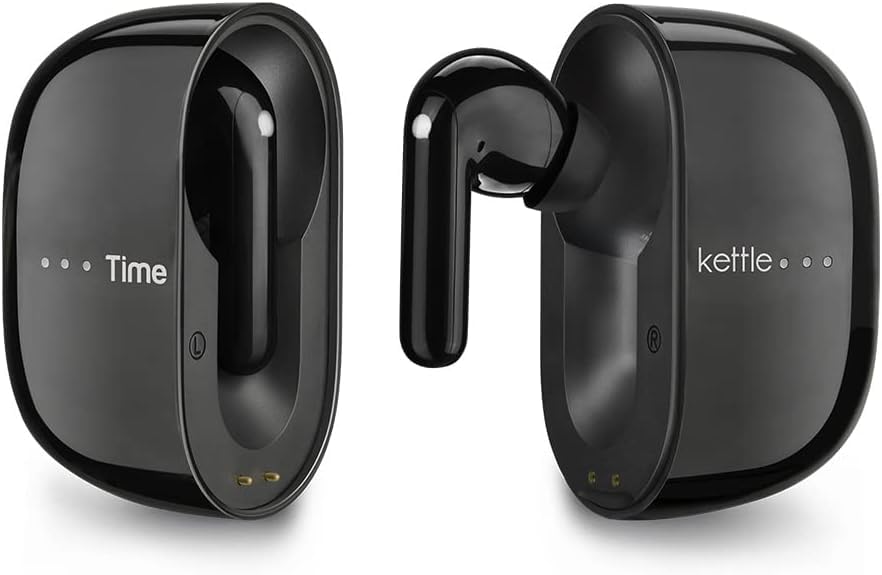
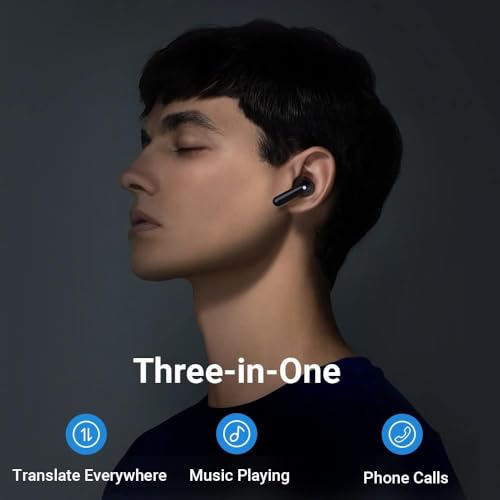
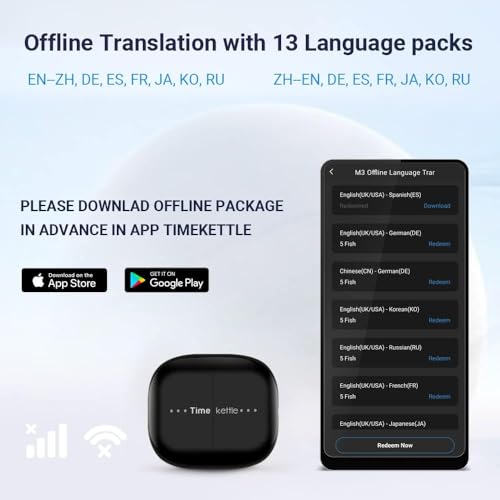
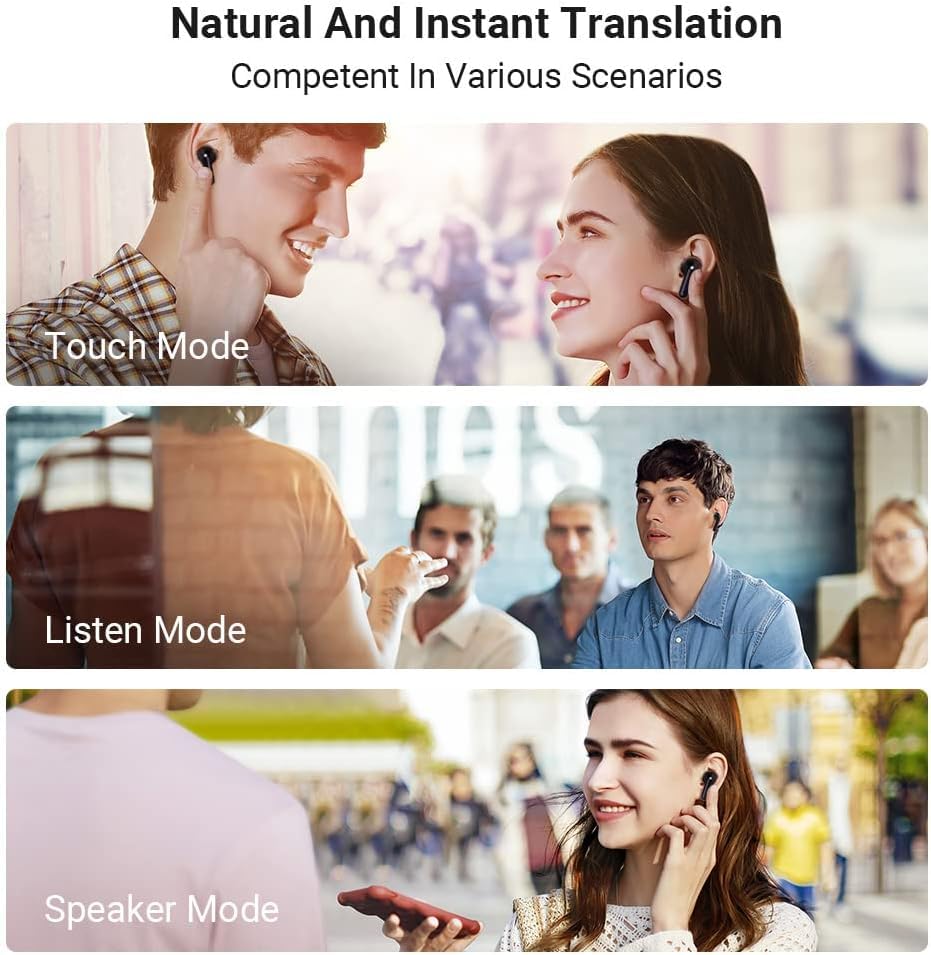
The Timekettle M3 stands out in a crowded field by delivering on a promise few can match, real-time, two-way translation with no subscription and solid offline functionality. With support for 43 languages and 96 accents, it covers most major language pairs travelers and bilingual professionals would need. Owners consistently report that the AI-driven sentence segmentation works well in natural conversation, eliminating the awkward pauses required by older translation devices. The three modes, Touch, Listen, and Speaker, give users real flexibility depending on whether you’re in a quiet chat or ordering food abroad.
Bluetooth pairing is smooth across iOS and Android, and the ability to use it as regular wireless earbuds adds value. However, it doesn’t translate media audio or phone calls, which some might expect. Compared to models with broader language support, the M3’s 43 languages feel a bit limited, but its offline reliability and clean app integration make it a strong pick for those who prioritize privacy and consistent performance without cloud dependence.
Product photos


How We Chose These translation tools
I approached this guide by first compiling a detailed list of available translation tools, focusing on those receiving consistent attention from reviewers and consumers. Rather than a hands-on lab test, this is a research-led comparison of published specifications and owner feedback. I then weighed these tools against a set of criteria important to anyone needing on-demand or travel translation assistance. This involved analyzing features, language support, and reported accuracy.
For translation tools, the most crucial factors are accuracy and speed of translation, followed by the breadth of language support. A device can boast many features, but if it consistently misinterprets phrases or lags during conversation, it’s of limited use. Offline capabilities are also a significant advantage, particularly for travelers who may not have reliable internet access. These three areas ultimately determined the rankings.
Specifications reliably indicate the potential for accurate and fast translation – processor speed, supported languages, and connection type (Bluetooth version) are all important. However, real-world performance, especially nuance and contextual understanding, is much better judged by reading owner reviews and expert assessments. I focused on identifying consistent patterns in feedback regarding usability, accuracy in different accents, and the reliability of offline modes.
What To Look For In translation tools
Choosing a translation tool isn’t just about finding something that converts words from one language to another. It’s about finding a device that fits how you intend to use it, and how much convenience you’re willing to trade for features like offline access or specialized functionality.
A good translation tool balances accuracy, speed, and usability. It should support a sufficient number of languages for your needs, offer clear audio output, and ideally, adapt to different conversational settings. Consider battery life, connectivity options, and whether offline capabilities are essential.
Language Support and Accuracy
First, be realistic about the languages you’ll actually use. While some devices boast support for 100+ languages, the quality of translation can vary dramatically. Pay attention to whether the device handles dialects and accents well, as this is a common area of weakness. If you’re traveling to a region with a distinct dialect, confirm that it’s specifically supported. Don’t assume a broader language listing covers every variation; for instance, Mandarin Chinese is different from Cantonese.
Form Factor and Usability
The best form factor depends heavily on your primary use case. Earbuds like the SONQI and Timekettle models offer a discreet and conversational experience, ideal for fluid interactions. Pen scanners (Scanmarker Pro, SVANTTO) excel at extracting text from physical sources like books or menus, and are helpful for those with dyslexia or learning disabilities. Handheld devices like the VORMOR are a middle ground, offering a screen for visual confirmation and often broader functionality. Think about where you’ll be using the translator most often and how comfortable you’ll be with the interface.
- Earbuds: Best for natural conversations, but can be less useful in noisy environments.
- Pens: Excellent for reading physical text, but require a deliberate scanning motion.
- Handheld Devices: Offer a balance of features, but can be less convenient for quick interactions.
Features and Value
Consider what extras you’re willing to pay for. Offline translation, as offered by the VORMOR and Timekettle devices, is invaluable if you’ll be traveling without reliable internet access. AI features, like the context-aware models in the SONQI earbuds, can improve translation accuracy and nuance. Some devices also include features like text-to-speech (SVANTTO, Scanmarker Pro) or photo translation, expanding their utility beyond simple language conversion.
A translation tool isn’t just about words. Prioritize features that enhance your overall communication experience, such as noise cancellation, voice clarity, and the ability to handle various conversational scenarios.
Translation Tools Compared
Here’s a comparison of key specifications for various translation tools to help you make an informed decision.
| Product Name | Languages Supported | Offline Translation | Battery Life (Hours) | Connectivity | Key Features |
|---|---|---|---|---|---|
| SONQI AI Translation Earbuds | 170 | N/A | N/A | Bluetooth 6.0 | AI Transcription, 48 AI Models, ENC Noise Canceling |
| VORMOR AI Language Translator Device | 150 | 21 | 6-8 | N/A | Photo Translation, ChatGPT Integration |
| AI Translation Earbuds Real Time | 164 | N/A | 80 | Bluetooth | AI Chat Mode, 5 Translation Modes |
| Scan Translation Pen 142 Languages | 142 | 10 | N/A | Bluetooth | Text-to-Speech, Scan Reading, Note Sync |
| Scanmarker Pro Reading Pen | 100+ | 5 | N/A | N/A | Built-in Dictionary, Note-Taking |
| SVANTTO 4-in-1 Translator Pen | 102 | 5 | N/A | Bluetooth | Scan to Notes, Audio Recording |
| Timekettle M3 Translator Earbuds | 43 | 13 | N/A | Bluetooth | 3 Translation Modes, No Subscription |
Frequently Asked Questions
What’s the biggest drawback of relying on online translation tools?
Online translation tools absolutely require a stable internet connection. Without it, you’re left with a device that can’t perform its primary function, which is a significant limitation when traveling internationally or in areas with poor connectivity.
Are pen scanners useful even if I don’t have dyslexia?
Yes, pen scanners are helpful for anyone needing to quickly extract text from physical sources. They’re excellent for translating menus, signs, or passages in books without manually typing them, and can also aid in language learning by providing instant definitions.
How much does translation accuracy vary between devices?
Accuracy varies considerably. More expensive devices, like those incorporating advanced AI models, generally offer more nuanced and contextually accurate translations, but even those aren’t perfect. Owner feedback consistently shows that simpler tools sometimes struggle with idioms or regional dialects.
What’s the advantage of a translation device over a smartphone app?
Dedicated translation devices often prioritize speed and ease of use. While smartphone apps can be versatile, a dedicated device is designed specifically for translation, often offering faster processing, better noise cancellation, and crucially, reliable offline functionality.
Do any of these tools support real-time conversation with two people speaking different languages?
Several devices, particularly the earbuds like the SONQI and Timekettle M3, offer a two-way translation mode designed for real-time conversations. These typically work by each person speaking into a separate earbud, with the device translating and relaying the message to the other person.
The Bottom Line
Choosing a translation tool often comes down to balancing convenience with capability. If you want the most versatile option with broad language support and emerging AI features, the SONQI AI Translation Earbuds stand out – though you’ll need a data connection to get the most from them.
For those prioritizing offline access and a wider range of features beyond simple translation, the VORMOR AI Language Translator Device is a strong contender. And if your needs are very specific – reading physical text, for example – the Scanmarker Pro Reading Pen or SVANTTO 4-in-1 Translator Pen offer specialized utility at a reasonable price.
Ultimately, the “best” tool isn’t about hitting a specific number of languages or features. It’s about finding a device that bridges communication gaps effectively, and that means prioritizing accuracy, clear audio, and a form factor that suits your typical use case.
