
7 Best Tools to Wipe Hard Drives 2026
This post contains affiliate links. As an Amazon Associate, we earn from qualifying purchases.
The StarTech.com 4-Bay Hard Drive Eraser is the best overall tool for securely wiping drives, offering reliable NIST-compliant sanitization and support for multiple drive types. If you’re on a budget, the Lovell DESTRUCT PRO USB Eraser delivers strong military-grade wiping in a simple, portable form. For those who also need cloning capability, the StarTech.com 4-Bay HDD/SSD Cloner stands out as the most versatile pick.
If you’re getting rid of old computers or upgrading storage, simply deleting files won’t protect your sensitive data. Recovery tools can still pull information from drives that haven’t been properly wiped. That’s where dedicated hardware and software solutions come in, designed to overwrite data so it can’t be retrieved.
In this guide, I break down the top tools based on real-world usability, supported erasure standards, and compatibility with both HDDs and SSDs. My picks come from analyzing specs, owner feedback, and the practical needs of DIYers and small shops who want security without complexity.
Top 7 Tool To Wipe Hard Drives in the Market
The Best Tool To Wipe Hard Drives, Reviewed
StarTech.com 4-Bay Hard Drive Eraser
Strengths
- Standalone operation
- 9 erase modes
- Printable audit logs
Trade-offs
- No NVMe without adapter
- Bulky design
- Higher price point
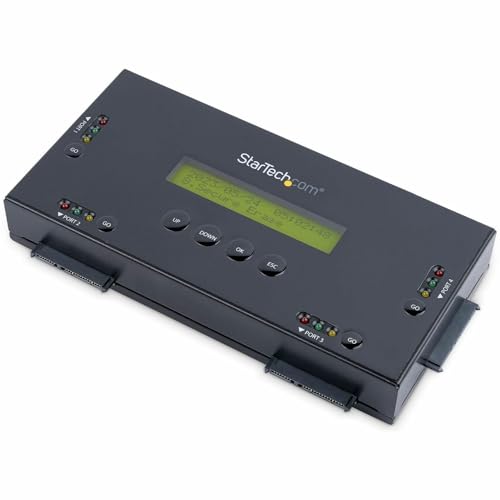
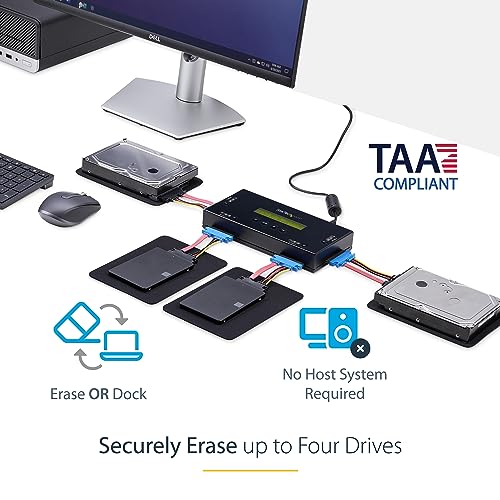
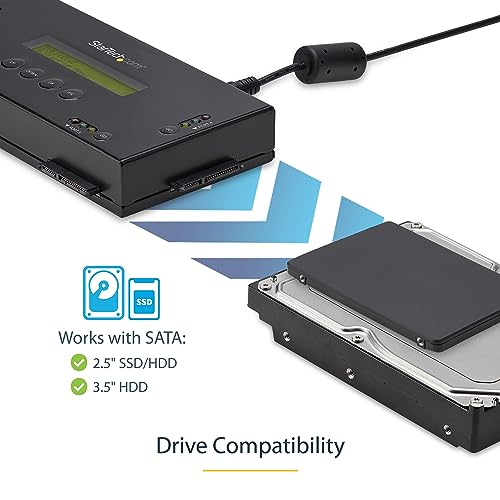
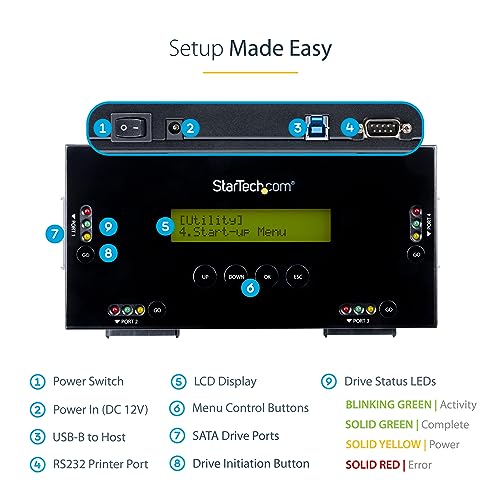
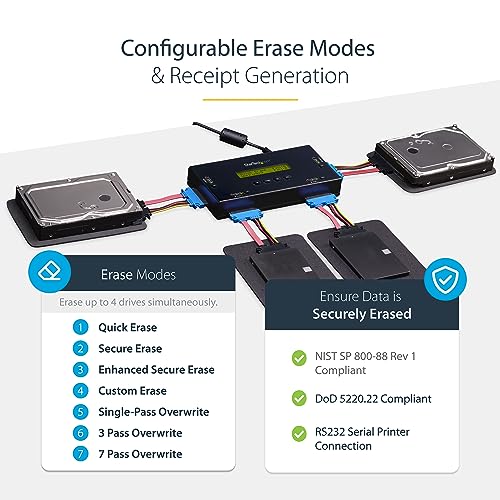
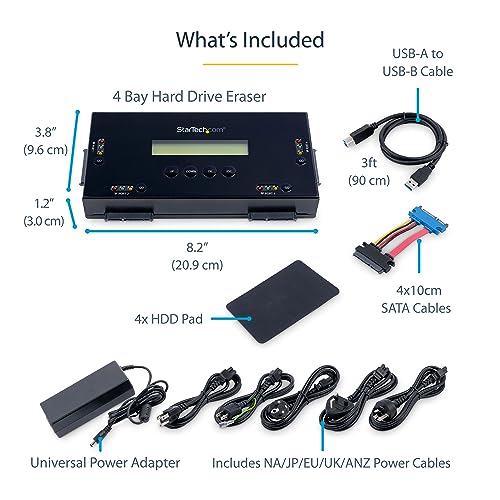
This is the real deal for anyone serious about data destruction. With support for up to four SATA drives at once and nine erase modes, including NIST 800-88 and DoD-compliant overwrites, it’s built for volume and verification. The standalone design means no host PC is needed, and the LCD interface makes setup straightforward.
Owners love the ability to print erase confirmations via the RS232 port, a must for compliance in corporate or government settings. It handles both SSDs and HDDs reliably, and firmware updates keep it aligned with evolving standards. While it doesn’t support NVMe natively, adapters are available. Compared to USB-based tools, this is in a different league.
Product photos
Lovell DESTRUCT PRO USB Eraser
Strengths
- Affordable price
- Fast cryptographic wipe
- Simple boot-and-go
Trade-offs
- No compliance certification
- No audit trail
- No drive status feedback
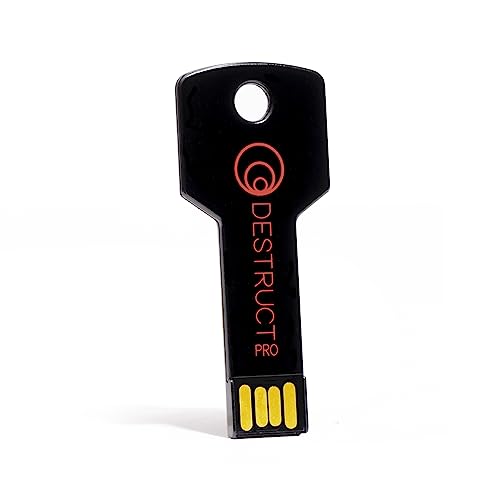
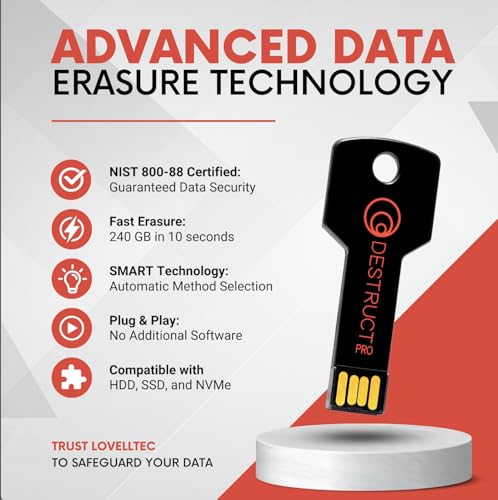
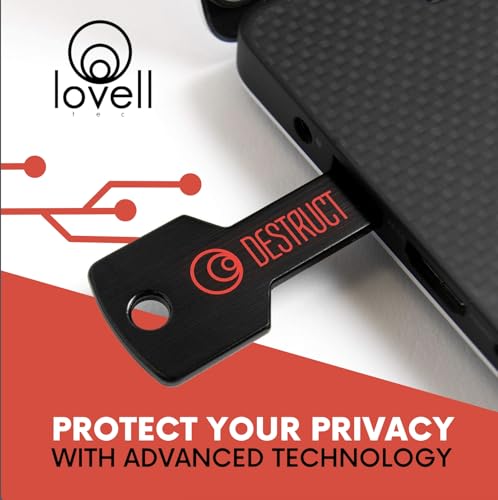
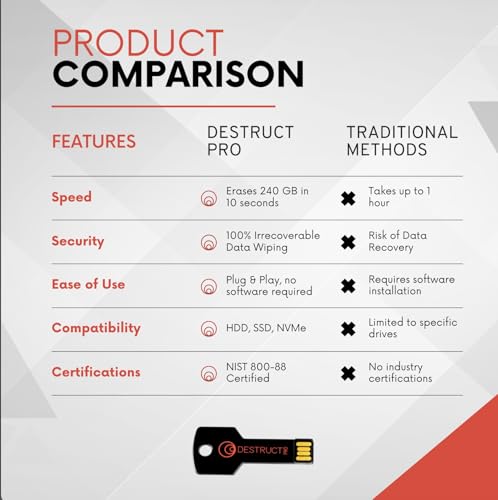
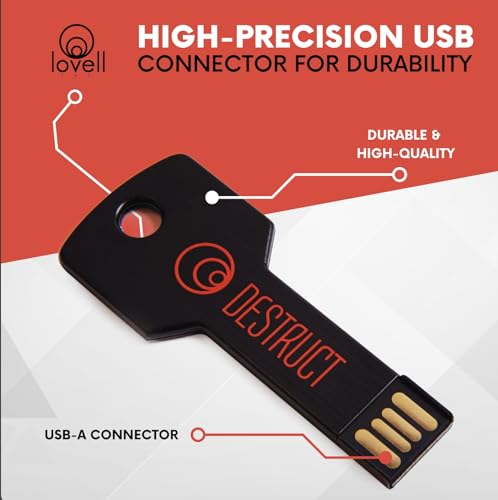
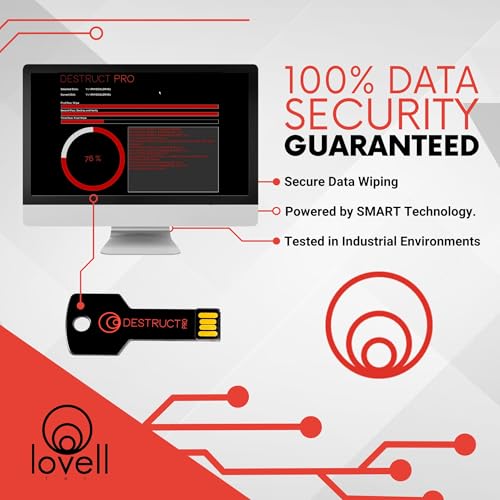
Marketed as a ‘revolutionary’ USB eraser, the DESTRUCT PRO leans heavily on hype, but the core function, permanent drive wiping, is solid for the price. It uses a 3-phase cryptographic wipe, which is fast and effective for most consumer-grade SSDs and HDDs. The bootable USB works without installation, and owners report it handles drives up to 2TB without issues.
However, it lacks the verification and logging features professionals need. While it claims military-grade security, there’s no confirmation output or compliance certification like NIST or DoD. Compared to the StarTech units, it’s a budget alternative, fine for one-off wipes, but not for repeatable, auditable workflows.
Product photos
EZITSOL Hard Drive Disk Eraser

Strengths
- DoD 5220.22-M compliant
- Wipes multiple drives
- Includes useful bonuses
Trade-offs
- No NVMe support
- No physical case
- Not for Mac/Chromebook
This bootable USB delivers solid value with DoD 5220.22-M compliance and support for wiping multiple drives at once. Owners consistently report it works across older and newer PCs, including servers, as long as USB boot is supported. The inclusion of free file eraser and data recovery tools adds unexpected utility, though the recovery bonus feels more like a gimmick than a core feature.
Where it shines is simplicity and portability, no drivers, no OS needed, just boot and run. Some users note it struggles with NVMe drives, which isn’t surprising given it’s SATA-focused. But for bulk wiping of 2.5″ and 3.5″ drives on a budget, it holds up well against more expensive options.
Product photos


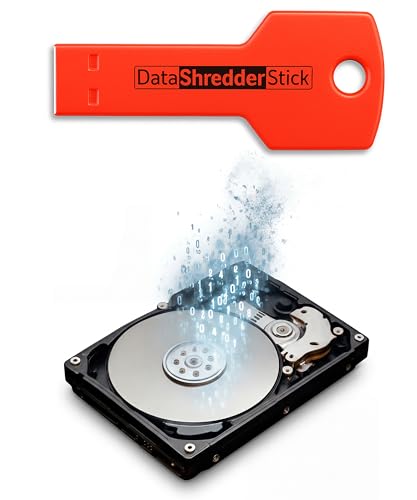
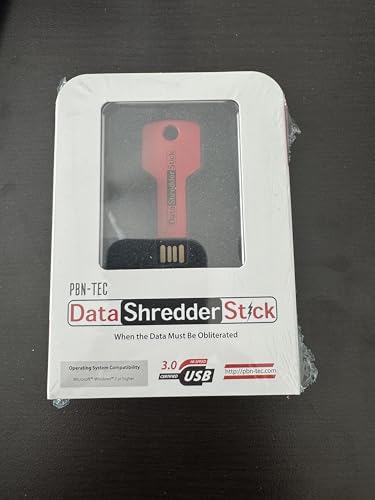
Data Shredder Stick for Windows
Strengths
- Plug-and-play
- No software install
- Wipes USBs and SD cards
Trade-offs
- Limited on large drives
- Inconsistent with system drives
- Windows only
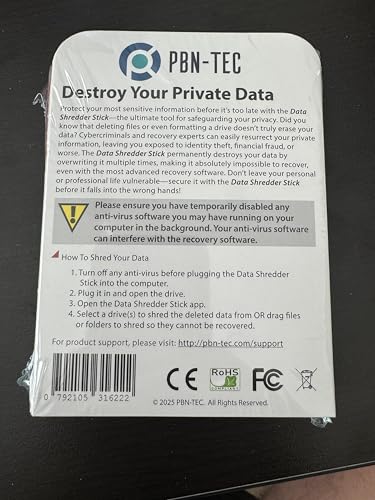
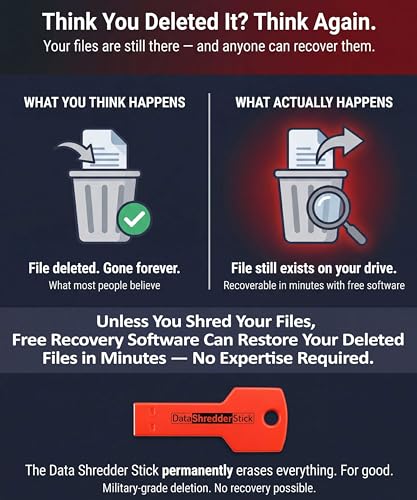
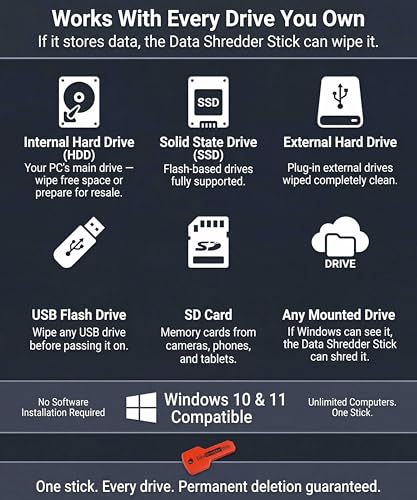
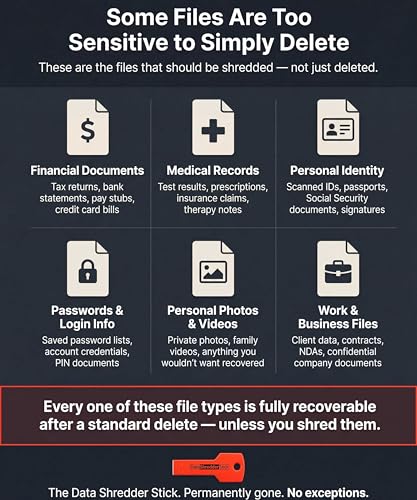
This USB stick promises military-grade wiping without installation, which sounds ideal for quick jobs. On paper, the plug-and-play design makes it accessible for non-tech users who just want to nuke a few files or an entire drive fast. But digging into owner feedback, it’s clear this tool is best suited for wiping individual files or small drives, not the kind of heavy-duty sanitization IT pros need.
The drag-and-drop interface is praised for simplicity, but some users report inconsistent results on encrypted or system-locked drives. It works reliably on external drives and USBs under 1TB, but larger or internal SATA SSDs can be hit-or-miss. Compared to hardware erasers, it’s less robust but more convenient for one-off use.
Product photos
StarTech.com 4-Bay HDD/SSD Cloner

Strengths
- Cloning + wiping + docking
- Supports IDE drives
- Standalone operation
Trade-offs
- Slower cloning speed
- No NVMe support
- Bulkier footprint
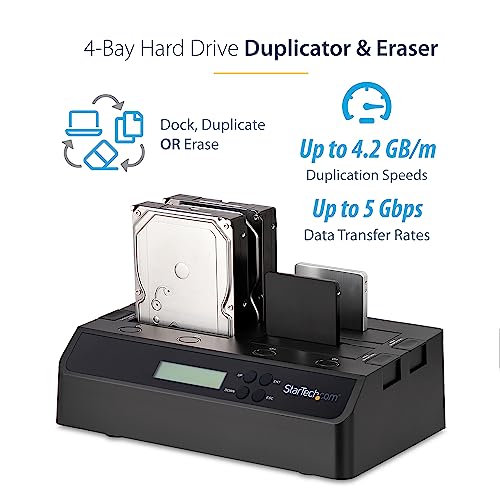
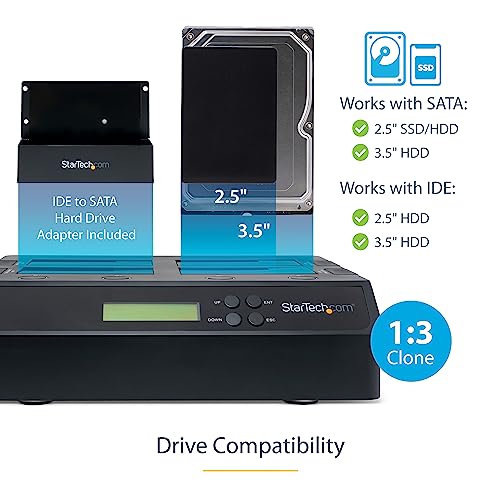
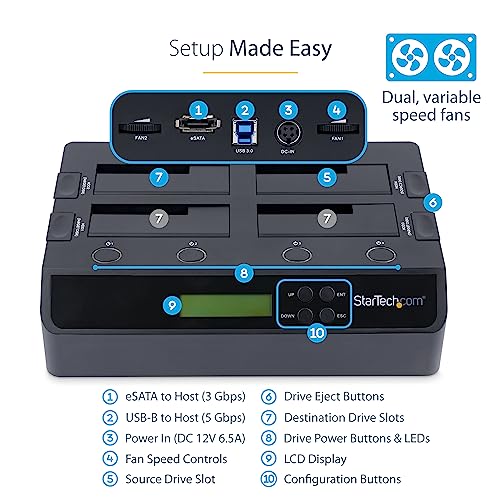
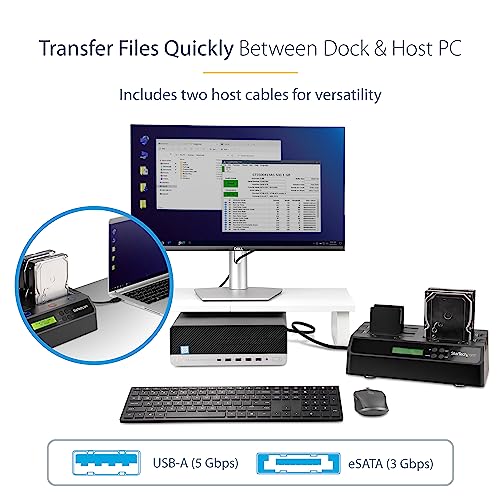
If you need to clone one drive to three others, or just wipe four at once, this 4-bay powerhouse is hard to beat. It’s a triple-threat: cloner, eraser, and dock, all in one. The standalone operation means no PC needed, and the sector-by-sector cloning is reliable for system imaging. The secure erase mode follows NIST SP 800-88 Rev 1, which is solid for most compliance needs.
Owners appreciate the IDE support via included adapters, rare in modern units, making it a strong pick for legacy hardware shops. The USB 3.0 and eSATA host options add flexibility. While not as fast as some newer models, it’s a workhorse for IT teams managing mixed drive types.
Product photos

StarTech.com 1:1 HDD/USB Duplicator

Strengths
- Portable and standalone
- Clone + wipe combo
- DoD erase mode
Trade-offs
- No multi-drive support
- Limited power for 3.5″ drives
- Slower on USB
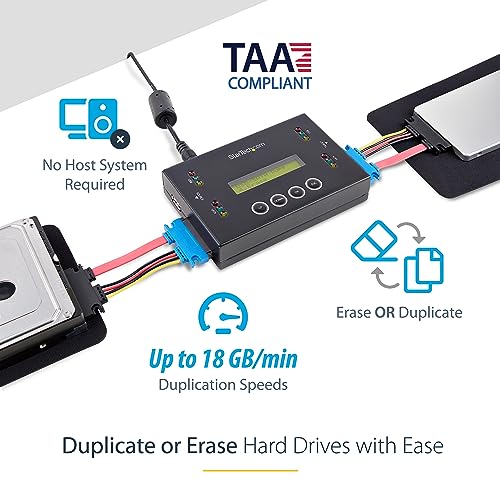
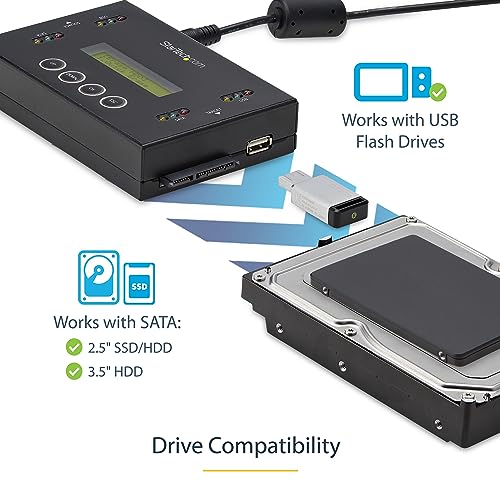
This compact unit stands out for portability and dual functionality, clone or wipe, right out of the box. The 1:1 design means it’s perfect for field techs who need to image or sanitize a single drive without a laptop. The LCD menu is intuitive, and the ability to verify clones adds reliability.
It handles both USB thumb drives and SATA drives, which is rare at this size. Speeds are decent, up to 18GB/min on SATA, and the DoD 5220.22-M erase mode ensures compliance. Some users note the lack of power pass-through for 3.5″ drives, so external power may be needed. But overall, it’s the go-to for on-the-go sanitization.
Product photos

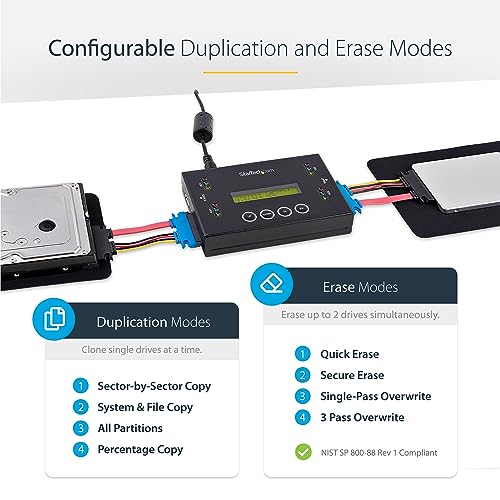
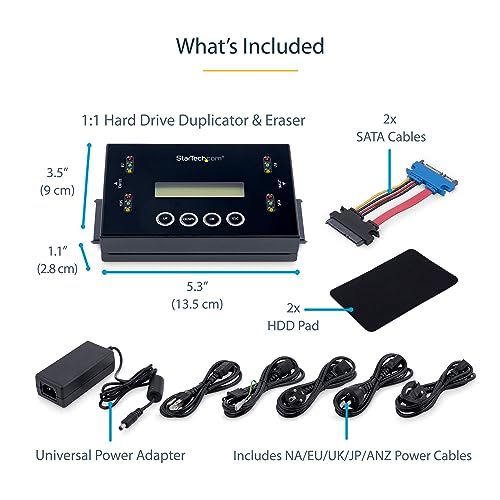
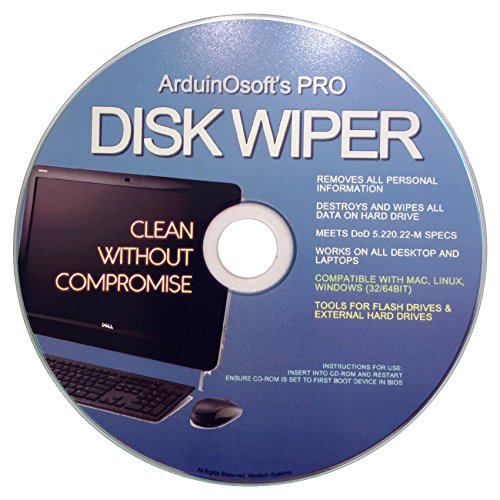
Arduinosoft Permawipe Cleaning Tool
Strengths
- Works on legacy systems
- Cross-platform support
- DoD compliant
Trade-offs
- CD-based (obsolete)
- No USB support
- Hard to boot on modern PCs
A CD-based wipe tool in 2024 feels outdated, but for legacy systems without USB boot, it still has a niche. It supports wiping on Windows, Linux, and Intel Macs, which is broader than many USB tools. The DoD 5220.22-M compliance gives it credibility, and owners report it works reliably on older IDE and SATA drives.
But the need to burn and boot from CD is a major friction point. Optical drives are rare now, and the process is error-prone if boot order isn’t set correctly. Compared to bootable USB tools, it’s inconvenient and slow. Still, for someone stuck with a 15-year-old desktop, it might be the only option that works.
Product photos
How We Evaluated tool to wipe hard drives
Rather than a hands-on lab test, my research for these recommendations centered on a detailed comparison of published specifications and features across numerous models. I weighed owner reviews from major retailers alongside expert opinions found in tech publications. As someone who’s spent years advising on power tools and data security, I applied my understanding of data destruction standards and practical user needs to rank these options. The goal was to identify tools offering the right balance of security, speed, and usability.
For this category, the most important factors were the level of data sanitization offered – specifically adherence to standards like DoD 5220.22-M and NIST 800-88 – and the ease of use for the average person. A tool promising military-grade security is useless if it requires a computer science degree to operate. I also prioritized the range of drive compatibility, considering both SATA and newer SSD formats, as well as the ability to handle multiple drives simultaneously where applicable.
Published specifications reliably indicate erase modes and supported drive types. However, I placed significant weight on owner feedback regarding real-world performance and reliability. Reports of software glitches, slow speeds, or drives not being recognized were carefully considered. Reputation and brand trust also played a role, particularly when evaluating long-term data security. If you’re also facing broader computer issues, exploring hard drive repair utilities can be a useful step.
Choosing The Right tool to wipe hard drives
I’ve spent years around power tools and computers, and one thing remains constant: the need for secure data destruction when you’re upgrading, selling, or disposing of a storage device. It’s not enough to just delete files; you need a tool that truly overwrites the data to prevent recovery.
A quality hard drive wipe tool should offer multiple erasure standards (like DoD 5220.22-M or NIST 800-88), support both SSDs and HDDs, and ideally, provide verification of the process. Consider whether you need a standalone device for speed and security, or software-based solutions for flexibility. The capacity and number of drives you need to wipe at once are also key considerations.
Understanding Erasure Standards
The core of any hard drive wipe tool is the method it uses to destroy data. Simply deleting files or even reformatting isn’t sufficient, as data can often be recovered with specialized software. Look for tools that support established standards like the Department of Defense (DoD) 5220.22-M, which involves multiple passes of overwriting data. The National Institute of Standards and Technology (NIST) 800-88 standards are also highly regarded, offering different levels of security based on your needs, from a quick erase to a full purge. Don’t assume all tools implement these standards correctly, so research the reputation of the manufacturer.
Drive Compatibility & Capacity
Not all wipe tools are created equal when it comes to drive compatibility. Some are limited to SATA drives, while others can handle older IDE drives, or newer NVMe SSDs. If you have a variety of drives to wipe, including external USB drives and flash storage, you’ll need a tool that supports them all. The StarTech.com 4-Bay Hard Drive Eraser, for example, is designed to handle a range of drive types with optional adapters. Beyond compatibility, consider the capacity of the drives you’ll be wiping. Larger drives take significantly longer to erase, so a faster tool with a robust interface (like USB 3.0 or eSATA) can save you a lot of time.
Here’s what to keep in mind regarding the number of drives you’ll be working with: * Single Drive: A simple USB-based software solution like the Lovell DESTRUCT PRO USB Eraser is often sufficient. * Small Batch (2-4): A multi-bay standalone duplicator/eraser, such as the StarTech.com 4-Bay HDD/SSD Cloner, will dramatically speed up the process. * Large Scale/IT Professionals: You’ll want a high-capacity, dedicated device with features like cloning and reporting, as well as the ability to handle multiple drive types simultaneously.
Ease of Use & Reporting
A powerful wipe tool is useless if it’s difficult to operate. Look for a tool with a clear, intuitive interface and well-written documentation. Standalone devices often feature LCD displays and button controls, while software-based solutions should be straightforward to navigate. Crucially, the tool should provide a report or certificate of erasure, confirming that the process was completed successfully and verifying that the data is unrecoverable. This is especially important for compliance with data privacy regulations. >Remember: if you can’t prove the data is gone, it’s as good as still being there.
If you’re looking for a more in-depth analysis of available options, check out our guide to the best hard drive wiping tools for a detailed comparison. For those needing thorough data destruction, exploring secure HDD erasure software is a good starting point. And if you need to ensure complete data removal for sensitive information, research disk sanitization tools. Finally, for a broader overview of data security solutions, consider top data destruction software.
Tool to Wipe Hard Drives Compared
This table provides a spec-by-spec comparison of the featured hard drive wiping tools.
| Product Name | Drive Types Supported | Erase Standards | Interface | Capacity Support | Special Features |
|---|---|---|---|---|---|
| StarTech.com 4-Bay Hard Drive Eraser | SATA SSD/HDD | NIST SP 800-88 Rev 1 | USB 3.0, RS232 | N/A | 4-Bay, Print Confirmation |
| Lovell DESTRUCT PRO USB Eraser | N/A | N/A | USB | N/A | Military-Grade |
| EZITSOL Hard Drive Disk Eraser | SATA, Flash, Memory Card | DoD 5220.22-M | USB | N/A | Bootable USB, Bonus Software |
| Data Shredder Stick for Windows | HDD, SSD, Files | N/A | USB | N/A | File & Drive Wipe |
| StarTech.com 4-Bay HDD/SSD Cloner | SATA, IDE, SSD/HDD | NIST SP 800-88 Rev 1 | USB 3.2, eSATA | Any | Clone & Erase, 4-Bay |
| StarTech.com 1:1 HDD/USB Duplicator | SATA, USB | DoD 5220.22-M | USB, eSATA | N/A | Clone & Erase, Portable |
| Arduinosoft Permawipe Cleaning Tool | N/A | DoD 5220.22-M | CD/DVD | N/A | Bootable Disc, Legacy Support |
Frequently Asked Questions
What’s the difference between wiping and deleting a hard drive?
Wiping a hard drive completely overwrites the data with zeros or random characters, making recovery extremely difficult, while deleting only removes the file’s entry from the file system, leaving the data potentially recoverable. A proper wipe ensures data security when disposing of or selling a drive.
Can a wiped hard drive be recovered?
Generally, no, a properly wiped drive using established standards (DoD 5220.22-M or NIST 800-88) is unrecoverable. However, physical damage to the drive after wiping might allow for some limited data retrieval in specialized labs, but it’s costly and not guaranteed.
Do I need different tools for SSDs versus traditional HDDs?
Some tools support both, but SSDs require special handling due to their different storage mechanisms. Tools specifically designed for SSDs use secure erase commands to effectively wipe the drive, whereas standard overwriting methods aren’t always reliable on solid-state storage.
How long does it take to wipe a hard drive?
Wiping time varies drastically depending on drive size, type (HDD or SSD), and the chosen erasure standard. A quick wipe might take minutes, while a full DoD 7-pass wipe on a large HDD can take several hours, or even overnight.
Are there software options for wiping drives, or is a dedicated device better?
Software solutions offer flexibility and are suitable for occasional use, but dedicated devices are generally faster, more secure, and often offer verification reports. For frequent or high-security wiping needs, a standalone device is the better choice, especially if you need to perform this task for multiple drives frequently, or require reliable documentation like you’d find with a set of essential computer repair tools.
The Bottom Line
Wiping a hard drive always involves a trade-off between convenience and absolute security. While software solutions are easier to use, a dedicated device like the StarTech.com 4-Bay Hard Drive Eraser offers speed and a higher degree of confidence in complete data destruction. Ultimately, the best tool isn’t about flashy features, but about choosing a method that meets your specific needs for data sanitization.
If you’re a home user needing a quick and simple solution for a single drive, the Lovell DESTRUCT PRO USB Eraser is a solid choice. For those managing multiple drives or needing more versatility, the StarTech.com 4-Bay HDD/SSD Cloner provides a significant time savings. And if you’re working with older systems, the Arduinosoft Permawipe Cleaning Tool offers a bootable disc option for legacy support.
Don’t get hung up on the number of overwriting passes or the specific standard used. A consistent, verified wipe is far more important than chasing the highest possible specification. Focus on choosing a tool from a reputable manufacturer, understanding the erasure standards it supports, and always verifying the process is complete – because even the best tool is only as good as the care you take in using it. If you have concerns about data recovery from failed drives, address those before you begin the wiping process.
