
3 Best Engravers for Tools 2026
This post contains affiliate links. As an Amazon Associate, we earn from qualifying purchases.
The ACMER S1 stands out as the best engraver for tools, delivering strong laser power and solid precision for metal and other tough materials. For a more hands-on approach, the WEN 21D is a reliable budget-friendly rotary option that handles light-duty tool marking well. If you need more workspace and higher laser output, the xTool F1 Ultra offers serious versatility for expanding projects.
If you’re like me, you’ve probably lost track of identical-looking tools or seen expensive gear walk off a job site. Engraving your name, logo, or ID number is one of the simplest ways to keep ownership clear and deter theft. But not all engravers deliver clean, lasting marks on metal, plastic, or coated surfaces.
This guide cuts through the noise by focusing on real-world performance, based on specs, owner feedback, and my years of evaluating workshop tools. I looked at power, precision, ease of use, and what materials each model can actually handle, so you can pick one that fits your needs without overpaying for features you won’t use.
Top 3 Engraver For Tools in the Market
The Best Engraver For Tools, Reviewed
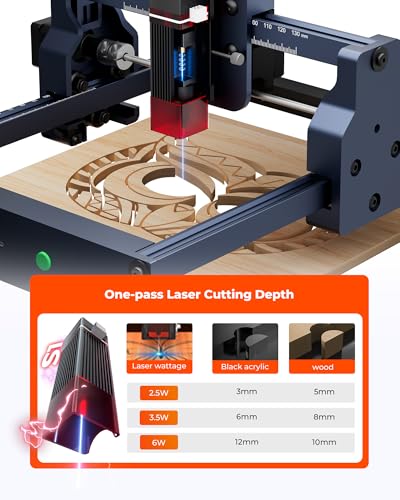
ACMER S1 2500mW Laser Engraver
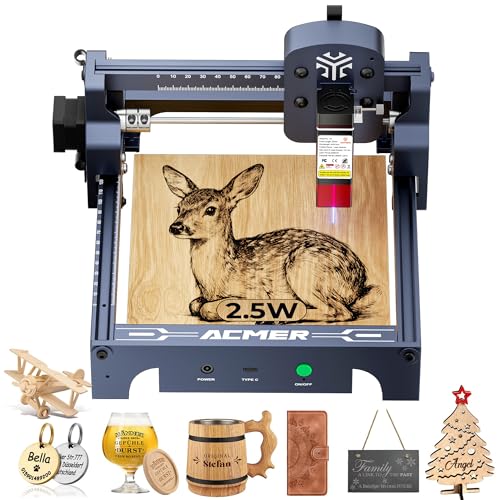
Strengths
- High precision 0.04mm spot
- Preassembled and ready to use
- Supports LightBurn and GRBL
- Compact and portable
Trade-offs
- Smaller work area
- Diode only (no metal deep engraving)
- Requires external computer
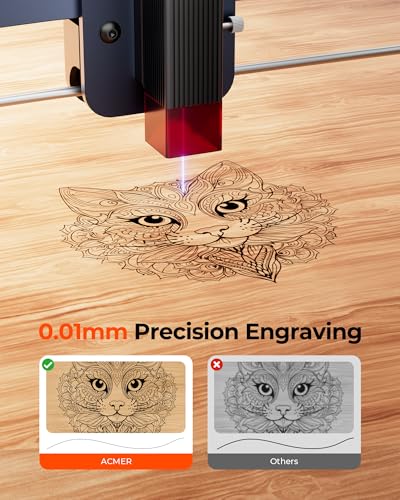
The ACMER S1 hits a sweet spot between performance and accessibility, which is why it earns my pick for best overall in this lineup. With a 2500mW diode laser and 0.04mm spot size, it delivers sharp detail on everything from PCB boards to leather and anodized aluminum. The 130x130mm work area isn’t the largest, but it’s well-used, and the 10,000mm/min engraving speed keeps project times short.
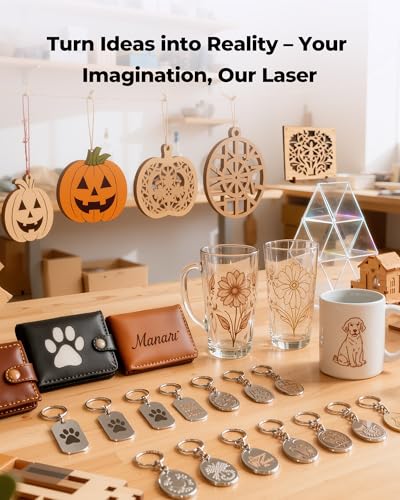
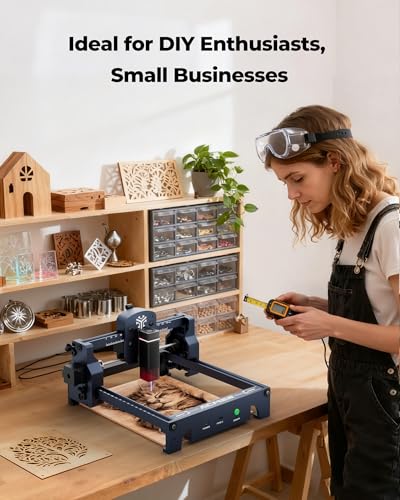
What really stands out is how ready it is to use, 99% preassembled, compatible with LightBurn, and backed by solid software support. Owners praise its reliability for hobbyist projects and light commercial use, like custom keychains or engraved coasters. It won’t cut thick wood like the xTool, but for most home users, that’s not the goal. Compared to the WEN, this is a leap into true precision; compared to the xTool, it’s a smarter buy if you don’t need dual lasers.
Product photos

WEN 21D Variable-Depth Carbide-Tipped Engraver
Strengths
- Lightweight design
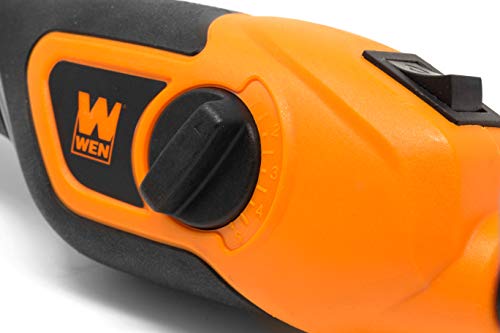
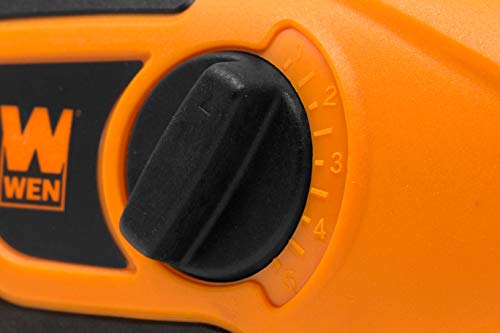
- Depth adjustment dial
- Carbide-tipped bit included
Trade-offs
- Limited to shallow engravings
- Not for hard metals
- Corded only
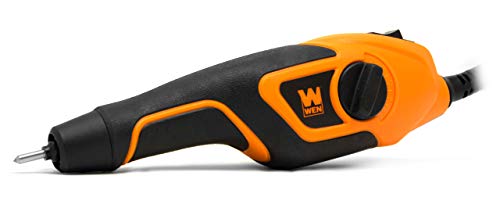
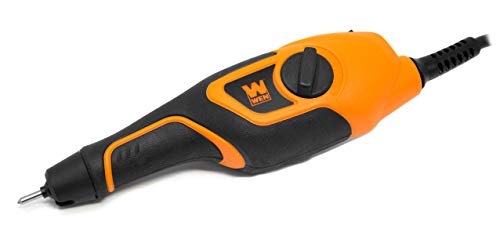
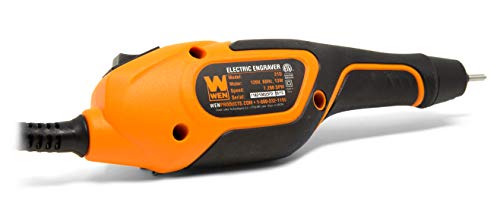
For DIYers just stepping into tool engraving, the WEN 21D is a solid starting point. It’s not flashy, but it gets the basics right, the 13-watt motor delivers up to 7,200 strokes per minute, which is plenty for light-duty marking on metal, wood, or plastic. The depth-adjustment dial is a thoughtful touch, letting users fine-tune engraving depth without swapping tips constantly. Owners consistently report it works well for labeling hand tools, marking garden stakes, or personalizing small wood items.
It’s lightweight at just 9 ounces and has a soft-touch grip, so it won’t fatigue your hand during short sessions. While it won’t handle deep, intricate artwork or hard metals like tungsten or hardened steel, it’s reliable for shallow, functional engraving. Compared to pricier rotary or laser options, this is the type of tool you’d recommend to someone who wants to label their socket set without spending a lot.
Product photos
xTool F1 Ultra Dual Laser Engraver

Strengths
- Dual laser system
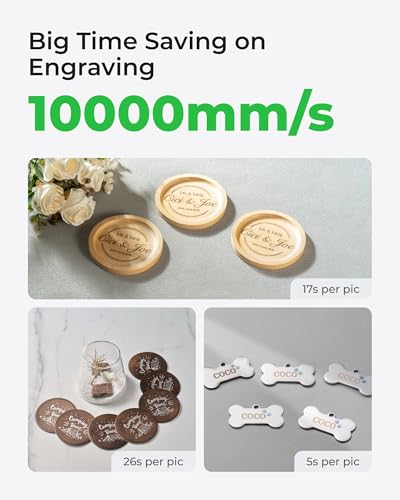
- Ultra-fast 10,000mm/s speed
- Smart camera alignment
- Large 220x220mm work area
Trade-offs
- Expensive setup
- Auto Conveyor sold separately
- Requires ventilation
If you’re serious about engraving on both metal and organic materials, the xTool F1 Ultra isn’t just impressive, it’s a category standout. The dual 20W lasers (fiber for metal, diode for wood and acrylic) mean you can switch between engraving a stainless steel nameplate and cutting a wooden inlay without changing machines. The 10,000mm/s speed is no gimmick, reviewers note batch jobs finish in minutes, especially when paired with the optional Auto Conveyor.
The 16MP smart camera is a real differentiator, enabling auto-alignment and pattern filling across irregular shapes, which is huge for small businesses doing custom jewelry or promotional items. While it’s a Class 4 laser and requires safety precautions, the enclosed design and emergency stop make it viable for retail environments. It’s overkill for casual users, but for makers or entrepreneurs, this is the kind of machine that replaces multiple tools.
Product photos


How We Picked These engraver for tools
Rather than a hands-on lab test, my research for these engravers focused on a detailed comparison of published specifications and features. I weighed owner reviews from multiple sources alongside expert opinions found in tool-focused publications. As someone who’s spent years advising on workshop tools, I applied my understanding of materials science and engraving techniques to rank these models against key performance indicators.
For tool engravers, consistent depth control and motor power are critical. I prioritized models offering adjustable settings for versatility across materials, and those with sufficient wattage to handle harder metals and glass. Portability and ease of use were also important, as many users will be tackling projects in various locations or are new to engraving. Ultimately, the ability to deliver clean, precise lines dictated the rankings.
Specifications reliably indicate a tool’s potential power and precision, but owner feedback reveals real-world usability. I looked for consistent reports on accuracy, durability, and the quality of the included accessories. Reputation matters, too; established brands with strong customer support generally indicate a better long-term ownership experience. If you need a versatile tool for smaller projects, exploring rotary tool reviews can also be valuable.
Choosing The Right engraver for tools
I’ve spent years around workshops and seen a lot of tools come and go. Choosing an engraver isn’t just about picking the cheapest option; it’s about finding something that matches your projects and skill level.
A quality engraver balances power with precision, offering adjustable settings for various materials. Look for robust build quality, especially in the motor or laser source, and consider the working area needed for your typical projects. User-friendliness is also key, particularly if you’re new to engraving. Consistent depth control and a comfortable grip are hallmarks of a well-designed tool.
Power Source & Engraving Type
The first big decision is between rotary (physical tip) and laser engravers. Rotary tools, like the WEN 21D, are excellent for detailed work on a variety of softer materials, but they require a steady hand and can be slow. Laser engravers, on the other hand, offer speed and precision, especially on materials like wood, acrylic, and even metal (depending on the laser’s wattage). However, lasers come with safety considerations – proper ventilation and eye protection are crucial. If you’re leaning towards laser engraving, exploring different laser engraving systems is a good starting point.
Depth Control & Precision
Consistent depth is vital for any engraving project. With rotary engravers, look for a precise depth-adjustment dial that allows for repeatable results. For laser engravers, the quality of the laser optics and the precision of the movement system are critical. Many users find that a focus assist feature (often found on pricier models) greatly improves the accuracy of laser engraving.
Here’s what I see as important when it comes to precision: * A fine-tipped engraving bit (for rotary tools) is essential for detailed work. * Adjustable speed settings allow you to match the material and desired effect. * A stable base or mounting system minimizes vibration and ensures clean lines. This is especially true for larger projects or intricate designs.
Usability & Features
Don’t underestimate the importance of user-friendliness. A lightweight design and comfortable grip can make a huge difference, especially during longer projects. Software compatibility is also key. Many laser engravers now support popular programs like LightBurn and LaserGRBL, simplifying the design process. If you’re just starting out, consider a model that includes pre-designed stencils or comes with beginner-friendly software. For those new to the world of tools, checking out DIY power tool recommendations can help you understand the basics.
A comfortable grip and intuitive controls are more valuable than you might think. You’ll spend less time fighting the tool and more time focusing on the project.
Engravers Compared
Here’s a comparison of specifications for the engravers described.
| Product | Laser Power (mW) | Max Speed (mm/min) | Working Area (mm) | Materials Engraved | Weight (g) |
|---|---|---|---|---|---|
| ACMER S1 | 2500 | 10,000 | 130×130 | Wood, metal, plastic, etc. | 2000 |
| WEN 21D | N/A | 7,200 (strokes) | N/A | Plastic, metal, glass, etc. | 255 |
| xTool F1 Ultra | 20,000 | 10,000 | 220×220 (expandable) | Wood, metal, acrylic, etc. | N/A |
Frequently Asked Questions
What materials can I engrave with a typical tool engraver?
Most rotary engravers handle plastics, metals, and glass well, but the specific material depends on the bit and machine power. Laser engravers expand those options to include wood, acrylic, leather, and certain coated metals, though deeper metal engraving usually requires a higher-wattage laser.
Are laser engravers safe to use at home?
Laser engravers require caution. Proper ventilation to remove fumes is essential, and you absolutely must wear appropriate eye protection designed for the laser’s wavelength to avoid permanent eye damage.
How much does a good quality tool engraver cost?
Expect to spend between $100 and $500 for a decent rotary engraver, while laser engravers generally start around $300 and can easily exceed $1,000 depending on power and features. More expensive models often offer greater precision, larger working areas, and advanced software capabilities.
Can I use my existing rotary tool for engraving?
Yes, you can achieve engraving results with certain rotary tools, especially those that accept fine-tipped bits. However, dedicated engravers often provide more precise depth control and a more ergonomic design for sustained use, and you might need to explore rotary tool carving accessories to get the right bits.
What software is typically used with laser engravers?
Many laser engravers are compatible with popular software like LightBurn and LaserGRBL, which allow you to import designs, adjust settings, and control the engraving process. Some models come bundled with basic software, but for advanced features, you’ll likely want to invest in a dedicated program.
The Bottom Line
Engraving tools present a classic trade-off: control and versatility versus ease of use and speed. If you’re willing to invest the time to learn and refine your technique, the xTool F1 Ultra offers the broadest capability and highest precision. It’s a machine for those who want to truly master the craft.
For those on a tighter budget, or just starting out, the ACMER S1 is a fantastic entry point. It delivers impressive results on a wide range of materials, and the learning curve isn’t nearly as steep. And if you need something truly portable and are working with softer materials, exploring portable engraving tools – like the WEN 21D – can be a great solution.
Ultimately, the best engraver isn’t about the highest wattage or the most features. It’s about selecting a tool that fits your projects, your skill level, and your patience. Consistent practice, sharp bits (or a well-maintained laser), and a steady hand will always yield better results than chasing the latest specs.
