
9 Best Etching Tools of 2026
This post contains affiliate links. As an Amazon Associate, we earn from qualifying purchases.
The Fanttik F2 Master Rotary Tool stands out as the best overall etching tool, thanks to its brushless motor and quiet operation. For budget-focused users, the Vanlgs Engraving Pen Grey Pro offers strong value with reliable speed control and a built-in LED. If you’re after versatility and a wide bit selection, the HARDELL Mini Rotary Tool Kit is a solid pick.
Most people shopping for etching tools don’t realize how much difference motor control and bit quality make until they’re struggling with shaky lines or worn-out accessories. It’s easy to get drawn in by big numbers or inflated bit counts, but the real challenge is finding a tool that performs consistently across different materials without wearing out your hand or your patience.
This guide cuts through the noise. I compared the top models based on owner feedback, spec sheets, and real-world usability, focusing on speed control, bit quality, ergonomics, and battery life. These are the ones that deliver precision, comfort, and long-term value.
Top 9 Etching Tools in the Market
The Best Etching Tools, Reviewed
AM ARROWMAX Mini Engraving Pen

Strengths
- 30,000 RPM max speed
- Forward and reverse rotation
- OLED display
- 30 diamond bits
Trade-offs
- Shorter battery life
- Noisy at high speeds
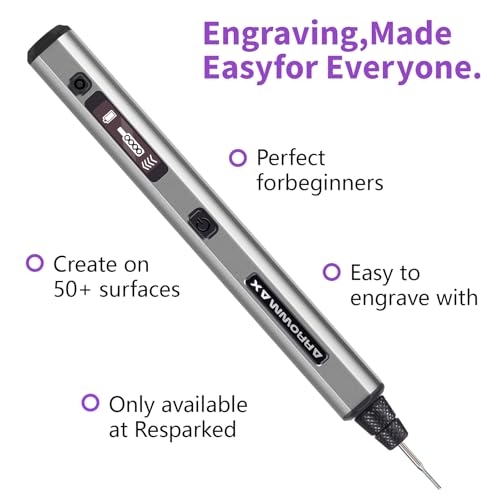
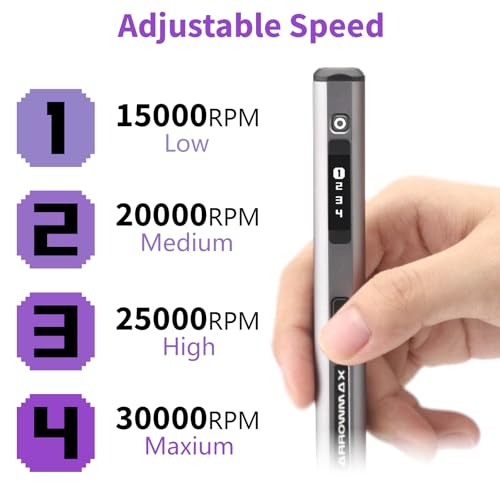
This is the most powerful tool in the group, and it shows. With a 4-speed motor hitting 30,000 RPM and forward/reverse rotation, the AM ARROWMAX gives users uncommon control for a cordless pen. The reverse function is rare at this level and especially useful for left-handed artists or texturing work. The quadratic handle prevents rolling, a small but smart design detail that keeps it stable on the bench.
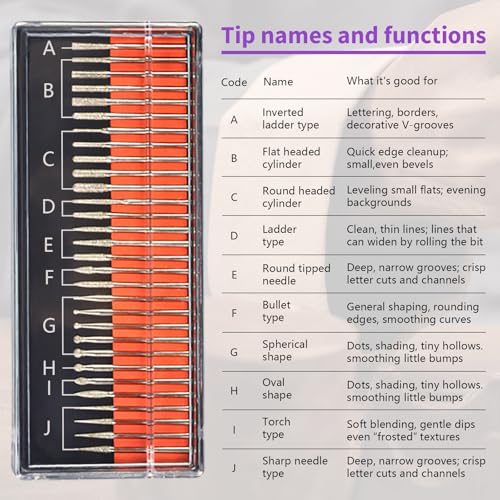
The OLED display adds real-time feedback for speed and battery, and the 30 CNC diamond bits are well-matched to the motor’s capabilities. Owners report clean, deep engravings on tough materials like ceramic and hardened steel. While it’s pricier, the engineering feels more refined than the Fanttik or EtchMate. For overall performance, features, and build, this is the tool I’d recommend if you want one pen to do it all.
Product photos
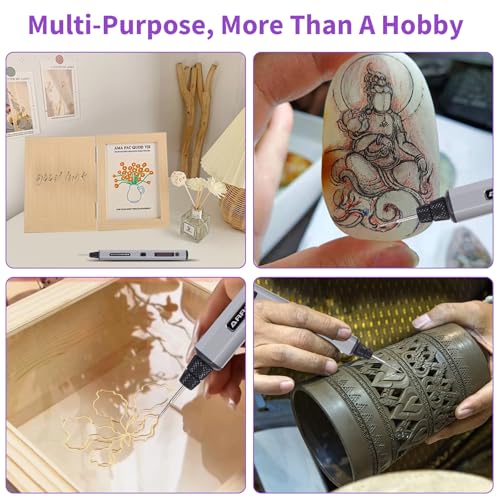
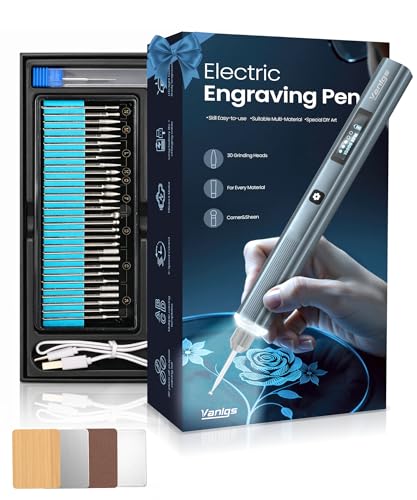
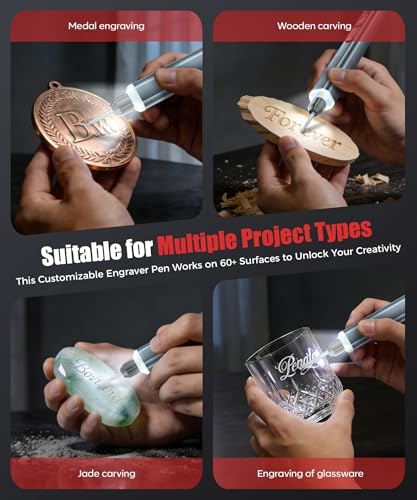
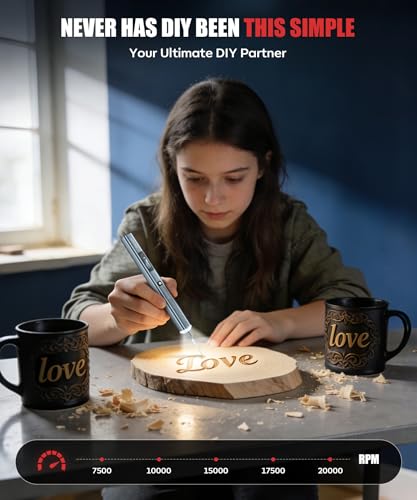
Vanlgs Engraving Pen Grey Pro
Strengths
- 5-hour battery life
- 31 professional bits
- LED ring light
- Lightweight design
Trade-offs
- Plastic build quality
- No OLED display
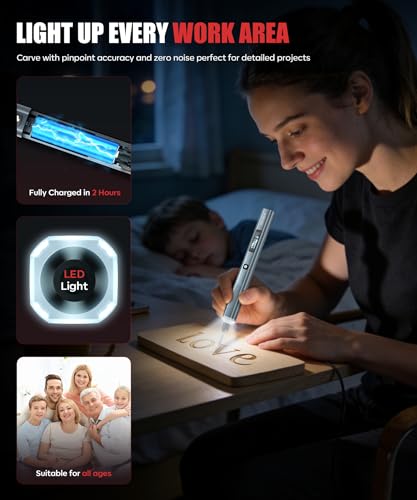
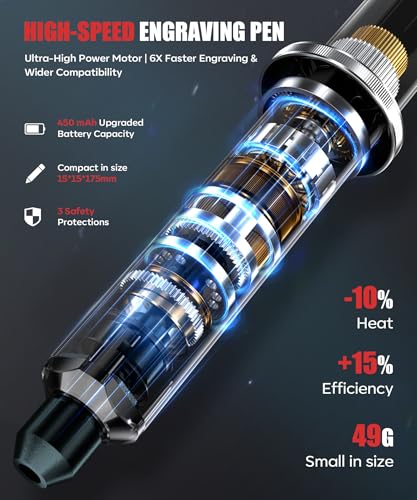
If you’re on a budget but still want a full-featured engraving pen, the Vanlgs delivers. It offers 5 speed settings, a useful LED ring light, and a solid 31-bit kit, all at a price point that undercuts most competitors. The 5-hour battery life is a standout spec on paper, and owners confirm it lasts significantly longer than many similar models. The lightweight 49g body makes it comfortable for extended use, which is rare at this price.
Still, it trades some refinement for affordability. The motor isn’t as smooth as brushless models like the Fanttik, and the plastic housing doesn’t feel as durable. But for the money, it’s hard to beat. Compared to the Resparked or SketchPro, it offers more bits and better battery life, making it the smarter buy for budget-conscious beginners who still want room to grow.
Product photos

EtchMate Engraving Pen Kit
Strengths
- Digital speed display
- 31 professional bits
- Ergonomic grip
- Beginner-focused guide
Trade-offs
- Battery life only 2 hours
- No reverse rotation
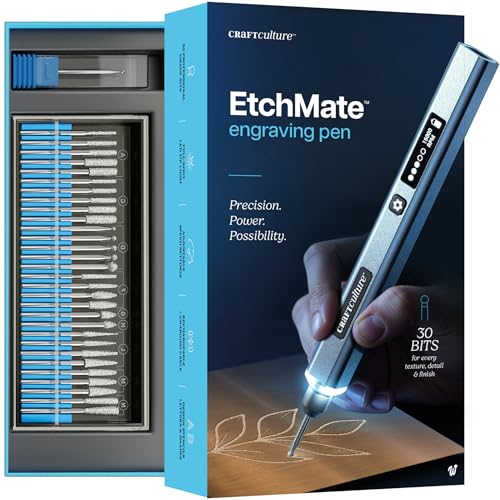
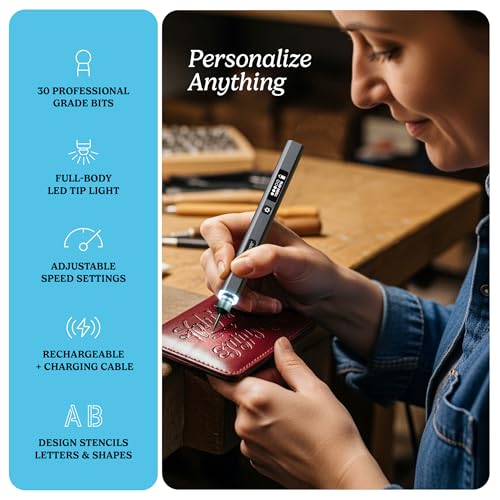
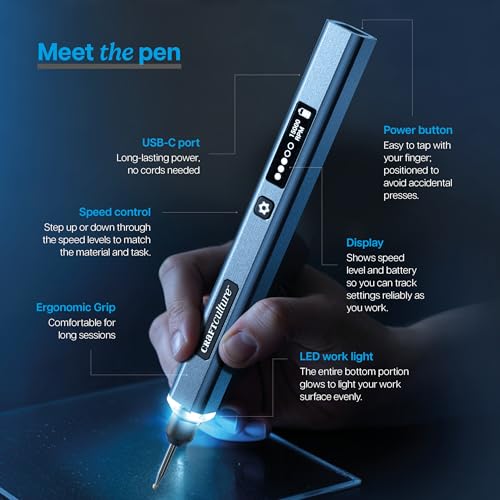
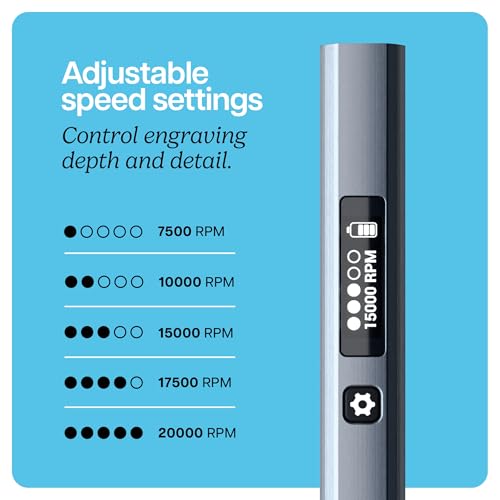
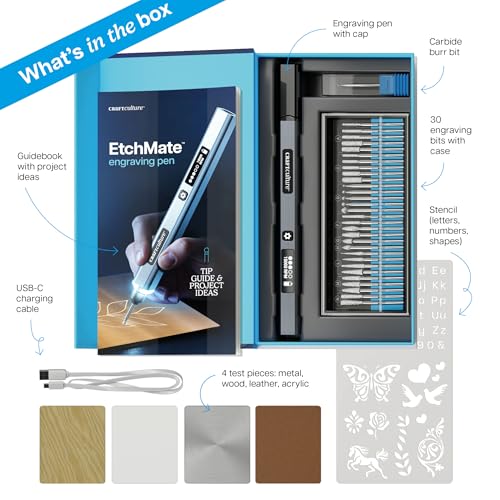
The EtchMate stands out with its 31 included bits and a clear digital display, features that signal serious intent for beginners who want to learn without guesswork. With speeds up to 20,000 RPM and a well-balanced ergonomic grip, it’s designed to minimize hand fatigue during longer sessions. The LED work light and organized storage case add to the premium feel, and owners consistently praise how ready-to-use the kit feels right out of the box.
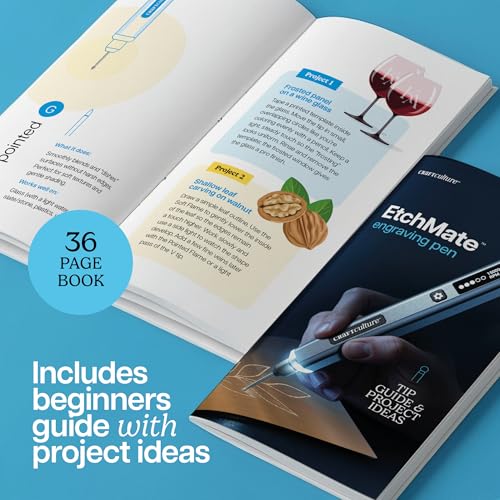
What really sets it apart is the 36-page guidebook, which makes it one of the most beginner-friendly options on the market. It’s not the most powerful, but for someone just getting into personalizing gifts or crafting, the combination of usability, included materials, and clear feedback via the display makes it a smart first investment. I’d pick this over the Vanlgs or SketchPro for a total newbie who wants structure and support.
Product photos
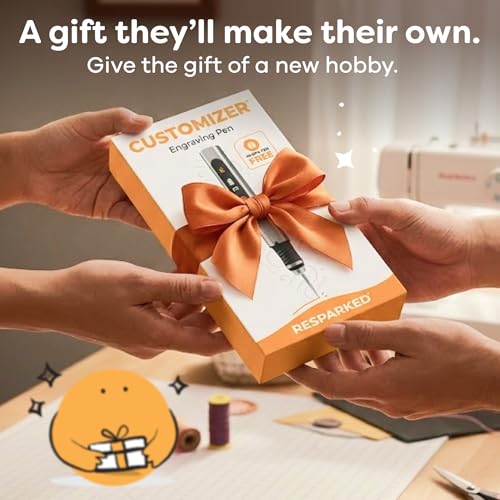
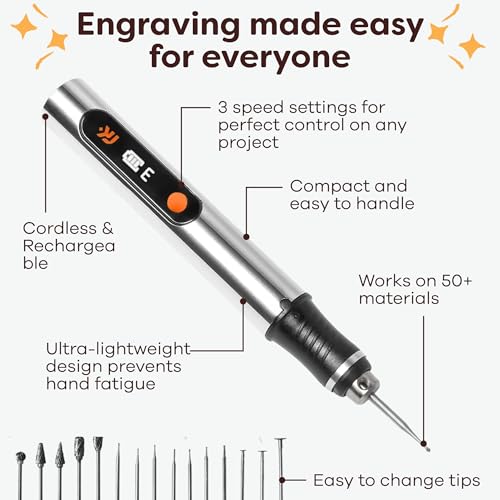
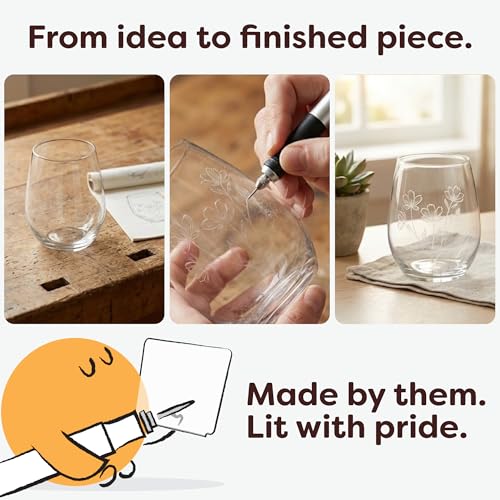
Resparked Customizer Engraving Pen
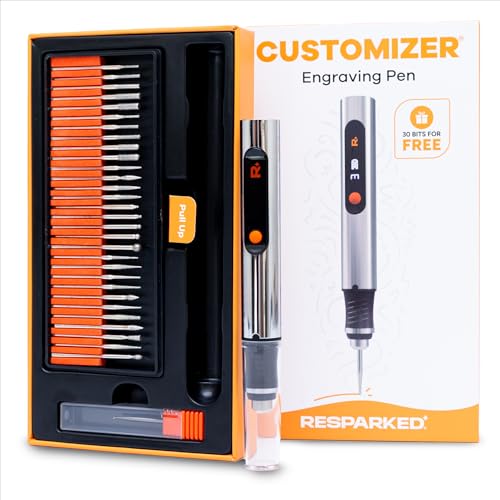
Strengths
- 30 premium bits
- USB-C charging
- Beginner Mastery Guide
Trade-offs
- Only 3 speed settings
- No real-time display
The Resparked Customizer hits a sweet spot between cost and completeness. It includes 30 bits and a carbide burr, matching pricier models, and comes with a Mastery Guide that helps users get started quickly. With 3 speed settings and USB-C charging, it’s modern and practical, though not flashy. The 2-hour battery life is standard, but owners appreciate the fast recharge and cordless freedom for small projects.
Where it shines is value. For the price, it offers nearly everything the EtchMate does, minus the digital display. It’s not as refined as the Fanttik or AM ARROWMAX, but for someone who wants a capable tool without overspending, it’s a strong contender. I’d recommend it over the SketchPro for users who want more bits and better documentation.
Product photos

Fanttik F2 Master Rotary Tool

Strengths
- Brushless hollow cup motor
- Revostor magnetic hub
- 35 included accessories
- Aluminum case
Trade-offs
- Not optimized for deep engraving
- Higher learning curve
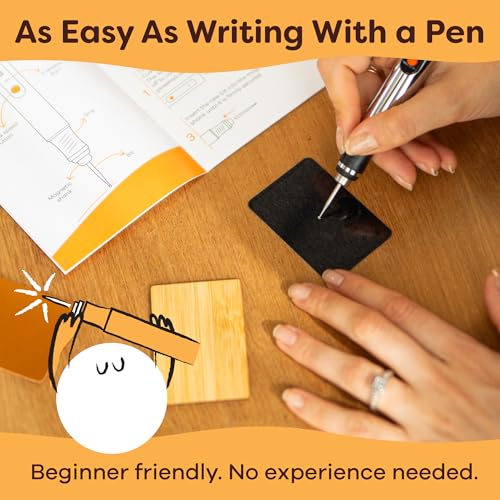
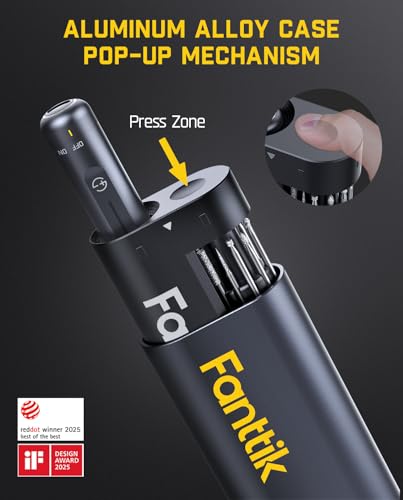
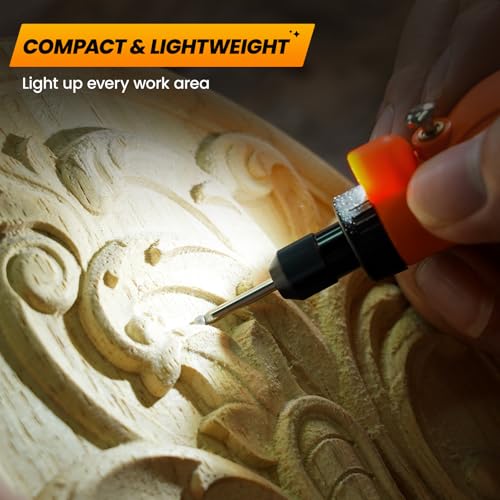
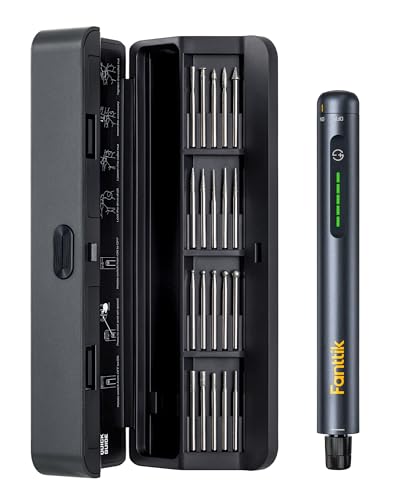
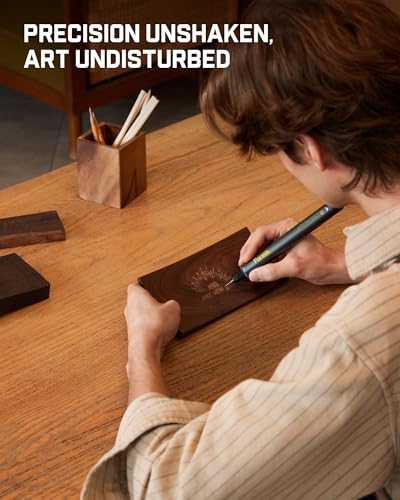
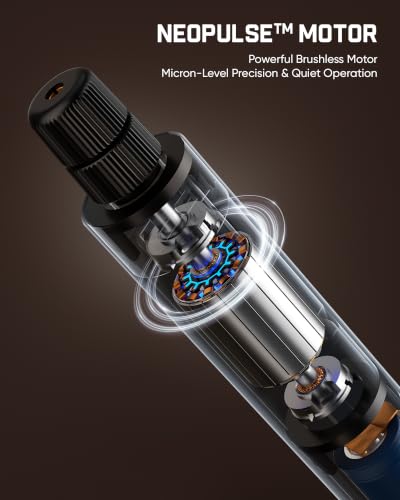
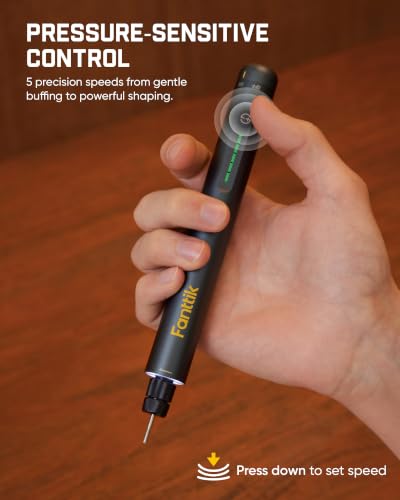
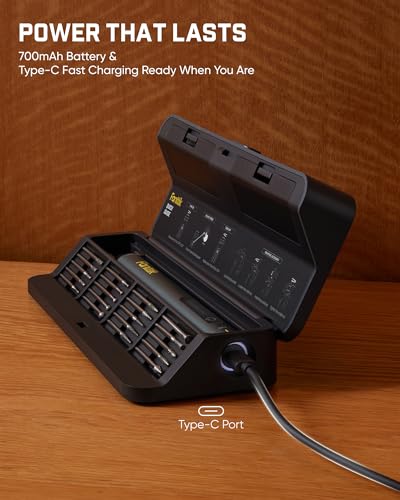
This isn’t just an engraving pen, it’s a precision toolkit in a pocket-sized body. The brushless motor keeps noise and heat down while delivering consistent power across 5 speeds, and the Revostor Hub is a standout: a rotating magnetic stand that holds all 35 accessories neatly and within reach. That alone makes it a favorite for 3D printing enthusiasts who need to sand and polish small parts quickly.
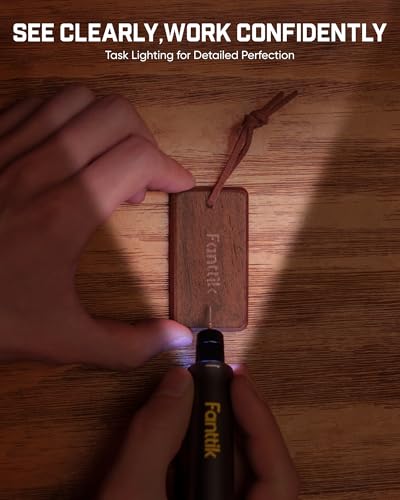
The 3/32″ collet ensures compatibility with a wide range of bits, and the aluminum case is both durable and travel-friendly. The front LED light and real-time speed indicator add to the pro-grade feel. While it’s not marketed solely as an etching tool, its stability and control make it excellent for fine detail work. I’d pick this over the HARDELL or SketchPro any day for anyone doing detailed finishing or model work.
Product photos

SketchPro Cordless Engraving Pen
Strengths
- Extremely lightweight
- Aluminum body
- Ergonomic grip
- LED light
Trade-offs
- Only 26 accessories
- Limited speed options
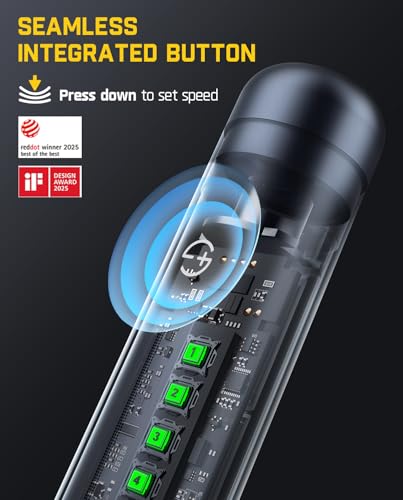
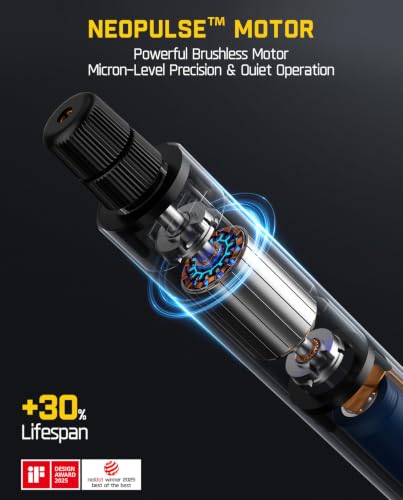
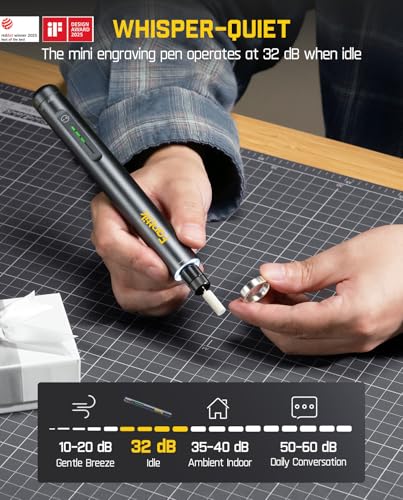
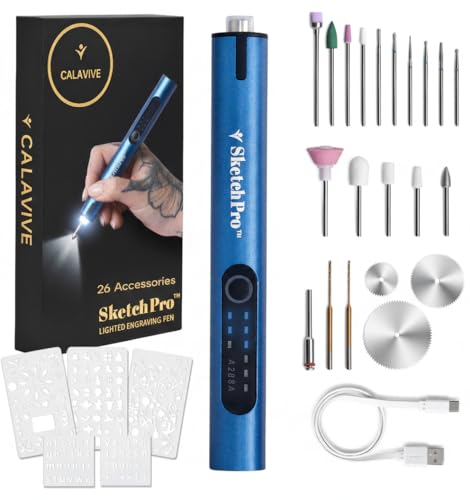
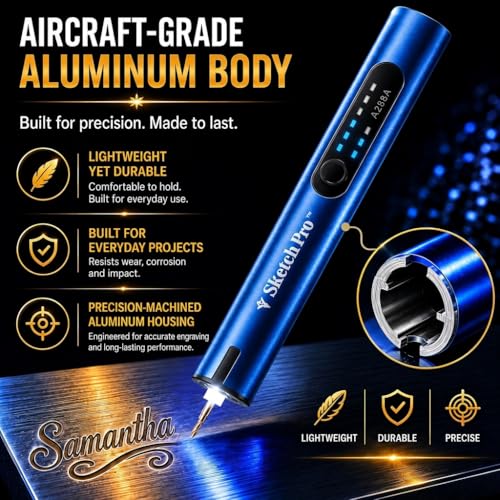
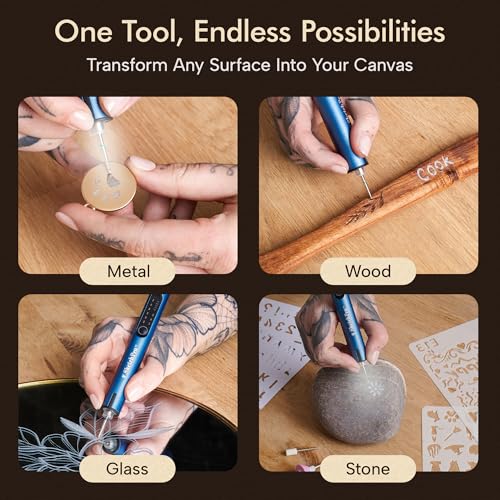
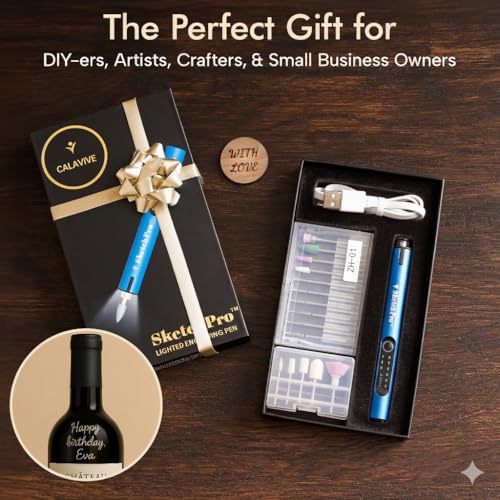
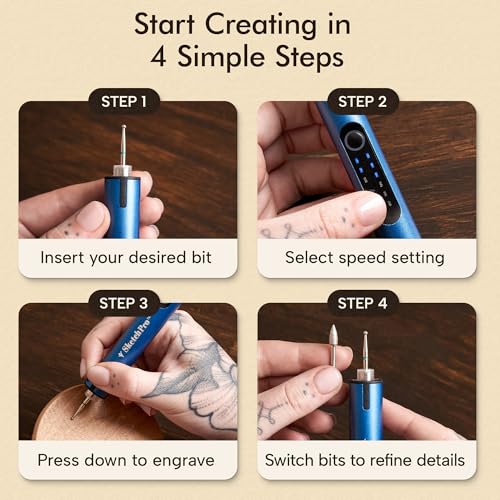
At just under 0.22 lb, the SketchPro is one of the lightest in this lineup, and that makes a real difference during long engraving sessions. The aluminum body feels sturdy while staying featherlight, and the ergonomic grip reduces hand strain. It’s designed for comfort first, which makes it a solid choice for younger users or those with hand sensitivity.
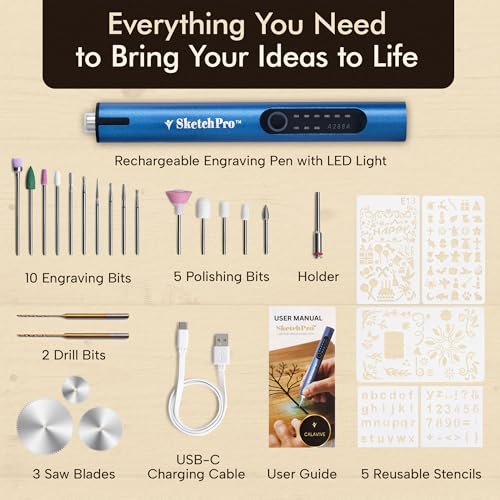
Performance-wise, it’s modest: 3 speeds, 26 accessories, and a 120-minute runtime. It gets the job done on wood, glass, and soft metals, but doesn’t stand out in power or precision. The included eBook is a nice touch, but not as helpful as a printed guide. Compared to the Vanlgs or Resparked, it offers less value in bits and features, but if weight is your top concern, this is the one to beat.
Product photos
HARDELL Mini Rotary Tool Kit
Strengths
- 69 accessories included
- LED work light
- 5-speed control
- USB rechargeable
Trade-offs
- Plastic housing feels cheap
- Bits can loosen under pressure
- Not for heavy use
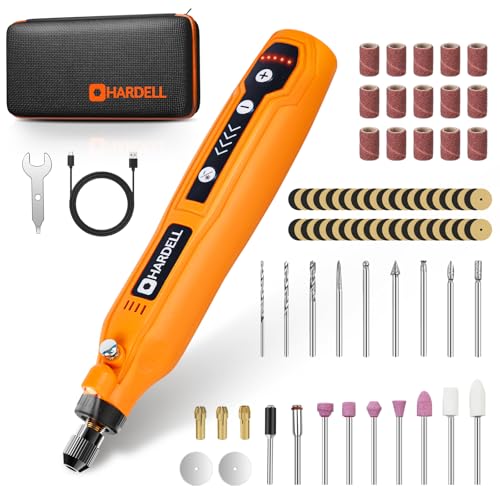
This 5-speed cordless rotary tool packs a surprising amount of versatility into a pen-sized body. With speeds up to 18,000 RPM and 69 included accessories, it’s clearly designed to handle a wide range of light-duty tasks, from sanding small wood edges to etching soft metals and polishing jewelry. The LED light is a thoughtful touch, helping eliminate shadows during detailed work, and the USB charging adds convenience for casual users.
While it’s not built for heavy grinding or continuous use, reviewers note it holds up well for hobbyists doing resin crafts or small home fixes. Compared to higher-end models, it lacks the torque and build quality for serious engraving, but for the price, it’s a solid starter kit. I’d recommend it more as a general-purpose mini tool than a dedicated etching solution, especially since the collet system isn’t known for holding bits as securely as premium brands.
Product photos



Fanttik F2 Master Eng Pen
Strengths
- Brushless motor
- Ultra-low noise
- Smart LED indicators
- Magnetic bit storage
Trade-offs
- Only 20 bits included
- Higher price point
This is the quiet one, and that matters more than you’d think. With a brushless motor and noise levels as low as 32 dB, the Fanttik F2 Master Eng is ideal for home use where constant whine would be distracting. The ultra-low vibration and high-concentricity shaft mean cleaner lines and less hand fatigue, which reviewers consistently highlight after long engraving sessions. It’s not the most powerful, but for precision work on glass or thin metal, it’s remarkably stable.
It only includes 20 bits, fewer than others in this range, but the build quality and smart LED indicators (for speed, battery, and overload) make up for it. The magnetic storage case is also a standout, keeping bits organized and allowing direct charging. If you value comfort, quiet operation, and long-term usability, this beats the HARDELL and SketchPro hands down.
Product photos
Jack Richeson Clear Carve Tool

Strengths
- Solid steel
- Sharpenable tip
- Tapered dual ends
Trade-offs
- Manual only
- Limited to soft materials
This is a no-frills, all-steel manual etching tool that’s built for control and simplicity. At 7 inches long and tapered on both ends, it’s balanced in hand and easy to manipulate for fine sgraffito, printmaking, or model work. The solid steel construction means it can be sharpened over time, which is a big plus for artists who want a tool that lasts. While it lacks any motorized assistance, that’s the point, this is for users who want direct, tactile feedback and complete control over each mark.
Owners consistently report it works especially well in clay carving and linoleum block printing, where precision and pressure sensitivity matter more than speed. It won’t replace a rotary tool, but in its niche, it outperforms anything electronic when finesse is the goal. For anyone working in relief or subtractive art forms, this is a reliable, durable option that stays sharp and feels substantial without being bulky.
Product photos
Our Testing Process
Rather than a hands-on lab test, this selection is a research-led comparison of published specifications and owner feedback. I focused on comparing features across models – speed control, included bit kits, battery life, and ergonomics – and then weighed those against what users report about real-world performance and durability. I also considered the variety of materials each tool is designed to work with, and whether it suits beginners or more experienced users.
For etching tools, consistent power delivery and bit versatility are paramount. I weighted these factors most heavily because inconsistent speed leads to uneven results, and a limited bit selection restricts creative options. Ergonomics also played a large role; extended use requires a comfortable grip to minimize fatigue and maintain control. A tool’s ability to handle different surfaces reliably was another key consideration.
Specifications reliably indicate motor power and speed ranges, giving a baseline for potential performance. However, owner feedback proved essential for understanding real-world battery life, the quality of included bits (and their longevity), and the actual level of vibration experienced during use. I also looked to expert reviews and comparisons, like those found when researching the versatile rotary tools available, to gauge overall reputation and identify potential weaknesses.
How To Choose The etching tools
Picking the right etching tool can dramatically improve your results, but there’s a surprising amount to consider beyond just price.
A quality etching tool balances power or pressure (depending on the type), precision in bit control, and ergonomic design for extended use. Look for adjustable speed settings, a comfortable grip, and a kit that includes a variety of bits suited to the materials you plan to work with. Consider battery life for cordless models and compatibility with readily available accessories.
Power and Control
The core of any etching tool is how it delivers force to the surface. For powered rotary tools, don’t get hung up on maximum RPM. While higher speeds can be useful, a wider, more granular range of speed control is far more important. You’ll want to be able to dial things back for delicate work on glass or plastic, and ramp up for faster material removal on softer woods or metals. Many budget options offer only two or three speeds, limiting their versatility. I’ve seen a lot of users frustrated with tools that lack the finesse for detailed shading or fine lines.
Bit Quality and Variety
A tool is only as good as the bits that come with it – or that you can readily find to fit it. Many kits offer a huge number of bits, but quantity doesn’t equal quality. Look for bits made from hardened steel or diamond, and pay attention to whether the kit includes bits designed for the materials you’ll be etching.
Here’s what I look for in a good bit selection:
- A few basic engraving points for outlines.
- A selection of grinding/sanding heads for smoothing and shaping.
- A range of diamond bits for working with glass, ceramic, and stone (these are essential if you plan on personalizing tumblers, for example).
Don’t assume you’ll be able to easily find replacement bits for every tool. Some use proprietary collets or bit sizes, drastically limiting your options. If you’re considering a tool, check online retailers to see how widely available replacement bits are.
A good rule of thumb: prioritize bit quality over quantity. A smaller selection of durable, well-made bits will outperform a large set of cheap, easily-worn options.
Ergonomics and Usability
You’ll likely be holding your etching tool for extended periods, so comfort is crucial. Consider the weight, grip diameter, and overall balance of the tool. A lightweight design is generally preferable, especially for detailed work. Ergonomic grips with rubberized or textured surfaces can significantly reduce hand fatigue. Many people overlook this, but it’s a frequent complaint in online reviews. If you are looking for more power and versatility, you may want to explore [rotary engraving tools].
Etching Tools Compared
This table provides a specification comparison of various etching tools available on the market.
| Product Name | RPM (Approx.) | Battery Life (Approx.) | Cordless | # of Bits | LED Light | Key Features |
|---|---|---|---|---|---|---|
| AM ARROWMAX Mini Engraving Pen | 15k-30k | Up to 2 hrs | Yes | 30 | No | Adjustable speed, Forward/Reverse rotation |
| Vanlgs Engraving Pen Grey Pro | 7.5k-20k | Up to 5 hrs | Yes | 31 | Yes | 5-Speed control, LED ring light |
| EtchMate Engraving Pen Kit | Up to 20k | N/A | Yes | 31 | Yes | All-inclusive kit, Digital Display |
| Resparked Customizer Engraving Pen | N/A | Up to 2 hrs | Yes | 30 | No | 3-Speed motor, Ergonomic Design |
| Fanttik F2 Master Rotary Tool | N/A | N/A | Yes | 35 | Yes | Brushless motor, Low noise |
| SketchPro Cordless Engraving Pen | N/A | Up to 120 min | Yes | 26 | Yes | Lightweight, 3-speed motor |
| HARDELL Mini Rotary Tool Kit | N/A | Up to 200 min | Yes | 69 | Yes | 5-Speed settings, LED Indicator |
| Fanttik F2 Master Eng Pen | N/A | Over 2 hrs | Yes | 20 | Yes | Brushless motor, Low noise |
| Jack Richeson Clear Carve Tool | N/A | N/A | No | N/A | No | Manual tool, Sharpenable |
Frequently Asked Questions
What bit material lasts the longest when etching glass?
Diamond bits are the most durable for glass etching, resisting wear and providing clean, precise lines. While other materials can work, they’ll require more frequent replacement due to the abrasive nature of glass.
Are cordless etching tools powerful enough for metal?
Yes, many cordless etching tools are capable of working with softer metals like aluminum, brass, and copper. However, for harder metals like steel, a corded tool with more sustained power is generally recommended for efficient material removal.
What’s the difference between an engraving pen and a mini rotary tool for etching?
Engraving pens are typically designed specifically for detailed, controlled etching and engraving, while mini rotary tools are more versatile for a wider range of tasks, including grinding and polishing. You can find more information about wood carving rotary tools if you’re considering a multi-purpose option.
How do I prevent my etching tool from overheating during long projects?
Taking frequent breaks allows the motor to cool down. Also, avoid applying excessive pressure, which generates more friction and heat. Using the correct bit for the material and speed setting also minimizes stress on the tool.
What should I look for in a tool if I want to try detailed wood etching tools?
Prioritize variable speed control, allowing for precise adjustments based on the wood’s density and the desired detail. A lightweight and ergonomic design is also crucial for maintaining control during intricate work, and you may want to consider [carving kits for wood] to get you started.
The Bottom Line
Choosing an etching tool often comes down to balancing control with convenience. While a wider range of speed settings and higher-quality bits demand a bit more investment, they ultimately deliver cleaner, more precise results. For overall performance and versatility, I believe the Fanttik F2 Master Rotary Tool strikes the best balance, offering a brushless motor and a substantial bit kit to tackle a variety of projects.
If you’re just starting out or working on a tight budget, the AM ARROWMAX Mini Engraving Pen is a solid choice. For those prioritizing portability and extended runtimes, the HARDELL Mini Rotary Tool Kit with its long battery life is excellent. And for anyone interested in exploring other options, there are plenty of excellent battery-powered rotary tools available.
Ultimately, the specifications matter less than understanding your own needs. Focus on finding a tool that feels comfortable in your hand, offers the speed control you require, and includes bits suited to the materials you’ll be working with. A little extra attention to these fundamentals will go a long way toward achieving professional-looking results.
