
8 Best CNC Routers of 2026
This post contains affiliate links. As an Amazon Associate, we earn from qualifying purchases.
The AnoleX 4030-Evo Ultra stands out as the best overall CNC router for its balance of power, precision, and build quality, while the Genmitsu 3018-PRO offers a solid starting point for beginners on a budget. For those who want industrial-grade stability without stepping into five-figure pricing, the FoxAlien Masuter 3S brings serious rigidity and dual linear rails at a competitive size.
Most people shopping for a CNC router aren’t just buying a machine, they’re buying the ability to make real parts, prototypes, or projects with confidence. But with so many options claiming high precision and ease of use, it’s hard to know which models actually deliver consistent results over time.
This guide cuts through the noise by focusing on what matters: spindle power, frame rigidity, motion system quality, and software compatibility. I researched each model based on published specs and real owner feedback, prioritizing machines that maintain accuracy, handle varied materials, and integrate smoothly into a DIY or small-shop workflow.
Top 8 Cnc Routers in the Market
The Best Cnc Routers, Reviewed
AnoleX 4030-Evo Ultra CNC Router

Strengths
- Dual linear rails
- 800W spindle
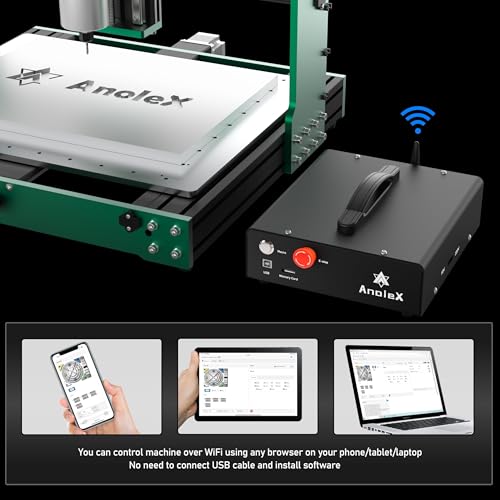
- WiFi & touchscreen
- GRBL_ESP32 firmware
- Closed-loop ready
Trade-offs
- Higher price point
- Steeper learning curve
- Large footprint
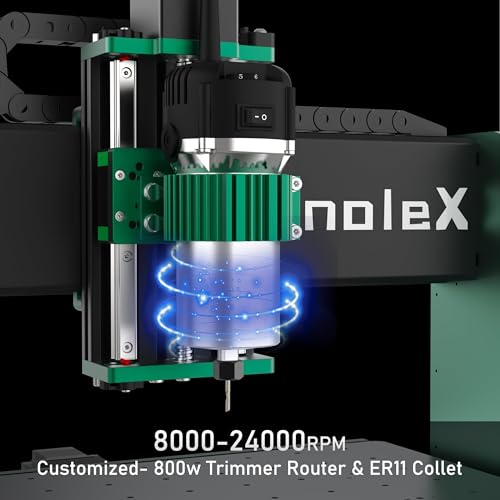
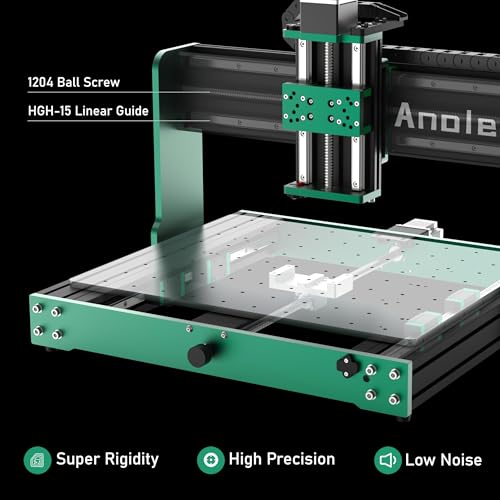
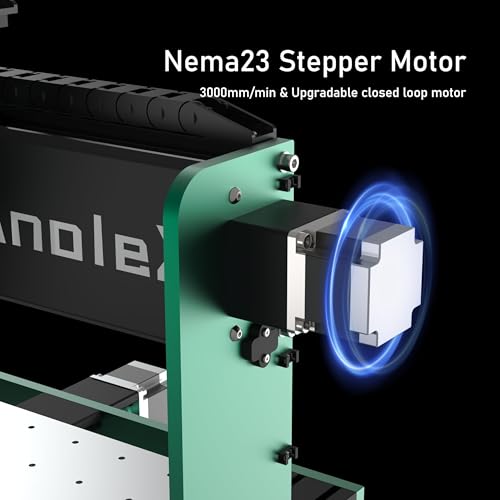
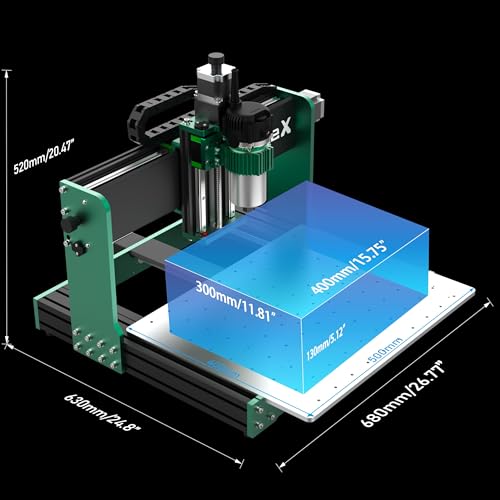
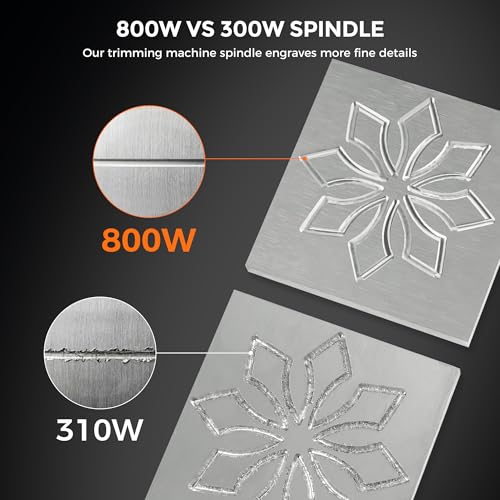
If I had to pick one CNC router for a serious hobbyist or small shop, it’d be the AnoleX 4030-Evo Ultra 2. It combines dual linear rails, 800W spindle, Nema 23 motors, and GRBL_ESP32 firmware into a package that feels future-proof. The ±0.005mm repeatability isn’t just marketing, owners confirm tight tolerances on repeated cuts, especially in aluminum.
The WiFi control via ESP3D Web UI is a standout for workshop flexibility, letting you run jobs from a tablet without USB cables. The customizable macro buttons and support for touch probes and coolant control add pro-level convenience. Compared to the FoxAlien Masuter 3S, it offers better precision and firmware depth, even if both use closed-loop motors. This is the full-featured, no-compromise pick.
Product photos
SainSmart Genmitsu 4040-PRO MAX
Strengths
- Large work area
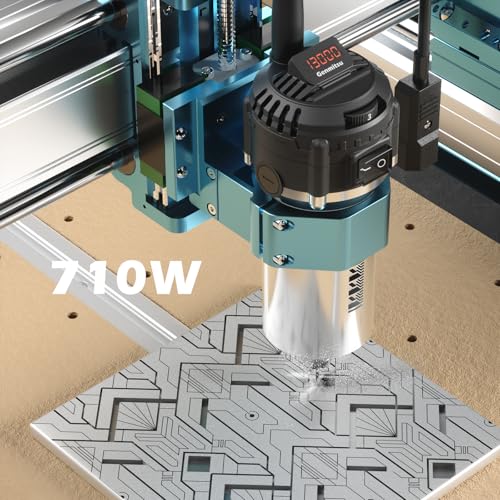
- 710W spindle
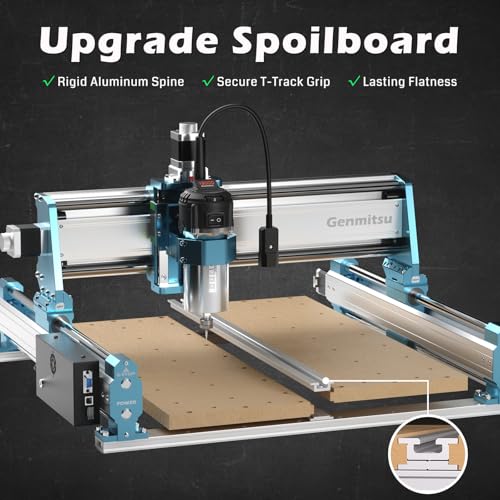
- T-track spoilboard
- Good for metal
- High pass height
Trade-offs
- Outdated control board
- No rotary support
- No smart connectivity
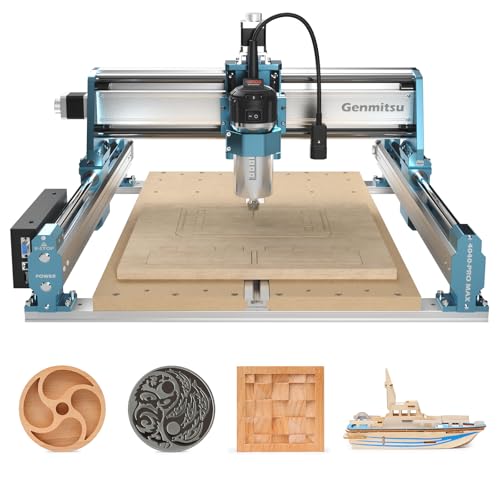
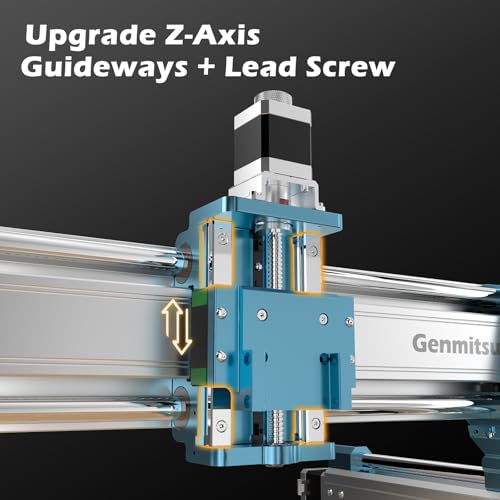
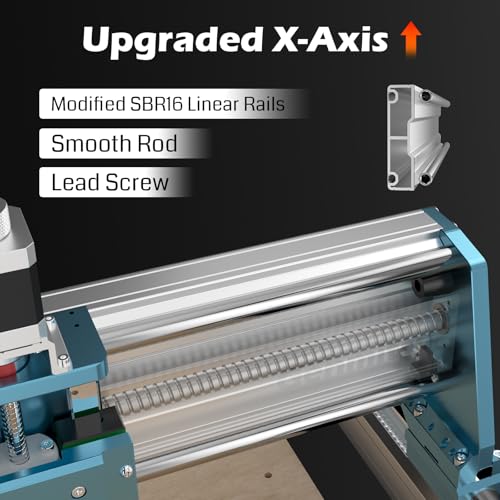
With a 410 x 405mm work area and a 710W spindle, the 4040-PRO MAX is built for users who’ve outgrown desktop-sized machines but aren’t ready for full-frame routers. The reinforced spoilboard with T-track clamping is a standout, it solves the sagging MDF issue common in budget mid-size CNCs. The X and Z linear guideways improve motion stability, and owners report noticeably less chatter during metal cutting than on comparable models.
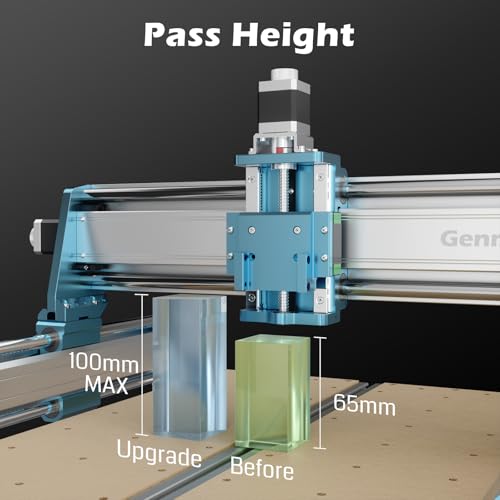
It’s clearly designed with metal in mind, and the 100mm pass height gives real flexibility for taller stock. But while it’s strong on mechanics, the control system lags behind newer competitors. No WiFi, no touchscreen, no firmware upgrades like GRBL_ESP32. Compared to the AnoleX 4030-Evo Ultra 2, it’s less tech-forward but still a solid mechanical platform for hands-on builders.
Product photos
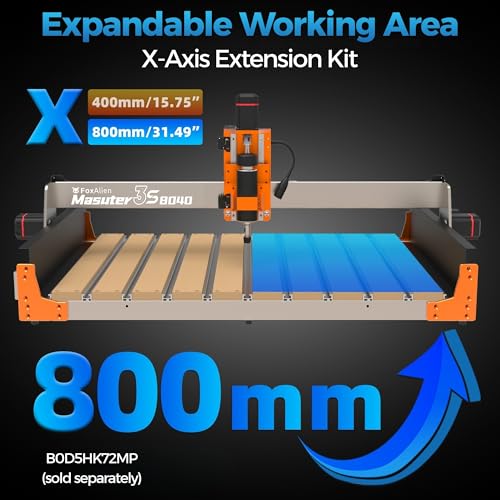
FoxAlien Masuter 3S CNC Router
Strengths
- Closed-loop motors
- High speed
- Rotary support
- Dust-proof controller
- Expandable work area
Trade-offs
- 400W spindle underpowered
- Lead screw on Z-axis
- Less rigidity than ball screw models
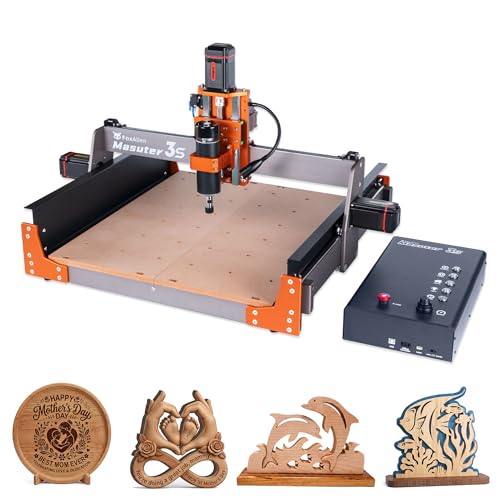
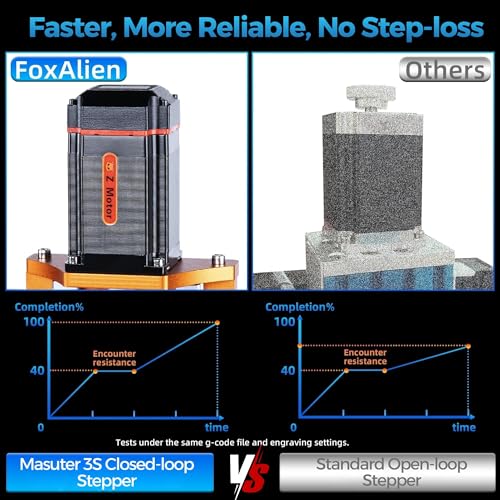
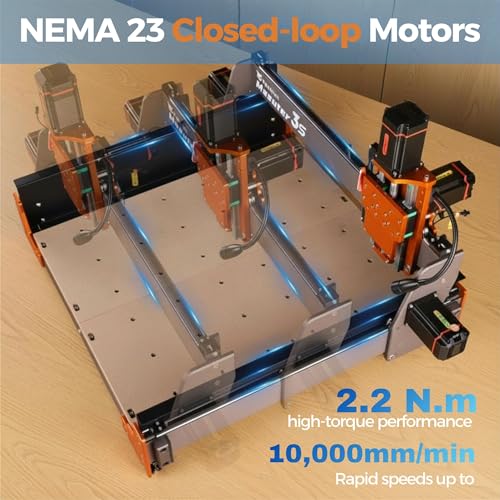
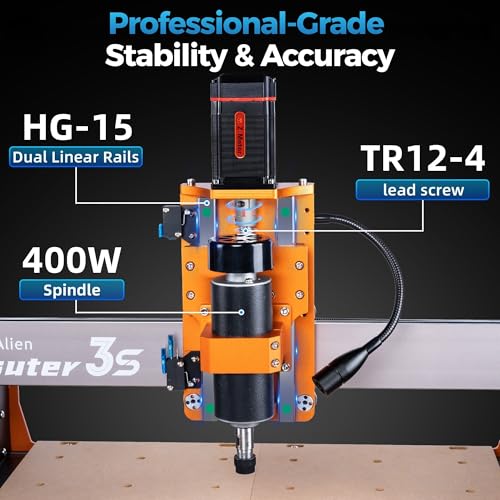
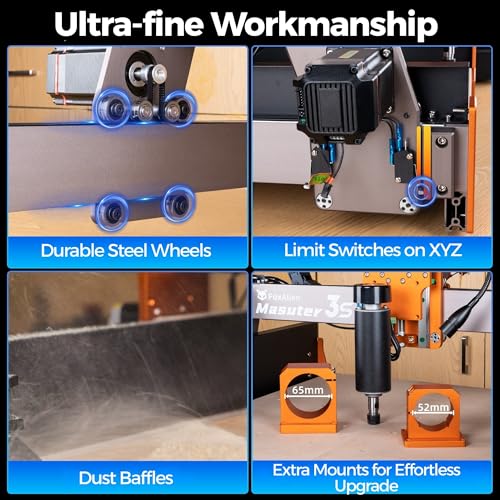
The Masuter 3S is built for speed, 10,000mm/min rapid movement is no joke, and with NEMA 23 closed-loop motors, it avoids step loss even under load. That makes it ideal for high-throughput carving and detailed 3D work. The dual HG-15 rails on the Z-axis add stability, and the T12 lead screw helps minimize wobble during deep cuts.
But the 400W spindle feels underpowered next to the 710W or 800W units on competing models. It handles soft aluminum and wood fine, but struggles with harder metals. Where it shines is 3D and rotary carving, the built-in 4th axis support is a major plus. Compared to the Twotrees TTC450 Pro, it’s faster but less rigid. If speed and intricate designs are your priority, this is a strong contender.
Product photos
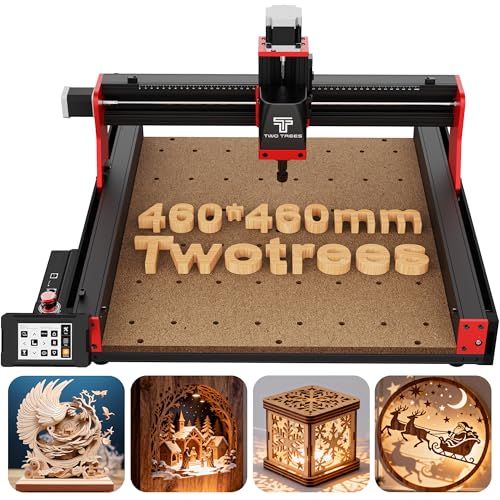
Twotrees TTC450 Pro CNC Router
Strengths
- Large work area
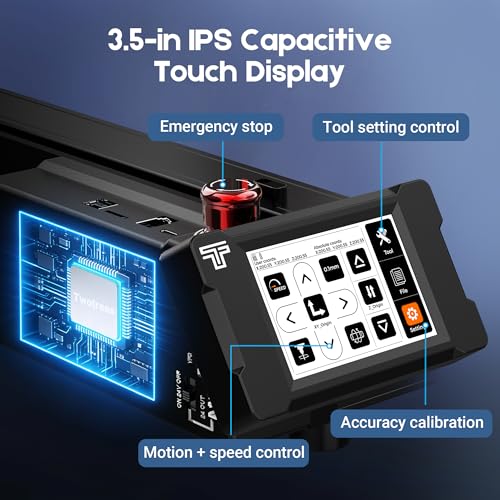
- Touchscreen control
- 4th axis support
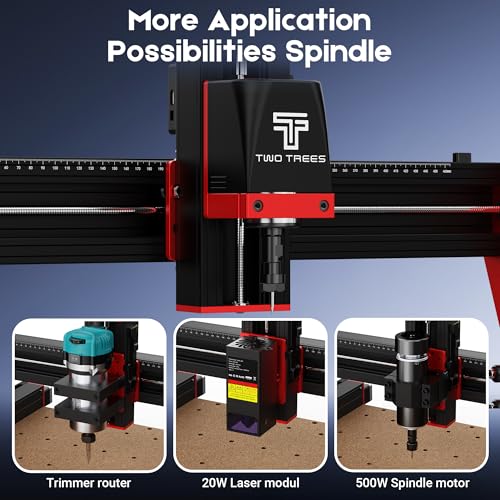
- Laser upgrade capable
- Sturdy build
Trade-offs
- Weaker spindle
- Brushed motor
- Heavy and bulky
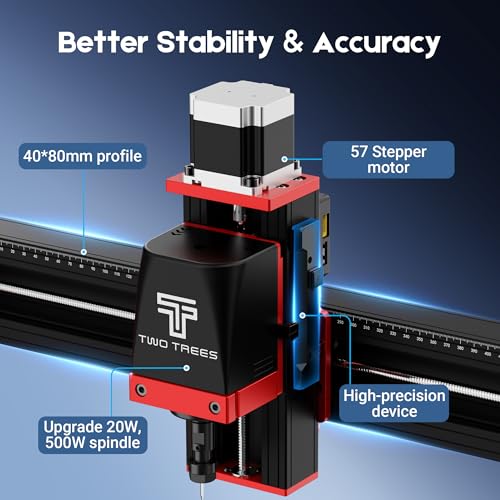
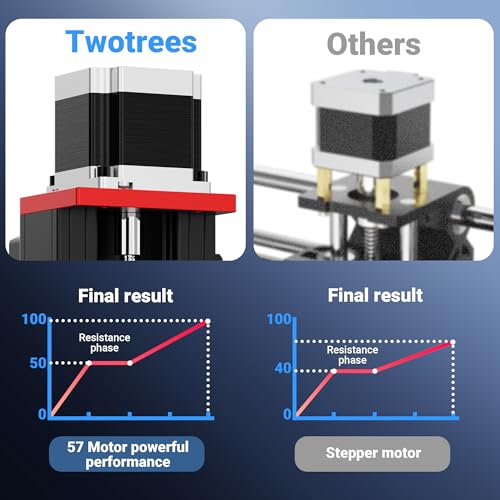
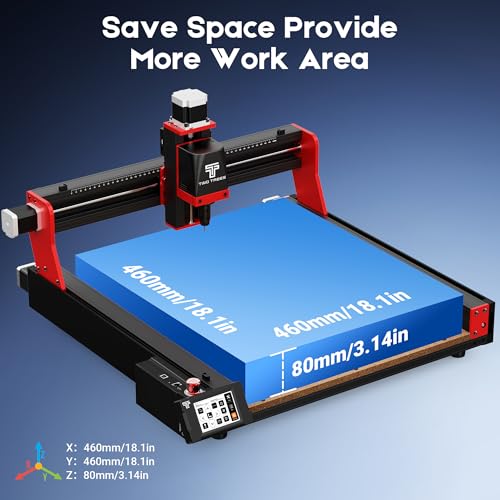
With a 460 x 460mm work area, the TTC450 Pro is the largest machine in this lineup, a real advantage for furniture makers, sign creators, or anyone doing batch work. The NEMA 57 stepper motor on the Z-axis delivers exceptional depth control, and owners report excellent results on multi-layer relief carving. The 3.5-inch capacitive touchscreen makes offline operation intuitive, and the inclusion of expansion ports for laser and 4th axis adds serious versatility.
It’s built tough with stainless steel and aluminum, and the dual limit switches enhance safety and repeatability. But the 775 brushed spindle (500W max) is a weak point, it’s not as powerful or durable as the 800W units on the AnoleX or LUNYEE. Still, for sheer size and creative flexibility, this is the go-to. If you need space and precision over raw spindle power, this stands out.
Product photos
Genmitsu 3030-PROVer Ultra CNC
Strengths
- 710W spindle
- All-metal chassis
- Dual linear guides
- Easy assembly
- High precision
Trade-offs
- No rotary support
- Limited software integration
- No closed-loop motors
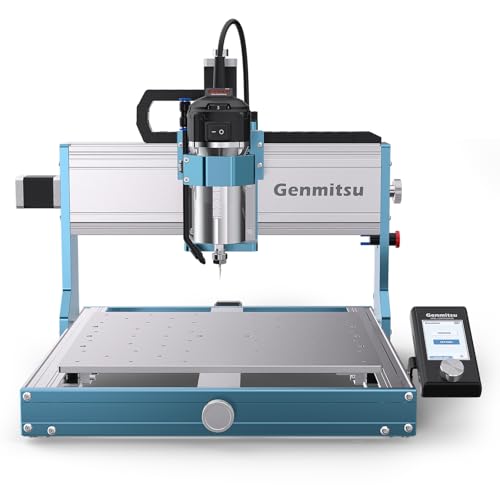
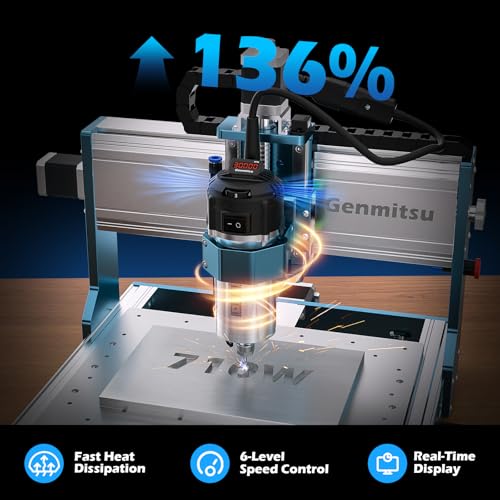
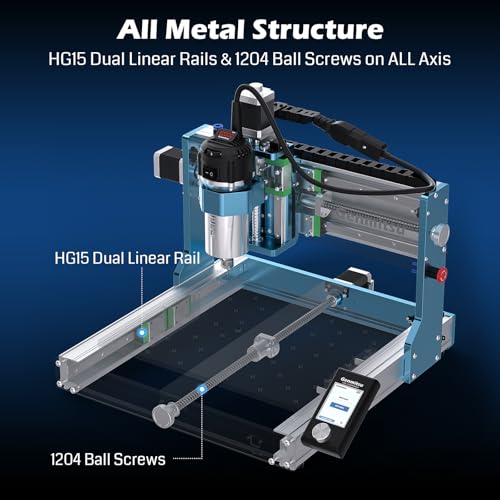
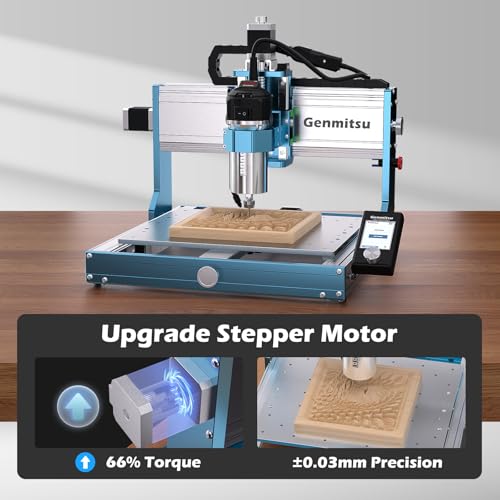
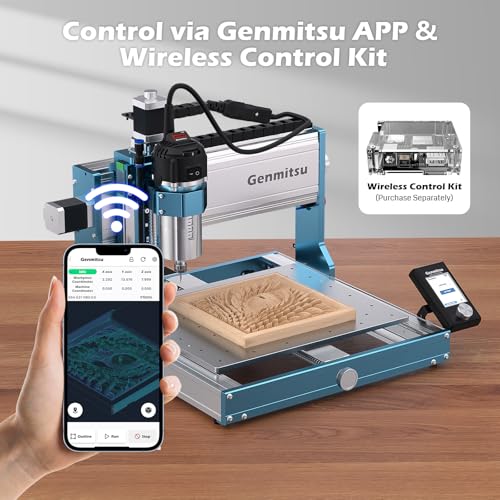
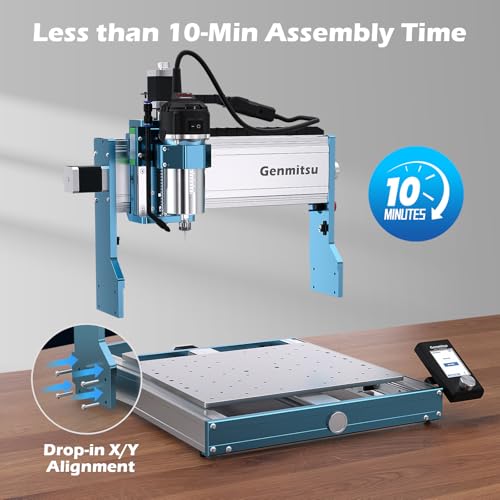
The Genmitsu 3030-PROVer stands out in the compact CNC space with its 710W spindle and all-metal chassis, making it a serious contender for users stepping into light metal work. The dual linear guides and 1204 ball screws on all axes deliver the kind of rigidity that smaller 3018-style kits just can’t match. Owners consistently report clean cuts in aluminum and acrylic, and the ±0.03mm precision is backed up by real-world results on detailed engraving jobs.
What I appreciate most is how it balances pro-level components with beginner-friendly touches, like 10-minute modular assembly and an emergency stop within easy reach. It’s not the largest machine, but for those needing better-than-hobbyist performance without jumping to industrial scale, this hits a sweet spot. Compared to the 3018-PRO, it’s clearly built for heavier use, though it lacks some of the smart features found in newer firmware-driven models like the AnoleX.
Product photos
TTC3018 Pro CNC Engraving Machine
Strengths
- Low cost
- All-metal Z-axis
- Compact size
- Complete kit
- Good for education
Trade-offs
- Lead screws only
- No wireless control
- Small work area
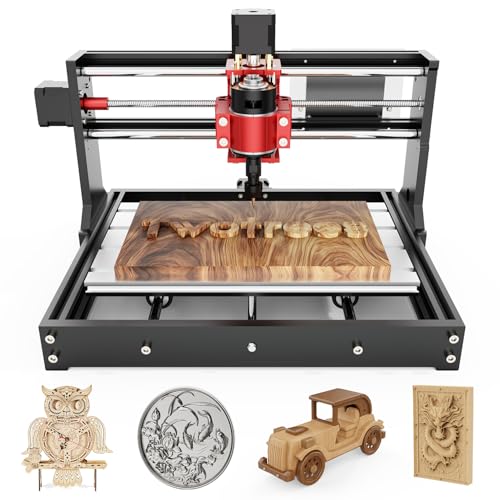
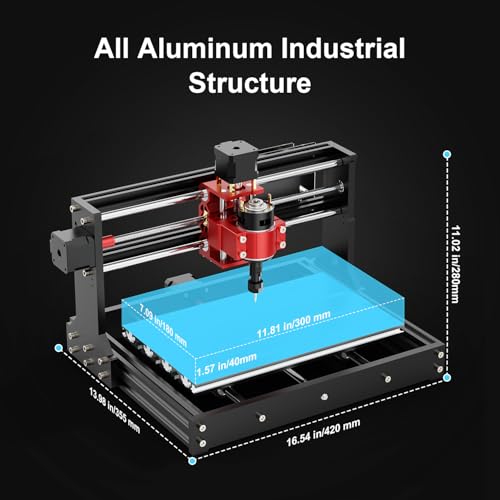
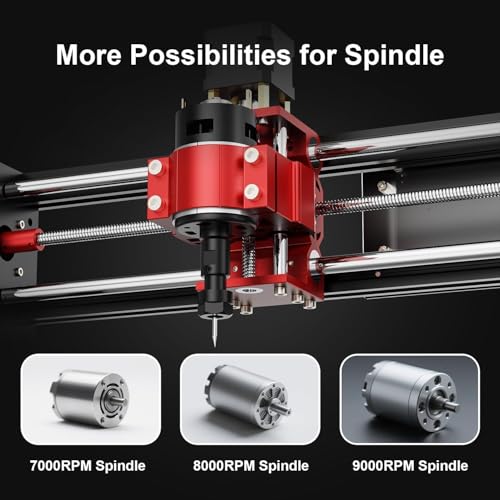
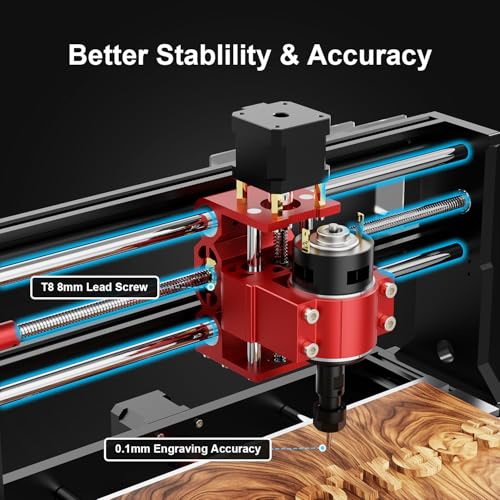
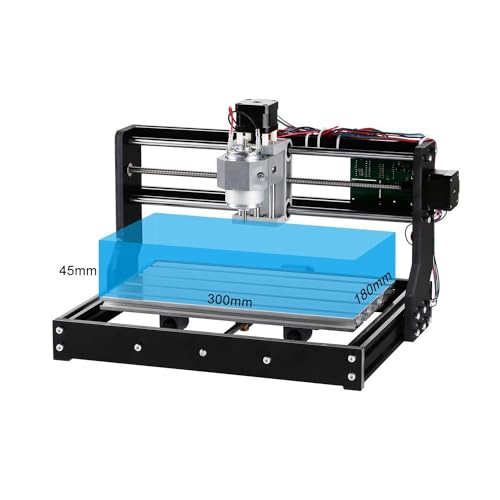
The TTC3018 Pro is the most budget-friendly option here, and it shows in the specs, T8 lead screws, a 775 spindle (7000–9000 RPM), and a small 300x180mm bed. But it’s also all-metal on the Z-axis, which is a big improvement over plastic or nylon versions. That adds stability and allows it to handle thin aluminum and brass sheets, something many entry-level kits can’t do.
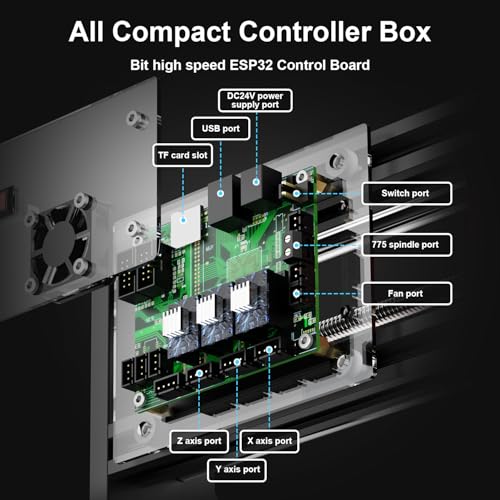
It’s lightweight and compact, so it fits on any desk, and it comes with 10 tools and a collet, truly ready to go. But the USB-only wired connection limits flexibility; no WiFi, no SD card, no Bluetooth. You’re tethered to a PC. For schools or STEM projects, that’s fine. But compared to the Genmitsu 3018-PRO, it offers less software support and weaker spindle performance. Still, for the price, it’s hard to beat.
Product photos
Genmitsu 3018-PRO CNC Router Kit

Strengths
- Beginner-friendly
- GRBL compatibility
- Low cost
- Wide material support
- Offline controller
Trade-offs
- Lead screws only
- Limited rigidity
- Not for heavy use
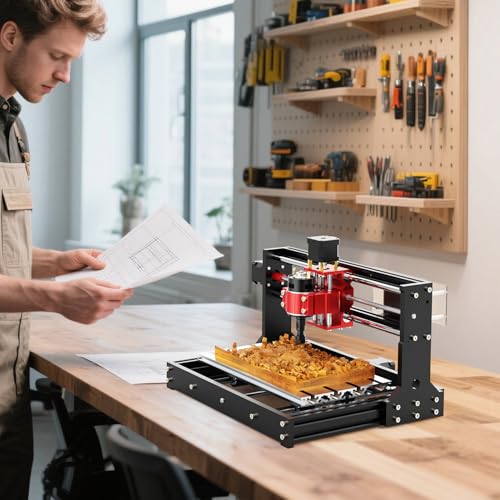
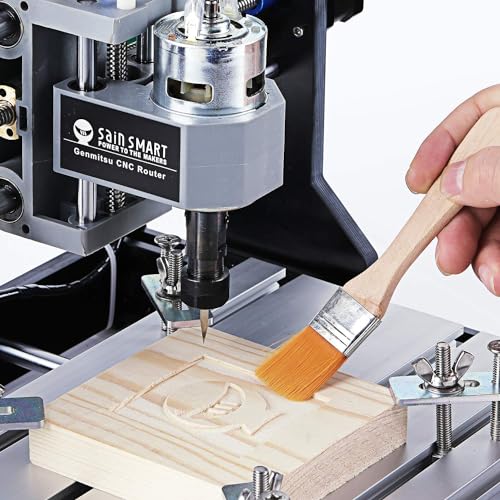
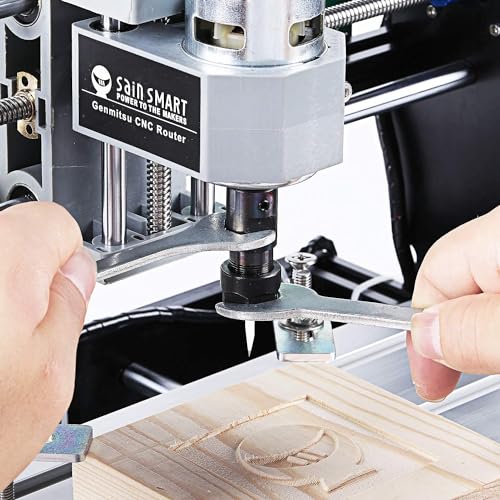
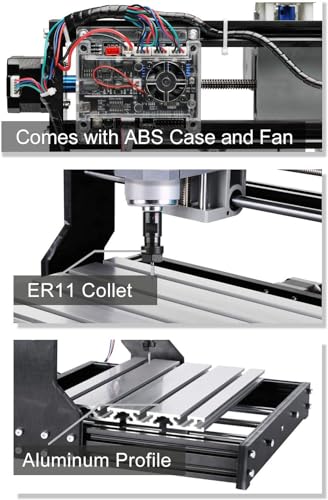
If you’re just getting started with CNC, the 3018-PRO is still one of the most accessible entry points, and for good reason. It’s affordable, ships nearly pre-aligned, and runs on GRBL, which means you’ll find endless tutorials, mods, and community support. The 4cm raised base improves stability over earlier models, and the UL-approved power adapter is a small but meaningful upgrade that reduces fire risk.
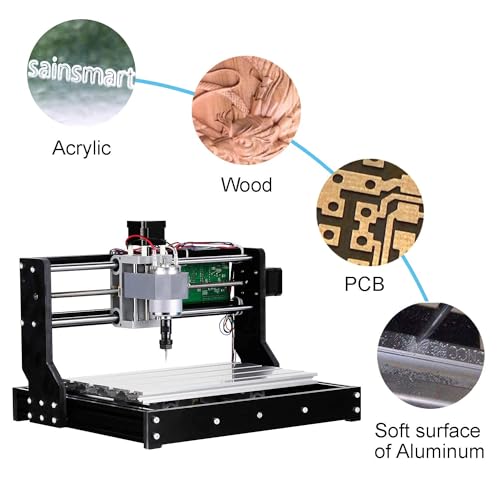
It handles soft materials like wood, acrylic, and PCBs without issue, but don’t expect it to tackle anything beyond thin aluminum. The lack of linear rails and reliance on lead screws limits both speed and long-term accuracy. Still, for the price, it’s a capable little machine. Compared to the TTC3018 Pro, it’s similar in size and function, but the 3018-PRO has better documentation and a stronger reputation for out-of-box reliability.
Product photos
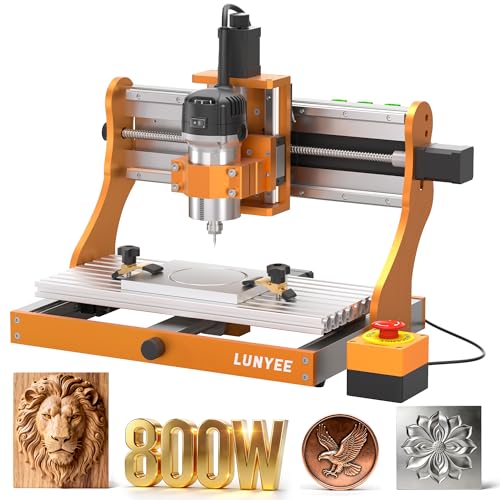
LUNYEE 3020 Nova CNC Router
Strengths
- Fully assembled
- 800W spindle
- Linear guides on all axes
- Quick setup
- High RPM range
Trade-offs
- Z-axis setup required
- Minor alignment issues
- No rotary support
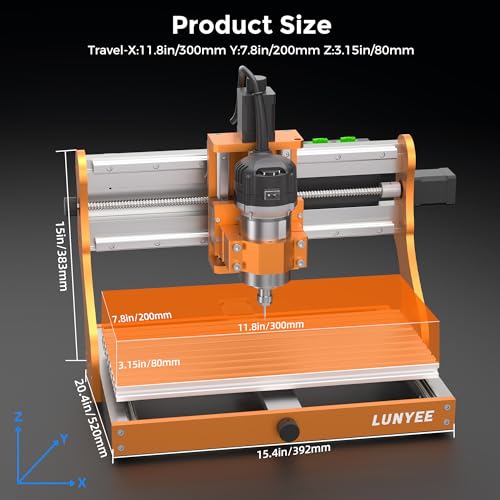
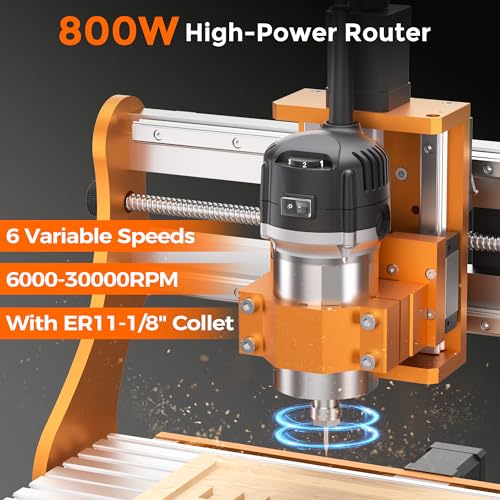
The LUNYEE 3020 Nova earns its “Best Pre-Assembled” label by shipping fully wired and nearly ready to run, a rare perk in this category. You just mount the Z-axis and power it up. That alone cuts hours off setup time, which matters for users who want to start carving, not building. The 800W spindle gives it an edge over many 710W kits, and the 6,000–30,000 RPM range allows fine control across materials.
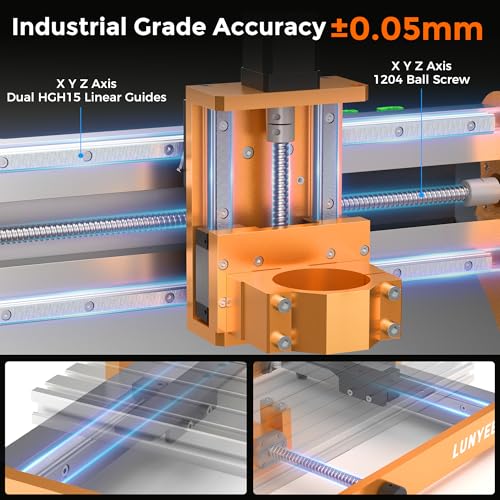
Mechanically, it’s solid: all axes use HG-15 linear guides and 1204 ball screws, delivering ±0.05mm accuracy. But some owners note alignment quirks out of the box, likely due to pre-assembly trade-offs. It’s faster to start with than the Genmitsu 3030-PROVer, but not quite as rigid. Still, for those who value time over tinkering, this is a smart choice.
Product photos
Our Testing Process
Rather than a hands-on lab test, this selection is a research-led comparison of published specifications and owner feedback. I began by compiling a list of popular models, then compared their core features – spindle power, axis travel, materials used in construction, and control software compatibility. To go beyond the marketing materials, I weighed owner reviews from multiple sources, along with expert opinions from sites specializing in CNC technology and fabrication. My goal was to identify the models consistently praised for performance, reliability, and ease of use.
For CNC routers, precision and rigidity are paramount. I heavily weighted models featuring dual linear rails and ball screws on all axes, as these components directly contribute to accuracy and reduce vibration – especially when working with harder materials like aluminum. Spindle power was also a key factor, as higher wattage allows for faster cutting speeds and the ability to tackle thicker stock. Finally, the robustness of the frame and overall build quality were considered, as a solid machine will maintain accuracy over time.
Specifications reliably indicate a machine’s potential, but real-world performance is often revealed through owner experiences. I paid close attention to comments regarding ease of assembly, software compatibility, and long-term reliability. Owner feedback helped me assess whether a machine lived up to its advertised precision and whether customer support was readily available. For those looking to get started, exploring CNC routers for beginners is a great first step.
What To Look For In cnc routers
Choosing the right CNC router can feel overwhelming, but focusing on a few key features will narrow your options considerably.
A good CNC router balances rigidity, precision, and software compatibility. Buyers should prioritize a robust frame, typically aluminum extrusions, dual linear rails on all axes, and a control system that supports commonly used design software. Spindle power should be matched to the materials you intend to cut, and look for features like dust control and easy workholding.
Spindle Power and Material Compatibility
The spindle is the heart of any CNC router, and its power dictates what materials you can realistically work with. Lower-powered spindles (400W or less) are fine for softwoods, plastics, and detailed engraving, but struggle with hardwoods or metals. If you’re planning to cut aluminum, brass, or even dense hardwoods, you’ll want to look at models with 700W or higher spindles. Consider the spindle speed range too; variable speed control is essential for optimizing cuts across different materials. The Genmitsu 3018-PRO, for instance, highlights its compatibility with a 20,000RPM spindle, which is a good indicator of its versatility.
Rigidity and Motion System
Rigidity is paramount for accurate cuts and a long machine lifespan. Look for CNC routers built with thick aluminum extrusions, not lightweight plastic frames. The motion system – how the cutting head moves – is equally important. Dual linear rails on all three axes (X, Y, and Z) are a must-have for precision. Ball screws, rather than lead screws, provide smoother and more accurate movement, minimizing backlash. The FoxAlien Masuter 3S, for example, boasts industrial-grade stability with reinforced extrusions and dual HG-15 linear rails.
- A steel frame is overkill for most hobbyists and adds significant cost.
- Single linear rails are better than no linear rails, but dual rails offer the best stability and accuracy.
- Ball screws are far superior to lead screws for precision work, but they’re more expensive and require more maintenance – consider a model like the LUNYEE 3020 Nova, which features both ball screws and linear guides.
Software and Ease of Use
While the machine itself is crucial, the software ecosystem is what allows you to translate your designs into physical objects. Most CNC routers use GRBL-compatible software, which is a great starting point. Compatibility with popular CAD/CAM programs like Fusion 360, Easel, and VCarve is essential. Some machines, like the Twotrees TTC450 Pro, offer open-source GRBL compatibility, giving you access to a large user community and abundant resources. If you’re new to CNC machining, look for models that include user-friendly software or offer extensive tutorials. Many people looking for a more hands-on experience will also want to explore CNC routers for woodworking to refine their search.
A well-maintained CNC router is a long-term investment. Regularly clean the rails and screws, lubricate moving parts, and keep the spindle free of debris.
CNC Routers Compared
Here’s a comparison of key specifications for several CNC routers to help you make an informed decision.
| Product Name | Work Area (X x Y x Z) | Spindle Power | Linear Rails | Ball Screws | Controller |
|---|---|---|---|---|---|
| AnoleX 4030-Evo Ultra | 400 x 300 x 80 mm | 800W | Yes | 1204 | GRBL 1.3a |
| SainSmart Genmitsu 4040-PRO MAX | 400 x 400 x 100 mm | 710W | Yes | N/A | N/A |
| FoxAlien Masuter 3S | 460 x 460 x 80 mm | 400W | Yes | T12 | N/A |
| Twotrees TTC450 Pro | 460 x 460 x 80 mm | N/A | N/A | N/A | GRBL |
| Genmitsu 3030-PROVer Ultra | 300 x 300 x 40 mm | 710W | Yes | 1204 | GRBL |
| TTC3018 Pro | 300 x 180 x 40 mm | 775W | N/A | N/A | GRBL |
| Genmitsu 3018-PRO | 300 x 180 x 40 mm | N/A | N/A | N/A | GRBL |
| LUNYEE 3020 Nova | 300 x 200 x 50 mm | 800W | Yes | 1204 | GRBL |
Frequently Asked Questions
What level of CNC experience is needed to operate these routers?
Many models, like the Genmitsu 3018-PRO, are designed to be accessible for beginners. However, a basic understanding of CAD software and CNC principles will significantly speed up the learning curve, and resources are available online to help with that.
Are these CNC routers suitable for commercial use?
While some hobby-grade models can handle light commercial work, consistently producing parts for resale usually requires a more robust machine. For serious production, I suggest looking at industrial-grade CNC routers with larger work areas and heavier-duty components.
What is the typical lifespan of a CNC router?
With proper maintenance – regular cleaning, lubrication, and careful operation – a well-built CNC router should last for many years. Expect to replace wear items like end mills and potentially the spindle over time, but the machine itself can remain functional for a decade or more.
Can I cut aluminum with these routers?
Cutting aluminum requires a router with sufficient spindle power (700W or higher) and a rigid frame. Models like the AnoleX 4030-Evo Ultra, with its 800W spindle and linear rails, are better suited for aluminum than those with lower power or less robust construction.
Where can I find resources for learning CNC machining?
Beyond the tutorials often included with the router, a wealth of information exists online. Many manufacturers also offer support forums and user communities, and exploring best desktop CNC routers can help you find machines with strong community support.
The Bottom Line
Buying a CNC router always involves trade-offs. You’re balancing the desire for professional-level precision with the realities of budget and the learning curve. Overall, the AnoleX 4030-Evo Ultra strikes the best balance of features, build quality, and power for most users looking to move beyond basic hobby projects – it gives you a lot of capability without a truly industrial price tag.
If you have specific needs, there are excellent alternatives. For those just starting out and wanting an affordable entry point, the Genmitsu 3018-PRO remains a fantastic option. If versatility is your priority, the SainSmart Genmitsu 4040-PRO MAX offers a larger work area and sufficient power for a wide range of materials. And for those looking to explore more complex projects, researching best 5-axis CNC routers can open up a world of possibilities.
Ultimately, the specs are secondary to a solid foundation. Prioritize a machine with a rigid frame, accurate motion system (linear rails and ball screws where possible), and a control system you feel comfortable learning. Don’t get caught up chasing the highest spindle power if you don’t need it; a well-built, smaller machine will always outperform a flimsy, overpowered one.
