
9 Best Cordless Engraving Tools for 2026
This post contains affiliate links. As an Amazon Associate, we earn from qualifying purchases.
The HARDELL Engraving Pen 37000RPM stands out as the overall best cordless engraving tool thanks to its high speed and solid build, while the AM ARROWMAX Mini Engraving Pen is a strong budget pick that doesn’t skimp on features for light-duty work. For those wanting more versatility, the HOTO 35-in-1 Cordless Rotary Tool offers excellent accessory range and dual collet support.
If you’ve ever tried engraving with a shaky hand or an underpowered tool, you know how frustrating it can be to lose detail or struggle through hard materials. The right cordless engraver should give you control, consistency, and the freedom to work anywhere.
In this guide, I compared top models based on speed range, bit variety, battery life, and real-world feedback from users who’ve put these tools through their paces. These picks balance performance and value, so you can choose confidently based on your project needs.
Top 9 Cordless Engraving Tools in the Market
The Best Cordless Engraving Tools, Reviewed
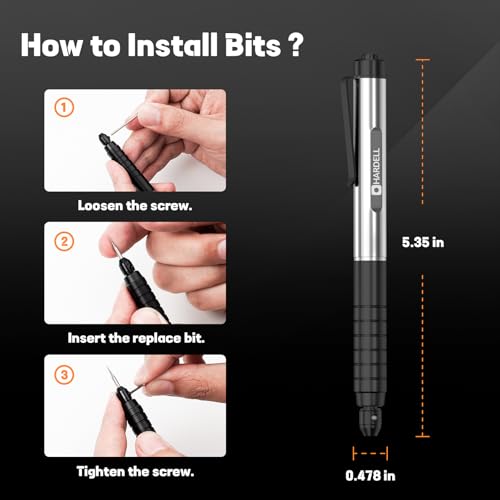
HARDELL Engraving Pen 37000RPM

Strengths
- High 37,000 RPM motor
- Lightweight pen design
- Strong motor stability
Trade-offs
- Only 6 bits included
- No LED or LCD
- No reverse rotation
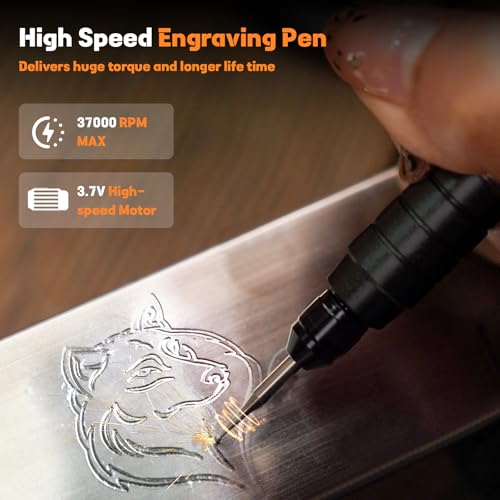
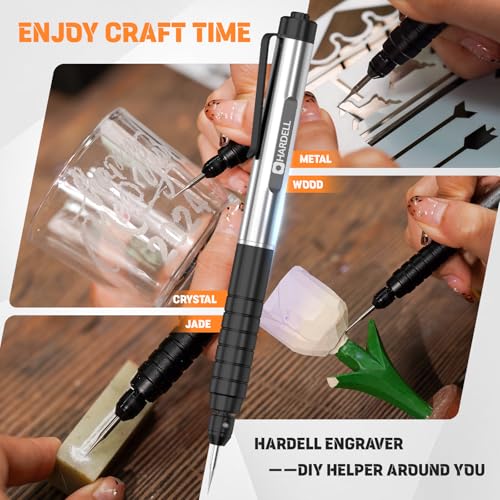
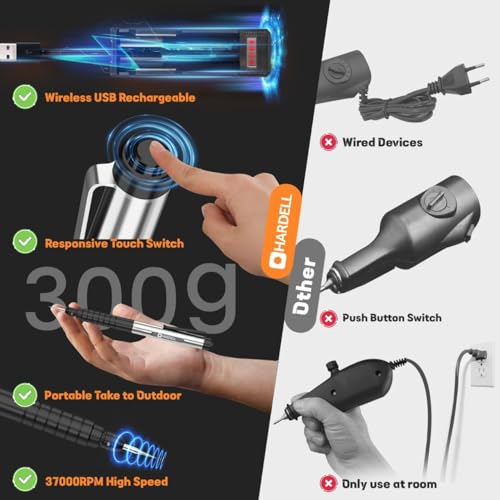
With a 37,000 RPM motor, the HARDELL Engraving Pen brings serious power to the table, more than most in this group. That kind of speed isn’t always necessary, but for users working on stainless steel or deep-etched designs, it makes a real difference. Owners note its responsive push-button switch and pen-like weight, which help maintain control during detailed work. The motor’s stability over long sessions is a recurring highlight in feedback, making it a reliable pick for consistent output.
It doesn’t have the most accessories or the flashiest display, but raw performance and solid build quality give it an edge. For most users who want one tool that can handle tough jobs without flinching, this is my recommendation over flashier but weaker competitors.
Product photos
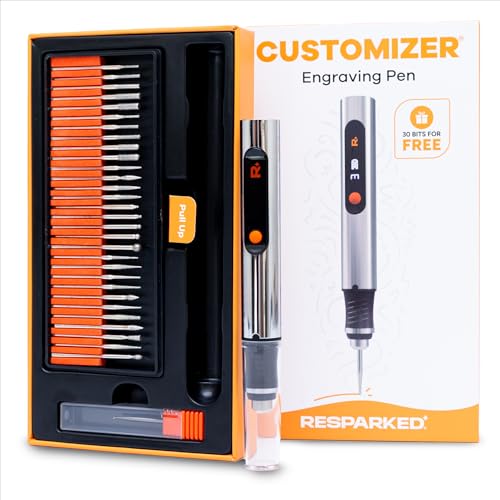
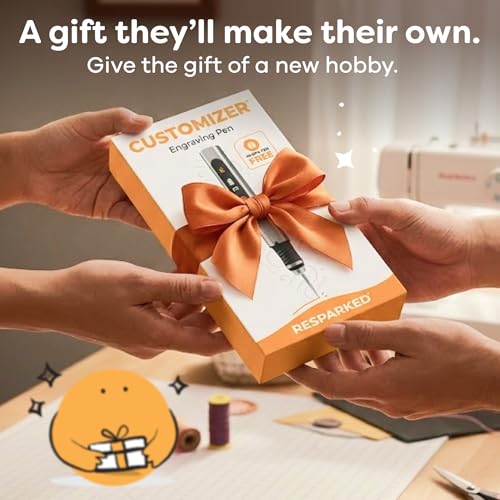
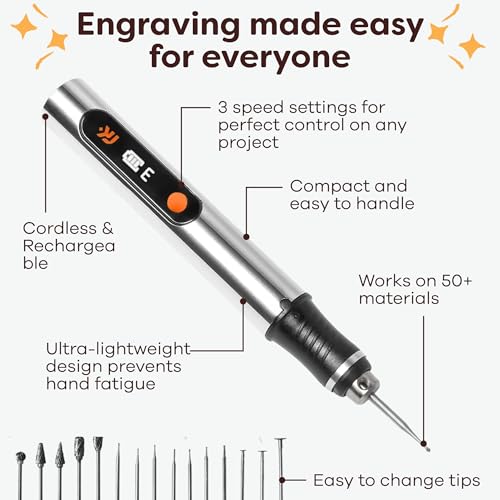
Resparked Customizer Engraving Pen
Strengths
- Affordable entry
- 30 included bits
- Beginner-focused
Trade-offs
- No LED light
- Limited speed precision
- Battery life below average
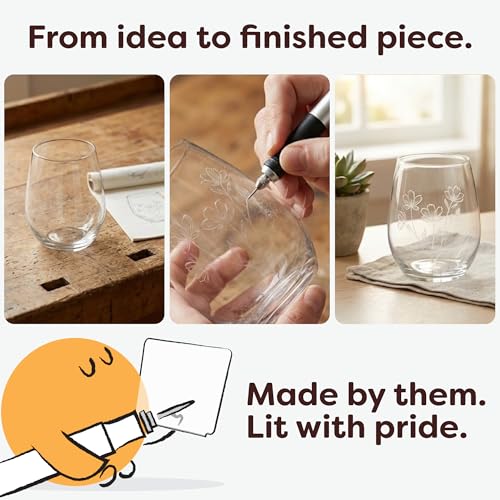
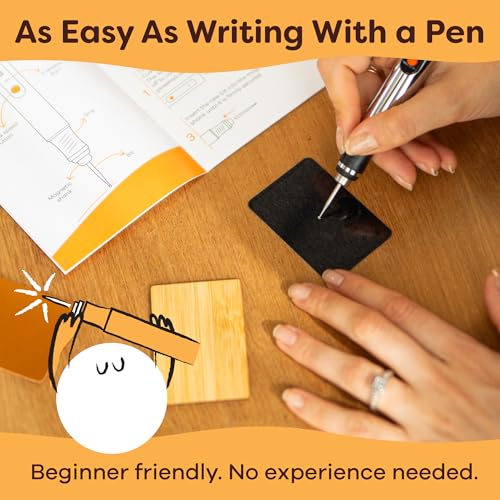
For a budget-friendly entry into cordless engraving, the Resparked Customizer makes a solid first impression. On paper, it’s built for beginners and casual crafters who want to personalize items without breaking the bank. The 30 included bits and mastery guide suggest it’s aimed at easing newcomers into the craft, and owners consistently report it handles wood and softer metals well. But the lack of speed settings beyond basic adjustability and no built-in light means you’re trading some control for cost savings.
It’s not the most powerful unit here, but for light-duty personalization, like etching names on tools or decorating wooden boxes, it gets the job done. I’d recommend it only if you’re just testing the waters or need a simple tool for occasional use. Compared to others in this lineup, it feels more like a starter kit than a long-term solution.
Product photos

Fanttik F2 Master Mini Rotary Tool

Strengths
- Brushless quiet motor
- Magnetic Revostor hub
- Lightweight aluminum body
Trade-offs
- Only 3/32″ collet size
- No reverse rotation
- Higher price point
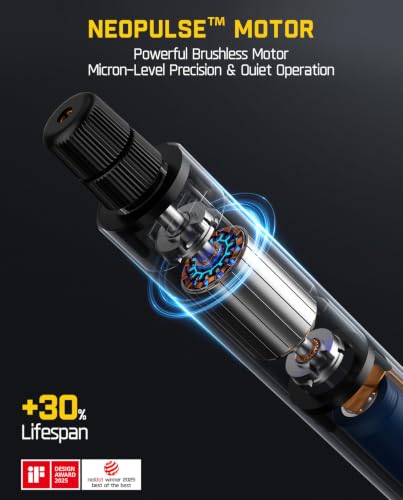
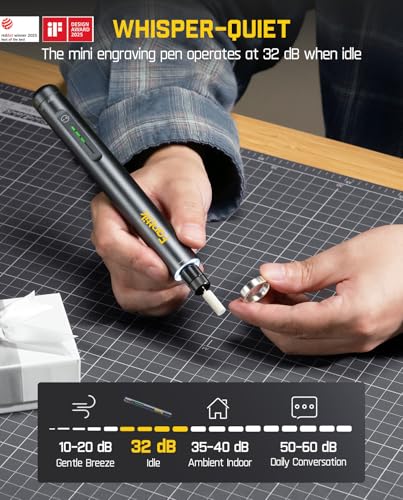
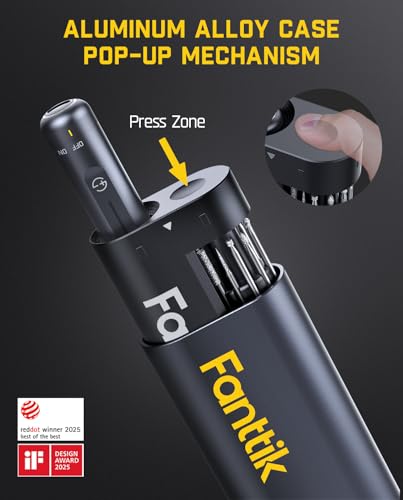
The Fanttik F2 Master is built for pros who need precision, organization, and quiet power. Its brushless motor runs 30% quieter than standard models, which is a real win in home workshops or shared spaces. The 360° magnetic Revostor hub that holds all 35 accessories is a standout, no more digging through cases. Owners love how fast they can swap bits, and the LED speed indicator ensures accuracy on delicate tasks.
At 0.22 lb, it’s featherlight, and the aluminum body resists wear. While it’s not marketed solely as an engraver, its 5-speed control and 2.3mm collet make it ideal for fine engraving, especially on 3D prints or jewelry. I’d choose this over others for professional use where efficiency and durability matter most.
Product photos

EtchMate Engraving Pen Kit
Strengths
- Digital speed display
- 31 high-grade bits
- Beginner project guide
Trade-offs
- Max RPM on lower end
- No reverse rotation
- Slightly heavier than rivals
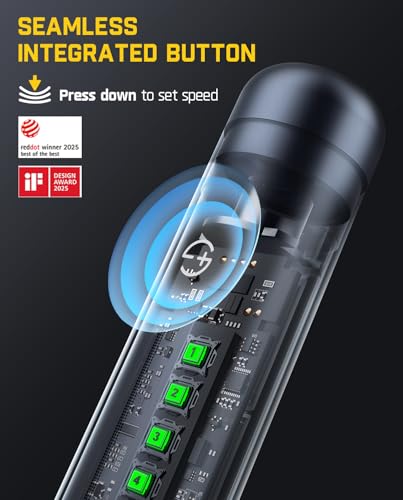
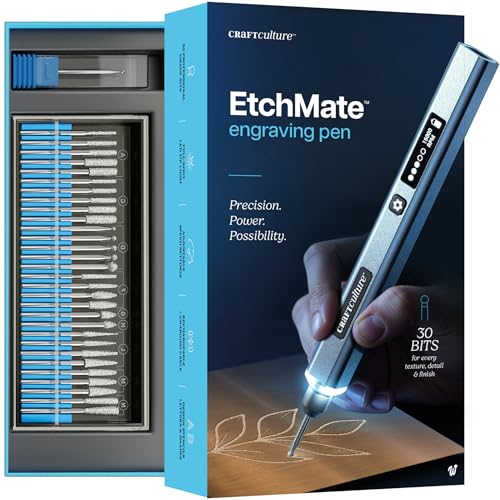
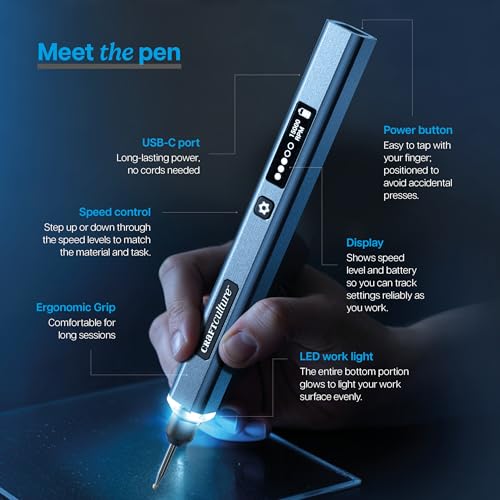
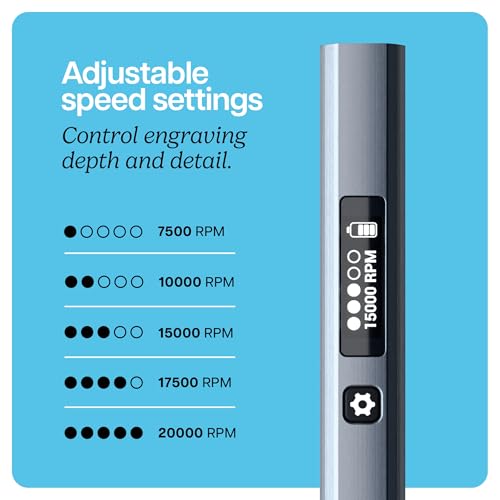
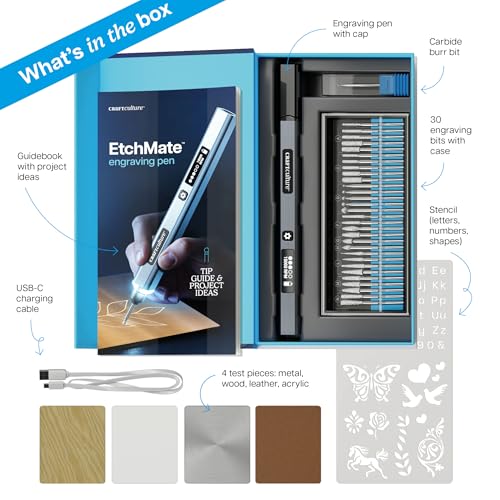
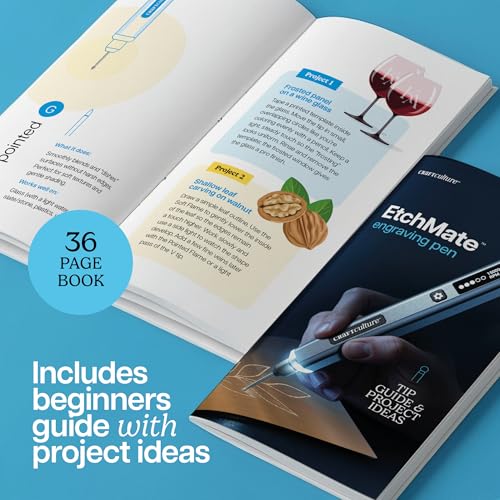
The EtchMate stands out as a genuinely complete package, and that’s why it earns the title of best all-in-one kit. Owners praise the thoughtful inclusions, like test materials, stencils, and a detailed guidebook, that make it easy to go from unboxing to engraving in minutes. The digital display for speed and battery is a rare feature at this level, and the 31 professional bits cover nearly every common engraving need. With up to 20,000 RPM and a balanced ergonomic grip, it delivers consistent control across materials like metal, glass, and leather.
What really sets it apart is how well it bridges the gap between beginner accessibility and pro-level versatility. It’s not the most powerful, but it’s the most thoughtfully equipped. I’d pick this over others for someone who wants everything in one box without needing to buy extras later.
Product photos
Vanlgs Engraving Pen with LED Light
Strengths
- LED ring light
- 5 speed settings
- Lightweight design
Trade-offs
- Lower max RPM
- Battery life average
- No digital display
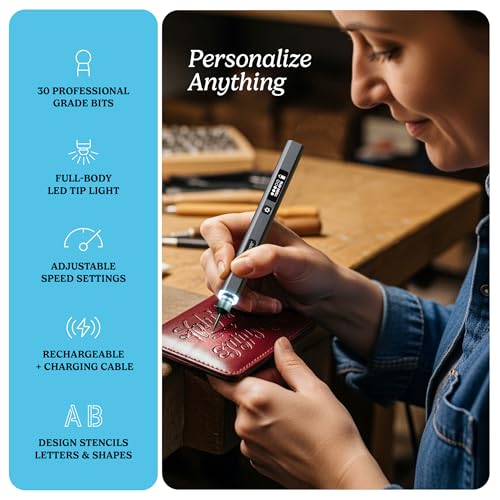
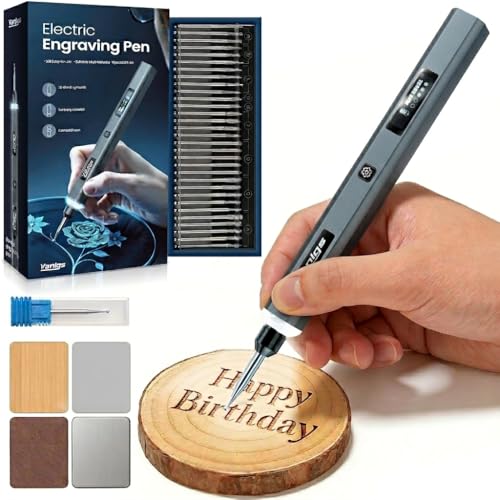
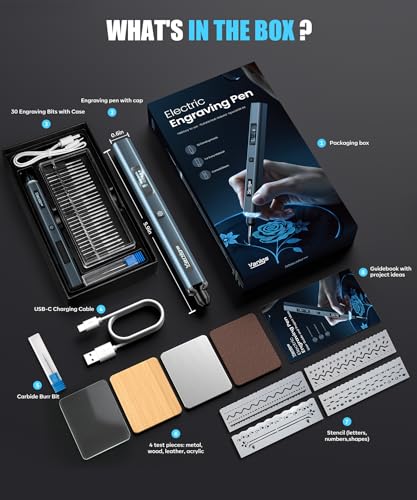
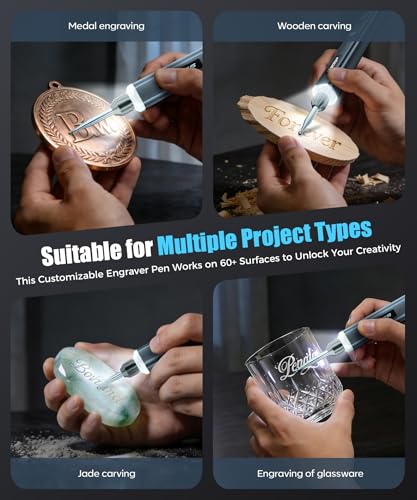
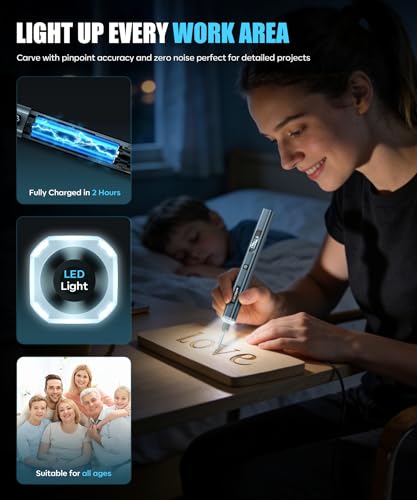
If you’re helping a teen or first-time user get into engraving, the Vanlgs model is the clear choice. At just 49 grams and shaped like a real pen, it’s one of the most comfortable to hold, and the 5-speed range gives enough flexibility to experiment across materials. The built-in LED ring light is a standout, owners consistently mention how much it helps with visibility on small or dark surfaces. Combined with 31 bits and beginner stencils, it removes many of the early frustrations new users face.
It’s not the fastest or strongest, but it’s the most approachable. I’d recommend this over others for younger users or anyone who wants a low-barrier entry with solid support. It even doubles as a mini polisher, which adds unexpected utility.
Product photos

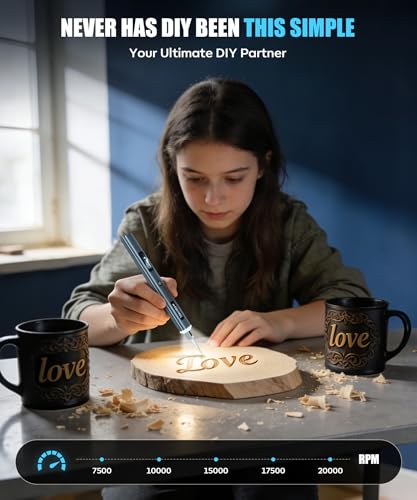
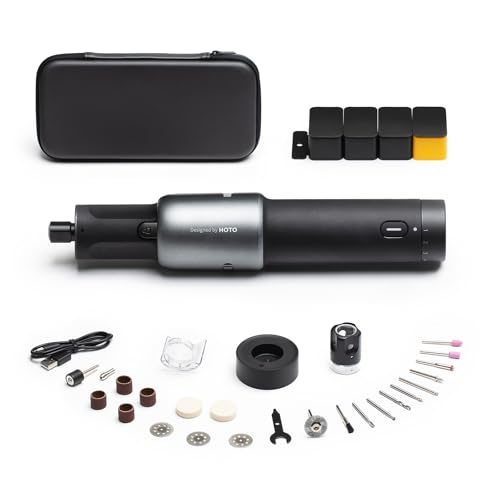
HOTO 35-in-1 Cordless Rotary Tool
Strengths
- 35 versatile accessories
- Quiet, low vibration
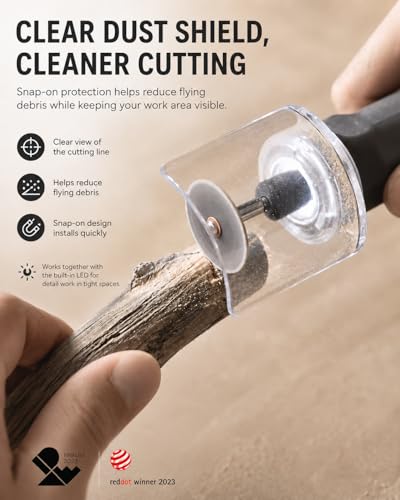
- Dust shield included
Trade-offs
- Not optimized for deep engraving
- Collet size limits some bits
- Higher learning curve
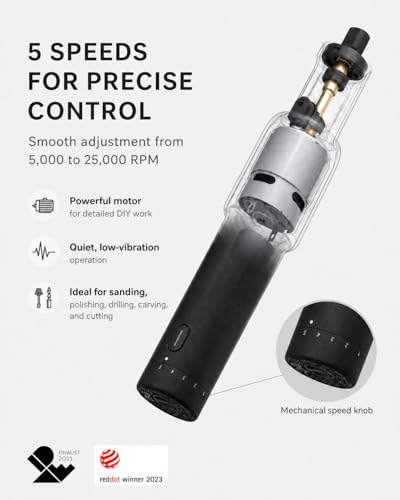
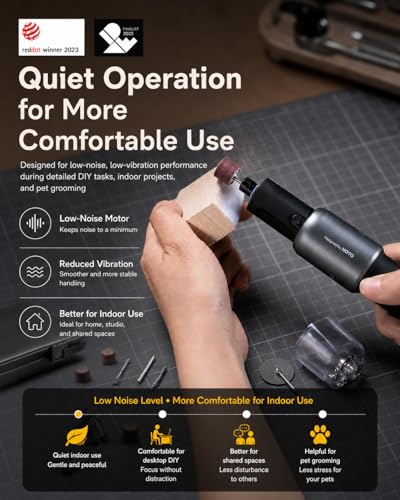
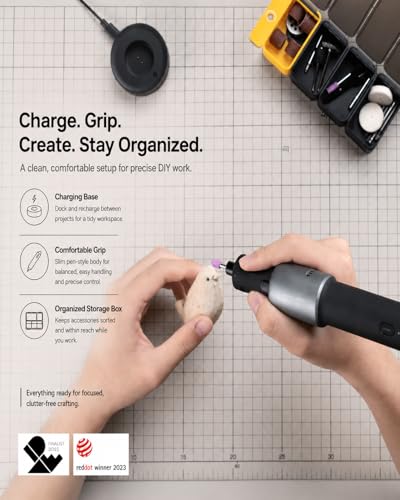
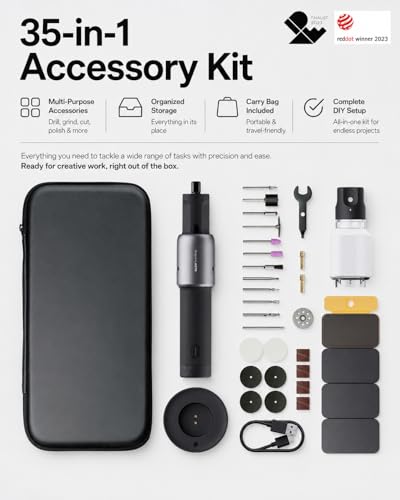
The HOTO 35-in-1 isn’t just an engraving pen, it’s a full mini workshop in a pen-shaped body. With 35 accessories and a 5-speed motor up to 25,000 RPM, it’s built for tinkerers who do more than just engrave. Owners love the included pet nail grinder bit and dust shield, which show how well it’s designed for real-world variety. The Red Dot Award-winning design isn’t just looks; the low vibration and quiet operation make it ideal for home use without disturbing others.
Its USB-C charging base and carry pouch add serious convenience. While it’s not the strongest engraver on raw power, its versatility across sanding, carving, and polishing makes it the best pick for multi-project DIYers. I’d choose this over single-purpose pens if you already work on 3D prints or small repairs.
Product photos
Engraving Pen Kit with 37 Bits

Strengths
- 37 included accessories
- Overload protection
- Non-slip grip
Trade-offs
- No LED light
- No speed display
- Basic charging cable
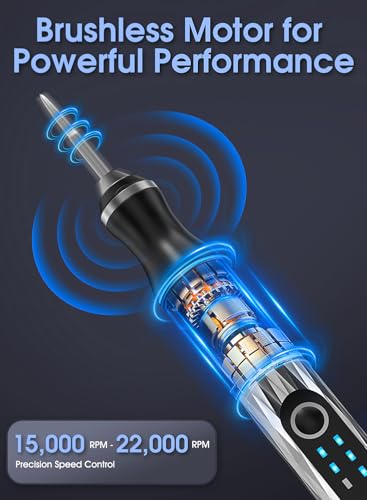
This 37-bit kit hits a sweet spot between price and performance, which is why it’s my pick for best value. You get more accessories than most competitors, including sanding and polishing attachments, and the 3-speed control (15,000–22,000 RPM) is well-matched to different materials. Owners appreciate the overload protection, a small but meaningful touch that helps prevent motor burnout during tough jobs. The aluminum body feels sturdy without adding bulk, and the non-slip grip improves control.
It doesn’t have a display or LED light, but you’re getting serious utility for the cost. Compared to others, this kit gives you the most bang for your buck if you plan to use the tool regularly across varied projects. I’d recommend it over pricier but less-equipped models.
Product photos

vueowcue Cordless Engraving Pen LCD
Strengths
- Clear LCD display
- 5 speed settings
- Non-slip rubber grip
Trade-offs
- Average motor power
- No reverse rotation
- No included case for body
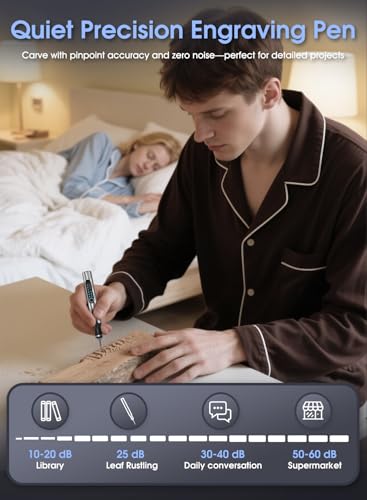
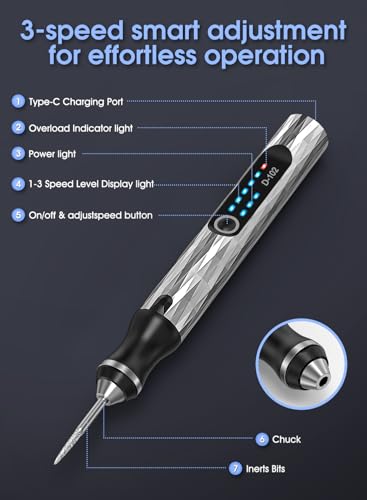
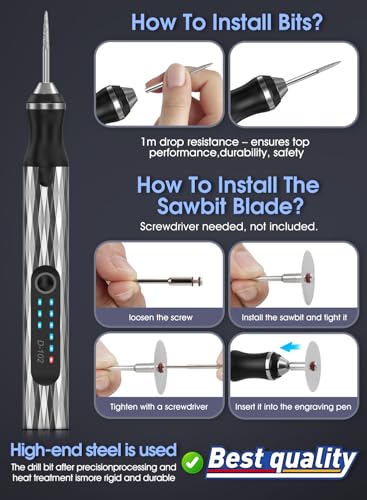
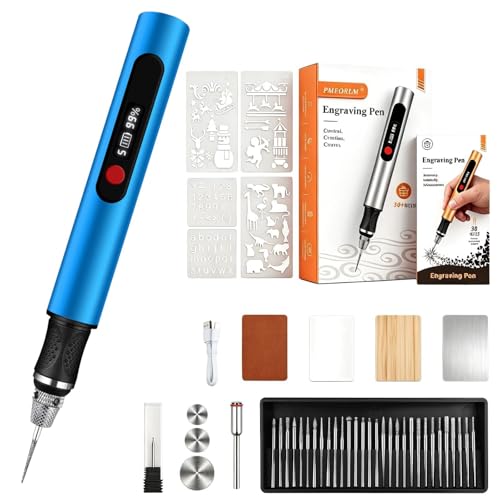
The vueowcue pen earns its spot as best with LCD display thanks to its clear, real-time feedback on speed and battery. That kind of visibility matters when you’re mid-project and don’t want to guess if you’ve got enough charge left. Owners appreciate the 5 speed settings and 31 bits, which give solid flexibility across materials. The non-slip rubberized grip also stands out in feedback, especially for users who work for extended periods or have sweaty hands.
It doesn’t have the highest RPM or the most innovative features, but the combination of LCD, solid bit selection, and comfort makes it reliable. I’d recommend this over models with basic LED indicators if you want confidence in your tool’s status at a glance.
Product photos
AM ARROWMAX Mini Engraving Pen

Strengths
- Reverse rotation mode
- OLED speed display
- Quadratic non-roll grip
Trade-offs
- Small battery capacity
- Only 30 bits
- No LED work light
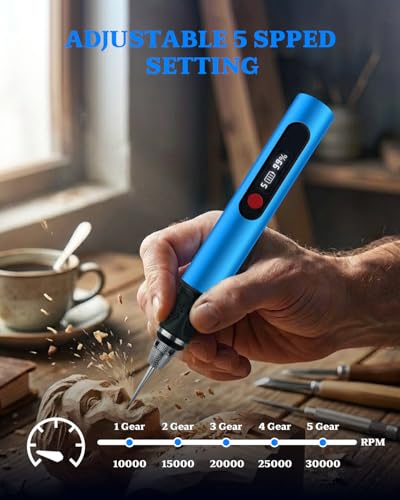
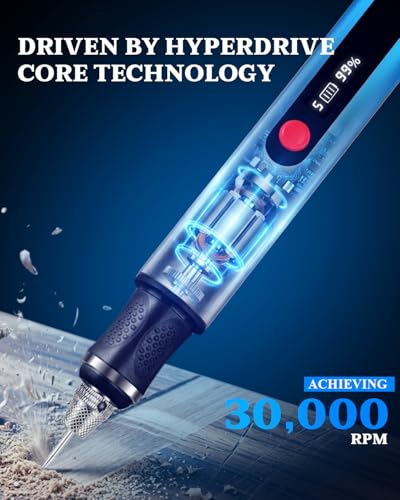
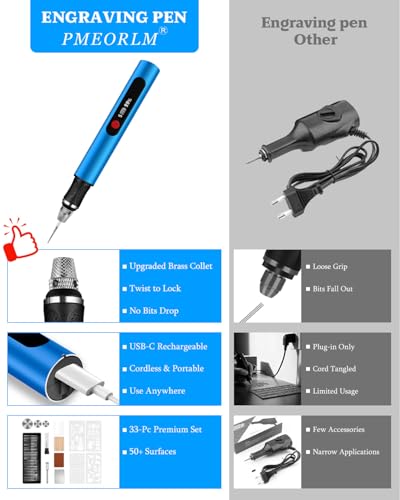
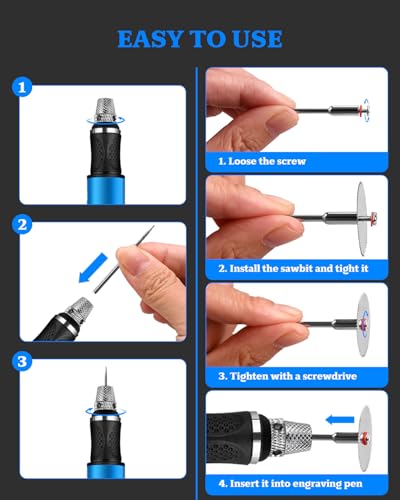
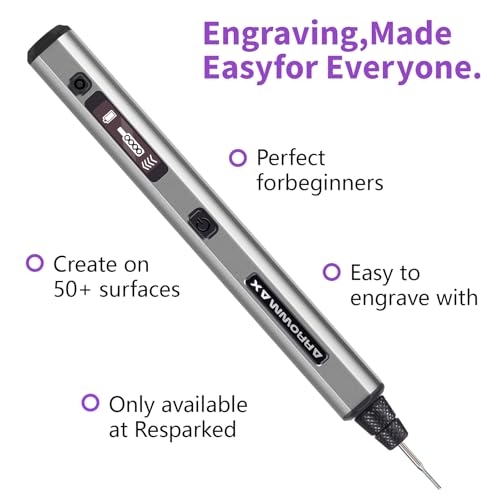
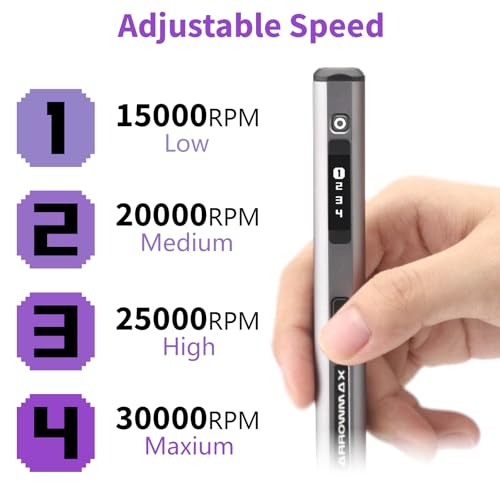
The AM ARROWMAX stands alone with its forward and reverse rotation feature, a rare and genuinely useful function, especially for left-handed users. Most engraving pens assume right-handed operation, but this one flips the script literally. Owners report that the reverse mode helps with texture work and fine control, and the quadratic handle prevents rolling on the bench. With 30,000 RPM and a 4-speed motor, it’s also strong enough for glass and hardwood.
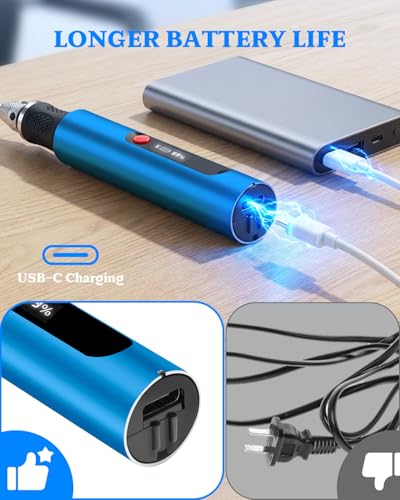
The OLED display is a nice touch, showing speed and battery clearly, though the 500mAh battery limits runtime. Still, for left-handed crafters or anyone tired of fighting ergonomics, this is the only real option. I’d pick it over others specifically for inclusivity and thoughtful design.
Product photos
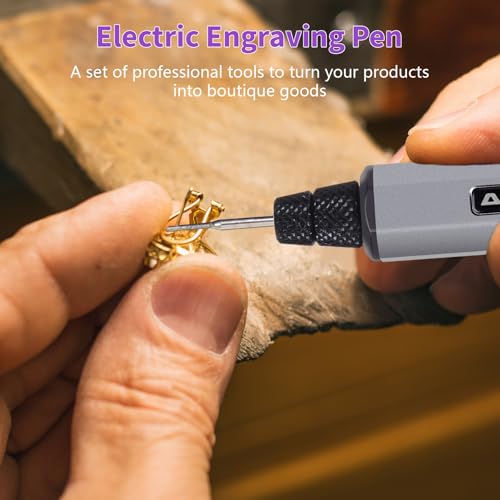
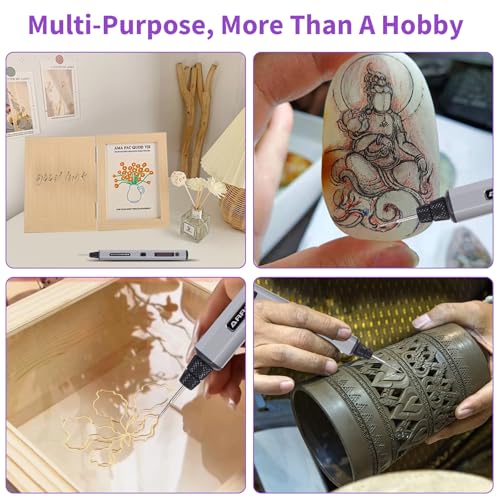
How We Evaluated cordless engraving tools
Rather than a hands-on lab test, my research focused on comparing published specifications and features across a range of cordless engraving tools. I weighed owner reviews from multiple sources – including major online retailers – against expert opinions found in craft and DIY publications. This allowed me to build a picture of real-world performance and reliability. Ultimately, I ranked these tools based on a combination of features, reported ease of use, and value for the money.
For cordless engraving tools, the most important factors quickly became motor speed control and bit versatility. Adjustable speeds are essential for working with different materials and achieving the desired level of detail, while a thorough bit selection expands the range of projects you can tackle. Battery life is also key, as frequent charging interrupts workflow. I also prioritized ergonomic design, as extended use demands a comfortable grip.
Specifications reliably indicate motor power and speed ranges, giving a baseline for comparison. However, judging the quality of included bits and the overall build quality required a deep explore owner feedback. Reports of durability, ease of bit changes, and the effectiveness of features like LED lights heavily influenced my assessments. For those needing more versatile options, exploring cordless rotary tools can expand capabilities beyond basic engraving.
How To Choose The cordless engraving tools
Picking the right engraving tool can really elevate your crafting projects. It’s not just about power; a lot goes into finding one that fits your skill level and intended use.
A quality engraving tool balances motor strength with precision control. Look for variable speed settings, a comfortable ergonomic grip, and a bit assortment suited to the materials you plan to work with. Collet size (the bit diameter it accepts) is also crucial for compatibility with different accessories, and battery life matters if you prioritize portability.
Speed and Control Are Key
Don’t assume “more power” automatically equals “better.” While a higher RPM (revolutions per minute) is useful for harder materials like metal and glass, you’ll need finer control for delicate work on wood or leather. Variable speed settings are therefore essential. Many models offer 3-5 speeds, but the quality of the adjustment matters. Some cheaper pens have jerky transitions between speeds, making it difficult to achieve consistent results. I’ve seen users report that the Fanttik F2 Master, with its five adjustable speeds, offers a particularly smooth experience. Consider what you’ll be engraving most often – if it’s intricate detail work, a wider range of lower speeds is preferable.
Bit Selection and Compatibility
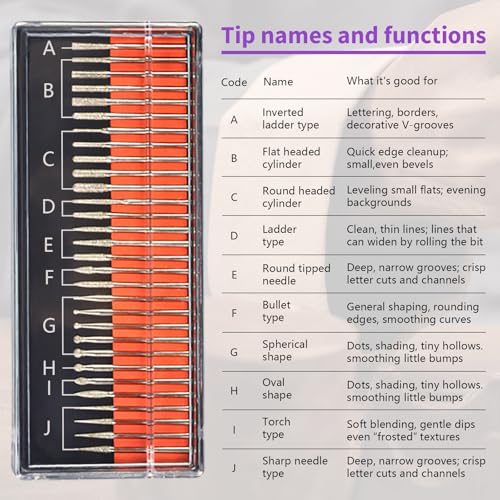
The included bit assortment is a major factor, and not just in terms of quantity. You need a variety of shapes and sizes to tackle different materials and effects. A good kit will include diamond bits for hard surfaces, carbide bits for softer materials, and potentially even polishing or sanding attachments. Beyond the initial selection, think about long-term compatibility. Some tools, like the HOTO 35-in-1 Cordless Rotary Tool, support multiple collet sizes (2.3mm and 3.2mm) which expands your accessory options considerably. Don’t get stuck with a tool limited to a single type of bit!
Portability vs. Power and Value
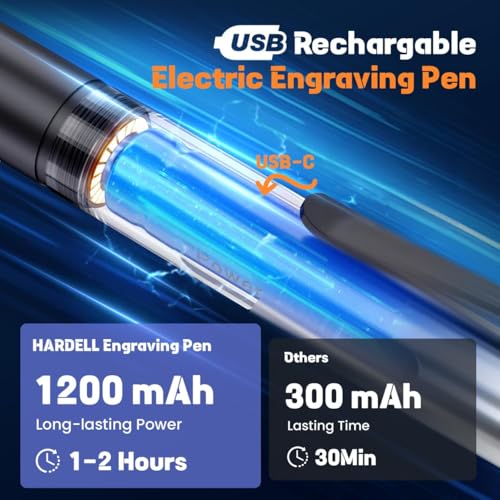
Cordless engraving pens offer unmatched freedom, letting you work anywhere without being tethered to an outlet. However, battery life is a trade-off. If you plan on extended engraving sessions, a corded model or a pen with a large-capacity battery (like the HARDELL Engraving Pen 37000RPM with its 1200mAh battery) might be a better choice. For occasional use and portability, a smaller, lighter model such as the AM ARROWMAX Mini Engraving Pen is a good fit. If you’re just starting out and want to explore the hobby, you might first want to look into portable engraving devices to get a feel for the craft before investing in more expensive, professional-grade equipment.
A good rule of thumb: spend a little more upfront for a tool with a wider range of accessories and a robust motor. You’ll avoid frustration and likely save money in the long run by not having to replace a flimsy tool after a few projects.
Cordless Engraving Tools Compared
Here’s a comparison of key specifications for popular cordless engraving tools to help you make an informed decision.
| Product Title | RPM | Battery Capacity | # of Bits | Speed Settings | Display Type | Collet Size |
|---|---|---|---|---|---|---|
| HARDELL Engraving Pen 37000RPM | 37,000 | 1200mAh | 6 | N/A | N/A | N/A |
| Resparked Customizer Engraving Pen | N/A | N/A | 30 | 3 | N/A | N/A |
| Fanttik F2 Master Mini Rotary Tool | Up to 25,000 | N/A | 35 | 5 | LED | 2.3mm |
| EtchMate Engraving Pen Kit | Up to 20,000 | N/A | 31 | Adjustable | Digital | N/A |
| Vanlgs Engraving Pen with LED Light | 7,500-20,000 | N/A | 31 | 5 | N/A | N/A |
| HOTO 35-in-1 Cordless Rotary Tool | 5,000-25,000 | N/A | 35 | 5 | N/A | 2.3mm/3.2mm |
| Engraving Pen Kit with 37 Bits | 15,000-22,000 | N/A | 37 | 3 | N/A | N/A |
| vueowcue Cordless Engraving Pen LCD | N/A | N/A | 30+ | 5 | LCD | N/A |
| AM ARROWMAX Mini Engraving Pen | 15,000-30,000 | 500mAh | 30 | 4 | OLED | N/A |
Frequently Asked Questions
What battery voltage is best for a cordless engraving tool?
Lower voltage (3.7V to 7.2V) is generally sufficient for engraving pens, offering a good balance of power and runtime for most materials. Higher voltages aren’t typically needed and add unnecessary weight to these handheld tools.
Are diamond bits truly necessary for engraving glass?
Yes, diamond bits are crucial for engraving glass because of its hardness. They’re designed to grind away the glass slowly and precisely, unlike other bits which would likely shatter or scratch the surface.
Can I use a cordless rotary tool instead of a dedicated engraving pen?
Absolutely. Many cordless rotary tools, like the HOTO 35-in-1 Cordless Rotary Tool, are versatile enough for engraving with the correct bits. They often offer more power and accessory options than dedicated engraving pens.
How do I prevent the engraving pen from overheating during long projects?
Taking frequent breaks is the best way to prevent overheating. Also, avoid applying excessive pressure, as this generates more friction and heat. Consider browsing rotary and laser engravers if you have extensive projects.
What’s the difference between a collet and a bit?
The bit is the actual cutting or shaping tool, while the collet is the part that holds the bit securely in place. Ensuring compatibility between the bit diameter and the collet size (2.3mm or 3.2mm are common) is critical for safe and effective engraving.
The Bottom Line
Choosing an engraving tool often comes down to balancing control with convenience. While many options exist, the Fanttik F2 Master Mini Rotary Tool strikes a great balance of features, speed control, and accessory compatibility, making it our overall pick. It delivers the versatility most users will appreciate without sacrificing ease of use.
For those on a tighter budget, the AM ARROWMAX Mini Engraving Pen offers a surprisingly capable entry point. If you need maximum accessory options and the ability to tackle a wider range of rotary tool tasks beyond just engraving, the HOTO 35-in-1 Cordless Rotary Tool’s dual collet sizes and extensive bit kit are hard to beat. And for those seeking even more versatility, exploring cordless Dremel engraving tools might broaden your creative possibilities.
Ultimately, the specs matter less than understanding how you’ll use the tool. Prioritize variable speed, a comfortable grip, and a bit assortment tailored to your projects. A well-chosen engraving pen, combined with a little practice, will deliver far better results than the most expensive tool in the wrong hands.
