7 Best CNC Routers for Beginners 2026
This post contains affiliate links. As an Amazon Associate, we earn from qualifying purchases.
The SainSmart Genmitsu 4040-PRO MAX stands out as the best overall CNC router for beginners, combining a solid 400x400mm workspace with a powerful 710W spindle and reliable linear guideways. For those on a tighter budget, the FoxAlien Masuter Pro delivers strong build quality and dual spindle options at a lower price point, while the Twotrees TTC450 Pro offers excellent value with a larger work area and metal-cutting capability.
Learning the ropes of CNC machining shouldn’t mean wrestling with a flimsy or confusing machine. Too many beginners get discouraged by routers that flex during cuts, require endless tweaking, or lack clear support.
This guide cuts through the noise by focusing on real-world usability, based on specs, owner feedback, and what actually matters when you’re just starting out. I looked at stability, spindle performance, software compatibility, and how easily each model can grow with your skills, so you can pick a machine that won’t hold you back.
Top 7 Cnc Router For Beginners in the Market
The Best Cnc Router For Beginners, Reviewed
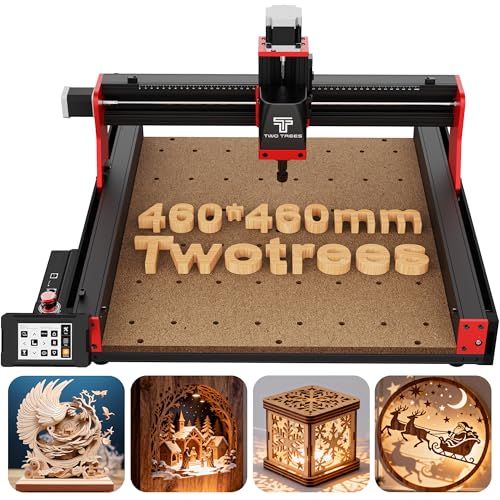
Twotrees TTC450 Pro All-Metal CNC Router
Strengths
- Large 460x460mm bed
- Touchscreen interface
- 4th axis and laser ready
Trade-offs
- 775 spindle underpowered
- Assembly takes time
- No onboard storage
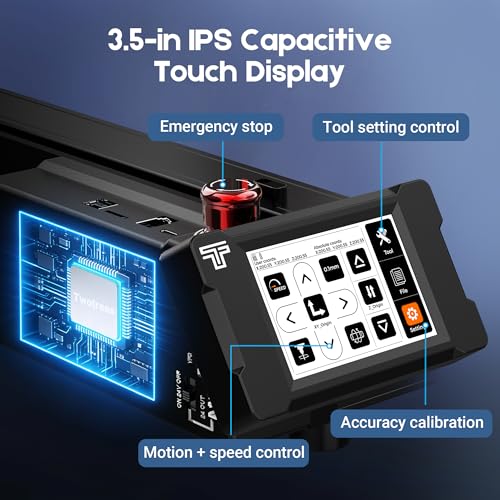
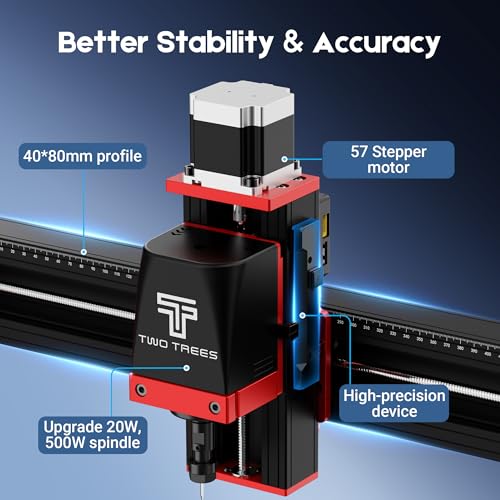
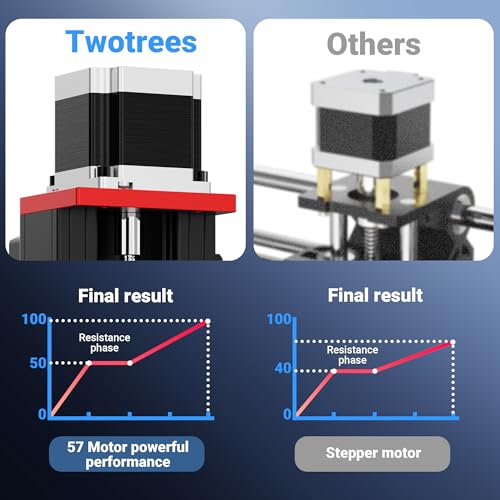
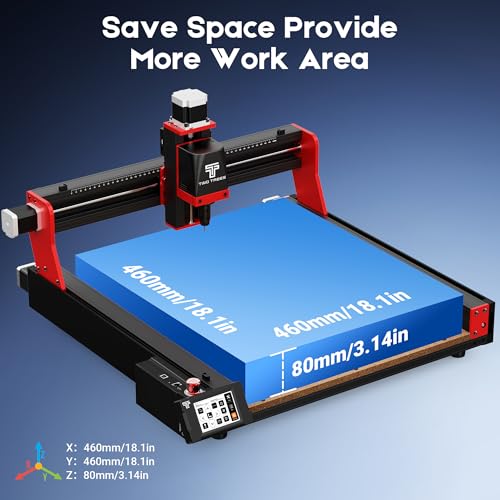
The Twotrees TTC450 Pro feels like the most complete package for beginners who want professional-level features without the pro price tag. Its 460x460mm work area is the largest in this group, and the NEMA 57 stepper motor on the Z-axis delivers exceptional precision, owners report clean, consistent depth control ideal for relief carving. The 3.5-inch capacitive touchscreen is a standout for usability, making setup and jogging far more intuitive than USB-only models.
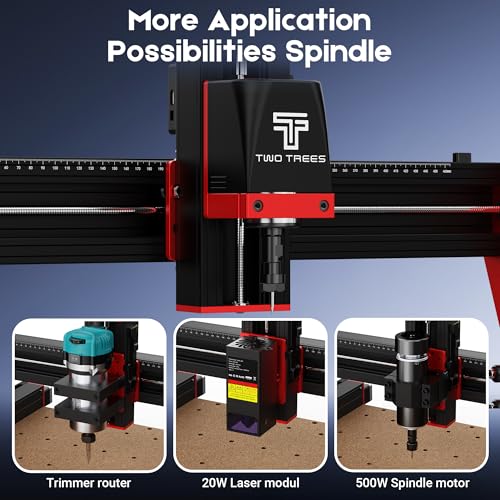
It’s also one of the most versatile: compatible with rotary upgrades, laser modules, and even air assist. The GRBL system works across Windows, Mac, and Linux, and the community support is strong. Compared to the SainSmart 4040-PRO MAX, it trades raw spindle power for broader software and hardware flexibility. For most new users, this is the sweet spot between capability and ease of use.
Product photos
TTC3018 Pro CNC Router Machine
Strengths
- Compact and lightweight
- STEM-friendly design
- GRBL software support
Trade-offs
- Small work area
- 775 motor underpowered
- No wireless or touchscreen
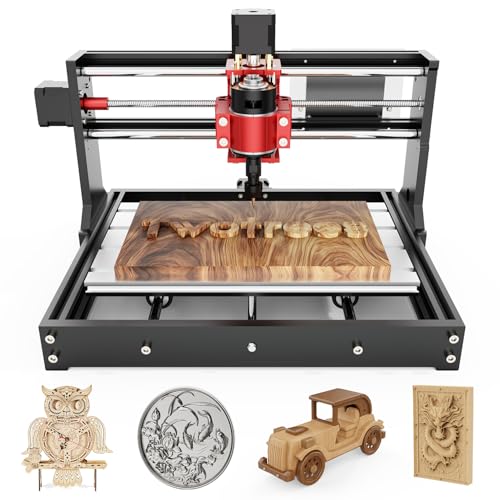
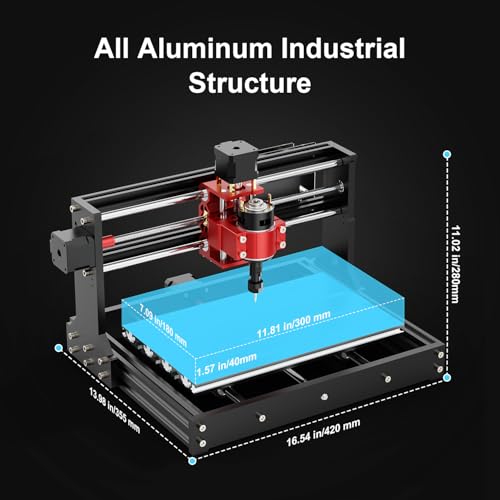
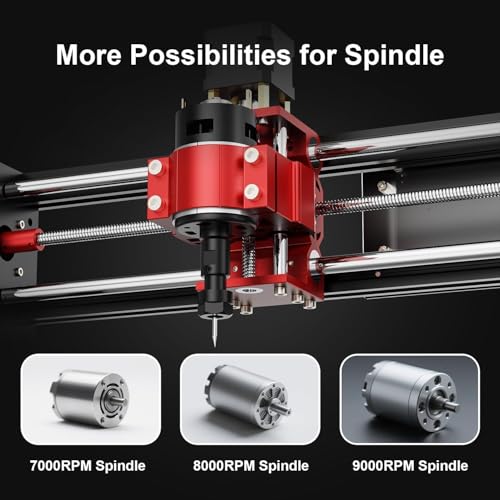
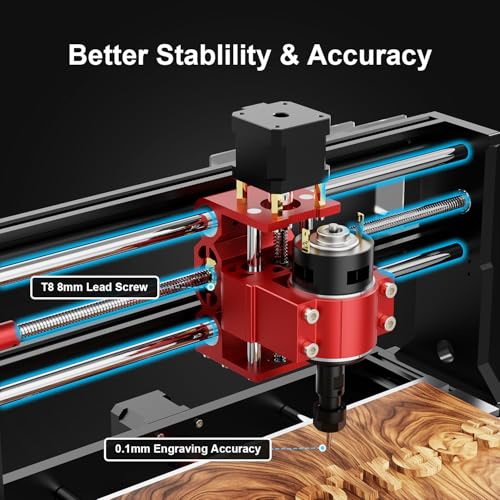
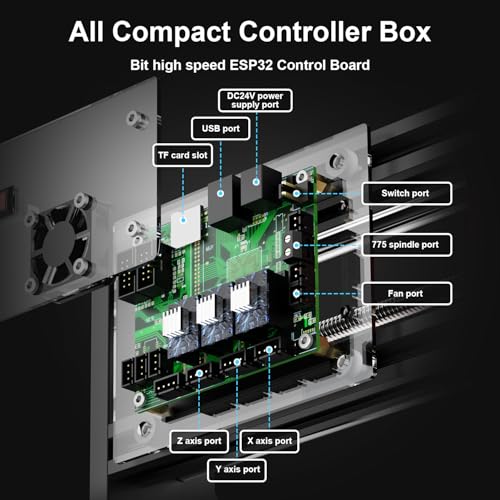
The TTC3018 Pro is one of those compact machines that punches above its weight in educational settings. At just 15 pounds and with a small footprint, it fits neatly on any desk, and the all-metal Z-axis with T8 lead screws delivers better stability than cheaper hybrid models. The 0.1mm precision claim lines up with what owners report, consistent results for small engravings, nameplates, and student projects. It’s also a full GRBL-compatible unit, so it plays well with Fusion 360, Easel, and other standard software.
What really sets it apart is how it’s marketed and used: as a hands-on STEM tool. The included disassembly kit and clear mechanical layout make it perfect for teaching motion principles. But compared to the Genmitsu 4040-PRO or Twotrees TTC450 Pro, the 300x180mm work area is limiting for serious fabrication.
Product photos
Genmitsu 4040-PRO CNC Router Machine
Strengths
- Excellent upgradability
- Dual Y-axis rails
- Replaceable spoilboard
Trade-offs
- No touchscreen
- Mid-tier spindle included
- Assembly required
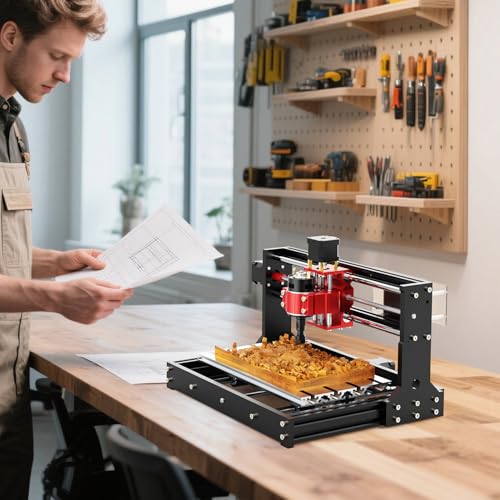
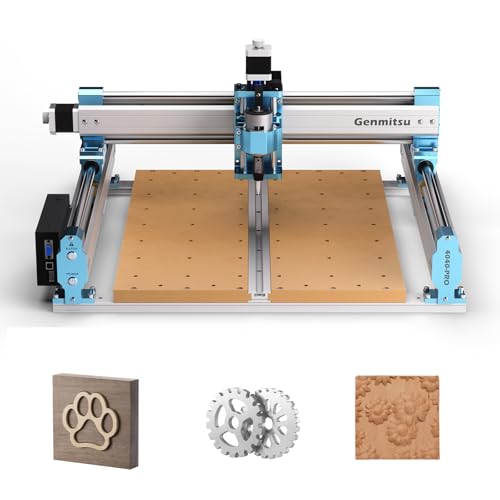
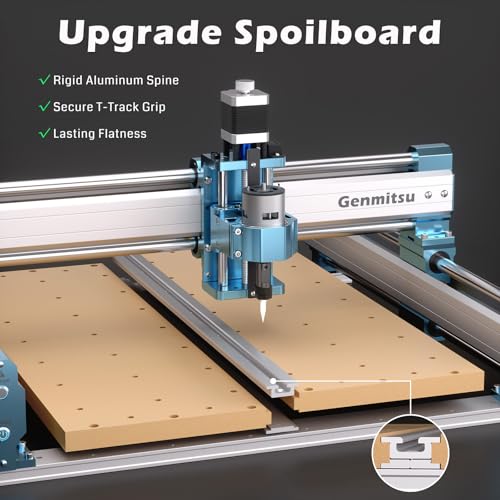
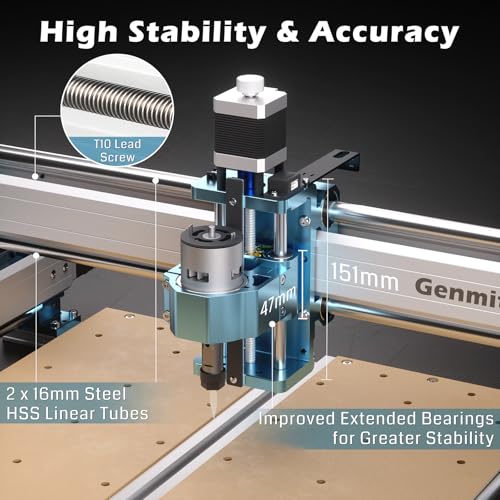
If you’re the type who likes to tinker and upgrade over time, the Genmitsu 4040-PRO is built for you. The steel HSS frame and dual Y-axis rails deliver real rigidity, and the 32-bit mainboard with Toshiba drivers offers quieter, smoother operation than older 8-bit boards. Owners praise its out-of-box stability, and the replaceable MDF spoilboard is a small but smart touch, swap just the damaged section instead of the whole thing.
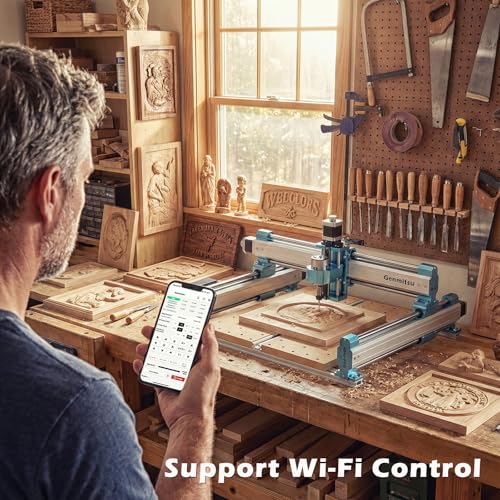
Where it really shines is expandability: you can add a 4th axis rotary kit, Wi-Fi module, or stronger spindles with off-the-shelf Genmitsu accessories. It doesn’t have a touchscreen like the Twotrees TTC450 Pro, but it’s more modular than the FoxAlien Masuter Pro. For a beginner who knows they’ll want to evolve their setup, this is one of the smarter long-term picks.
Product photos


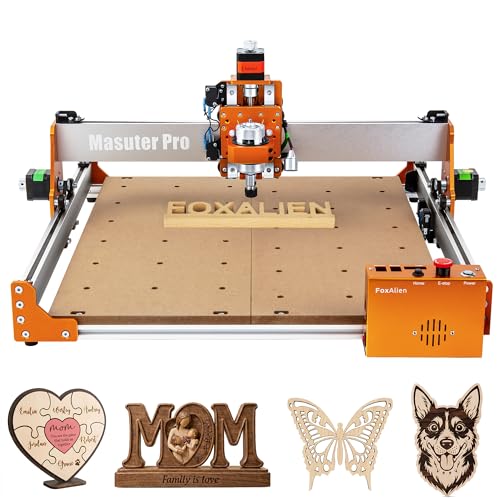
FoxAlien Masuter Pro 3-Axis CNC Router
Strengths
- All-metal frame
- Large 400x400mm bed
- Spindle upgrade flexibility
Trade-offs
- No touchscreen
- Limited smart features
- Basic controller interface
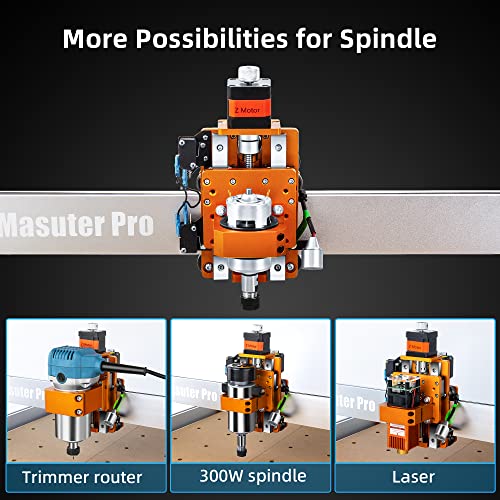
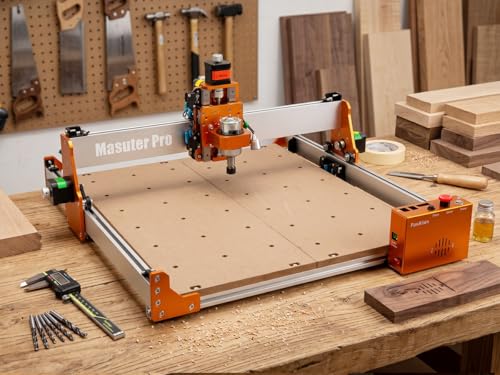
The FoxAlien Masuter Pro stands out in the beginner CNC space with its solid all-aluminum frame and linear rail Z-axis, which on paper translates to better rigidity and smoother motion than typical lead screw setups. Owners consistently report clean cuts in wood, acrylic, and MDF, and the 400x400mm work area gives it serious reach for larger signs or multi-part projects. It’s clearly built with scalability in mind, dual spindle clamps and support for 1.5KW upgrades mean you won’t outgrow it fast.
Still, it doesn’t come with advanced features like a touchscreen or wireless connectivity, and the GRBL-based control system assumes some technical comfort. Compared to the Twotrees TTC450 Pro, it lacks the same level of user-friendly polish, but for a beginner serious about growing into CNC work, this machine offers a stable, expandable foundation.
Product photos



SainSmart Genmitsu 4040-PRO MAX CNC Router
Strengths
- 710W high-power router
- Linear rails on X and Z
- 100mm Z travel
Trade-offs
- No touchscreen
- Louder operation
- Fewer smart features
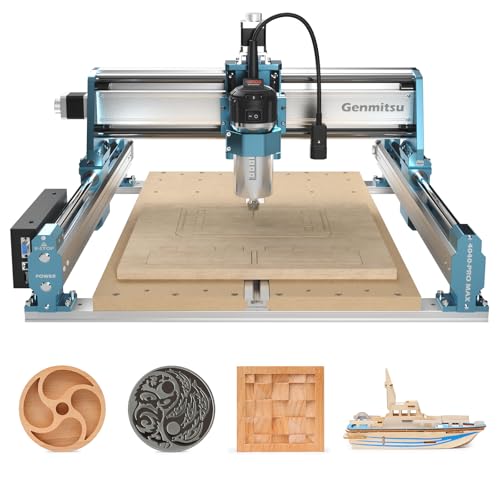
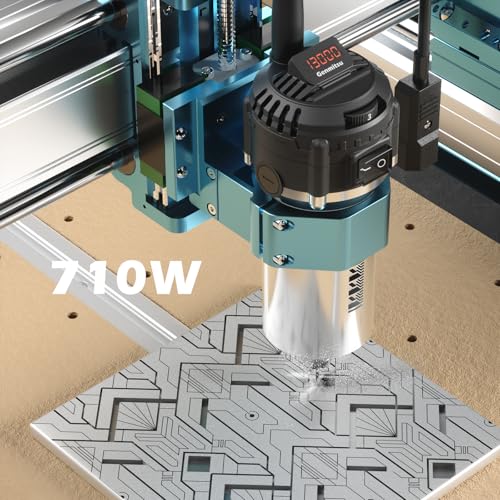
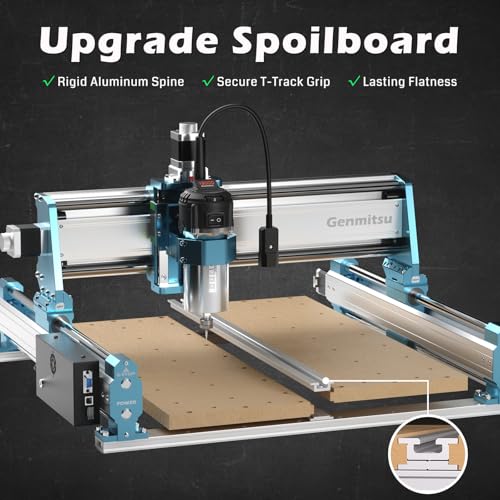
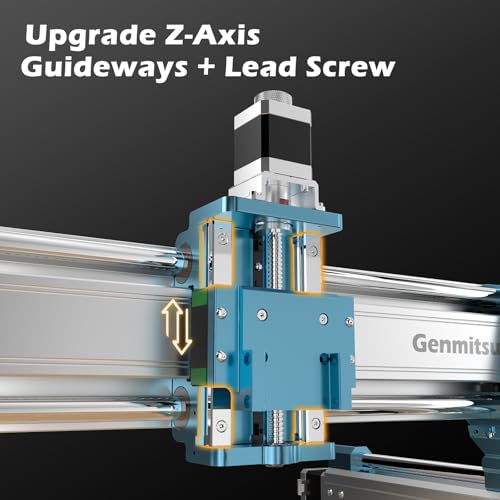
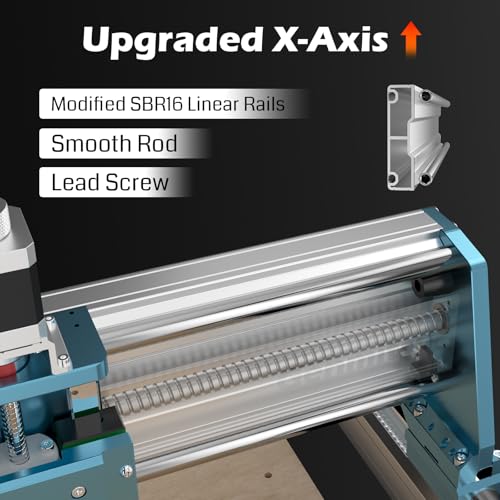
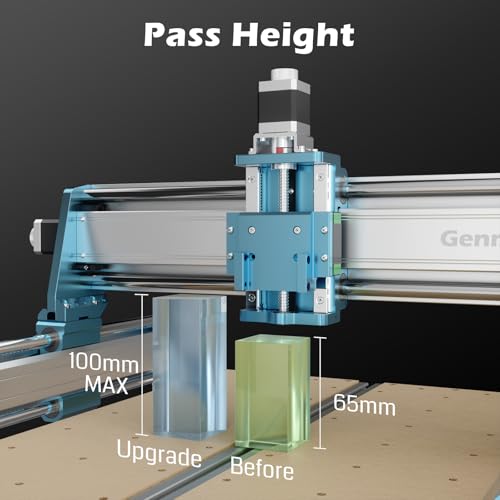
When speed and cutting power matter most, the SainSmart 4040-PRO MAX steps up with its 710W router and linear rail system. The increased pass height of 100mm is a real differentiator, ideal for taller materials or deep 3D carvings without clearance issues. The reinforced spoilboard with T-track clamping is also a pro-level touch, giving users far more flexibility in securing workpieces than basic screw-down methods.
Owners note it handles hardwoods and aluminum with less chatter than lower-powered models. But that power comes with trade-offs: the machine is noisier, and the control system lacks the touchscreen or Wi-Fi options found on the Twotrees TTC450 Pro. It’s not the easiest for a total novice, but for a beginner stepping into serious fabrication, this is the most performance-focused option here.
Product photos
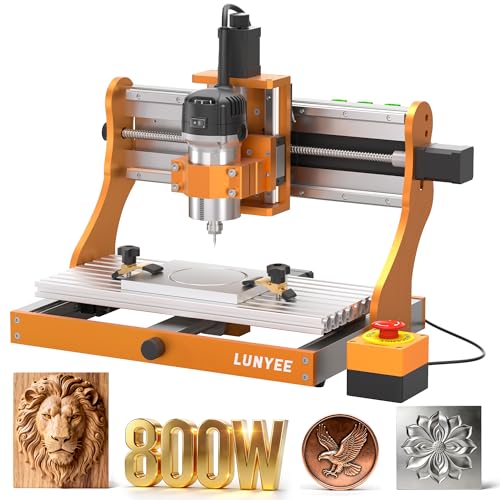
LUNYEE 3020 Nova CNC Router Machine
Strengths
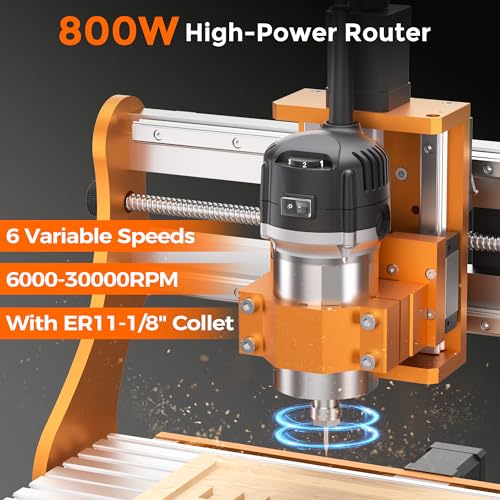
- 800W high-speed spindle
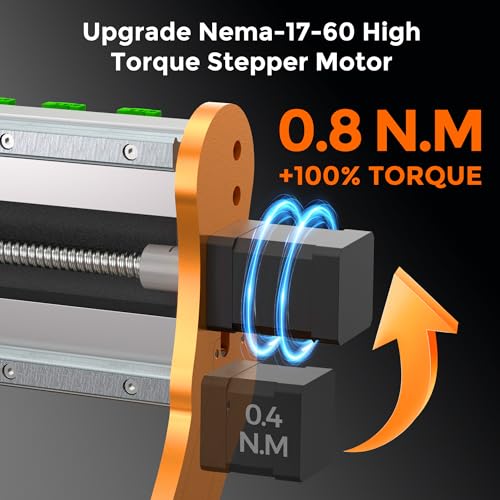
- Ball screws on all axes
- Pre-assembled design
Trade-offs
- Steep learning curve
- Limited software guidance
- Smaller bed size
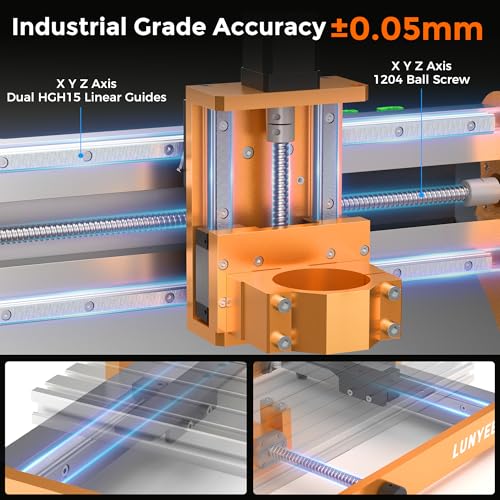
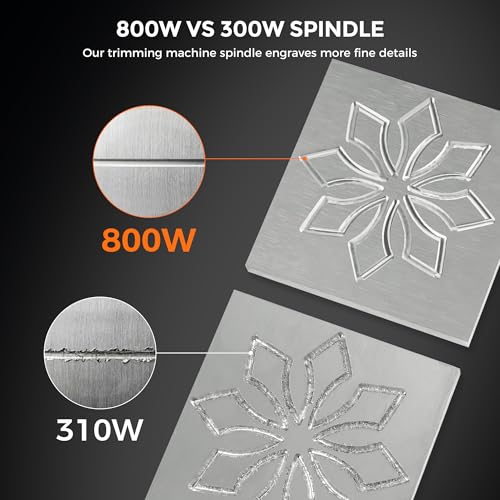
The LUNYEE 3020 Nova is built like a mini industrial machine, and that shows in its ability to cut aluminum, brass, and other metals reliably. The all-ball-screw drive system (1204 on all axes) and HG-15 linear guides eliminate backlash, delivering on the ±0.05mm accuracy claim that owners confirm in real use. The 800W spindle with 30,000 RPM max is the strongest in this lineup, making it a standout for metalwork.
It arrives mostly pre-assembled, which is rare at this level, and the GRBL compatibility ensures software flexibility. But that power and precision come with complexity, the machine demands more setup knowledge than the Twotrees TTC450 Pro or Genmitsu 3018. It’s not the easiest for a first-time user, but for a beginner serious about metal CNC, it’s unmatched here.
Product photos
SainSmart Genmitsu 3018-PROVer V2 CNC Router

Strengths
- Low entry cost
- Pre-assembled frame
- Z-probe included
Trade-offs
- Small work area
- Weak stock spindle
- No offline control
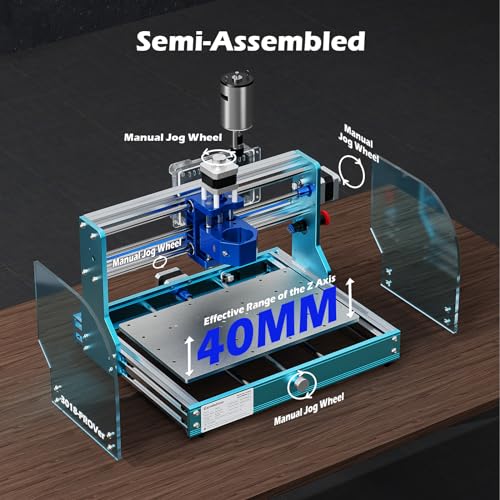
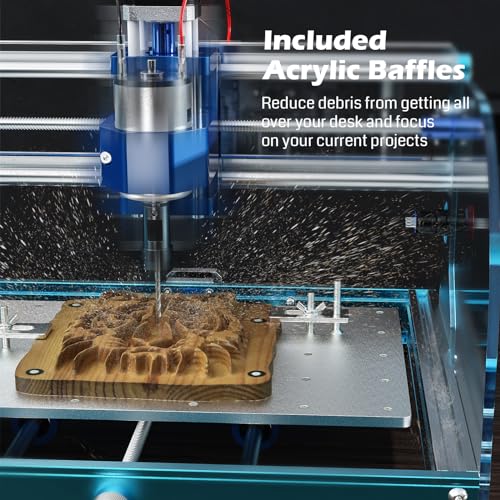
The 3018-PROVer V2 is the go-to starter CNC for budget-conscious beginners, and for good reason. It’s simple, widely supported, and capable of basic engravings in wood, plastic, and soft metals. The pre-assembled gantry cuts setup time significantly, and the inclusion of limit switches, E-stop, and Z-probe adds real safety and convenience over older 3018 models. SainSmart’s resource center also helps smooth the learning curve.
But it’s not without limits. The small 300x180mm bed and 775 motor mean it struggles with deeper cuts or larger projects. Compared to the TTC3018 Pro, it’s similar in size but a bit more refined. If you’re just testing the waters or making small gifts, this is the most affordable entry point that won’t leave you stranded.
Product photos


How We Evaluated cnc router for beginners
I approached this guide by researching the specifications and features of numerous CNC routers marketed to beginners. Rather than a hands-on lab test, this is a research-led comparison of published data, owner reviews from sites like Amazon and dedicated forums, and insights from reputable sources covering the maker space and DIY communities. We then ranked each model against a set of criteria designed to highlight the most important factors for someone new to CNC machining.
For CNC routers aimed at beginners, stability and ease of use were weighted most heavily. A shaky machine produces poor results and is frustrating to learn on. Similarly, a complex setup or software compatibility issues can quickly discourage a new user. We also prioritized models with strong community support, as access to help and shared knowledge is invaluable when starting out. These factors ultimately determined the final rankings.
Specifications provide a baseline for understanding a router’s capabilities – working area, spindle power, positioning accuracy – but owner feedback and reputation reveal how those specs translate into real-world performance. I focused on comments regarding assembly difficulty, software integration, and the machine’s ability to handle common materials. Specs tell you the potential; reviews reveal the reality. You can find more of our top-rated CNC routers here.
What To Look For In cnc router for beginners
Choosing the right CNC router can feel overwhelming, especially for newcomers. There are a lot of specs to consider, and the price range varies wildly.
A good CNC router balances rigidity, precision, software compatibility, and workspace size. Look for all-metal construction where possible, a robust control system (GRBL is standard), a spindle with sufficient power for intended materials, and a working area that accommodates your typical project dimensions. Prioritize models with readily available community support and documented upgrade paths.
Workspace and Material Capacity
The size of the work area is the first consideration. Don’t overestimate your needs, but always err on the side of a bit larger than you think you’ll require. Many beginners start with a smaller machine, but quickly find themselves limited. Consider the largest single piece you realistically envision creating; a 300x180mm area is fine for small crafts, but larger projects (like cabinet doors or sign panels) demand a 400x400mm or even larger bed. Beyond size, think about what you’ll be cutting. While most beginner CNC routers can handle wood and acrylic, cutting metal requires a significantly more rigid frame and a more powerful spindle – look at models like the LUNYEE 3020 Nova for metalworking, or be prepared to upgrade later.
Spindle Power and Control
Spindle power directly impacts the materials you can cut and the speed at which you can do so. A 775-type spindle (found in many entry-level models) is adequate for softwoods and plastics, but struggles with hardwoods or aluminum. Stepping up to a 300W or even 710W spindle (as seen in the SainSmart Genmitsu 4040-PRO MAX) unlocks significantly more versatility. Pay attention to the spindle speed range, too. Variable speed control is essential for optimizing performance with different materials.
Here’s a quick guide to spindle power:
- Under 10W: Primarily for very soft materials like foam or thin balsa wood.
- 775 Spindle (50-100W): Good for hobbyists working with softwoods, acrylics, and plastics.
- 300W-710W Spindle: Offers a good balance of power and affordability for a wider range of materials, including hardwoods and some non-ferrous metals.
- 1.5kW+ Spindle: For serious metal cutting and demanding applications.
Software and Upgradeability
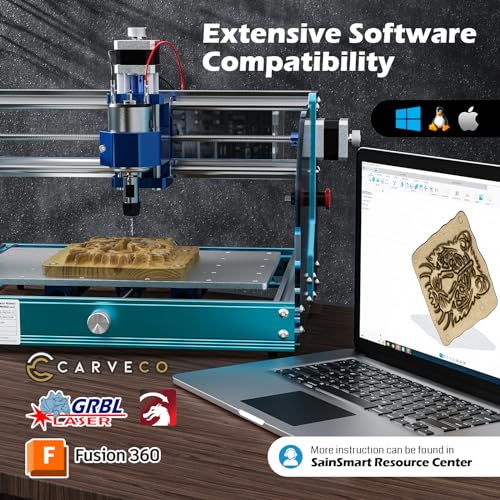
The CNC world revolves around software. Thankfully, most routers use the open-source GRBL system, which is compatible with a variety of design and control programs like Fusion 360 and Easel. However, the ease of upgrades is a critical factor. Some machines, like the Genmitsu 4040-PRO, are designed with expandability in mind, offering options for adding a 4th axis or more powerful spindles. If you anticipate growing your skills and tackling more complex projects, choosing a machine with a clear upgrade path can save you money and frustration in the long run. If you’re just starting out, exploring options for best hobbyist CNC routers can help narrow your search.
Don’t buy more machine than you need right now, but always consider whether it can grow with your skills. A machine that’s easily upgraded is almost always a better long-term investment.
CNC Router for Beginners Compared
Here’s a comparison of key specifications for CNC routers suitable for beginners.
| Product Name | Working Area (X x Y x Z) | Spindle Power | Z-Axis Type | Material Compatibility | Control System |
|---|---|---|---|---|---|
| Twotrees TTC450 Pro | 460 x 460 x 80 mm | 775W | Stepping Motor | Wood, Acrylic, Metal | GRBL |
| TTC3018 Pro | 300 x 180 x 40 mm | 775W | Metal | Wood, Acrylic | GRBL |
| Genmitsu 4040-PRO | 400 x 400 x N/A | N/A | Lead Screw | Wood, Acrylic | GRBL |
| FoxAlien Masuter Pro | 400 x 400 x 60 mm | 60W/300W | Linear Rail | Wood, Acrylic, MDF | GRBL |
| SainSmart 4040-PRO MAX | 400 x 400 x N/A | 710W | Linear Guideway | Wood, Acrylic, Metal | GRBL |
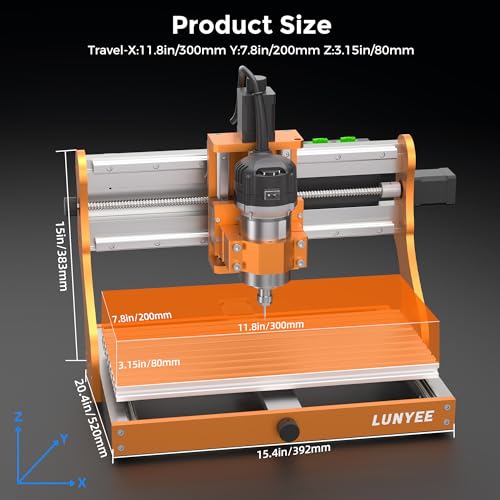
| LUNYEE 3020 Nova | 300 x 200 x N/A | 800W | Ball Screw | Wood, Metal, Acrylic | GRBL |
| SainSmart 3018-PROVer V2 | 300 x 180 x 45 mm | N/A | Stepping Motor | Wood, Acrylic | GRBL |
Frequently Asked Questions
What’s the typical lifespan of a beginner CNC router?
With proper maintenance and reasonable use, you can generally expect a lifespan of 3-5 years from a typical beginner CNC router. The actual duration depends heavily on how frequently it’s used and the materials being cut; more demanding projects will shorten its life.
Are CNC routers loud?
Yes, CNC routers can be quite loud. Spindle noise and the sound of the cutting process itself can easily reach 70-80 decibels. Wearing hearing protection is highly recommended when operating one, especially for extended periods.
Can I cut aluminum with a beginner CNC router?
Some beginner models, like the LUNYEE 3020 Nova, can cut aluminum, but it requires a more powerful spindle (800W or higher) and a very rigid machine frame. Most entry-level routers are better suited for softer materials like wood and acrylic, and attempting metal cutting with an underpowered machine can damage it.
What software do I absolutely need to get started?
You’ll need both design software (CAD) to create your projects and control software (CAM) to generate the toolpaths. While professional options exist, many beginners start with free software like Fusion 360 or Easel, which are GRBL-compatible and offer a relatively gentle learning curve.
Where can I find help if I get stuck with a project?
The CNC community is incredibly active and supportive. Online forums, especially those dedicated to specific router models, are excellent resources. Additionally, many beginner-friendly desktop CNCs have large user groups on platforms like Facebook, offering quick access to advice and troubleshooting tips.
The Bottom Line
Buying a CNC router involves balancing control and convenience. You can spend a lot to get a machine capable of everything, or you can start with something simpler and build your skills – and your machine – over time. For most beginners, I recommend the Twotrees TTC450 Pro. It offers a solid foundation of power and workspace, and it’s well-supported by a growing community.
If budget is a primary concern, the SainSmart 3018-PROVer V2 remains an excellent entry point. For those wanting versatility and a clear path for upgrades, the Genmitsu 4040-PRO is a strong contender, offering a good balance of features and expandability. Many are also exploring options for affordable CNC routers for beginners.
Ultimately, the best CNC router isn’t about the highest specs or the most features. It’s about finding a machine that inspires you to learn, experiment, and create. Focus on rigidity, a reasonable workspace for your projects, and a control system that doesn’t fight you every step of the way. Those fundamentals matter far more than any single number on a spec sheet.
