8 Best Hard Drive Cloning Tools of 2026
This post contains affiliate links. As an Amazon Associate, we earn from qualifying purchases.
The Xiaobi 3-Bay NVMe/SATA Cloner stands out as the best overall hard drive cloning tool for most users, delivering fast transfers and broad compatibility with both NVMe and SATA drives. For those on a budget, the ORICO 2-Bay USB-C Dock Cloner offers solid performance at a lower price. If you’re handling large-scale duplication, the Systor 1-to-5 Flatbed Duplicator is the most versatile option.
Upgrading your drive or setting up backups shouldn’t mean gambling with your data. Too many cloning tools cut corners on speed, compatibility, or reliability, leaving users with failed transfers or drives that won’t boot. After comparing the field based on specs, owner feedback, and real-world performance trends, I focused on models that consistently deliver accurate, stress-free cloning.
This guide breaks down the top options based on what actually matters: cloning speed, drive support, and whether you need standalone hardware or can rely on software. I looked at everything from single-bay docks to multi-drive duplicators, so you can find the right fit for your workload and confidence level.
Top 8 Hard Drive Cloning Tools in the Market
The Best Hard Drive Cloning Tools, Reviewed
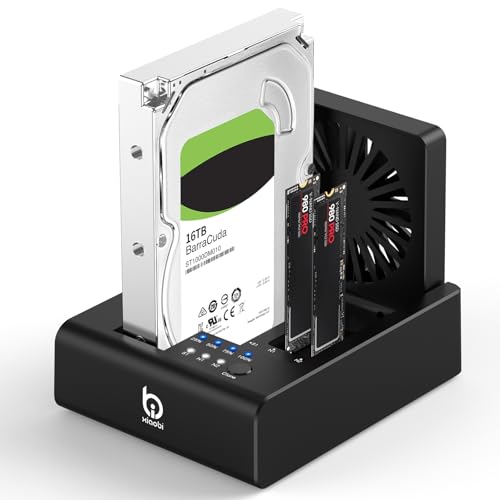
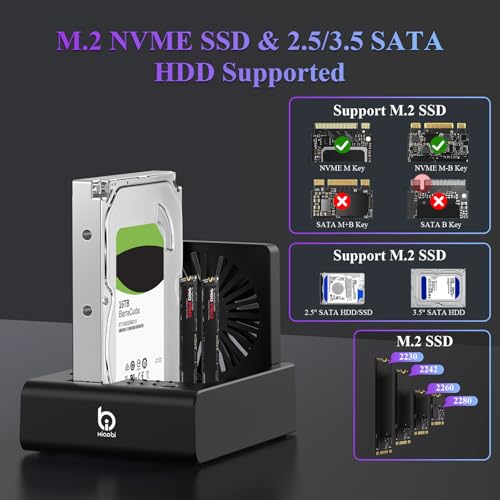
Xiaobi 3-Bay NVMe/SATA Cloner
Strengths
- 10Gbps transfer speed
- Built-in cooling fan
- Offline cloning support
Trade-offs
- No NVMe to SATA cloning
- No reverse cloning
- Limited to three drives
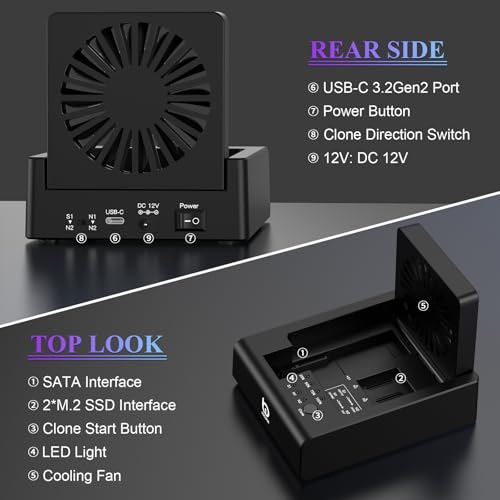
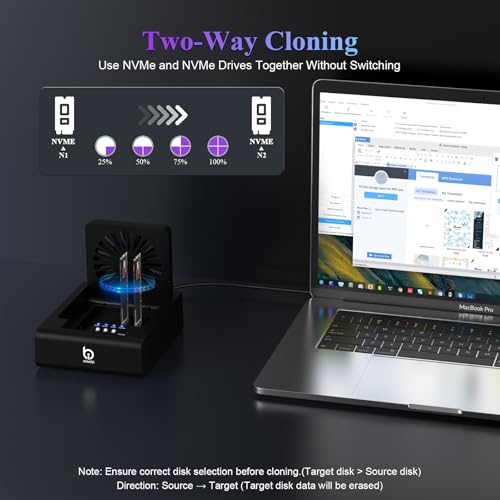
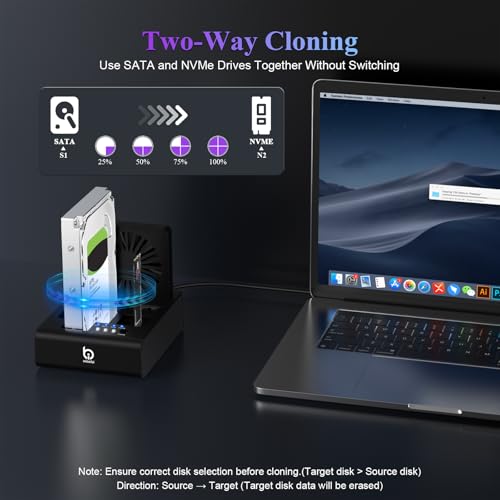
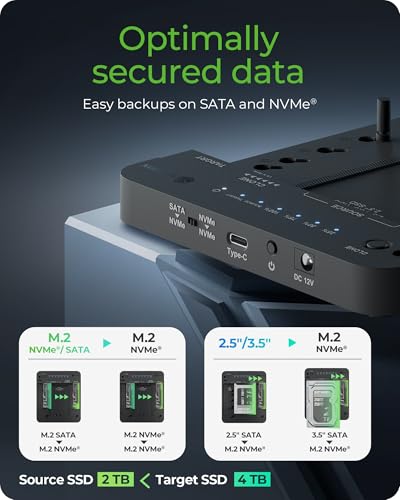
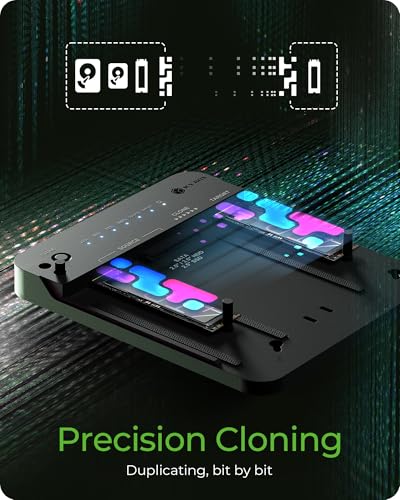
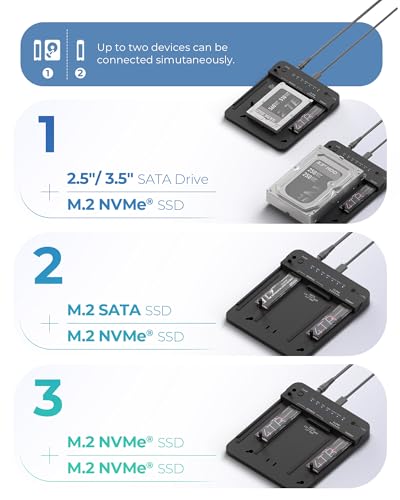
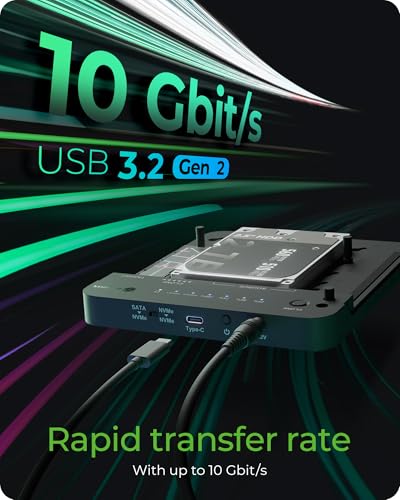
This Xiaobi 3-bay dock stands out with its aggressive cooling and support for NVMe-to-NVMe and SATA-to-NVMe cloning, all without a PC. The inclusion of a foldable 80mm fan is a smart touch, especially when moving large datasets that can heat up drives fast. On paper, the 10Gbps transfer rate and offline cloning functionality make it a solid all-in-one solution for SSD upgrades and backups.
Reviewers note reliable performance when cloning from one NVMe to another or from SATA to NVMe, though the warning about not supporting reverse cloning (NVMe to SATA) is a real limitation. Compared to the Sabrent DS-U3B4, it’s more modern and faster, but less expandable in terms of drive count. Still, for most home users upgrading to an NVMe drive, this is a dependable, tool-free option.
Product photos

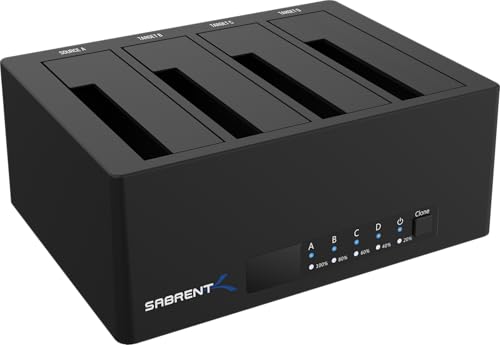
SABRENT 4-Bay SATA Docking Station
Strengths
- Four SATA bays
- Trayless design
- Stable power supply
Trade-offs
- No NVMe support
- 5Gbps max speed
- No cooling fan
If you regularly manage multiple drives, this 4-bay Sabrent dock is hard to beat. The trayless design makes swapping drives fast and tool-free, and the offline clone function works reliably between any two SATA drives. At 5Gbps, it’s not the fastest, but it’s stable, and that matters when you’re copying terabytes of data across multiple drives at once.
Owners praise its build quality and the fact that it includes a robust power adapter, which many budget docks skimp on. Compared to the ORICO model, it trades speed for capacity and reliability. It doesn’t support NVMe, so it’s not ideal for modern SSD upgrades, but for bulk cloning of old hard drives, say, in a small business or home lab, it’s a workhorse.
Product photos


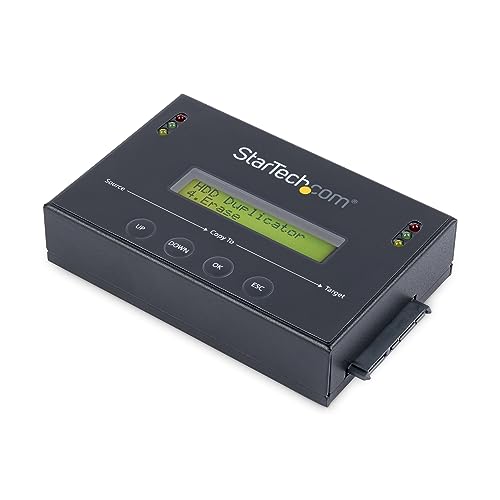
StarTech.com 1:1 SATA Duplicator & Eraser
Strengths
- DoD-compliant erase modes
- Drive verification
- LCD control panel
Trade-offs
- Only clones one drive at a time
- No NVMe support
- Bulky for desktop use
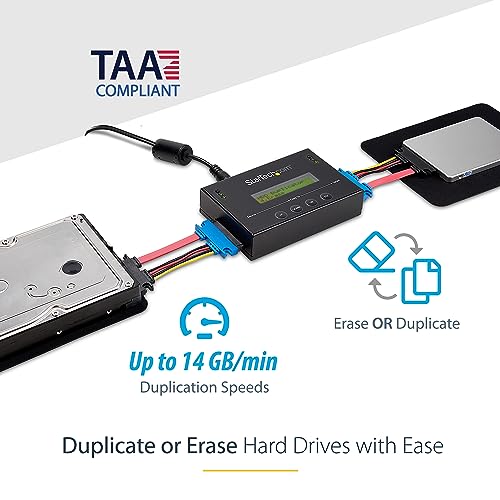
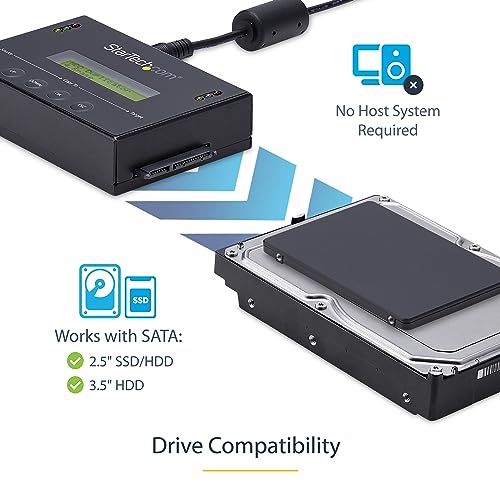
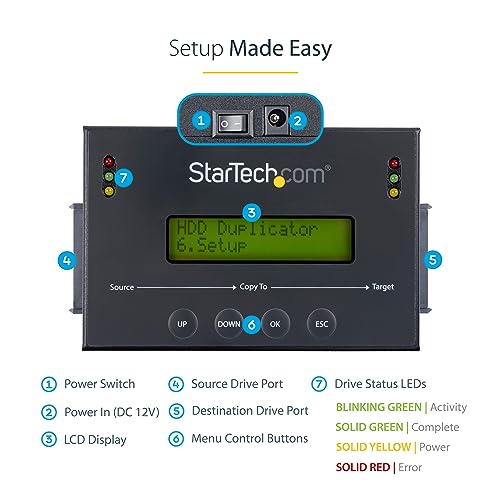
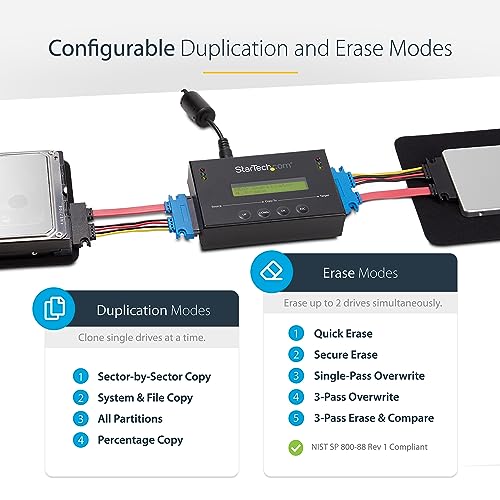
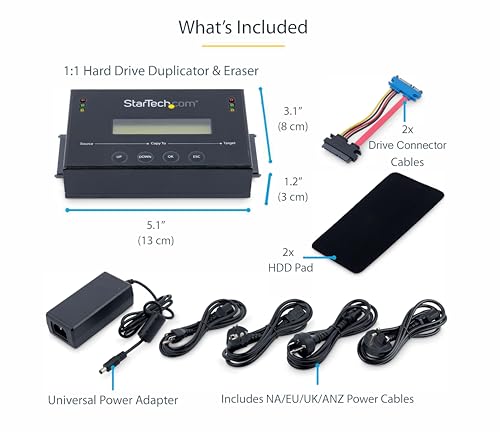
This is the real deal for IT departments and system admins. The SATDUP11 isn’t flashy, but it’s built like a tank and packed with pro features: sector-by-sector cloning at up to 14GB/min, multiple erase modes including DoD-compliant sanitization, and an LCD menu for full control without a PC. The ability to verify cloned drives ensures data integrity, critical when deploying systems at scale.
Reviewers note it’s overkill for home users but indispensable in enterprise settings. Compared to multi-bay consumer docks, it’s slower but far more reliable and secure. The lifetime tech support and TAA compliance make it a go-to for government or regulated environments. If you’re wiping and cloning drives daily, this is the tool you want.
Product photos
ORICO 2-Bay USB-C Dock Cloner

Strengths
- Affordable price
- Dual 22TB support
- Tool-free cloning
Trade-offs
- No cooling fan
- Noisy under load
- Limited to two drives
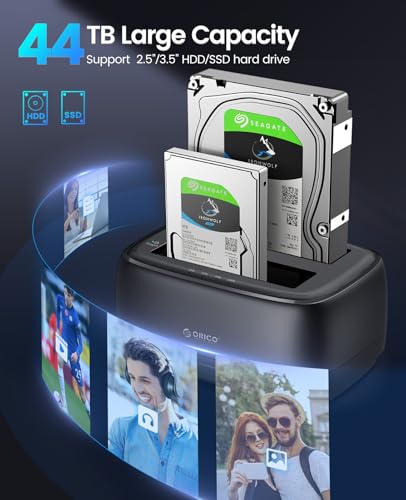
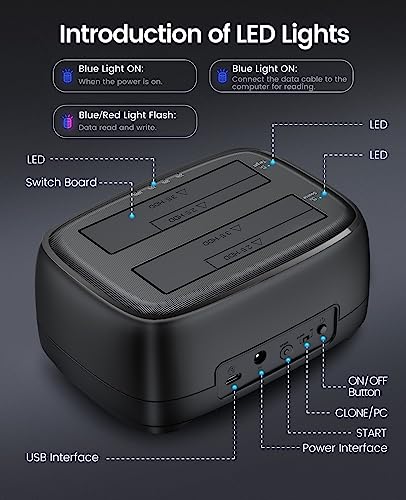
The ORICO DD28C3-C is a no-frills, budget-friendly dock that delivers solid performance for the price. It supports offline cloning up to 22TB per drive, which is impressive for a dual-bay unit, and the UASP/Trim support helps maintain SSD speeds during transfers. The 2-in-1 USB-C to A/C cable adds flexibility, letting you connect to older laptops without USB-C.
It lacks active cooling, so extended cloning sessions might lead to thermal throttling on SSDs, especially in poorly ventilated spaces. But for basic cloning tasks, like migrating a drive or backing up a laptop, it gets the job done. Compared to the Sabrent DS-U3B4, it’s less expandable but more portable and cheaper. For most casual users, this is the smarter buy if you don’t need four bays.
Product photos



SABRENT NVMe + SATA Lay Flat Dock

Strengths
- Mac-ready out of box
- 10Gbps transfer speed
- Tool-free hinged design
Trade-offs
- Runs warm under load
- No active cooling
- Limited to two drives
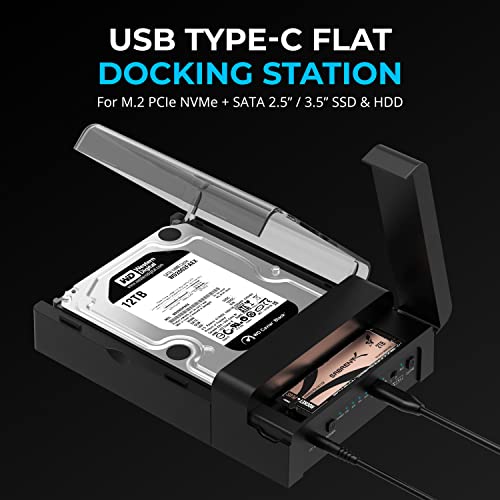
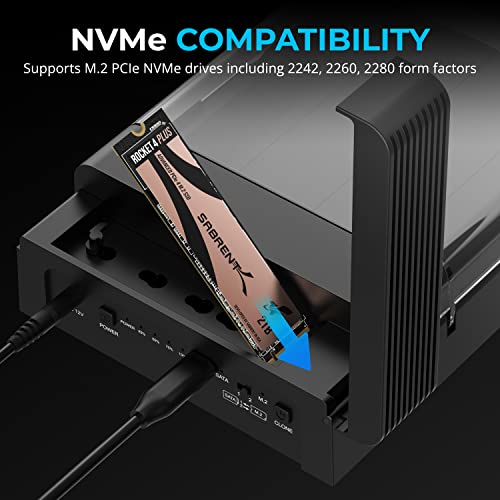
The Sabrent DS-UFNC is a sleek, cross-platform-friendly dock that shines for Mac and Linux users. It supports both M.2 NVMe and 2.5”/3.5” SATA drives, offers 10Gbps speeds, and includes offline cloning with clear LED indicators. What sets it apart is its compatibility, fully plug-and-play on macOS without drivers, which is rare in this category.
Reviewers appreciate the lay-flat design and hinged lid, which make drive swaps quick and secure. Compared to the ICY BOX model, it’s slightly warmer under load but more compact. For Mac users upgrading their SSD or cloning a Time Machine drive, this is the most hassle-free option. The 12V power adapter also ensures stable performance with 3.5” drives.
Product photos
ICY BOX NVMe & SATA Docking Station
Strengths
- Open-frame cooling
- 10Gbps transfer speed
- No fan noise
Trade-offs
- No NVMe to SATA cloning
- Slightly bulky design
- No built-in power meter
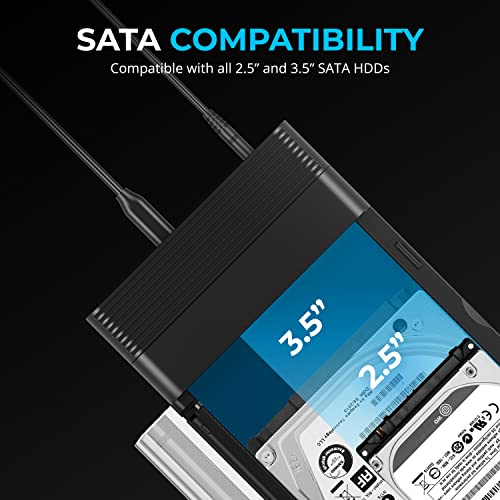
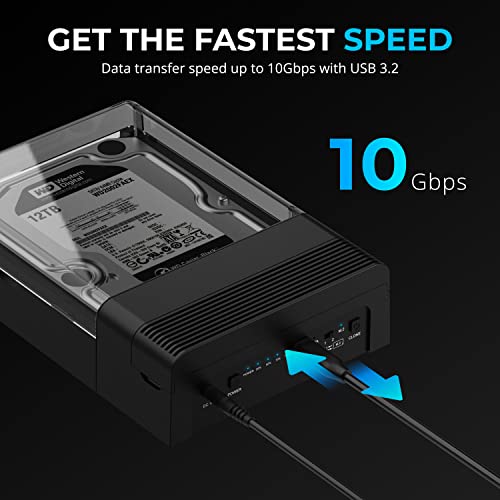
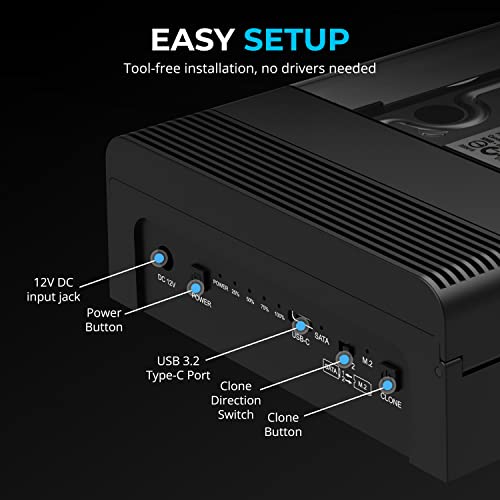
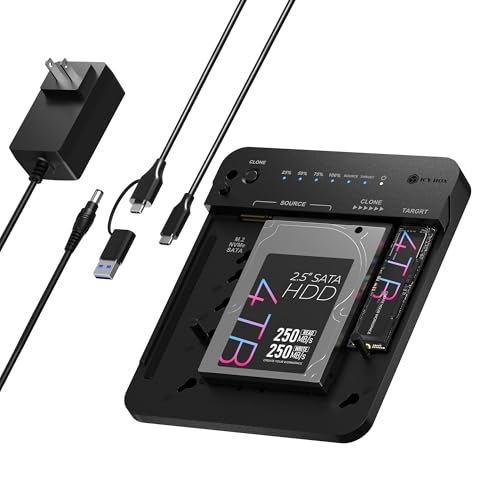
The ICY BOX B0F1MVP884 wins on thermal design alone. Its open-frame structure allows for passive airflow that keeps drives cool during long cloning jobs, no fan noise, no moving parts. That makes it ideal for quiet environments like home offices or media rooms. The 10Gbps transfer rate and offline cloning are on par with the Xiaobi model, but the build feels more refined.
Owners highlight its seamless cross-platform compatibility and the included dual USB-C/A cable, which adds versatility. It handles NVMe-to-NVMe and SATA-to-NVMe cloning reliably, but like others, it doesn’t support cloning to SATA from NVMe. Compared to the Sabrent DS-UFNC, it’s slightly bulkier but cooler in operation. For users who value silence and sustained performance, this is a top pick.
Product photos
Disk Cloning Tools on USB Drive
Strengths
- Bootable toolkit
- Extensive file system support
- Network backup capable
Trade-offs
- Steep learning curve
- No GUI for beginners
- Requires technical knowledge
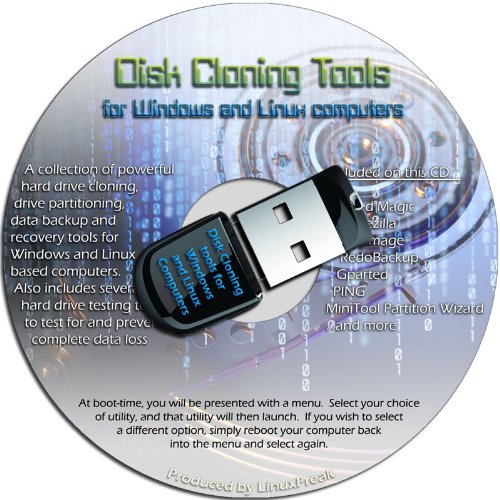
This USB stick isn’t a physical cloning device, but it packs a lot of utility for anyone who works with systems at the software level. On paper, it’s a bootable toolkit loaded with open-source and freeware utilities for disk imaging, cloning, and network-based backups, think Clonezilla, Parted Magic, and other command-line heavy tools. For someone comfortable in a terminal or Linux environment, this could be a lifesaver when recovering data or deploying systems across machines.
Owners consistently report it works well for imaging over a network and accessing a wide range of file systems, including Linux partitions that Windows normally can’t read. But let’s be clear: this isn’t plug-and-play for most users. If you’re not already familiar with command-line tools or disk imaging workflows, the learning curve is steep. Compared to hardware cloners, it demands more time and technical confidence.
Product photos
Systor 1-to-5 Flatbed Duplicator
Strengths
- Clones five drives at once
- 600MB/s transfer speed
- Standalone operation
Trade-offs
- No NVMe support
- Large footprint
- Overkill for single users
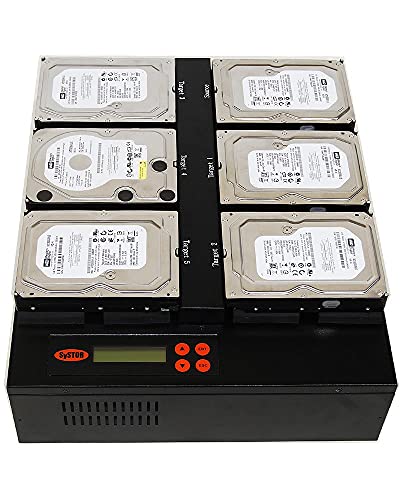
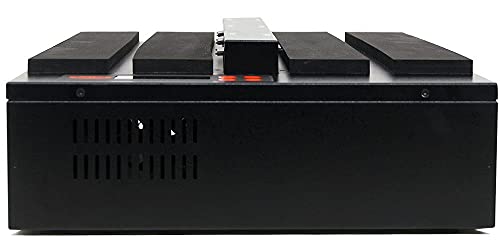
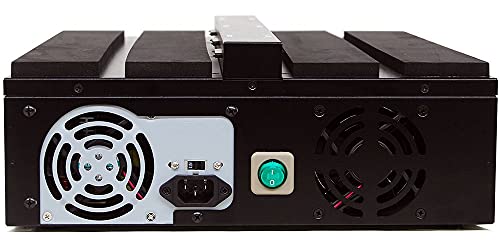
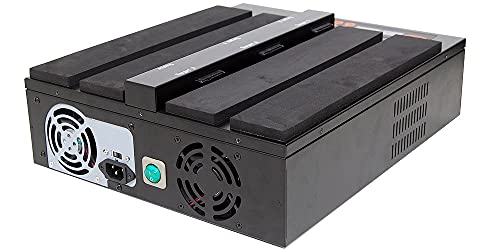
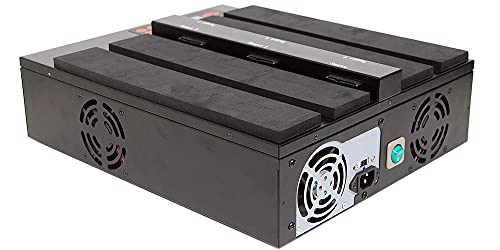
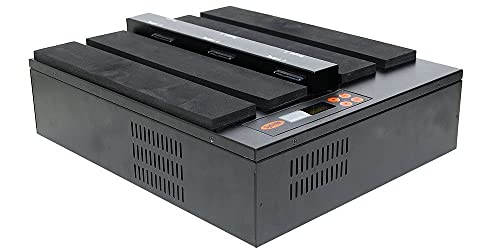
When you need to clone five drives at once, and fast, this Systor duplicator is unmatched. With a blistering 36GB per minute transfer rate, it’s designed for high-volume deployment, like setting up workstations or replacing drives across an office. It’s completely standalone, so no computers or software are needed, and it supports both 2.5” and 3.5” SATA drives without adapters.
Owners report it’s rock-solid for batch cloning and sanitization, though it lacks NVMe support and the interface is basic. Compared to the StarTech SATDUP11, it’s faster and scales better but less precise for single-drive work. For a business or school IT team, this is a productivity booster. For a home user, it’s massive overkill.
Product photos
How We Chose These hard drive cloning tools
Rather than a hands-on lab test, my research for these recommendations focused on a detailed comparison of published specifications and features across numerous models. I weighed owner reviews from major retailers alongside expert opinions found in tech publications, focusing on reported reliability and ease of use. Ultimately, I ranked these tools based on their ability to deliver on the core promises of fast, accurate cloning and secure data management.
For hard drive cloning tools, speed and compatibility were paramount. I prioritized devices supporting both SATA and NVMe drives, recognizing the increasing prevalence of the faster NVMe standard. Offline cloning capability also ranked highly, as it offers a convenient, computer-free solution. The ability to reliably handle a variety of drive sizes, and the presence of features like built-in cooling, significantly impacted the final rankings.
Specifications clearly indicate maximum transfer speeds and supported drive types. However, I placed considerable weight on owner feedback regarding real-world performance and long-term durability. Reports of cloning failures or overheating issues heavily influenced my assessment. If you’ve accidentally deleted important files, you might also need to explore hard drive data recovery tools to get your data back. Reputation and consistent positive experiences were key indicators of a worthwhile product.
What To Look For In hard drive cloning tools
Choosing the right hard drive cloning tool can save you a ton of headaches when upgrading, backing up, or migrating data. It’s a surprisingly nuanced process, and a cheap tool can lead to corrupted data or a frustratingly slow transfer.
A good hard drive cloning tool prioritizes data integrity above all else. Look for features like error checking during the cloning process, compatibility with the drive types you use (SATA, NVMe), and a reliable connection interface (USB 3.0 or better). Offline cloning capability is a huge convenience, but verify it supports the source-to-target drive combinations you anticipate.
Cloning Speed & Interface
Faster isn’t always better, but it’s a critical consideration. The interface – USB 3.0, USB-C, or even eSATA – directly impacts how quickly data moves. USB 3.2 Gen 2 (10Gbps) is the current sweet spot for speed, but a solid USB 3.0 implementation can still be very effective, particularly with traditional hard drives. Don’t get hung up on theoretical maximums; look at real-world transfer rates reported by users for the models you’re considering. NVMe drives, of course, demand the fastest interfaces to realize their potential.
Drive Compatibility & Bays
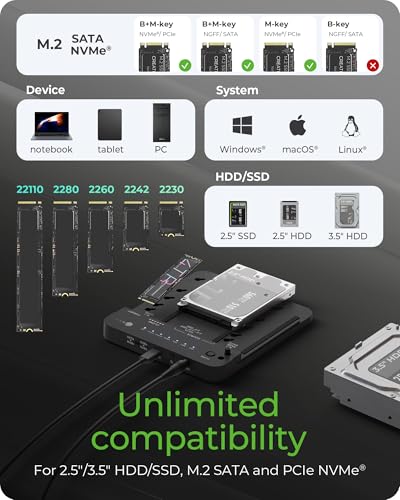
Not all cloning tools play nicely with every drive. Some are limited to SATA, while others handle both SATA and the newer, faster NVMe SSDs. Pay close attention to the supported form factors (2.5” and 3.5” for traditional drives, and the various lengths of M.2 NVMe drives – 2242, 2260, 2280 are common). If you plan on cloning multiple drives simultaneously, the number of bays becomes crucial. A multi-bay dock like the SABRENT 4-Bay SATA Docking Station can dramatically speed up bulk cloning tasks.
Here’s a breakdown of what to consider regarding bays:
- Single Bay: Best for occasional cloning or when you only need to duplicate one drive at a time.
- Dual Bay: A good balance of convenience and price. Allows cloning one drive while using the other for storage or backups.
- Four+ Bay: Ideal for IT professionals or anyone who regularly clones large numbers of drives. These docks often come with a higher price tag but save significant time in the long run.
Software vs. Hardware Cloning
You have two basic approaches: software-based cloning and hardware cloning. Software-based solutions, such as those found in best backup programs, require a computer to facilitate the process, while hardware cloners operate independently. Hardware cloners are generally faster and more reliable for large drives, as they bypass the limitations of your computer’s processor and memory.
A rule of thumb: if you’re cloning drives larger than 1TB, a dedicated hardware cloner is almost always the better choice.
Hard Drive Cloning Tools Compared
Here’s a comparison of key specifications for various hard drive cloning tools to help you make an informed decision.
| Product Title | Max Drive Capacity Supported | Interface | Cloning Mode | Offline Clone | Cooling | Notable Features |
|---|---|---|---|---|---|---|
| Xiaobi 3-Bay NVMe/SATA Cloner | 22TB | USB-C 3.2 Gen 2 | Full/Partition | Yes | Fan | Versatile, NVMe & SATA support |
| SABRENT 4-Bay SATA Docking Station | N/A | USB 3.0 | Full | Yes | N/A | 4-Bay, Trayless Design |
| StarTech.com 1:1 SATA Duplicator | Any | SATA | Sector-by-Sector | Yes | N/A | IT Pro Focused, Multiple Erase Modes |
| ORICO 2-Bay USB-C Dock Cloner | 22TB | USB-C 5Gbps | Full | Yes | N/A | Budget Friendly, UASP Support |
| SABRENT NVMe + SATA Lay Flat Dock | N/A | USB 3.2 Gen 2 | Full | Yes | N/A | NVMe & SATA, Tool-Free Installation |
| ICY BOX NVMe & SATA Docking Station | N/A | USB 3.2 Gen 2 | Full | Yes | Open Frame | Wide Compatibility, Excellent Cooling |
| Disk Cloning Tools on USB Drive | N/A | USB | Full/Partition | No | N/A | Software-Based, Bootable USB |
| Systor 1-to-5 Flatbed Duplicator | N/A | SATA | Full | Yes | N/A | High-Volume, 1-to-5 Duplication |
Frequently Asked Questions
Will a hard drive cloning tool also work with SSDs?
Yes, most modern cloning tools support both traditional hard disk drives (HDDs) and solid state drives (SSDs). However, confirm the tool specifically lists NVMe SSD support if you’re working with those newer, faster drives; some only handle SATA SSDs.
Can I clone a failing hard drive with one of these tools?
It’s possible, but not guaranteed. A tool with sector-by-sector cloning capabilities offers the best chance of recovering data from a failing drive, but success depends on the extent of the damage. Expect errors and a significantly longer cloning time.
What’s the difference between “full clone” and “partition clone”?
A full clone duplicates everything on the source drive, including the operating system, applications, and all data. A partition clone only copies selected partitions, useful if you don’t need to transfer the entire drive’s contents or want to resize partitions during the process.
Do I need to format the target drive before cloning?
No, the cloning process typically overwrites any existing data on the target drive. However, it’s always a good idea to verify the target drive is recognized by the cloning tool before you start, and deleting existing partitions can sometimes resolve compatibility issues.
What interface speed should I prioritize when choosing a tool?
USB 3.2 Gen 2 (10Gbps) offers the fastest transfer speeds and is ideal for cloning NVMe SSDs. While USB 3.0 (5Gbps) is still adequate for traditional HDDs, the faster interface will noticeably reduce cloning times, especially for larger drives.
The Bottom Line
Choosing a hard drive cloning tool often comes down to balancing convenience with capability. While software solutions have their place, for reliable and speedy duplication – especially with larger drives – a dedicated hardware cloner is the way to go. The Xiaobi 3-Bay NVMe/SATA Cloner strikes that balance best, offering broad compatibility, fast transfer speeds, and offline cloning in a user-friendly package.
For those on a tighter budget, or those primarily working with SATA drives, the ORICO 2-Bay USB-C Dock Cloner delivers solid performance at a more accessible price point. If you frequently clone multiple drives, or work in an IT setting needing high-volume duplication, the SABRENT 4-Bay SATA Docking Station will save you significant time and effort. And if you’re concerned about the long-term health of your drives, exploring disk diagnostics tools can help identify potential issues before they lead to data loss.
Ultimately, the fastest interface or largest capacity support isn’t as important as choosing a tool known for data integrity. Prioritize a cloner with a good reputation for accuracy, consistent performance, and features like error checking. A dependable clone is far more valuable than shaving a few minutes off the transfer time.
