7 Best PC Dusters of 2026
This post contains affiliate links. As an Amazon Associate, we earn from qualifying purchases.
The WOLFBOX MF200 Swappable Battery Duster is the best overall PC duster for its powerful, sustained airflow and flexible power options, while the ZOAIVR 130,000RPM Air Duster stands out as a solid budget-friendly pick with excellent runtime and included accessories. For those who need maximum versatility beyond just computers, the 250,000 RPM Ergonomic Air Duster delivers exceptional airflow and broad cleaning capability.
Most people don’t realize how quickly dust builds up inside their electronics, degrading performance and shortening component life. A reliable PC duster isn’t just a convenience, it’s maintenance that matters, and picking one that balances power, battery life, and usability is critical.
In this guide, I’ve compared top models based on airflow specs, owner-reported performance, and real-world usability. These picks reflect what actually works over time, not just what looks good on paper. You’ll find options for cordless convenience, corded reliability, and multi-use flexibility, all chosen to keep your gear clean without wasting money on underpowered or short-lived tools.
Top 7 Pc Dusters in the Market
The Best Pc Dusters, Reviewed
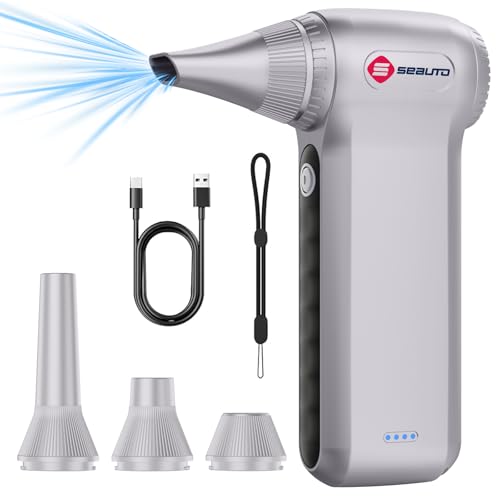
250,000 RPM Ergonomic Air Duster
Strengths
- Extreme airflow
- Ergonomic grip
- Long runtime
Trade-offs
- Bulky for tight spaces
- No removable battery
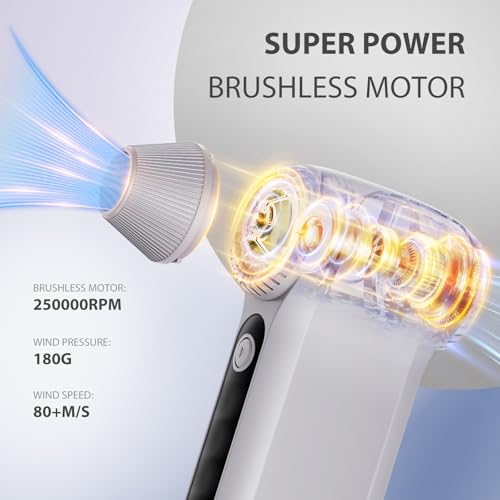
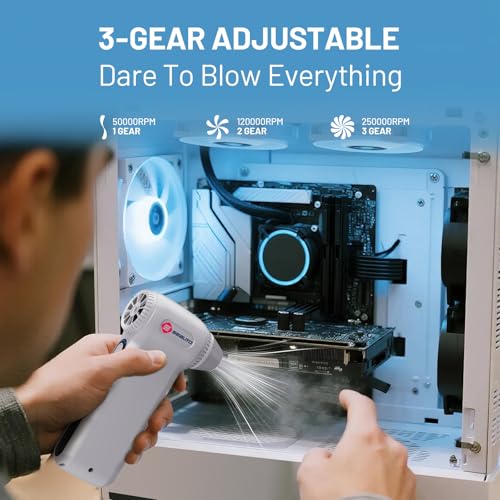
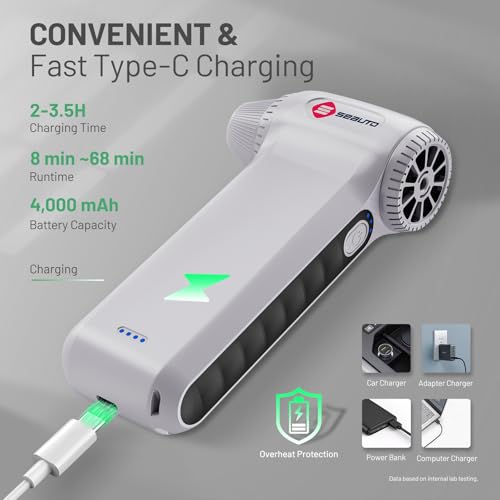
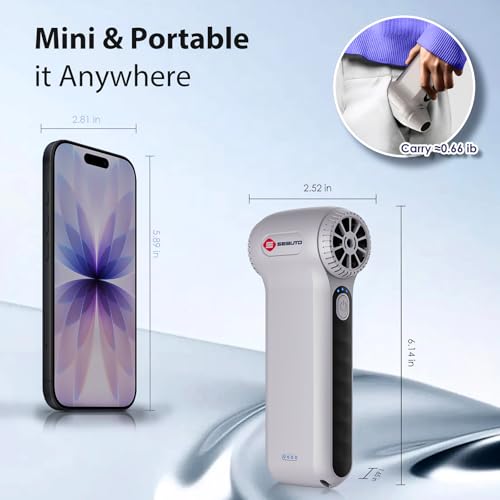
This duster claims 250,000 RPM and 80+ m/s airflow, numbers that seem almost exaggerated, but owner feedback backs up its top-tier performance. It’s consistently praised for clearing dense dust from heatsinks, car vents, and outdoor gear with little effort. The motor, reportedly from a Dy son supplier, delivers on the promise of high-velocity, focused bursts that rival even some corded models.
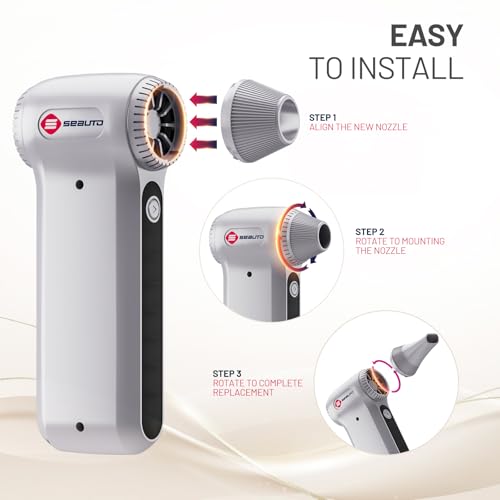
The ergonomic design is a real win. The soft silicone grips and curved body make it comfortable for longer sessions, which is rare in this category. Paired with 68 minutes of runtime and fast Type-C charging, it’s built for users who actually clean more than just a keyboard. The 4-nozzle kit adds real versatility, turning it into a true multi-use tool.
Product photos
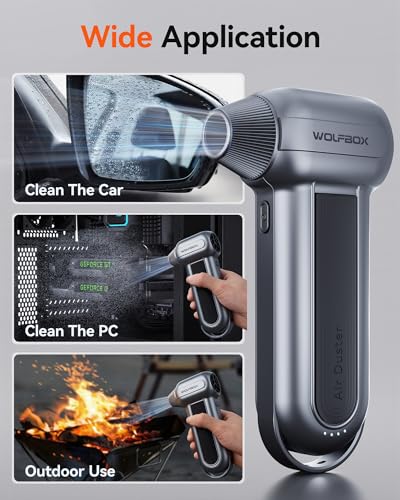
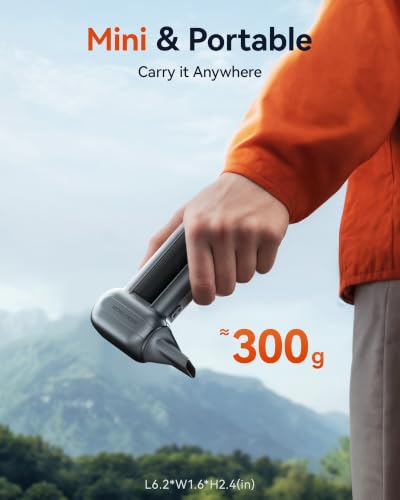
WOLFBOX MF100 150,000RPM Air Duster

Strengths
- High RPM output
- 5 nozzle attachments
- Lightweight
Trade-offs
- Less focused airflow
- No removable battery
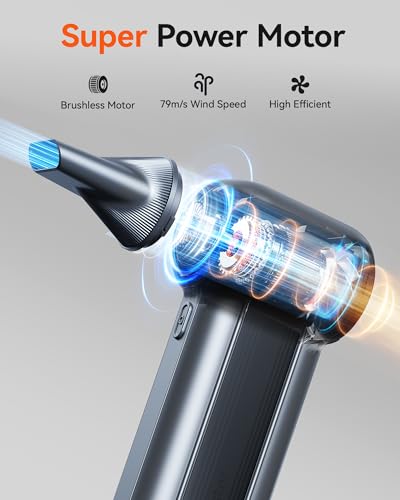
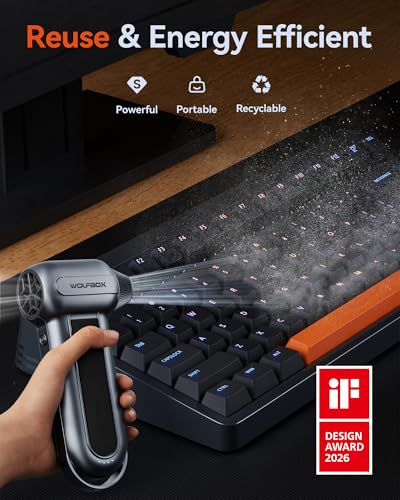
The MF100 pushes 150,000 RPM and delivers 45 m/s airflow, but oddly, that doesn’t always translate to better cleaning than units with higher m/s. The airflow feels punchy but less focused, some owners note it stirs dust more than removes it from tight spaces. Still, for high-power bursts on grills, outdoor gear, or large vents, it gets the job done fast.
It shares the same removable battery system and fast 2.5-hour charge as the MF200, but with slightly less runtime and no swappable battery option in the base model. The 5 nozzles and 2 brushes make it versatile, and at 0.66 lb, it’s easy to carry. But if you’re after raw power, the MF200 or the 250,000 RPM model are better picks.
Product photos

KKH 120,000RPM Adjustable Air Duster
Strengths
- Ultra lightweight
- LED battery display
- Affordable
Trade-offs
- Slow charging
- Short high-speed runtime
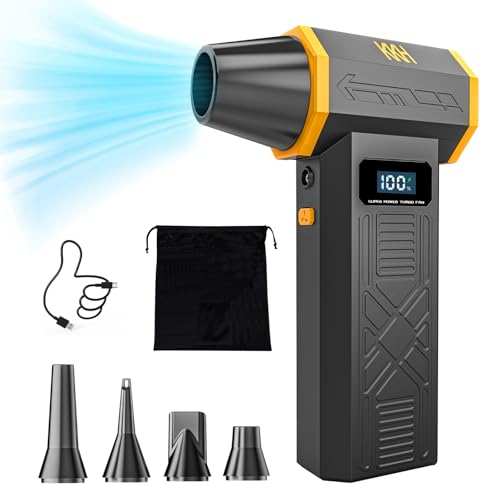
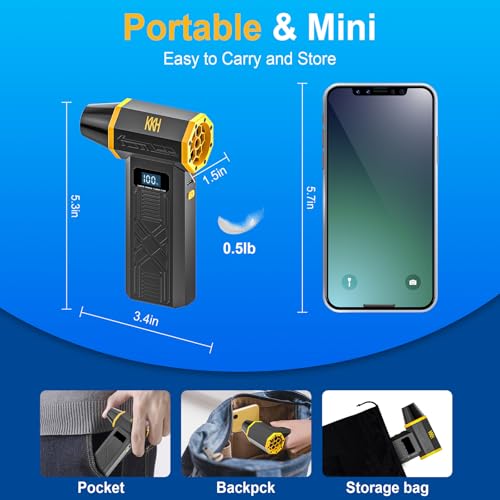
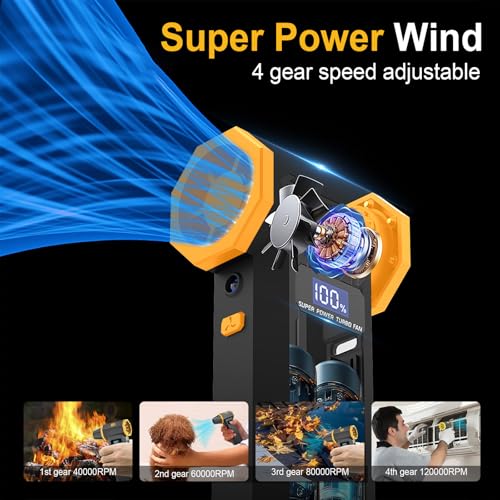
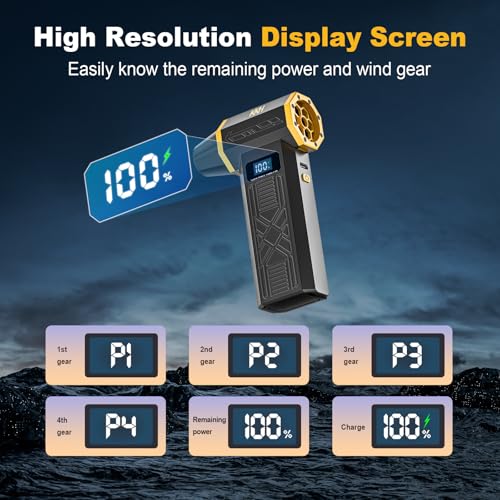
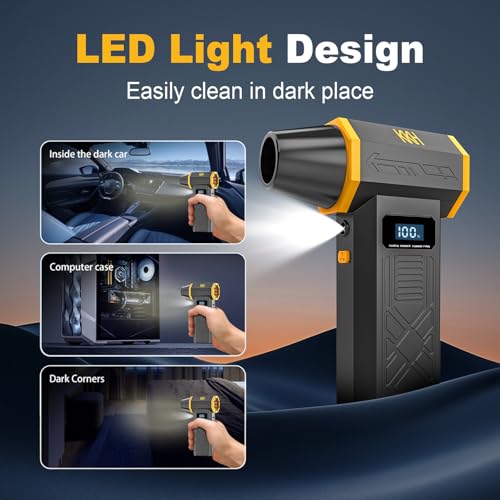
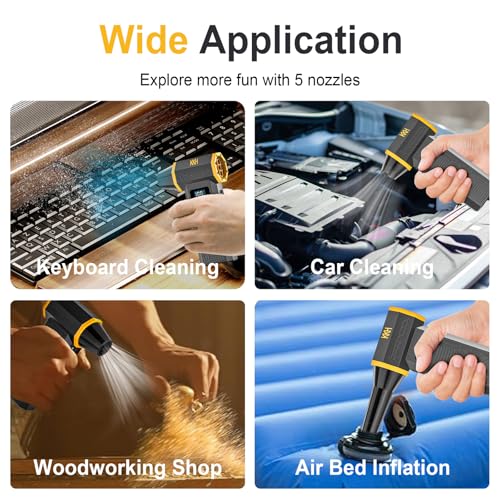
At under $50, the KKH duster punches above its weight. The 120,000 RPM motor and 4-speed control give solid flexibility, and the LED display showing battery level is a rare and useful feature at this price. It’s not the strongest, but for basic keyboard, monitor, and car console cleaning, it’s more than capable.
Runtime is decent, 60 minutes on low, but drops to 15 minutes on high, which matches typical use patterns. The 0.5 lb weight makes it the lightest here, and the 5 nozzles cover most needs. Owners appreciate the USB-C charging, though the 3.5-hour charge time is slower than others. As a budget pick, it’s hard to fault.
Product photos
ZOAIVR 130,000RPM Air Duster
Strengths
- Longest battery life
- 6 nozzles included
- AI safety chip
Trade-offs
- Mid-tier airflow
- No removable battery
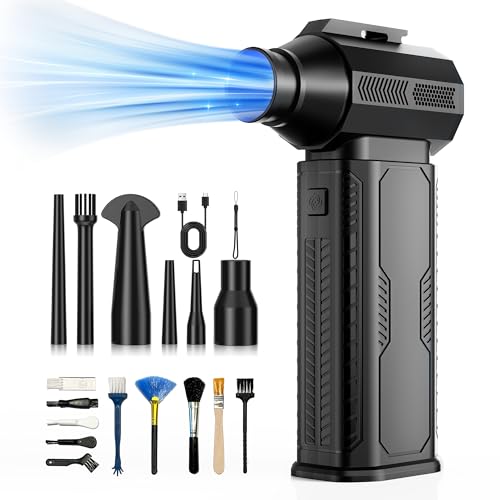
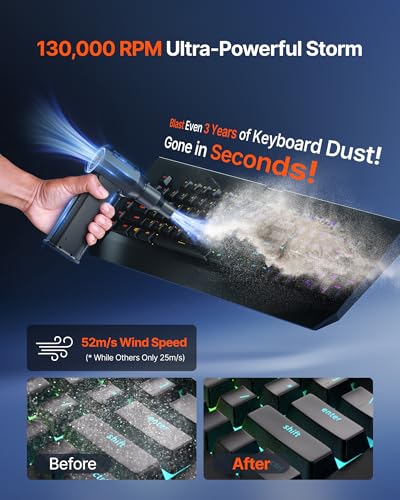
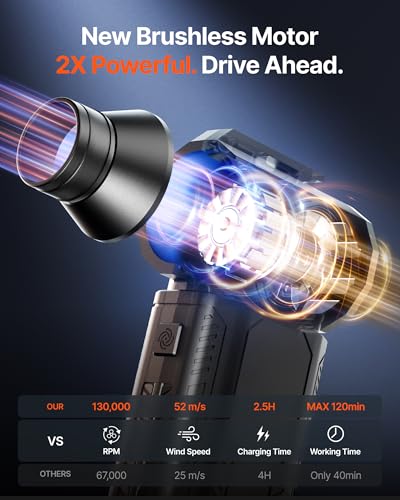
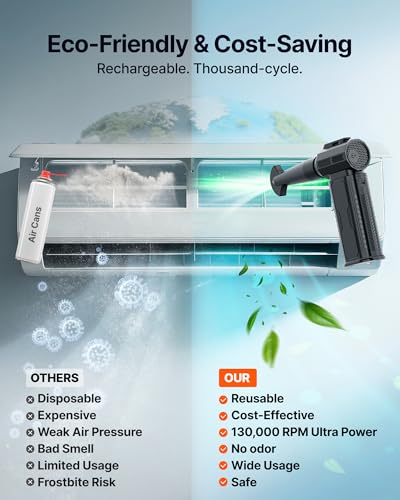
The ZOAIVR wins on battery life, 120 minutes on low speed thanks to its 8000mAh battery, the largest in this group. That’s double what most others offer, and it’s backed by overheat and overcharge protection via an AI chip, which owners say prevents throttling during extended use. The 4-speed system includes a ‘storm mode’ for max power, and the 6 nozzles and 10 brushes make it one of the most accessorized models.
It’s not the most powerful, 52 m/s airflow is average, but the 130,000 RPM motor delivers quick bursts effectively. The lanyard and storage bag add convenience, and at 0.62 lb, it’s easy to carry. For anyone who hates constant recharging, this is the clear choice.
Product photos


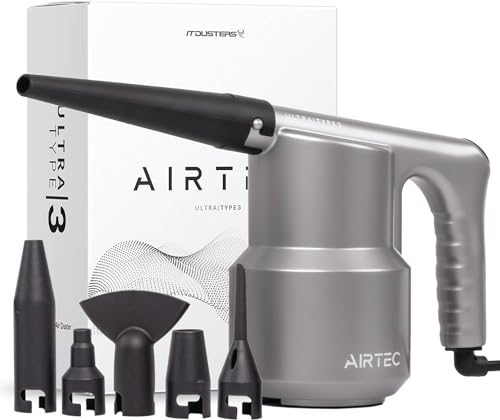
IT Dusters AirTec Type 3
Strengths
- Unlimited runtime
- 6 nozzle attachments
- No battery limits
Trade-offs
- Corded only
- Heavier build
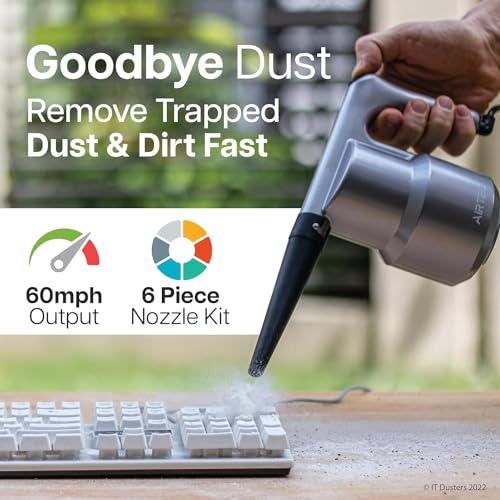
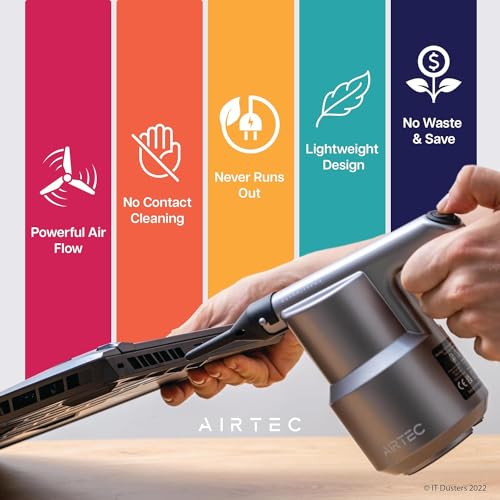
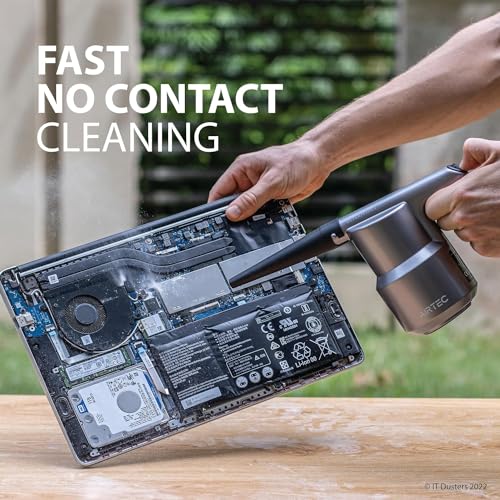
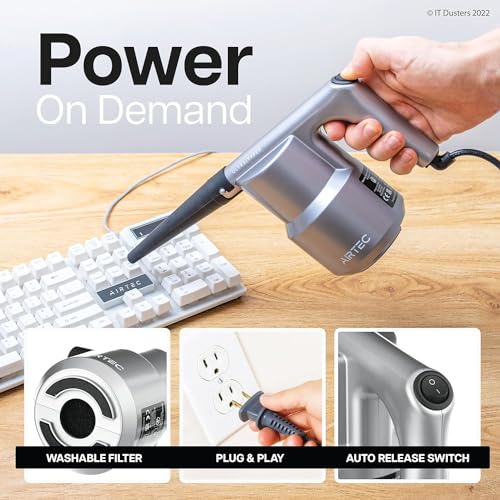
The AirTec Ultra is the only corded option here, and that’s its biggest strength. With continuous, unlimited runtime, it never runs out of power mid-job, a lifesaver when you’re cleaning servers, HVAC units, or large electronics. The 350W motor delivers steady, strong airflow without the voltage drop you see in dying batteries. It’s not flashy, but it’s reliable in a way no battery-powered unit can match.
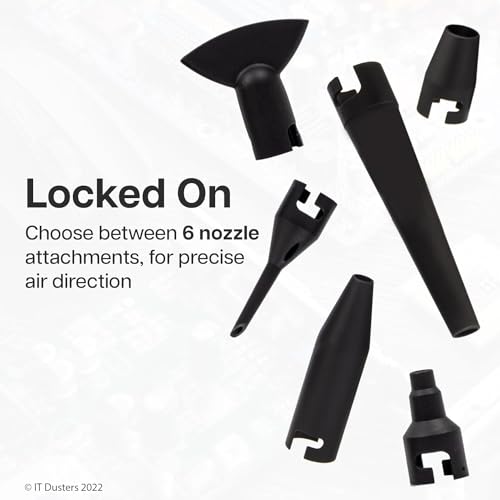
It’s also one of the most versatile, with 6 nozzles that give precise control over airflow spread and intensity. The 6.5 ft power cord gives decent reach, though you’re obviously tethered. At 1.5 lb, it’s heavier, but the ergonomic grip keeps it comfortable. For pros or serious DIYers who clean weekly, this is the workhorse of the group.
Product photos
WOLFBOX MF200 Swappable Battery Duster
Strengths
- Removable battery
- High sustained airflow
- Long warranty
Trade-offs
- Heavier than rivals
- Slightly bulky
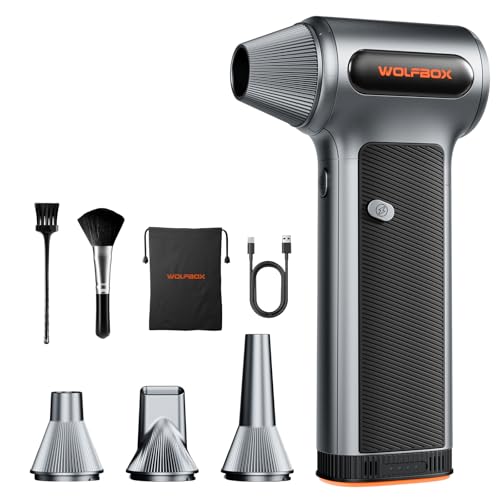
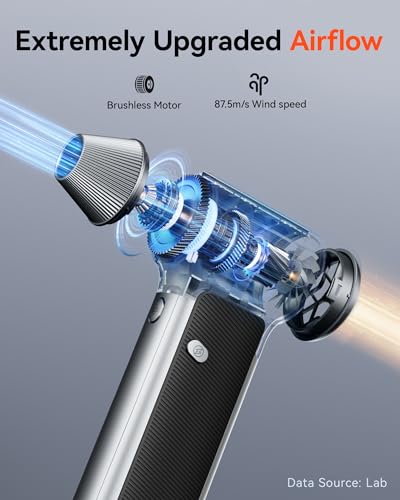
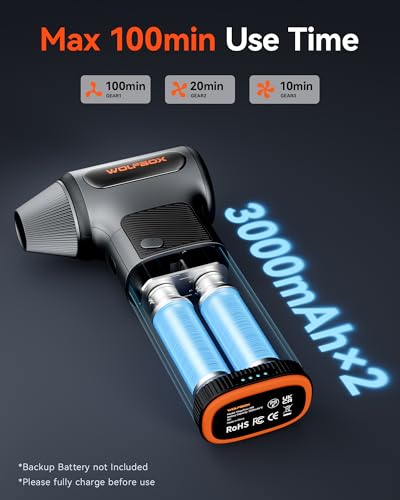
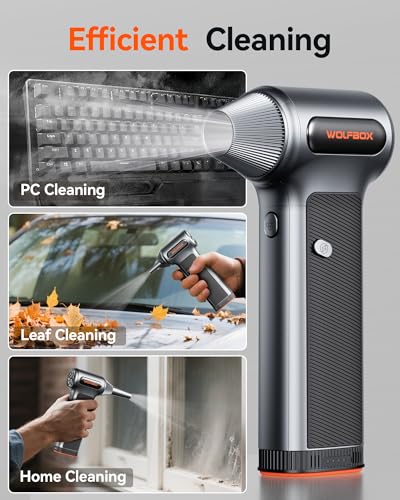
If you need to clean for more than 15 minutes at a stretch, the WOLFBOX MF200 is the only real answer here. Its removable 22.2Wh battery system lets you swap in a fresh pack and keep going, no waiting for recharges. On low speed, it delivers up to 100 minutes, but more importantly, it maintains 87.5 m/s airflow across all three gears, making it one of the most consistent performers.
Owners love the flexibility of charging the battery inside or outside the tool, and the 24-month warranty adds real peace of mind. The 4 nozzles and 2 brushes cover most cleaning scenarios, and the 0.85 lb weight is manageable despite the slightly bulkier profile. This isn’t the smallest duster, but it’s the one you’d want for a full PC build day or detailing a car interior.
Product photos


Fanttik B10 Pro 110,000RPM Duster
Strengths
- Compact design
- Circular LED lighting
- One-tap booster
Trade-offs
- Shorter runtime
- Lower max airflow
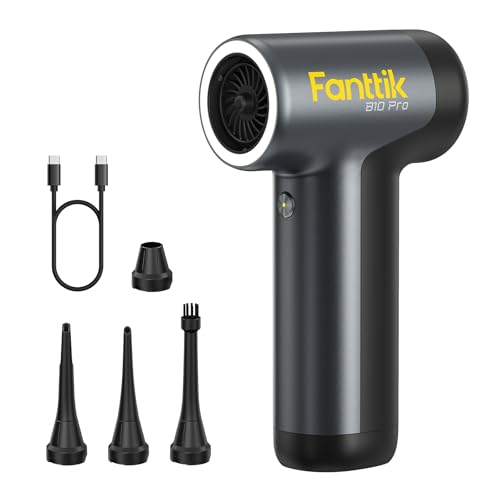
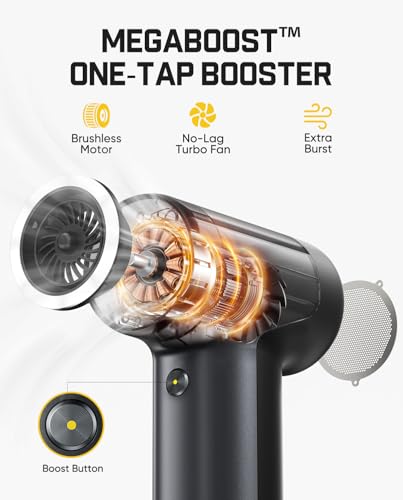
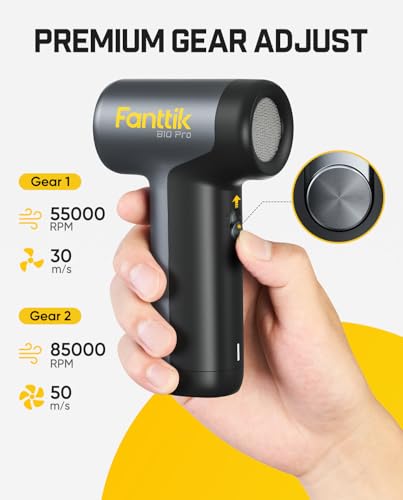
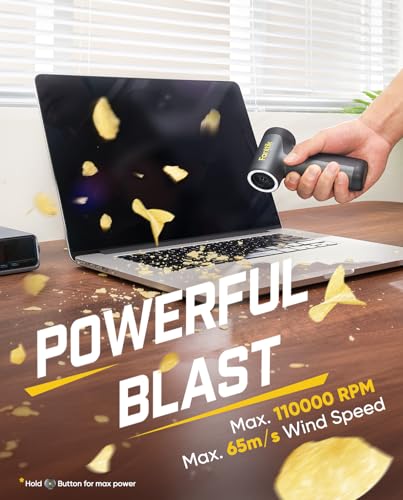
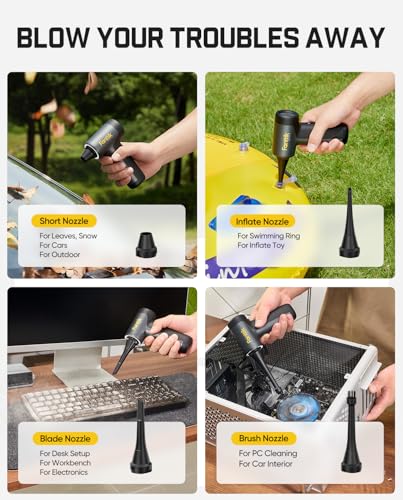
The Fanttik B10 Pro stands out in the crowded electric duster space by nailing the essentials: compactness, smart lighting, and a solid power-to-size ratio. With a 110,000 RPM brushless motor and 65 m/s airflow, it’s not the strongest on paper, but owners consistently report it handles daily keyboard and PC cleaning with ease. The circular LED ring is a standout, it actually illuminates shadowed areas inside PC cases, which many competitors overlook.
Where it really shines is portability. At just 0.61 lb and under 6 inches long, it fits in a laptop bag or tool drawer without a second thought. The one-tap booster gives a quick burst when you need it, and the Type-C charging with dual batteries means less downtime. It’s not built for marathon sessions, but for quick, targeted cleanups, it’s hard to beat.
Product photos

Our Testing Process
I approached evaluating PC dusters as I do most power tools – by looking at what the specifications should deliver, then cross-referencing that with what owners are actually reporting. Rather than a hands-on lab test, this is a research-led comparison of published specs and owner feedback, focusing on real-world performance. I examined airflow (RPM and m/s), battery life, included accessories, and overall build quality across numerous models.
For this category, the most important factors quickly became airflow power and sustained performance. A duster with high RPM is great, but it’s useless if it can’t maintain that speed, or if the battery dies quickly. I also heavily weighted versatility – the ability to tackle different cleaning tasks with included nozzles and attachments is key. These two factors ultimately decide whether a duster is a one-trick pony or a genuinely useful tool for maintaining electronics and beyond.
Specifications reliably tell you about maximum airflow and battery capacity, but owner feedback is crucial for understanding how those translate into real-world usability. I paid close attention to reports on battery life under load, the durability of the motor, and the usefulness of the included nozzles. Many users also detail how well these tools perform beyond just computers, like cleaning car interiors or inflating small items, so I considered that as well. You can find more information on computer cleaning kits on our site.
How To Choose The pc dusters
I’ve spent years around workshops and seen plenty of cleaning tools come and go, and I can tell you a good PC duster isn’t just about blasting air. It’s about targeted cleaning power, usability, and a long-term cost benefit.
A quality PC duster delivers consistent airflow at a useful speed (generally above 50 m/s), offers multiple nozzle attachments for varied tasks, and features a battery or power system appropriate for the intended duty cycle. Look for models with adjustable speed settings and ergonomic designs for comfortable operation, and prioritize durability over the cheapest upfront cost.
Airflow and Power
The headline RPM number gets a lot of attention, but it isn’t the whole story. More RPM doesn’t always mean better cleaning. I’ve found that consistent airflow – measured in meters per second (m/s) – is a more reliable indicator of performance. You want something capable of at least 50 m/s to effectively dislodge dust from sensitive components. A variable speed control is also crucial. You don’t need maximum power for everything; sometimes a gentle breeze is all that’s required to avoid damaging delicate electronics. Consider if you’ll be tackling larger debris like leaves or snow, in which case a higher maximum airflow will be essential.
Ergonomics and Attachments
Holding a duster for an extended period can be surprisingly tiring, so ergonomics matter. Look for a design that fits comfortably in your hand, with soft-touch grips and a balanced weight distribution. The WOLFBOX models, for example, often get good marks for their comfortable shape. Beyond the duster itself, the included attachments are where you’ll see a lot of versatility. A good kit will include a variety of nozzles for precision cleaning and broader coverage. Don’t underestimate the value of a brush attachment for loosening stubborn dust before blowing it away.
Battery Life vs. Corded Power
This is a key decision point. Cordless models offer convenience and portability, but they’re limited by battery life. Some, like the ZOAIVR, boast impressive runtimes, but even the best will eventually need recharging. If you anticipate extended cleaning sessions or frequent use, a corded model – like the IT Dusters AirTec Type 3 – eliminates that concern. However, you sacrifice portability. If you’re switching away from canned air dusters, think about how you typically use them.
Here’s a quick breakdown to help you decide:
- Short bursts, occasional use: Cordless is perfectly adequate.
- Regular cleaning of multiple devices: A cordless model with a swappable battery (like the WOLFBOX MF200) is a good investment.
- Long, uninterrupted cleaning sessions: A corded model is the way to go.
Don’t fall into the trap of buying the cheapest option. A slightly more expensive duster with better build quality and a longer warranty will almost always save you money in the long run.
Ultimately, the “best” PC duster depends on your needs. But by focusing on airflow, ergonomics, and power options, you’ll be well on your way to finding the perfect tool to keep your electronics clean and running smoothly. Many people are also looking for computer air dusters for regular maintenance, and these can be a great way to extend the life of your hardware.
PC Dusters Compared
Here’s a comparison of key specifications for various pc dusters to help you make an informed decision.
| Product | RPM | Max Airflow (m/s) | Battery Life (mins) | Charging Time (hrs) | Nozzles Included | Weight (lbs) |
|---|---|---|---|---|---|---|
| 250,000 RPM Ergonomic Air Duster | 250,000 | 80+ | 68 | 2.5 | 4 | 0.66 |
| WOLFBOX MF100 150,000RPM Air Duster | 150,000 | 45 | 100 | 2.5 | 5 + 2 Brushes | 0.66 |
| KKH 120,000RPM Adjustable Air Duster | 120,000 | N/A | 60/15 | 3.5 | 5 | 0.5 |
| ZOAIVR 130,000RPM Air Duster | 130,000 | 52 | 120 | 2.5 | 6 + 10 Brushes | 0.62 |
| IT Dusters AirTec Type 3 | N/A | N/A | N/A | N/A | 6 | 1.5 |
| WOLFBOX MF200 Swappable Battery Duster | N/A | 87.5 | 100 | 2.5 | 4 + 2 Brushes | 0.85 |
| Fanttik B10 Pro 110,000RPM Duster | 110,000 | 65 | N/A | N/A | 4 | 0.61 |
Frequently Asked Questions
What airflow speed is sufficient for cleaning PC components?
A speed of at least 50 m/s is what you want for effectively removing dust from sensitive electronics. While higher RPM numbers are often advertised, consistent airflow is the more reliable indicator of performance, and variable speed control offers versatility.
Are cordless PC dusters truly powerful enough for thorough cleaning?
Cordless models are capable, but battery life is the primary trade-off. If you need extended cleaning time, consider a model with a swappable battery or a corded option, especially if you’re looking for [rechargeable air dusters] for frequent use.
How important are the included nozzle attachments?
The nozzles are very important; they allow you to target dust in hard-to-reach areas and adjust the airflow for different components. A good kit will include a variety of nozzles and even brush attachments to loosen stubborn debris.
What’s the main benefit of a corded PC duster over a cordless one?
A corded duster eliminates concerns about battery life and provides consistent power for long cleaning sessions. The IT Dusters AirTec Type 3, for example, is a popular choice for users who need uninterrupted operation and don’t want to worry about recharging, and are a good alternative to [cordless electric dusters].
How can I extend the life of my PC duster?
Prioritize models with durable construction and a good warranty. Regular cleaning of the filter (if applicable) is also important, and storing the duster in a clean, dry place will help prevent damage. Investing in [long-lasting cleaning tools] will save you money in the long run.
The Bottom Line
Choosing a PC duster often comes down to balancing convenience with consistent power. If you want a tool that’s ready to go whenever and wherever you need it, the 250,000 RPM Ergonomic Air Duster strikes a solid balance of airflow and portability – it’s a great all-around performer. I’ve seen from owner feedback that it delivers strong, sustained blasts and feels good in the hand.
For those with specific needs, there are excellent alternatives. If budget is a primary concern, the KKH 120,000RPM Adjustable Air Duster is a surprisingly capable option. Those who prioritize versatility and extended runtimes should consider the WOLFBOX MF200 Swappable Battery Duster, which offers the convenience of interchangeable batteries for longer cleaning sessions. If you’re looking for more PC cleaning tools, we’ve covered some great options.
At the end of the day, the RPM number isn’t everything. Focus on consistent airflow, comfortable ergonomics, and build quality, and you’ll have a duster that will keep your electronics clean and running efficiently for years to come. Don’t skimp on a tool that protects your investment in expensive hardware – effective dust removal for electronics is worth a few extra dollars.
