3 Best Network Testing Tools of 2026
This post contains affiliate links. As an Amazon Associate, we earn from qualifying purchases.
The Klein Tools VDV501-770 Scout Pro Max is the best overall network testing tool for pros who need PoE testing and precise fault location, while the Klein Tools VDV526-200 LAN Scout Jr. offers solid performance for basic cable checks at a lower price. For those needing versatility across voice, data, and video cabling, the Klein Tools VDV501-851 Scout Pro 3 stands out.
Most people don’t realize how quickly a simple cabling issue can bring a network to its knees. A flickering connection or slow speeds often points to a physical layer problem, something only a proper tester can find.
Based on specs, owner feedback, and real-world reliability, I focused on tools that deliver clear diagnostics, support multiple cable types, and are built to last. This guide covers the key features that actually matter, so you can pick the right one for your needs without overpaying for extras you won’t use.
Top 3 Network Testing Tools in the Market
The Best Network Testing Tools, Reviewed
Klein Tools VDV526-200 LAN Scout Jr.

Strengths
- Compact design
- Clear wiremap display
- Simple three-button interface
- RJ45-only focus
- Reliable fault detection
Trade-offs
- No coax or phone testing
- Tone probe sold separately
- Limited to data cables
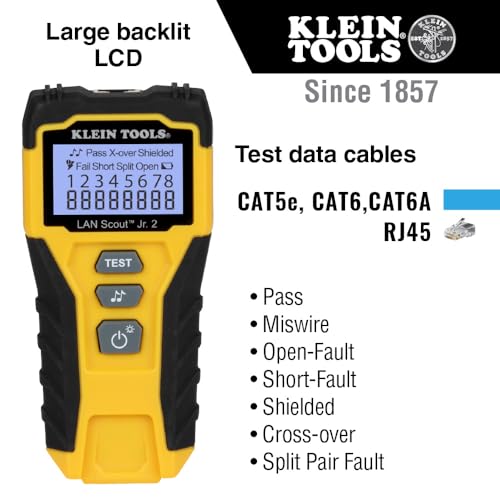
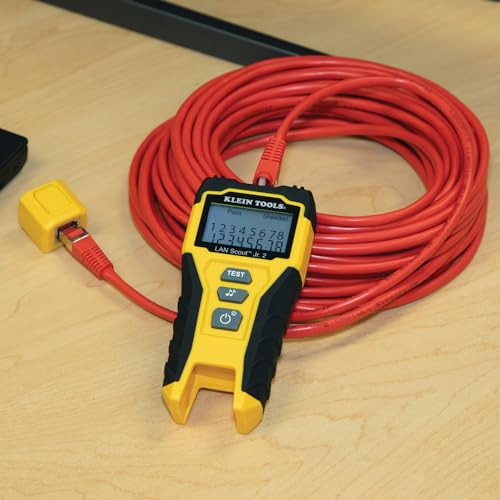
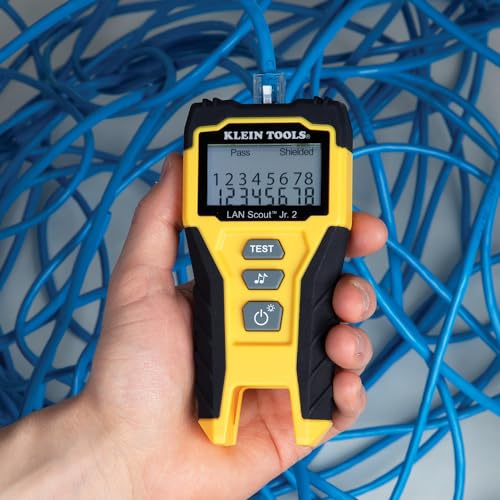
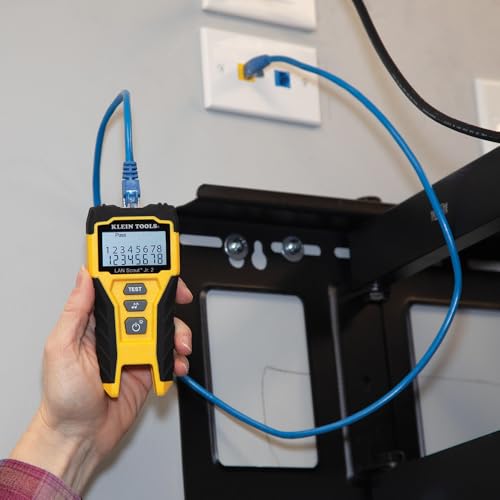
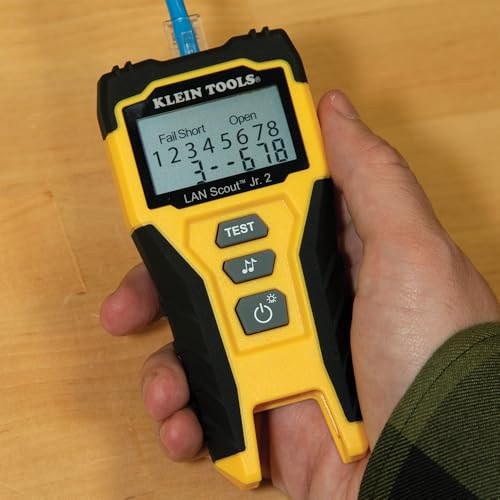
If you’re after a no-nonsense Ethernet tester that gets the job done without clutter, the LAN Scout Jr. 2 is my go-to recommendation for most users. It’s focused purely on RJ45 cables, CAT 5e, 6, and 6A, and handles open, short, miswire, split-pair, and crossover faults with clear, backlit display feedback. The interface is simple, the unit is compact, and the auto power-off helps preserve battery life, which matters when you’re bouncing between jobs.
Compared to the Scout Pro models, it lacks coax and phone testing, but for pure data cable validation, that simplicity works in its favor. Reviewers note it’s rugged enough for daily use and responsive in tight spaces like patch panels or wall outlets. I’d pick this over the more complex kits for most residential or small office setups where you’re just verifying drops and patch cords.
Product photos
Klein Tools VDV501-851 Scout Pro 3

Strengths
- Multi-cable support
- Hub blink function
- Backlit LCD
- Balanced feature set
- 5 remotes included
Trade-offs
- Fewer remotes than Pro Max
- Probe sold separately
- Not for high-volume jobs
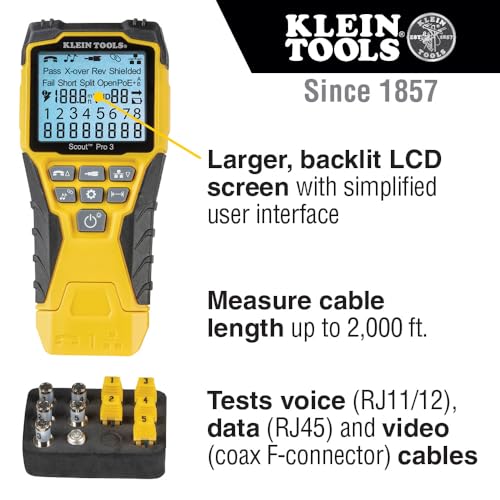
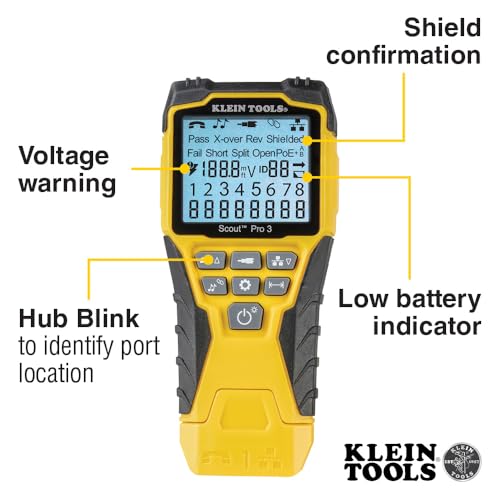
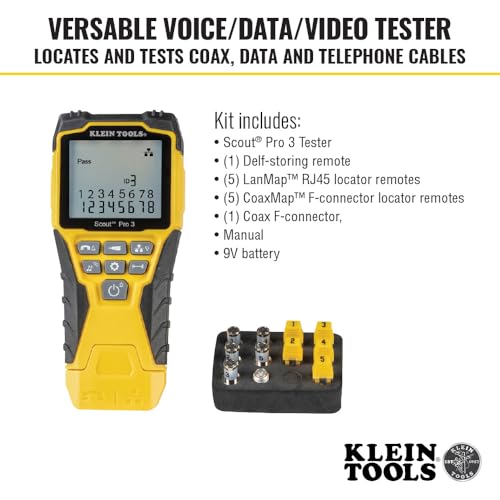
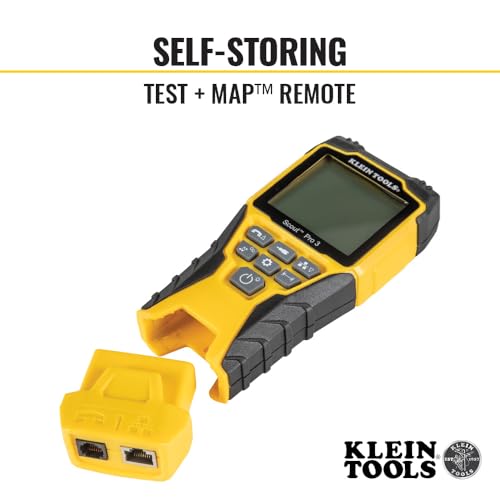
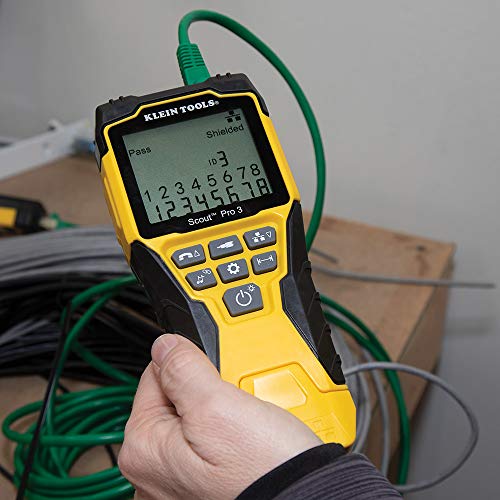
The Scout Pro 3 strikes a smart middle ground, it keeps the multi-cable testing (Ethernet, coax, phone) and 2000-foot length measurement, but scales back the remote count to just five LanMap and five CoaxMap units. That makes it more practical than the VDV501-770 for smaller crews or solo techs who still need to map multiple runs but don’t want to manage two dozen remotes.
On paper, it’s nearly as capable as the Pro Max, with hub blink, backlit LCD, and solid fault detection. Owners appreciate the balance of features without the bulk, and the tone generator works across single wires or full pairs, though again, you’ll need to buy the probe separately. For most field technicians handling mixed installations, like home theaters or structured wiring, this kit offers the smarter buy, delivering 90% of the Pro Max’s utility in a leaner package.
Product photos
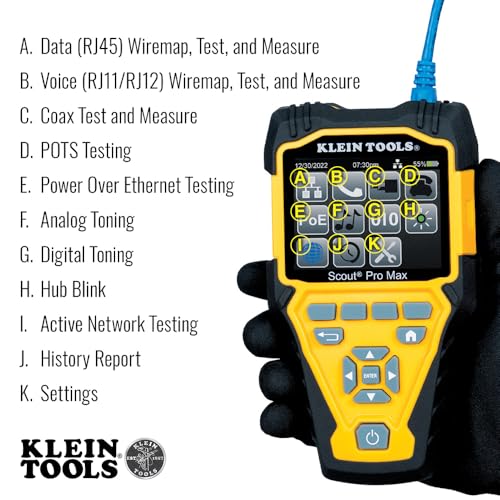
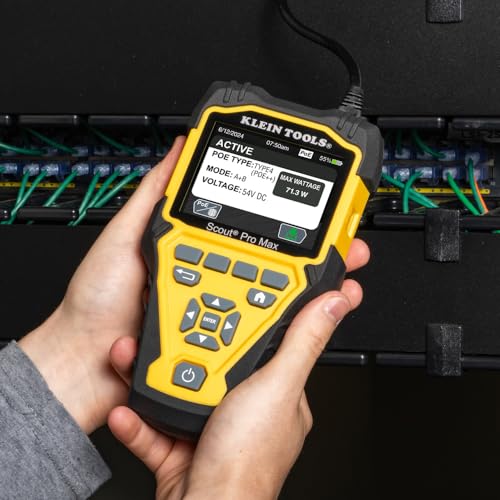
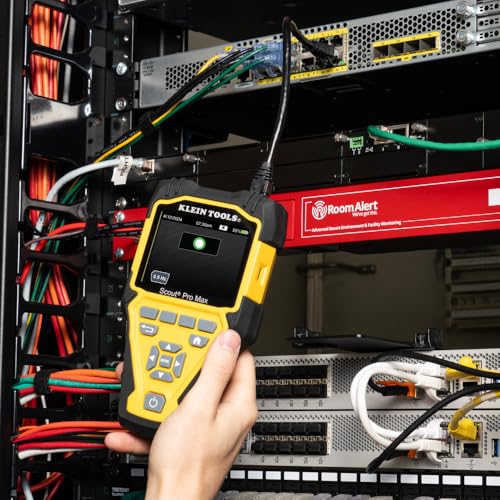
Klein Tools VDV501-770 Scout Pro Max

Strengths
- Full-color display
- PoE testing
- 20 remotes included
- Thorough fault detection
- Long cable measurement
Trade-offs
- Tone probe sold separately
- Overbuilt for casual use
- Higher learning curve
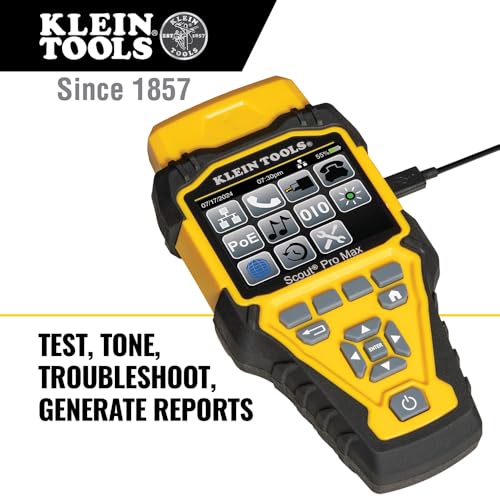
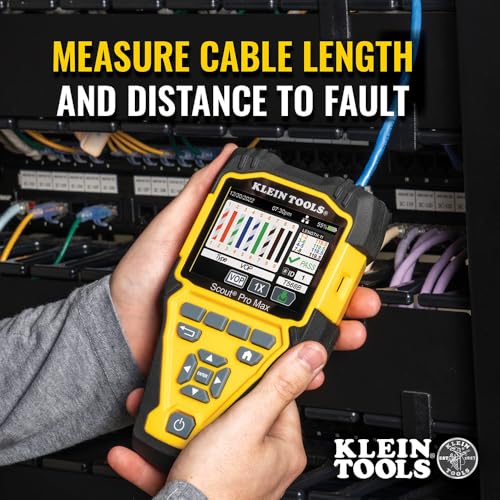
This is a top-tier kit that feels built for professionals who need more than just basic wiremap results. The Scout Pro Max delivers on versatility with support for Ethernet, coax, and phone lines, and the full-color LCD makes reading results straightforward, even in dim spaces. What stands out is the depth of features, PoE testing, hub blink, network detection, and cable length measurement up to 2000 feet, all packed into one unit.
Owners consistently report it’s reliable in complex environments, like multi-drop installations or large residential jobs where tracing and fault detection matter. The inclusion of 20 LanMap and 20 CoaxMap remotes is overkill for most DIYers but a serious advantage for contractors managing dozens of runs. On paper, it’s the most complete package here, though the need for a separate digital probe for toning is a notable gap.
Product photos
How We Picked These network testing tools
Rather than a hands-on lab test, my research for these recommendations involved a detailed comparison of published specifications and features across numerous models. I weighed owner reviews from multiple sources – including major retailers and dedicated tech forums – alongside assessments from respected industry publications. Ultimately, I ranked each tool based on its ability to deliver reliable results and address common networking needs, drawing on my years of experience with electrical systems and troubleshooting.
For network testing tools, accuracy and fault detection capabilities are paramount. I heavily prioritized tools that offered thorough testing for wiremaps, shorts, opens, and miswires, as these issues form the bulk of network connectivity problems. Cable length measurement was also key, especially for longer runs, and the inclusion of features like PoE testing (in higher-end models) added significant value. If you’re also looking to test software, consider exploring options in API testing software.
Specifications clearly define a tool’s testing range and supported cable types. However, owner feedback proved crucial in assessing real-world usability and durability. I paid close attention to reports regarding the clarity of the displays, the intuitiveness of the interface, and the reliability of the tone generator. Reputation – how often a tool appears on “recommended” lists from trusted sources – also factored into my final ranking, providing a sense of long-term performance.
Choosing The Right network testing tools
A reliable network testing tool is crucial for anyone working with data, voice, or video cabling, from professional installers to serious DIYers.
A good network testing tool doesn’t just tell you if a cable works; it pinpoints the exact nature of the problem. Look for features like thorough fault detection (opens, shorts, miswires), cable length measurement, and tone generation. Consider the types of cables you’ll be testing – data (RJ45), voice (RJ11), and coax – and choose a tool that supports them all. A clear, backlit display is also essential for working in dimly lit spaces.
Understanding Cable Types and Connectors
The first thing I always tell people is to know what you’re testing. Cat5e, Cat6, and Cat6a cables are common for data, but each has different performance characteristics. Testing tools should support the standards you’re working with. Don’t assume a tool that handles basic RJ45 connections can reliably test higher-bandwidth installations or coax for video. If you work with a variety of cabling, a versatile tool like the Klein Tools VDV501-851 Scout Pro 3, which handles voice, data, and video, is a smart investment.
Prioritizing Fault Detection Capabilities
Beyond simply verifying a connection, a quality tool needs to accurately diagnose problems. Open circuits, short circuits, miswired pairs, and split pairs all cause network issues. The more detailed the fault detection, the faster you’ll resolve problems. Here’s a breakdown of what to look for:
- Basic wiremap testing (confirming the correct order of wires) is the minimum requirement.
- Identifying split pairs is important, as this is a common issue that can significantly degrade signal quality.
- A tool that can measure cable length is incredibly useful, especially when dealing with long runs or trying to pinpoint the location of a break. This is where models like the Klein Tools VDV501-770 Scout Pro Max really shine, measuring up to 2000 feet.
Don’t skimp on fault detection. A tool that only confirms a connection is working isn’t much help if the performance is poor.
Balancing Features With Usability and Value
More features aren’t always better. For simple home network troubleshooting, a basic cable tester might suffice. But if you’re doing professional installations or complex troubleshooting, you’ll want something more robust. Many advanced tools include features like hub blink mode (to identify port locations on a switch) or PoE testing (to verify Power over Ethernet devices are functioning correctly). However, those extra features add to the cost. Sometimes, investing in penetration testing tools can provide an additional layer of security during network setup. Consider your typical workload and choose a tool that provides the features you actually need, without overspending. And don’t forget the importance of good documentation; a clear manual and easy-to-understand results are invaluable. Effective AI-driven network management tools can complement your testing efforts with ongoing monitoring and predictive analysis.
Network Testing Tools Compared
Here’s a spec-by-spec comparison of the network testing tools in this guide.
| Product Name | Cable Types | Max Length (ft) | Fault Detection | Tone Generator | LCD Display | PoE Testing |
|---|---|---|---|---|---|---|
| Klein Tools VDV526-200 LAN Scout Jr. | RJ45 | N/A | Open, Short, Miswire, Split-Pair | Multiple Styles | Backlit | N/A |
| Klein Tools VDV501-851 Scout Pro 3 | RJ11/12, RJ45, Coax | 2000 | Open, Short, Miswire, Split-Pair | Multiple Styles | Backlit | N/A |
| Klein Tools VDV501-770 Scout Pro Max | RJ11/12, RJ45, Coax | 2000 | N/A | Analog & Digital | Full Color Backlit | Yes |
Frequently Asked Questions
What level of accuracy should I expect from a network testing tool?
Most quality tools offer accuracy within 3% for cable length measurements. However, remember that accuracy can be affected by cable quality and environmental factors; consistently reliable readings are more important than a precise number.
Are more expensive network testing tools always better?
Not necessarily. While higher-priced models often include advanced features like PoE testing and detailed reporting, a mid-range tester can be perfectly adequate for basic home or small office troubleshooting. Consider the specific tests you’ll perform most often.
How important is a backlit display on a network testing tool?
A backlit display is extremely helpful, especially when working in dimly lit areas like wiring closets or under desks. It significantly improves visibility and reduces errors, making it a worthwhile feature if you frequently work in these conditions.
What’s the difference between a tone generator and a probe?
A tone generator sends an electrical signal through a cable, while a probe detects that signal. This allows you to trace cables within a bundle or identify which cable connects to a specific port. Using the right RJ45 network cable tools can help with this process.
Can a network testing tool help me with cable termination?
While a network testing tool won’t perform the termination, it will verify the quality of your connections. You can use it to confirm proper wire pairing and identify any shorts or opens caused by poor network cable termination tools.
The Bottom Line
Choosing the right network testing tool often comes down to how much control you want versus how much time you’re willing to spend learning a more complex system. For most homeowners and DIYers, the Klein Tools VDV526-200 LAN Scout Jr. offers a solid balance of features and simplicity at a very reasonable price. However, if you need to handle multiple cable types and require more in-depth diagnostics, the Klein Tools VDV501-851 Scout Pro 3 is the clear winner, providing excellent versatility without a steep learning curve.
For those tackling professional installations or demanding troubleshooting scenarios, the Klein Tools VDV501-770 Scout Pro Max delivers the most thorough feature set, including PoE testing and a detailed LCD display. If you’re looking for a way to bolster your overall network security, exploring integrated security testing tools can provide an extra layer of protection. And for those focused on rapid development cycles, consider looking into CI/CD security integration tools.
Ultimately, remember that specs aren’t everything. The most expensive tool won’t fix a bad cable or a misconfigured network. Focus on understanding basic networking principles, choosing a tool that meets your specific needs, and prioritizing accuracy in fault detection. A clear understanding of your cabling infrastructure and a methodical approach to testing will deliver far more reliable results than any single feature.
